Open Source ERP Systems: Best Free Solutions
What is Open Source ERP
In my years leading digital transformation across enterprise IT environments, I have observed growing interest in open source ERP as organizations seek to reduce software costs and eliminate vendor lock-in. However, the trade-offs are often misunderstood. This guide provides a complete open source erp overview, comparing leading options like erpnext and odoo against commercial alternatives, and answering best open source erp systems for small business questions, drawing directly from real-world implementations.
Conceptual Layer: Defining Open Source ERP
Open source erp refers to enterprise resource planning software whose source code is freely available for modification and redistribution. Unlike commercial ERP where the vendor controls development, open source allows organizations to modify the software to their exact requirements. Free erp software in the open source model means no license fees—but implementation, customization, hosting, and support still incur costs.
From my experience, the appeal of open source erp is clear: zero license cost, unlimited customization, and no vendor lock-in. However, organizations often underestimate the internal expertise required. The total cost of ownership for open source can exceed commercial ERP when internal development and maintenance are fully accounted for.
Popular Open Source ERP Platforms
ERPNext: Full-featured open source ERP built on Python/JavaScript. Includes accounting, inventory, CRM, HR, manufacturing, and website builder. Community edition free; cloud hosting available. Strengths: comprehensive functionality for manufacturing and distribution, strong community support, regular updates. Weaknesses: smaller ecosystem than Odoo, fewer third-party integrations.
Odoo (Community Edition): Modular open source ERP with over 30 core applications. Community edition free; enterprise edition (paid) adds proprietary modules and support. Strengths: huge app ecosystem (16,000+ modules), modern UI, strong partner network. Weaknesses: community edition lacks key features (mobile apps, reporting, studio customization); upgrading to enterprise adds cost.
Dolibarr: Lightweight open source ERP for small businesses. Focuses on ease of use over depth. Strengths: simple installation, low resource requirements, good for micro-businesses under $5M revenue. Weaknesses: limited functionality for manufacturing and complex distribution.
Apache OFBiz: Enterprise-grade open source framework. Strengths: highly customizable, scalable to large enterprises. Weaknesses: steep learning curve, requires Java development skills, fewer pre-built reports.
Odoo vs ERPNext is the most common comparison. From my experience, ERPNext offers more complete out-of-the-box functionality for manufacturing and distribution. Odoo offers a larger ecosystem but community edition has significant feature gaps compared to paid enterprise edition.
Technical Layer: Architecture and Implementation
Deployment Options: Open source ERP can be self-hosted (your servers, your control) or cloud-hosted (vendor or third-party hosting). Self-hosting requires internal IT expertise: database administration, server management, security patching, backup verification. Cloud hosting adds monthly fees ($50-$500/month depending on users) but eliminates infrastructure burden.
Customization Capability: Unlimited code-level modification—the primary advantage of open source. Organizations can modify any functionality, add custom modules, integrate with any system. Trade-off: each customization creates upgrade debt. Major version upgrades require regression testing and often rework of customizations. Organizations with extensive customizations often fall permanently behind on upgrades.
Implementation Timeline: Open source ERP typically requires longer implementation than commercial cloud ERP. Self-hosted: 6-12 months (infrastructure setup + customization + testing). Cloud-hosted: 3-9 months depending on customization scope. Commercial cloud ERP (SaaS) typically 4-9 months with no customization.
From my technical assessments, the most common open source mistake is underestimating internal expertise required. Organizations with no internal Python/JavaScript developers should not attempt self-hosted open source ERP. The “free” software becomes expensive when consultants must be hired for every change.
Strategic Layer: Cost Analysis and ROI
Open Source ERP Cost Components (5-year TCO, 20 users): Software license: $0. Implementation: $20,000-$80,000 (consultant configuration, customization). Self-hosting infrastructure: $5,000-$20,000 annually (servers, storage, backups, data center). Cloud hosting: $2,000-$10,000 annually. Internal IT staffing: 0.5-2 FTE with development skills ($30,000-$150,000 annually). Upgrades: Major version upgrades require 2-8 weeks of developer time every 2-3 years. Total 5-year TCO: $100,000-$400,000.
Commercial Cloud ERP Cost (5-year TCO, 20 users): Subscription: $50,000-$150,000 total over 5 years. Implementation: $30,000-$80,000. Internal IT staffing: 0.5 FTE ($30,000-$75,000 annually). Upgrades included. Total 5-year TCO: $150,000-$400,000.
From my experience, open source and commercial cloud have similar 5-year TCO for most small businesses ($150k-$400k). Open source can be cheaper only if: (1) you have internal developers and (2) you accept no customizations (using standard functionality) and (3) you self-host on existing infrastructure. Organizations that hire consultants for every customization erode the license cost advantage.
The ROI decision framework: choose open source when you have internal development expertise and genuine need for code-level customization that commercial cloud cannot provide. Choose commercial cloud otherwise—lower risk, faster implementation, included support and upgrades.
Operational Layer: Real-World Use Cases
Use Case 1: Small Manufacturer with Developer on Staff Business context: $8M custom furniture manufacturer with 25 employees, in-house developer (Python skills). Requirements: unique production scheduling logic not available in commercial ERP, integration with custom CNC machinery, budget constraints ($50k total). Solution: ERPNext self-hosted, customized scheduling module by internal developer. Outcome: $40k total cost (0 license + $25k implementation + $15k internal developer time). Payback 9 months. Key success factor: internal development expertise eliminated consultant dependency.
Use Case 2: Distributor with No Internal Developers Business context: $12M wholesale distributor with 30 employees, no IT staff, limited budget. Requirements: standard inventory, purchasing, accounting. Attempted Odoo Community Edition self-hosted. Outcome: after 6 months and $35k consultant fees, system still unstable. Migrated to commercial cloud ERP for $60k total, operational within 4 months. Lesson: “free” software was expensive when consultant required for every issue. Without internal developers, open source TCO exceeded commercial cloud.
Use Case 3: Non-Profit with Extreme Budget Constraints Business context: $5M non-profit with 20 employees, volunteers for IT support, budget under $20k. Requirements: basic accounting, donor management, reporting. Solution: ERPNext on cloud hosting ($100/month). Minimal customization; used standard functionality. Outcome: $15,000 first-year cost (hosting + basic configuration). Payback 6 months. Key success factor: accepted standard functionality, avoided customization, volunteer IT support.
The critical insight from real-world implementations: open source ERP succeeds when organizations have internal development expertise or accept standard functionality without customization. Organizations lacking both should choose commercial cloud ERP.
Open Source vs Commercial ERP Comparison Table
The following comparison reflects current market realities based on my implementation experience:
| Dimension | Open Source ERP | Commercial Cloud ERP |
|---|---|---|
| License cost | $0 | $5k-$20k annually (20 users) |
| Implementation timeline | 3-12 months | 4-9 months |
| Internal IT expertise required | High (developers needed) | Low (vendor manages infrastructure) |
| Customization capability | Unlimited (code-level) | Configuration only (no code) |
| Upgrade process | Customer-managed (2-8 weeks) | Automatic (vendor-managed) |
| Support | Community or paid (no SLA guarantee) | Vendor support with SLA |
| 5-year TCO (20 users) | $100k-$400k | $150k-$400k |
Common Challenges and Solutions
Organizations face specific open source challenges. The expertise gap is the most common—underestimating the technical skill required. The solution is honest skills assessment before commitment. If no internal developers, budget for ongoing consultant support or choose commercial cloud. Another challenge is upgrade burden—customizations break with each major version. The solution is minimizing customizations (use standard functionality) and automated testing. A third challenge is community support quality—no guaranteed response time. The solution is paid support contracts from vendors or partners if uptime is business-critical.
Best Practices from Real Implementations
Across my open source portfolio, several practices guide success. Have internal developers or choose commercial cloud—no exceptions. Minimize customizations—each customization creates upgrade debt. Use standard functionality first, customize only when business-critical. Contribute back to community—fixes and improvements reduce maintenance burden. Finally, budget for upgrades annually—set aside 10-20 percent of implementation cost for each major upgrade.
Frequently Asked Questions
Is open source ERP really free?
No. The software license is free, but implementation, customization, hosting, support, and upgrades cost money. For a 20-user implementation, 5-year TCO typically ranges $100,000-$400,000—similar to commercial cloud ERP. The “free” label applies only to license; total cost is comparable to commercial. Organizations that expect truly free ERP discover hidden costs after commitment. From my experience, only organizations with internal developers and minimal customization achieve lower TCO than commercial cloud.
Which is better for small business: ERPNext or Odoo?
ERPNext offers more complete out-of-the-box functionality for small business—accounting, inventory, CRM, HR, manufacturing included. Odoo Community Edition requires installing multiple apps and lacks key features (mobile apps, reporting, studio customization) available only in paid Enterprise edition. For small businesses without developers, ERPNext is typically easier to implement. For organizations with developers who want larger ecosystem, Odoo may be preferred. Both require internal technical expertise.
What are the best open source ERP systems for small business?
For the best open source erp systems for small business (under $20M revenue): ERPNext (most comprehensive, Python-based), Odoo (largest ecosystem, but community edition has feature gaps), Dolibarr (simplest, for micro-businesses under $5M). Recommendation: ERPNext for most small businesses that have internal developers; commercial cloud ERP for small businesses without developers. “Free” software with paid consultants is more expensive than commercial cloud with included support.
When should I choose open source over commercial ERP?
Choose open source when: you have internal developers (Python/JavaScript) or dedicated IT team, you need code-level customization that commercial cloud cannot provide, you have budget for self-hosting infrastructure and upgrade projects, and you accept longer implementation timeline (6-12 months). Otherwise, choose commercial cloud ERP—lower risk, faster implementation, included support and upgrades. For 80 percent of small businesses, commercial cloud ERP is the better choice despite higher license fees.
Meta Title: What is Open Source ERP: Complete Guide | Khaled Sqawa
Meta Description: Open source ERP explained by digital transformation expert Khaled Elsayed Sqawa. Complete guide to ERPNext, Odoo, and other platforms with cost analysis and implementation advice.
Top Open Source ERP Systems
In my years leading digital transformation across enterprise IT environments, organizations seeking to avoid vendor lock-in often ask which open source platforms are worth evaluating. The landscape has matured significantly, but not all open source erp systems are equal. This guide profiles the best open source erp systems for small business, comparing erpnext, odoo, and other free erp software options, drawing directly from real-world implementation experience.
Evaluation Criteria for Open Source ERP
Before comparing specific platforms, organizations must understand evaluation criteria. Open source erp systems should be assessed on: functionality completeness (does it include accounting, inventory, CRM, manufacturing?), technology stack (can your internal team support it?), community size (active users, modules, documentation?), upgrade path (how difficult to migrate between versions?), and total cost of ownership (license $0 + implementation + hosting + support + upgrades).
From my experience, the best open source erp systems for small business balance functionality with usability. The most powerful platform is useless if your team cannot maintain it. The comparisons below reflect current market realities.
1. ERPNext – Best Overall for Small Business
Overview: ERPNext is a comprehensive open source ERP built on Python/JavaScript (Frappe framework). Developed by Frappe Technologies, now one of the most active open source ERP projects globally. Includes accounting, inventory, CRM, HR, manufacturing, project management, website builder, and helpdesk—all in one system. No paid modules required for core functionality.
Strengths: Most complete out-of-the-box functionality among open source options. Manufacturing module includes bill of materials, work orders, capacity planning—rare in open source. User interface modern and intuitive. Active community with regular releases (every month). Cloud hosting available ($50-$200/month for 20 users). REST API for integrations. Excellent documentation and active forum.
Weaknesses: Smaller ecosystem than Odoo (fewer third-party modules). Python/JavaScript stack may be unfamiliar to shops with PHP/Java developers. Limited mobile apps compared to commercial ERP.
Best for: Small to mid-size manufacturers (under $50M revenue), distributors, organizations with Python developers or willing to use cloud-hosted version. ERPNext is typically the best choice for businesses that want one system for all operations without paying for multiple modules.
Implementation considerations: Self-hosted requires Linux server with 4GB RAM minimum, Python 3.6+, MariaDB/PostgreSQL. Cloud-hosted option eliminates infrastructure burden. Typical implementation timeline: self-hosted 2-4 months (with internal developer), cloud-hosted 1-3 months (basic configuration). Implementation cost: $5k-$30k consultant or internal developer time.
2. Odoo Community Edition – Best Ecosystem
Overview: Odoo (formerly OpenERP) is the most popular open source ERP with over 7 million users. Community edition includes 30+ core apps: sales, accounting, inventory, manufacturing, HR, project management. Built on Python with PostgreSQL database. Enterprise edition (paid) adds proprietary modules (studio, mobile apps, reporting, Odoo.sh hosting).
Strengths: Massive ecosystem—16,000+ community modules available. Modern, clean user interface. Strong partner network (1,500+ official partners). Excellent documentation and largest community of any open source ERP. Flexible modular architecture—install only what you need.
Weaknesses: Community edition lacks key features available only in Enterprise: mobile apps (critical for warehouse/field), reporting engine, studio customization tool, Odoo.sh hosting. Upgrading to Enterprise adds $20-$50 per user monthly—eliminates license cost advantage. Module compatibility issues between versions—upgrading Odoo is notoriously difficult. Many “free” community modules are poorly maintained.
Best for: Organizations with Python developers who can maintain custom modules, businesses that may upgrade to Enterprise later, companies wanting largest ecosystem. For most small businesses, the feature gaps in Community Edition make ERPNext a better choice unless you have development resources.
Implementation considerations: Self-hosted requires Linux server, PostgreSQL, Python environment. Upgrade between versions (e.g., 15 to 16) is complex—often requires migration scripts and extensive testing. Typical implementation timeline: 3-9 months depending on modules and customization. Implementation cost: $10k-$50k consultant or internal developer time. Odoo vs ERPNext: Odoo offers larger ecosystem; ERPNext offers more complete out-of-box functionality.
3. Dolibarr – Best for Micro-Business
Overview: Dolibarr is a lightweight open source ERP/CRM focused on ease of use and low resource requirements. Written in PHP, runs on basic shared hosting. Includes modules for customers, invoices, products, inventory, projects, point of sale. No manufacturing module.
Strengths: Extremely simple installation—upload files to any PHP web host (including shared hosting like GoDaddy, HostGator). Low resource requirements—runs on 1GB RAM. Intuitive interface for non-technical users. Truly free—no paid upgrade path. Active community for a lightweight system.
Weaknesses: Limited functionality for manufacturing (no BOM, work orders, MRP). No built-in accounting (requires external integration or module). Reporting basic compared to ERPNext/Odoo. Smaller community and fewer third-party modules. No native manufacturing capabilities—unsuitable for product businesses with complex production.
Best for: Micro-businesses under $5M revenue with simple needs: service businesses (consulting, agencies), retailers (POS), non-profits. Not suitable for manufacturing or complex distribution.
Implementation considerations: Installation takes 15 minutes. No specialized server required—any PHP hosting works. Minimal IT expertise needed. Typical implementation timeline: 2-8 weeks (basic configuration, data migration). Implementation cost: $1k-$10k. Dolibarr is the best choice for micro-businesses with no IT staff and no manufacturing requirements.
4. Apache OFBiz – Best for Enterprise
Overview: Apache OFBiz (Open For Business) is an enterprise-grade open source ERP framework. Written in Java, used by large organizations requiring extensive customization. Includes accounting, inventory, manufacturing, CRM, e-commerce, order management.
Strengths: Highly scalable—handles large transaction volumes. True enterprise functionality (multi-entity, multi-currency, global tax). Unlimited customization via Java framework. Apache license permits commercial use without open source restrictions. Strong security model and audit capabilities.
Weaknesses: Steep learning curve—requires Java development expertise. Complex installation and configuration (not for beginners). Older interface (though modern themes available). Limited out-of-the-box reporting requires customization. Smaller community than Odoo or ERPNext. Upgrade path complex.
Best for: Large enterprises ($100M+ revenue) with dedicated Java development teams, organizations requiring extreme customization that other platforms cannot provide, businesses with complex multi-entity, multi-country requirements.
Implementation considerations: Requires Java application server (Tomcat, Jetty), relational database (PostgreSQL, MySQL, Oracle, SQL Server). Java development expertise mandatory—cannot be operated by general IT staff. Typical implementation timeline: 6-18 months. Implementation cost: $50k-$200k+ consultant or internal developer time. OFBiz is not recommended for small businesses unless they have in-house Java developers.
5. Odoo vs ERPNext: Head-to-Head Comparison
For most small businesses, the decision comes down to odoo vs erpnext. The following comparison reflects current market realities based on my implementation experience:
| Criteria | ERPNext | Odoo Community Edition |
|---|---|---|
| License cost | $0 | $0 |
| Manufacturing module | Complete (BOM, work orders, MRP) | Basic |
| Accounting | Complete (double-entry, financial reports) | Basic (limited reporting) |
| Mobile apps | Basic | Enterprise only (paid) |
| Reporting engine | Built-in | Enterprise only (paid) |
| Ecosystem size | Medium (2,000+ community) | Very large (16,000+ community) |
| Technology stack | Python/JavaScript (Frappe) | Python (Odoo framework) |
| Ease of installation | Easy (one-click cloud or Docker) | Moderate |
| Upgrade complexity | Low (automated migration tools) | High (notorious for breaking customizations) |
| Best for | Small to mid-size manufacturers, distributors | Businesses with developer resources, larger ecosystem needs |
From my experience: ERPNext is the better choice for most small businesses (under $50M revenue) seeking complete functionality without paying for Enterprise edition. Odoo Community Edition has feature gaps that push many businesses toward paid Enterprise ($20-$50/user/month), eliminating the open source cost advantage. Odoo is better suited for organizations with Python developers who can build missing functionality or those planning to use Enterprise edition.
Common Challenges and Solutions
Organizations face specific open source selection challenges. The feature gap surprise is common—choosing Odoo Community Edition then discovering mobile apps require Enterprise upgrade. The solution is thorough requirements review before selection. Another challenge is upgrade difficulty—underestimating Odoo upgrade complexity. The solution is automated testing and version control for customizations. A third challenge is community support quality—no guaranteed response time for critical issues. The solution is paid support contracts from vendors or partners.
Best Practices from Real Implementations
Across my open source portfolio, several practices guide selection. Start with cloud-hosted version to test functionality before self-host commitment. Choose ERPNext for manufacturing/distribution; Odoo for service businesses with developer resources; Dolibarr for micro-businesses with no IT staff. Avoid Odoo Community Edition if you need mobile apps or advanced reporting. Budget for paid support—community support is insufficient for business-critical systems. Finally, minimize customizations—each customization creates upgrade debt.
Frequently Asked Questions
What is the best open source ERP for small business?
The best open source erp systems for small business (under $20M revenue) is ERPNext for manufacturing/distribution, Dolibarr for micro-businesses under $5M with simple needs, and Odoo Community Edition only if you have Python developers. For most small businesses without internal developers, commercial cloud ERP (like Odoo Enterprise or other SaaS) often has lower total cost than open source when consultant fees are included.
Is Odoo really free?
Odoo Community Edition is free (no license cost). However, key features like mobile apps, advanced reporting, and studio customization are available only in Odoo Enterprise ($20-$50 per user monthly). Many small businesses start with Community Edition then discover they need Enterprise features, eliminating the cost advantage. Odoo vs ERPNext: ERPNext includes mobile apps and reporting in its free edition.
Which is easier to implement: ERPNext or Odoo?
ERPNext is easier. ERPNext offers one-click cloud installation and automated migration tools between versions. Odoo requires more technical expertise for installation and version upgrades are notoriously complex. For organizations without dedicated developers, ERPNext has lower implementation risk. For organizations with Python developers, Odoo’s larger ecosystem may justify the additional complexity.
Can open source ERP replace commercial ERP?
Yes, for many organizations. ERPNext and Odoo (Enterprise edition) can replace commercial ERP like NetSuite, SAP Business One, or Microsoft Dynamics for businesses under $100M revenue. However, open source requires internal technical expertise or paid support. The total cost of ownership (including implementation, hosting, support, upgrades) is comparable to commercial cloud ERP. The advantage is no vendor lock-in and unlimited customization; the trade-off is higher internal expertise requirement.
Meta Title: Top Open Source ERP Systems: ERPNext vs Odoo & More | Khaled Sqawa
Meta Description: Top open source ERP systems compared by digital transformation expert Khaled Elsayed Sqawa. Complete guide to ERPNext, Odoo, Dolibarr, and Apache OFBiz for small business.
Benefits of Open Source ERP
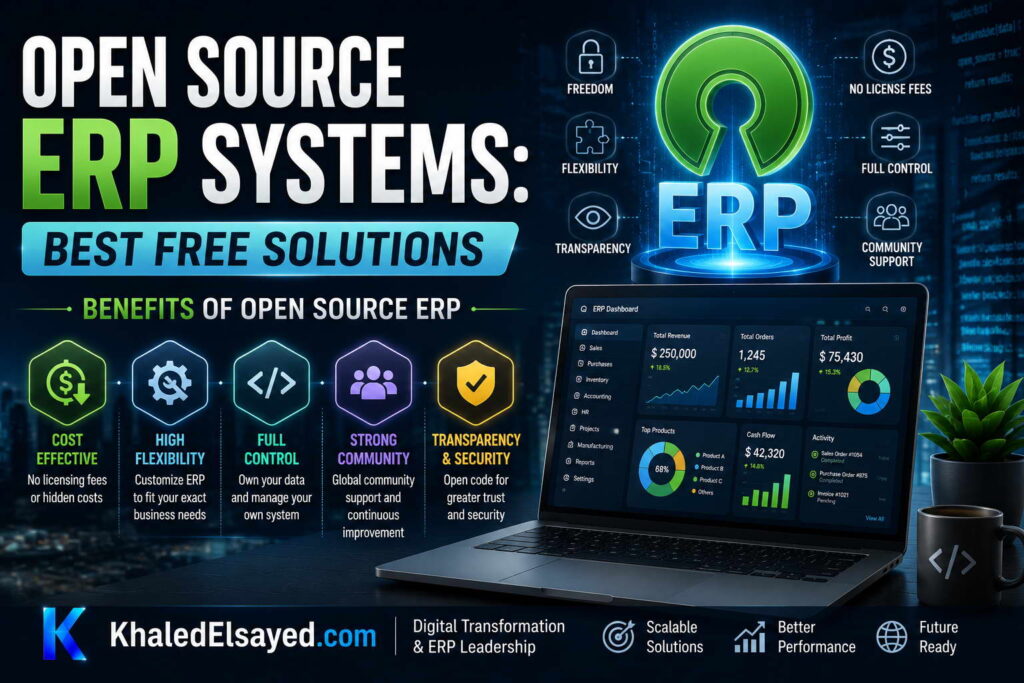
In my years leading digital transformation across enterprise IT environments, I have seen organizations achieve remarkable agility with open source ERP—and others struggle with unexpected complexity. Understanding the genuine open source erp benefits—not the marketing claims—is essential for informed decisions. This guide presents the real advantages of free erp software based on erpnext, odoo, and other platforms, drawing directly from implementation experience to answer best open source erp systems for small business questions.
Benefit 1: Zero License Cost (But Not Zero TCO)
The most visible benefit of open source erp is no license fees. Commercial ERP charges $5,000-$50,000 annually for 20 users; open source charges $0. For bootstrapped startups and non-profits, this eliminates the upfront budget barrier. However, total cost of ownership includes implementation, hosting, support, and upgrades. From my experience, 5-year TCO for open source ($100k-$400k for 20 users) is comparable to commercial cloud ERP ($150k-$400k). The license cost advantage is real but smaller than many expect when fully accounting for internal labor.
When this benefit matters most: Organizations with internal developers and IT staff can realize significant license savings. Organizations without technical expertise see license savings offset by consultant fees.
Benefit 2: Unlimited Customization (No Vendor Lock-in)
Open source ERP allows modification of any functionality—unique workflows, proprietary calculations, industry-specific features. Commercial cloud ERP offers configuration only (checkbox selections, workflow designers). Erpnext and odoo community editions provide full source code access. Organizations with genuine competitive advantage embedded in ERP processes can customize without vendor restrictions. No vendor can sunset a feature you depend on—you control the code.
When this benefit matters most: Organizations with unique processes that cannot be reconfigured to standard functionality. However, 90 percent of requested customizations can be eliminated through process redesign. Only 10 percent of organizations have genuine customization requirements that justify open source.
Benefit 3: No Vendor Lock-in (Data Portability)
With commercial cloud ERP, switching vendors requires re-implementation—your data structure, customizations, and integrations are vendor-specific. Open source ERP stores data in standard databases (PostgreSQL, MySQL) using documented schemas. If you decide to switch vendors or bring development in-house, you retain full data access and can migrate without vendor cooperation. From my experience, organizations that have been burned by commercial vendor price increases or feature removal value this benefit highly.
When this benefit matters most: Organizations that have experienced unexpected vendor price increases (30-50 percent at renewal), feature deprecation, or acquisition by private equity. Open source eliminates switching cost leverage that commercial vendors use in negotiations.
Benefit 4: Community-Driven Innovation
Open source ERP benefits from contributions from thousands of developers globally. Feature requests don’t wait for vendor roadmap—you can build what you need or commission a developer. Security vulnerabilities are found and fixed faster due to public code review. From my experience, free erp software like erpnext releases monthly updates; commercial cloud releases quarterly or annually. The community also provides free support via forums, though response times vary.
When this benefit matters most: Organizations with in-house development teams who can participate in the community and contribute fixes. Organizations without developers get limited benefit from community innovation—they still need paid support.
Benefit 5: On-Premise or Cloud Choice
Commercial cloud ERP requires vendor hosting (your data on their servers). Open source ERP can be self-hosted (your servers, your control) or cloud-hosted (third-party provider). For organizations with data residency requirements or security policies that prohibit external hosting, self-hosted open source is the only option. For organizations preferring cloud, providers offer hosting for $50-$500/month. From my experience, the flexibility to switch between self-hosted and cloud without vendor approval is valuable for regulated industries.
When this benefit matters most: Organizations with strict data residency requirements (defense, healthcare, finance), existing underutilized infrastructure, or concerns about vendor cloud security.
Benefit 6: Lower Incremental User Cost
Commercial cloud ERP charges per user monthly ($20-$200 per user). Adding 50 users adds $12,000-$120,000 annually to subscription. Open source ERP typically has no per-user license fee; hosting costs increase modestly with usage. For organizations with seasonal workforce or plans to scale rapidly, open source avoids the per-user tax that makes commercial cloud expensive at scale. From my experience, the breakeven point where open source becomes significantly cheaper than commercial cloud is around 100 users.
When this benefit matters most: Organizations with high user counts (100+), seasonal workforce additions, or rapid growth plans. For under 50 users, commercial cloud per-user cost is manageable; the open source advantage is smaller.
Benefit 7: Auditability and Transparency
With open source, you can inspect the code that processes your financial transactions, inventory valuations, and customer data. Commercial ERP is a black box—you trust vendor claims about data handling. For organizations with security compliance requirements (SOC 2, ISO 27001, FedRAMP), the ability to audit source code reduces compliance burden. From my experience, finance and security teams increasingly value transparency that only open source provides.
When this benefit matters most: Organizations undergoing security audits, financial audits, or compliance certification. The ability to demonstrate code-level controls reduces audit evidence collection time.
Benefits Summary Table: Open Source vs Commercial Cloud ERP
The following comparison reflects current market realities based on my implementation experience (20 users, 5-year TCO):
| Benefit | Open Source ERP | Commercial Cloud ERP |
|---|---|---|
| License cost (5 years) | ✓ $0 | $50k-$150k |
| Total 5-year TCO | $100k-$400k | $150k-$400k |
| Customization capability | ✓ Unlimited (code-level) | Configuration only |
| Vendor lock-in risk | ✓ Low (standard database) | High (proprietary schema) |
| Deployment flexibility | ✓ Self-host or cloud | Vendor cloud only |
| Per-user cost at scale (100+ users) | ✓ Low (hosting only) | High ($20-$200/user monthly) |
| Support response guarantee | Community (no SLA) | ✓ SLA guarantee |
| Internal expertise required | ✗ High (developers needed) | Low |
| Upgrade process | Customer-managed (2-8 weeks) | ✓ Automatic (vendor) |
Common Challenges and Solutions
Organizations face specific benefit realization challenges. The expertise gap is the most common—benefits require technical skills many organizations lack. The solution is honest skills assessment before commitment. If no internal developers, benefits 1 (license cost) and 2 (customization) are reduced because consultants must be hired. Another challenge is upgrade burden—benefit 2 (customization) becomes liability during upgrades. The solution is minimizing customizations and automated testing. A third challenge is support quality—benefit 4 (community) has no response guarantees. The solution is paid support contracts for business-critical systems.
Best Practices from Real Implementations
Across my open source portfolio, several practices maximize benefits. Have internal developers or choose commercial cloud—otherwise benefits are theoretical. Minimize customizations—each customization reduces upgradeability. Use cloud-hosted version for first year—reduces infrastructure burden while learning. Contribute fixes upstream—reduces maintenance burden long-term. Finally, budget for paid support—community support insufficient for business-critical systems.
Frequently Asked Questions
Is open source ERP really free?
The software license is free ($0). Total cost of ownership (implementation + hosting + support + upgrades + internal labor) typically ranges $100,000-$400,000 over 5 years for 20 users—comparable to commercial cloud ERP ($150,000-$400,000). The free erp software label applies only to license; total cost is similar to commercial. Organizations that expect truly free ERP discover hidden costs after commitment. The benefit is not lower total cost but greater control and customization.
What is the biggest benefit of open source ERP?
Unlimited customization and no vendor lock-in. Organizations with unique processes that cannot be reconfigured to standard functionality, or those who have experienced unexpected vendor price increases, value open source’s control. The license cost benefit ($0 vs $5k-$50k annually) is real but smaller than many expect when fully accounting for internal labor. For organizations without internal developers, the license benefit is often offset by consultant fees.
How does open source ERP compare to commercial cloud for small business?
For the best open source erp systems for small business (under $20M revenue), open source offers lower license cost but requires higher technical expertise. Commercial cloud offers lower expertise requirement but higher per-user cost at scale. Decision framework: choose open source if you have internal developers and genuine customization needs. Choose commercial cloud otherwise—lower risk, faster implementation, included support. For 80 percent of small businesses, commercial cloud ERP is the better choice despite higher license fees.
Does open source ERP have lower total cost than commercial?
It depends on internal expertise. Organizations with internal developers can achieve lower TCO (5-30 percent savings). Organizations without internal developers typically have similar or higher TCO due to consultant fees. The 5-year TCO range for both models overlaps significantly: $100k-$400k for open source, $150k-$400k for commercial cloud. The primary difference is not cost but control and risk. Choose open source for control; choose commercial cloud for lower execution risk.
Meta Title: Benefits of Open Source ERP: Complete Guide | Khaled Sqawa
Meta Description: Benefits of open source ERP explained by digital transformation expert Khaled Elsayed Sqawa. Learn about zero license cost, unlimited customization, no vendor lock-in, and deployment flexibility.
Limitations and Risks
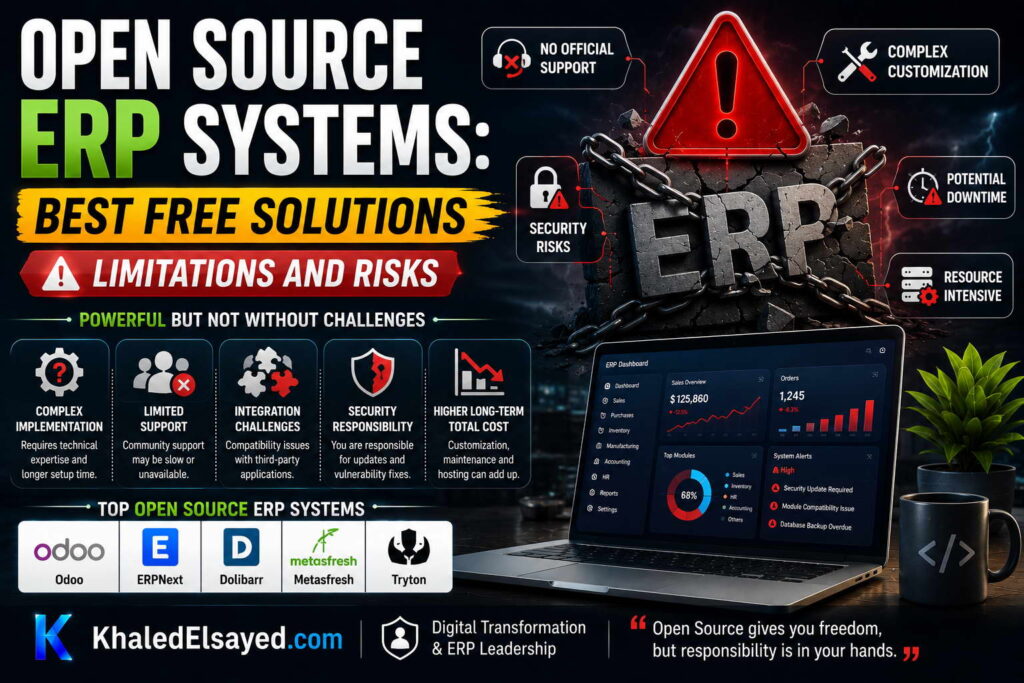
In my years leading digital transformation across enterprise IT environments, I have seen open source ERP projects succeed brilliantly—and fail catastrophically. The failures almost always stem from underestimated limitations and risks. Understanding the genuine open source erp drawbacks—not the marketing claims—is essential for informed decisions. This guide presents the real limitations of free erp software based on erpnext, odoo, and other platforms, drawing directly from implementation experience to answer best open source erp systems for small business questions.
Limitation 1: High Technical Expertise Requirement
The most significant limitation of open source erp is technical expertise required. Commercial cloud ERP can be operated by general IT staff. Open source ERP requires developers with platform-specific skills: Python/JavaScript for erpnext and odoo, Java for Apache OFBiz. From my experience, organizations without internal developers should not attempt self-hosted open source ERP. The “free” software becomes expensive when consultants must be hired for every change.
Risk mitigation: Use cloud-hosted version (vendor manages infrastructure) and budget for ongoing developer retainer (20-40 hours monthly). Alternatively, choose commercial cloud ERP—higher license cost but lower expertise requirement.
Risk 2: Upgrade Complexity and Technical Debt
Commercial cloud ERP upgrades automatically (vendor-managed). Open source ERP upgrades are customer-managed projects requiring 2-8 weeks of developer time every 2-3 years. Customizations that provide open source’s main benefit become technical debt during upgrades. Each customization must be regression tested and often re-coded for new versions. Organizations with extensive customizations often fall permanently behind on upgrades, creating security vulnerabilities and compatibility issues.
Risk mitigation: Minimize customizations—use standard functionality whenever possible. Implement automated regression testing. Set aside 20 percent of implementation budget for upgrade reserve. Consider commercial cloud if you cannot commit to upgrade discipline.
Limitation 3: Community Support (No SLA)
Commercial cloud ERP includes support with service level agreements (SLA)—guaranteed response times, 24×7 availability, dedicated support engineers. Open source ERP support is community forums, Stack Overflow, and GitHub issues. No guaranteed response time. For business-critical systems (ERP is always business-critical), community support is insufficient. From my experience, organizations that rely solely on community support experience unresolved issues for weeks—impacting order processing, financial close, and customer satisfaction.
Risk mitigation: Purchase paid support from vendors or partners ($5k-$20k annually). Paid support provides SLA guarantees. If budget cannot support paid support, open source may be too risky for business-critical operations.
Risk 4: Hidden Total Cost of Ownership
The “free” label creates false expectations. Organizations budget for zero license cost but under-budget for implementation, customization, hosting, support, and upgrades. From my experience, 5-year TCO for open source ($100k-$400k for 20 users) is comparable to commercial cloud ERP ($150k-$400k). The license savings are offset by higher internal labor, consultant fees, and upgrade projects. Organizations that expect truly free ERP discover hidden costs after commitment, when switching costs are high.
Risk mitigation: Build 10-year TCO model including internal labor before choosing open source. Compare to commercial cloud quotes. If TCO is similar, evaluate non-cost factors (control vs convenience). Do not choose open source solely for license cost savings—they are smaller than expected.
Limitation 5: Smaller Ecosystem and Integrations
Commercial cloud ERP (NetSuite, SAP, Microsoft) has hundreds of pre-built integrations with banks, payment processors, e-commerce platforms, CRM, WMS, and EDI. Open source ERP has fewer pre-built connectors. Odoo has the largest ecosystem (16,000+ modules) but many are community-maintained with variable quality. ERPNext has 2,000+ modules. Custom integration development adds $5k-$40k per integration. From my experience, organizations with extensive integration requirements (5+ external systems) face higher open source integration costs.
Risk mitigation: Audit integration requirements before selection. If you need 5+ integrations, verify pre-built connectors exist. Budget for custom integration development where connectors lack.
Risk 6: Feature Gaps in Community Edition
Many open source ERP platforms have feature gaps between community (free) and enterprise (paid) editions. Odoo Community Edition lacks mobile apps, advanced reporting, and studio customization—features available only in Odoo Enterprise ($20-$50/user monthly). Organizations that choose community edition to save license costs discover critical missing features post-implementation. Upgrading to enterprise eliminates the cost advantage.
Risk mitigation: Thorough requirements review before selection. Test community edition for 2-4 weeks against all requirements. If enterprise features required, factor paid edition cost into TCO comparison. ERPNext has fewer feature gaps between free and paid—a key advantage for organizations seeking true open source without upgrade pressure.
Limitation 7: Security Responsibility
Commercial cloud ERP vendors manage security: patching, intrusion detection, penetration testing, compliance certifications (SOC 2). Open source ERP self-hosted customers are fully responsible for security. Most mid-market organizations lack the expertise to secure public-facing ERP systems. From my security assessments, the typical self-hosted open source installation has unpatched vulnerabilities, missing security monitoring, and inadequate backup verification.
Risk mitigation: Use cloud-hosted version (vendor manages security) or purchase managed hosting from specialized providers. If self-hosting, budget for dedicated security staff (0.5-1 FTE) or managed security service provider ($20k-$50k annually).
Limitations and Risks Summary Table
The following comparison reflects current market realities based on my implementation experience:
| Risk/Limitation | Open Source ERP | Commercial Cloud ERP |
|---|---|---|
| Technical expertise required | ✗ High (developers needed) | Low (general IT) |
| Upgrade process | ✗ Customer-managed (2-8 weeks) | Automatic (vendor) |
| Support SLA guarantee | ✗ Community (no SLA) | Yes (24×7, response time) |
| 5-year TCO (20 users) | $100k-$400k | $150k-$400k |
| Pre-built integrations | ✗ Fewer (2,000-16,000 modules) | Hundreds |
| Feature gaps (community vs paid) | ✗ Significant (Odoo) | N/A (single edition) |
| Security responsibility | ✗ Customer (self-host) | Vendor (cloud) |
| Vendor lock-in | Low | ✗ High |
Common Challenges and Solutions
Organizations face specific risk realization challenges. The expertise surprise is the most common—underestimating technical skills required. The solution is honest pre-selection skills audit. If no internal developers, choose commercial cloud. Another challenge is upgrade paralysis—organizations defer upgrades due to complexity, falling 2-3 versions behind. The solution is automated testing and annual upgrade budget. A third challenge is support void—critical issues unresolved for weeks. The solution is paid support contract from vendor or partner.
Best Practices from Real Implementations
Across my open source portfolio, several practices mitigate risks. Have internal developers or choose commercial cloud—no exceptions. Minimize customizations—each customization creates upgrade debt. Use cloud-hosted version for first year—reduces infrastructure and security burden. Purchase paid support—community support insufficient for business-critical systems. Finally, build 10-year TCO model before committing—license savings are smaller than expected.
Frequently Asked Questions
What is the biggest risk of open source ERP?
The biggest risk is underestimating technical expertise required. Organizations with no internal developers attempt self-hosted open source ERP, then struggle with installation, upgrades, security, and customizations. Consultant fees to fill the gap often exceed commercial cloud license costs. The result: higher total cost and slower implementation than commercial cloud. For organizations without internal developers, open source is rarely the right choice despite zero license cost.
Is open source ERP less secure than commercial?
Self-hosted open source ERP is typically less secure than commercial cloud ERP for mid-market organizations. Most organizations lack the security expertise to properly configure firewalls, intrusion detection, security monitoring, and penetration testing. Cloud-hosted open source ERP (vendor managed) can be equally secure if vendor has SOC 2 certification. From my security assessments, the risk is not open source code quality but customer security operations. Commercial cloud vendors invest millions annually in security; most mid-market customers invest zero.
Why do open source ERP implementations fail?
From my experience, the top failure causes: (1) no internal developers—consultant dependency erodes cost advantage, (2) excessive customization—upgrade becomes impossible, (3) underestimated upgrade complexity—organization falls behind on versions, (4) community support insufficient—critical issues unresolved, (5) feature gaps discovered post-implementation—especially Odoo Community Edition missing mobile apps and reporting. Organizations that succeed with open source have internal developers, minimize customizations, purchase paid support, and accept standard functionality.
What is the best open source ERP for small business with no developers?
For best open source erp systems for small business with no internal developers: none. Commercial cloud ERP is the better choice. Open source requires technical expertise that small businesses without developers lack. Consultant fees to fill the gap typically exceed commercial cloud license costs. If budget is extremely constrained, consider cloud-hosted ERPNext ($50-$200/month) as the lowest-expertise open source option, but accept that support is community-based. For most small businesses without developers, commercial cloud ERP like Odoo Enterprise ($20-$50/user monthly) or similar SaaS products have lower total risk and faster implementation.
Meta Title: Open Source ERP Limitations and Risks | Khaled Sqawa
Meta Description: Open source ERP limitations and risks explained by digital transformation expert Khaled Elsayed Sqawa. Learn about expertise requirements, upgrade complexity, support gaps, and hidden costs.
Choosing the Best Solution
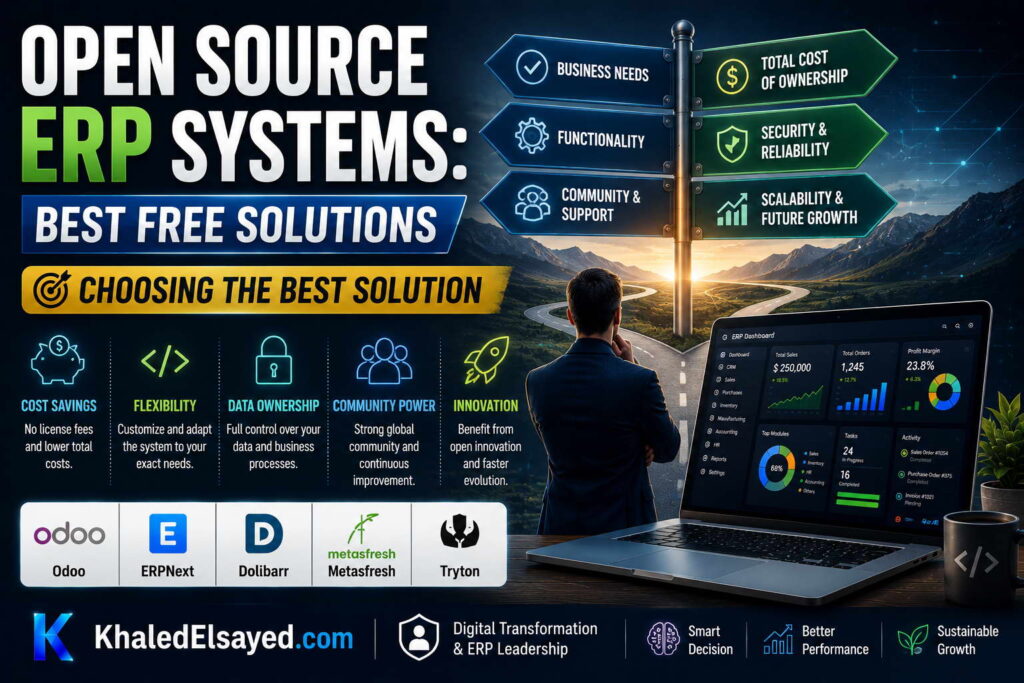
In my years leading digital transformation across enterprise IT environments, the open source versus commercial ERP decision comes down to one question: do you have internal developers? This guide provides a practical decision framework for open source erp selection, comparing erpnext, odoo, and commercial options to help you find the best open source erp systems for small business based on your specific context.
Decision Framework: Start with Internal Expertise
The most important factor in free erp software selection is internal technical expertise. From my experience, organizations with internal developers can succeed with open source ERP. Organizations without internal developers should choose commercial cloud ERP. The “free” license cost of open source is offset by consultant fees when internal expertise is missing.
The decision framework below guides open source erp selection based on business size, industry, and technical capability.
Scenario 1: Small Business with No Internal Developers (Most Common)
Profile: Under $20M revenue, 10-50 users, no dedicated IT staff or developers, limited budget. Recommendation: Commercial cloud ERP (SaaS). Options include Odoo Enterprise ($20-$50/user/month), Zoho ERP ($25-$100/user/month), or industry-specific SaaS ERP. Open source not recommended due to technical expertise gap.
Rationale: Commercial cloud includes hosting, security, upgrades, and support—no internal expertise required. Implementation timeline 2-6 months. Predictable monthly costs. The higher license cost ($5k-$20k annually) is offset by avoiding consultant fees ($5k-$15k annually). From my experience, small businesses without developers that choose open source typically spend $20k-$50k on consultants in year one—more than commercial cloud license cost.
Action steps: Focus on commercial cloud ERP; avoid open source despite zero license cost. Use open source only if you have volunteer developer or non-profit status with donated IT support.
Scenario 2: Small Business with Internal Developers (10-20 Percent of Cases)
Profile: Under $20M revenue, 10-50 users, has Python/JavaScript developer on staff (full-time or dedicated contractor). Recommendation: ERPNext (cloud-hosted). ERPNext offers more complete out-of-the-box functionality than Odoo Community Edition. Cloud-hosted version ($50-$200/month for 20 users) eliminates infrastructure burden while retaining customization capability.
Rationale: Internal developer can customize ERPNext to fit unique processes. No per-user license cost (only hosting). Developer can maintain customizations and manage upgrades. ERPNext includes manufacturing, accounting, inventory, CRM—complete functionality without paid modules. Odoo Community Edition lacks mobile apps and advanced reporting (enterprise-only features).
Action steps: Start with ERPNext cloud-hosted trial (1 month free). Have developer test customization capability. Budget 20 percent of developer time for ongoing maintenance. Compare to Odoo Community Edition if larger ecosystem needed.
Scenario 3: Mid-Size Business with Development Team (20-50 Users)
Profile: $20M-$100M revenue, 50-200 users, dedicated IT team with developers (2-5 people). Recommendation: Evaluate both ERPNext (self-hosted) and Odoo (Community or Enterprise). Self-hosting reduces monthly hosting cost ($500-$2,000/month vs $0). Development team can manage infrastructure, customizations, and upgrades.
Decision criteria within this scenario: Choose ERPNext if you prefer complete out-of-box functionality (manufacturing, accounting, inventory) with Python/JavaScript stack. Choose Odoo if you need larger ecosystem (16,000+ modules) or plan to use Odoo Enterprise ($20-$50/user monthly) for mobile apps and advanced reporting. For self-hosted open source, allocate 0.5-1 FTE for ongoing maintenance.
Action steps: Run 2-week pilot of both ERPNext and Odoo Community Edition. Assess customization effort for top 5 unique processes. Calculate 5-year TCO including developer time, hosting, and upgrade projects. Choose platform with lower TCO and better fit.
Scenario 4: Manufacturing or Distribution Focus
Profile: Product business with BOMs, work orders, inventory, procurement requirements. Recommendation: ERPNext. ERPNext includes complete manufacturing module (BOM, work orders, MRP, capacity planning) and inventory management (serial/lot tracking, bin locations, cycle counting) in free community edition.
Rationale: Odoo Community Edition manufacturing is basic—advanced features (quality control, maintenance, PLM) require Enterprise edition ($20-$50/user monthly). ERPNext manufacturing is complete without paid upgrade. For product businesses, ERPNext typically has lower TCO than Odoo when Enterprise features are required.
Exception: If you need Odoo’s specific manufacturing features and have budget for Enterprise edition, Odoo may still be viable. Evaluate both on manufacturing requirements.
Scenario 5: Service Business or Non-Profit
Profile: No inventory, no manufacturing, primarily project accounting, time tracking, billing. Recommendation: ERPNext (cloud-hosted) or Odoo (Community or Enterprise). Both platforms handle project accounting. ERPNext includes project management, time tracking, and billing in free edition. Odoo Community Edition includes basic project management; advanced features (planning, Gantt) require Enterprise.
Decision within this scenario: For non-profits with budget constraints and volunteer developers, ERPNext cloud-hosted ($50-$200/month) offers complete functionality. For service businesses willing to pay for Odoo Enterprise ($20-$50/user monthly), Odoo has larger partner ecosystem. For micro-service businesses (under $5M), consider lightweight ERPNext or commercial cloud alternatives (Freshbooks, Zoho).
Selection Decision Matrix
The following decision matrix reflects current market realities based on my implementation experience:
| Your Profile | Recommended Solution | Rationale |
|---|---|---|
| Under $20M, no developers | Commercial cloud ERP | Open source requires expertise you lack |
| Under $20M, has Python developer | ERPNext (cloud-hosted) | Complete functionality, no per-user license |
| $20M-$100M, IT team with developers | ERPNext or Odoo (self-hosted) | Evaluate both; ERPNext for manufacturing, Odoo for ecosystem |
| Manufacturing/distribution focus | ERPNext | Complete manufacturing in free edition |
| Service business, non-profit | ERPNext or Odoo Enterprise | ERPNext for budget-constrained; Odoo Enterprise for ecosystem |
| Enterprise (500+ users) | Odoo Enterprise or OFBiz | Odoo for large ecosystem; OFBiz for extreme customization |
Common Challenges and Solutions
Organizations face specific selection challenges. The expertise overestimation is most common—assuming general IT staff can manage open source without developers. The solution is honest skills audit. Another challenge is feature gap discovery post-implementation—choosing Odoo Community then discovering mobile apps require Enterprise. The solution is thorough requirements testing during trial period. A third challenge is upgrade underestimation—ignoring upgrade complexity in TCO. The solution is building upgrade reserve (20 percent of implementation cost annually).
Best Practices from Real Implementations
Across my open source portfolio, several practices guide selection. Have internal developers or choose commercial cloud—no exceptions. Start with cloud-hosted trial for 4 weeks before self-host commitment. Test top 5 unique processes during trial—not generic vendor demos. Calculate 5-year TCO including developer time, hosting, support, and upgrades. Finally, choose ERPNext for manufacturing/distribution; choose Odoo for larger ecosystem needs or when Enterprise budget available.
Frequently Asked Questions
What is the best open source ERP for small business?
The best open source erp systems for small business depends on internal expertise. For small businesses with Python developers: ERPNext (cloud-hosted) is best—complete functionality, no per-user license, $50-$200 monthly hosting. For small businesses without developers: commercial cloud ERP (not open source) is best—open source expertise gap leads to consultant fees exceeding license savings. For micro-businesses under $5M with simple needs: Dolibarr (lightweight open source) may suffice.
Should I choose ERPNext or Odoo?
ERPNext vs Odoo decision: Choose ERPNext if you need manufacturing, distribution, or complete out-of-box functionality without paying for Enterprise edition. Choose Odoo if you need larger ecosystem (16,000+ modules) or plan to use Odoo Enterprise ($20-$50/user monthly) for mobile apps and advanced reporting. For most small businesses, ERPNext has lower TCO because Odoo Community Edition lacks critical features (mobile, reporting) that push users to paid Enterprise.
When should I choose commercial ERP over open source?
Choose commercial ERP when: you have no internal developers (80 percent of small businesses), you need guaranteed support with SLA, you want automatic upgrades without internal projects, or you need pre-built integrations with your specific systems. From my experience, commercial cloud ERP is the right choice for most small businesses despite higher license cost. Open source only makes sense for organizations with internal developers or extreme customization needs.
Can I start with open source and switch to commercial later?
Yes, but migration requires re-implementation. Open source uses standard databases (PostgreSQL, MySQL) with documented schemas, so data extraction is possible. However, customizations, workflows, and integrations must be rebuilt on the commercial platform. Budget 50-75 percent of original implementation cost for migration. Plan migration during scheduled ERP refresh (every 8-12 years). Do not assume easy migration; design for data portability from day one.
Meta Title: Choosing Open Source ERP: Best Solution Guide | Khaled Sqawa
Meta Description: Choosing the best open source ERP solution explained by digital transformation expert Khaled Elsayed Sqawa. Decision framework for ERPNext vs Odoo vs commercial based on your business profile.
Khaled Elsayed – Strategic Leadership in Digital Transformation and Enterprise IT
A distinguished career spanning over 19 years has been dedicated to the design, implementation, and optimization of enterprise-grade IT infrastructures. This professional journey is defined by a consistent commitment to leveraging technology as a fundamental driver of organizational efficiency and scalable growth.
Currently, the position of Digital Transformation and Information Technology Manager is held, with a focus on spearheading strategic initiatives to modernize technological foundations and strengthen data security frameworks. Responsibilities in this capacity include the oversight of integrated ERP system deployments, the formulation of comprehensive IT policies, and the management of departmental budgets and procurement processes.
Prior to the current engagement, several senior leadership roles were occupied, including Group IT Section Head and IT Section Head. During these tenures, successful large-scale infrastructure upgrades were led, and business continuity frameworks were implemented to ensure uninterrupted operational performance. Expertise has been consistently demonstrated in aligning IT strategies with overarching business objectives while leading high-performing technical teams.
The academic foundation consists of a Bachelor’s degree in Information Systems. This is further reinforced by an extensive portfolio of international professional certifications, including:
- MCSA (Microsoft Certified Systems Administrator).
- Dynamic Specialist (Microsoft Certified Business Management Solutions Specialist).
- Google Certified Project Management Professional.
- SAP Technology Consultant.
- Oracle Cloud Infrastructure Architect Professional.
- Google Certified Cybersecurity Professional.
- ServiceNow IT Leadership Professional Certificate by LinkedIn Learning.
- Succeeding as a Senior Manager Professional Certificate by LinkedIn Learning.
- IT Service Management ISO20000 by LinkedIn Learning.
- Google Certified IT Support Professional.
The leadership philosophy remains centered on continuous improvement, integrity, and the transformation of complex technical visions into functional digital realities that empower the modern enterprise.
Khaled Elsayed
خالد السيد
www.khaledelsayed.com
|
linkedin.com/in/khaled-elsayed-it