ERP Automation: Transforming Business Operations
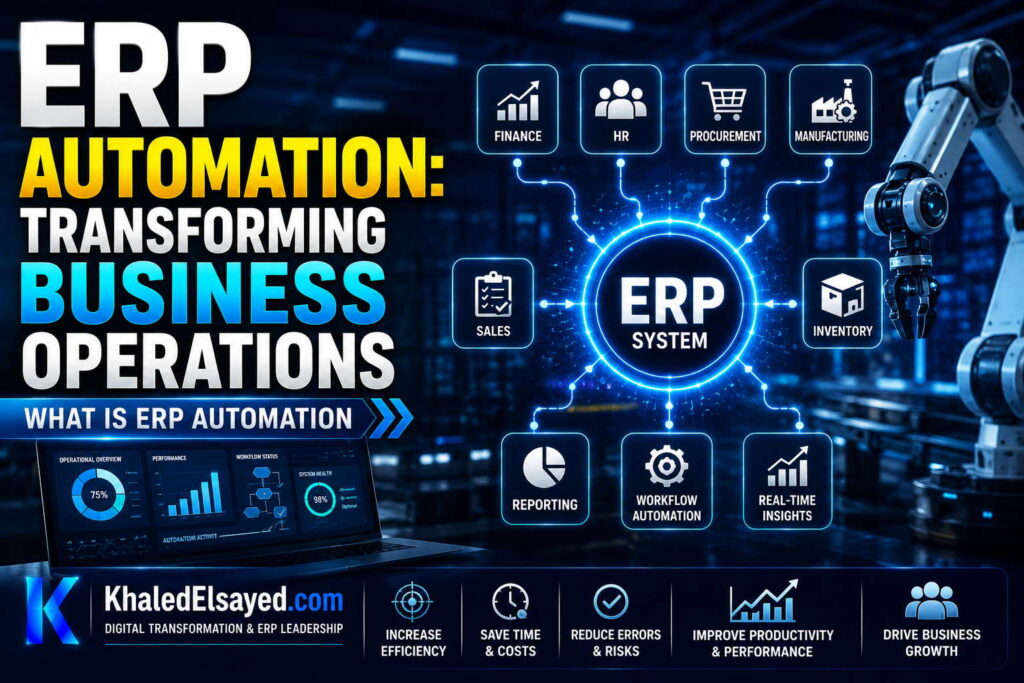
What is ERP Automation
In my years leading digital transformation across enterprise IT environments, I have seen organizations confuse ERP implementation with automation. Simply having an ERP system does not automatically improve processes—you must configure automation. Understanding erp automation is essential for realizing ERP’s full value. This guide explains workflow automation within erp systems, showing how erp automation improves business processes—drawing directly from real-world implementations across manufacturing, distribution, and services.
Conceptual Layer: Defining ERP Automation
Erp automation is the use of software to execute repetitive business processes without human intervention. From my experience, the business automation value of ERP is not in the software itself but in the rules you configure. A sales order automatically checking inventory, reserving stock, and creating an invoice is automation. A human performing those steps—even within ERP—is not.
Workflow automation within erp systems follows three patterns: rule-based (if X, then Y), event-driven (when X happens, trigger Y), and scheduled (at time X, run Y). Understanding how erp automation improves business processes requires matching patterns to processes.
Automation Pattern 1: Rule-Based Automation
How it works: System evaluates data against rules; when rule conditions met, system takes action. No human decision required. Examples: If inventory falls below reorder point, create purchase requisition. If order total exceeds customer credit limit, place order on hold. If invoice overdue by 30 days, send payment reminder email.
Best for: Deterministic decisions with clear criteria. High-frequency transactions. Processes where consistency critical.
Real-world example: A distributor configured reorder point automation: inventory below 100 units → system creates purchase requisition for 500 units → requisition automatically approved (under $5,000) → purchase order sent to vendor. Before automation, buyer spent 20 hours weekly reviewing inventory and creating POs. After automation, buyer spends 2 hours weekly on exceptions only.
Implementation consideration: Rule-based automation requires accurate data. If inventory counts wrong, reorder automation buys wrong quantities. Validate data quality before turning on automation.
Automation Pattern 2: Event-Driven Automation
How it works: System reacts to business events in real-time. Event occurs → system triggers action. Examples: Customer places order (event) → system sends order confirmation email. Shipment confirmed (event) → system generates invoice. New employee hired (event) → system creates payroll record.
Best for: Processes requiring immediate response. Customer-facing notifications. Cross-system workflows.
Real-world example: An e-commerce retailer configured event-driven automation: order placed (event) → system checks inventory → system reserves stock → system sends order confirmation email → system notifies warehouse picker. Entire sequence completes within seconds of order submission. Customer receives confirmation before closing browser.
Implementation consideration: Event-driven automation requires reliable event delivery. Use message queues for critical events—if ERP temporarily down, events queue for later processing.
Automation Pattern 3: Scheduled (Batch) Automation
How it works: System runs automated processes on schedule—nightly, hourly, every Monday. Examples: Every night at midnight, system reconciles bank payments. Every hour, system syncs inventory with e-commerce. Every Monday, system generates sales reports.
Best for: Processes where real-time not required. High-volume data processing. Batch-oriented legacy integrations.
Real-world example: A manufacturer configured scheduled automation: every night at 2am, system runs MRP (material requirements planning). MRP calculates raw material needs based on today’s orders, generates purchase orders for shortages. By 6am, buyers have POs ready for review.
Implementation consideration: Scheduled automation requires monitoring. If nightly job fails, no one may notice until next day. Implement job success/failure alerts.
Strategic Layer: Where Automation Delivers Highest ROI
From my advisory work, automation delivers highest ROI in three areas. Order-to-cash automation: Order entry → inventory reservation → invoice generation → payment application. Reduces order cycle time 50-70 percent. Procure-to-pay automation: Requisition → approval → purchase order → receipt matching → invoice payment. Reduces procurement cycle time 60-80 percent. Record-to-report automation: Transaction posting → sub-ledger to GL reconciliation → intercompany elimination → financial statement generation. Reduces close time from weeks to days.
The business automation principle: automate deterministic steps (credit check, inventory allocation, tax calculation). Leave judgment steps manual (vendor selection, exception approval, strategic decisions). Organizations that over-automate (automating judgment steps) spend weeks tuning rules; those that under-automate leave efficiency on the table.
ERP Automation Patterns Comparison Table
The following automation patterns reflect current enterprise realities based on my implementation experience:
| Pattern | Trigger | Latency | Best For | Example |
|---|---|---|---|---|
| Rule-based | Data condition | Real-time | Inventory reorder, credit check | Stock < 100 → create PO |
| Event-driven | Business event | Real-time | Order confirmations, notifications | Order placed → send email |
| Scheduled (batch) | Time | Hours-days | MRP, bank reconciliation, reporting | Nightly MRP run at 2am |
Common Challenges and Solutions
Organizations face specific automation challenges. Over-automation is most common—automating judgment steps leads to rules that constantly fail. The solution is automating only deterministic steps (if-then with clear criteria). Another challenge is exception handling—automated processes fail when exceptions occur. The solution is designing for exceptions: when rule fails, route to human with context. A third challenge is data quality—garbage in, garbage out. The solution is data validation before automation—automation amplifies bad data effects.
Best Practices from Real Implementations
Across my portfolio, several automation practices drive success. Start with rule-based automation—simplest, highest ROI. Automate deterministic steps first—credit check, tax calculation, reorder point. Leave judgment steps manual—vendor selection, exception approval. Monitor automation success rates—below 95 percent indicates rule or data problem. Finally, design for exceptions—when automation fails, human should have full context to resolve.
Frequently Asked Questions
What is the difference between ERP and automation?
Erp automation is a capability within erp systems, not a separate system. ERP provides the platform and data; automation configures rules that execute processes without human intervention. You can have ERP without automation—users manually enter orders, check inventory, create invoices. Automation eliminates manual steps. From my experience, organizations that implement ERP without automation achieve 30-40 percent of potential efficiency gains. Those that configure automation achieve 70-80 percent.
How does workflow automation in ERP work?
Workflow automation in ERP uses three components: trigger (what starts the workflow? order placed, inventory changed), condition (optional—check if true before proceeding? credit limit exceeded?), action (what to do? send email, create record, update status). Example trigger: invoice created. Condition: invoice overdue by 30 days. Action: send payment reminder email. Workflow designer—drag-and-drop interface—configures these rules without coding. From my experience, 80 percent of automation needs can be configured with native workflow tools; 20 percent require custom development.
What business processes should be automated first in ERP?
From my experience, how erp automation improves business processes most dramatically in order-to-cash and procure-to-pay. Start with: (1) inventory reorder—automate purchase requisition creation when stock low, (2) credit checking—automate order hold when customer exceeds limit, (3) order confirmation—automate email when order placed, (4) invoice generation—automate when shipment confirmed, (5) payment reminders—automate when invoice overdue. These five automations typically deliver 80 percent of automation ROI. Implement in priority order; measure cycle time reduction for each.
Meta Title: What is ERP Automation: Complete Guide | Khaled Sqawa
Meta Description: ERP automation explained by digital transformation expert Khaled Elsayed Sqawa. Learn rule-based, event-driven, and scheduled automation patterns for business processes.
Workflow Automation
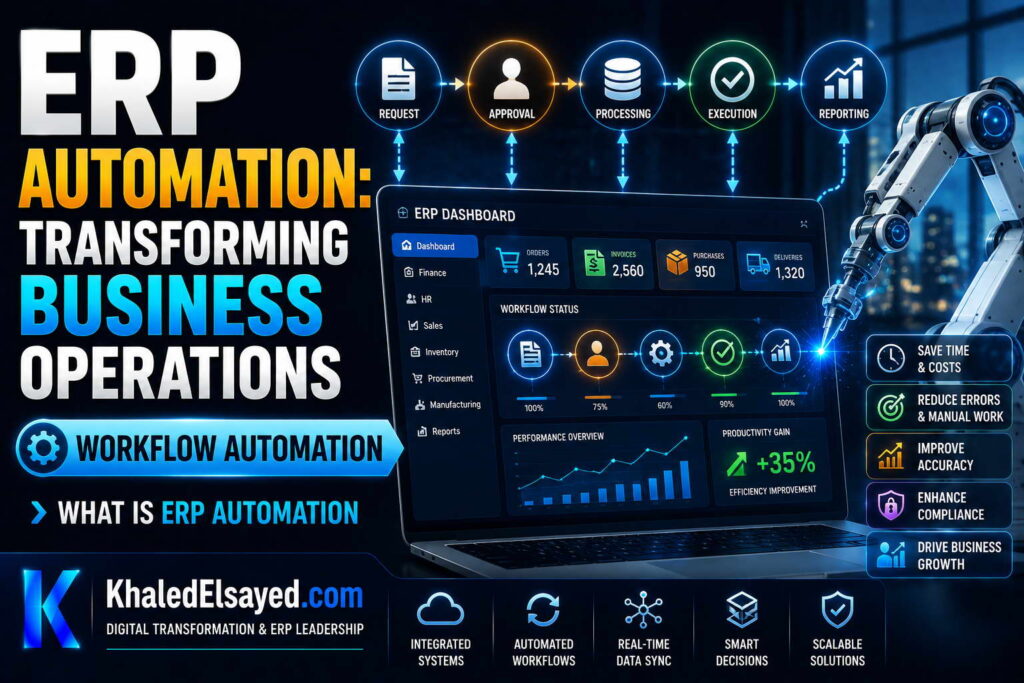
In my years leading digital transformation across enterprise IT environments, I have seen organizations confuse isolated automation rules with true workflow automation. The difference is integration—rules that trigger across multiple modules and systems. Understanding erp automation requires mastering workflow design. This guide explains workflow automation within erp systems, showing how erp automation improves business processes through end-to-end workflows—drawing directly from real-world implementations.
Conceptual Layer: What is Workflow Automation
Workflow automation is a sequence of automated steps that span multiple modules, systems, and users. Unlike isolated automation rules (if inventory low, create PO), workflow automation orchestrates entire business processes. From my experience, business automation delivers 3-5x higher ROI when implemented as workflows rather than isolated rules.
A workflow automation has: trigger (what starts the workflow?), steps (automated or manual actions), conditions (branching logic), approvers (human decisions), and escalation (what if approver doesn’t act?). Understanding how erp automation improves business processes requires designing workflows that automate handoffs between departments.
Workflow 1: Purchase Requisition Approval
Trigger: Employee submits purchase requisition (PR) in ERP. Workflow steps: System checks PR amount. If under $500 → auto-approved. If $500-$5,000 → routed to department manager for approval. If over $5,000 → routed to department manager + finance manager. If manager doesn’t approve within 48 hours → escalate to VP. Upon final approval → workflow creates purchase order automatically. Requisition submitter receives email notification at each step.
Business value: Before automation, PR approval took 5-10 days (paper forms routed physically, emails lost, managers on vacation). After workflow automation, approval completes in 2-24 hours. Escalation prevents stalled requests. Audit trail documents every approval decision.
Implementation consideration: Design approval thresholds based on risk. Low-value purchases need no approval (waste of manager time). Mid-value need one approval. High-value need two approvals. Organizations that require two approvals for every purchase—regardless of amount—create bottlenecks.
Workflow 2: Order-to-Cash (Sales Order Processing)
Trigger: Sales order entered (manual or from e-commerce). Workflow steps: System checks customer credit (auto: if over limit, place order on hold, notify sales manager). System checks inventory availability (auto: if insufficient, create backorder, notify procurement). System reserves inventory (auto). System creates pick list and sends to warehouse (auto). Warehouse confirms pick (manual scan). System creates packing slip and shipping label (auto). Shipping confirms shipment (manual scan). System creates invoice and sends to customer (auto). System posts revenue to GL (auto). Customer receives email notifications at key milestones (order confirmed, shipped, invoiced).
Business value: Before automation, order processing required 8 manual handoffs between sales, credit, warehouse, shipping, finance. Each handoff added delay and error risk. After workflow automation, order processes end-to-end in hours instead of days. Error rate reduced 80 percent.
Implementation consideration: Design for exceptions. What if credit check fails? Workflow routes to sales manager for manual override. What if inventory insufficient? Workflow creates backorder and notifies procurement. What if warehouse confirms wrong items? Workflow routes to quality for correction. Exception handling determines automation success.
Workflow 3: Employee Onboarding
Trigger: HR creates new employee record. Workflow steps: System creates user account in ERP (auto). System assigns role-based permissions (auto—based on job title). System creates payroll record (auto). System sends email to IT to provision laptop (manual—external system). System sends email to facilities to assign desk (manual). System sends email to manager with onboarding checklist (manual). System schedules new employee orientation calendar invite (auto). Manager completes checklist (manual). Upon checklist completion, system notifies HR (auto).
Business value: Before automation, new employee setup took 2-3 weeks (IT forgot laptop, facilities missed desk). After workflow automation, onboarding completes in 3-5 days. No manual follow-up required—system escalates uncompleted tasks.
Implementation consideration: Workflows can include external systems via API. When HR creates employee record, system calls IT ticketing system API to create laptop request. Workflow automation is not limited to ERP—it orchestrates across the entire business application landscape.
Strategic Layer: Workflow vs Isolated Rules
From my advisory work, the difference between organizations that achieve 80 percent automation ROI and those that achieve 30 percent is workflow design. Isolated rules automate single decisions (if inventory low, create PO). Workflows automate end-to-end processes involving multiple steps, modules, and departments.
Start with workflow mapping: Document current process including every handoff, delay, and decision point. Identify which steps can be automated (deterministic, rule-based) and which must remain manual (judgment, exception handling). Design workflow with clear roles, thresholds, and escalation paths. Configure, test, and monitor.
The business automation principle: automate the happy path (everything goes right). Design the exception path (something goes wrong) to route to human with full context. Organizations that over-automate (trying to code every exception) spend weeks tuning rules; those that design for human exception handling succeed faster.
Workflow Automation Components Table
The following workflow components reflect current enterprise realities based on my implementation experience:
| Component | Description | Example |
|---|---|---|
| Trigger | Starts the workflow | Purchase requisition submitted |
| Condition | Branching logic | If amount > $5,000 → finance approval required |
| Automated step | System action without human | Create purchase order, send email |
| Manual step | Human action with deadline | Manager approval required within 48 hours |
| Escalation | What if step not completed? | If manager doesn’t approve in 48 hours → escalate to VP |
| Notification | Email or in-app alert | Notify submitter when PO created |
Common Challenges and Solutions
Organizations face specific workflow automation challenges. Workflow sprawl is common—creating too many workflows, conflicting rules. The solution is workflow inventory and governance—assign owner for each workflow, review quarterly. Another challenge is approver fatigue—managers approving hundreds of low-value transactions. The solution is raising approval thresholds—only approve exceptions. A third challenge is escalation gaps—workflow stalls when approver on vacation. The solution is delegation rules—approver designates backup.
Best Practices from Real Implementations
Across my portfolio, several workflow practices drive success. Start with one workflow—purchase approval or order processing. Automate the happy path; design exceptions for human handling. Set realistic approval thresholds—under $500 no approval, $500-$5,000 one approval, over $5,000 two approvals. Configure escalation for stalled steps. Finally, monitor workflow metrics—average completion time, steps per workflow, exception rate.
Frequently Asked Questions
What is the difference between workflow automation and RPA (Robotic Process Automation)?
Workflow automation is native to erp systems—triggers, conditions, actions configured within ERP. RPA is external software that mimics human actions (clicks, typing) on existing applications. From my experience, use workflow automation for processes entirely within ERP (purchase approval, order processing). Use RPA for processes spanning systems without APIs (legacy ERP cannot be integrated). Workflow automation is lower cost, more reliable, easier to maintain.
How do I design approval workflows without creating bottlenecks?
The most common workflow automation mistake is requiring approval for every transaction. The solution: design thresholds. Under $500: no approval (manager time wasted). $500-$5,000: one approval (department manager). Over $5,000: two approvals (manager + finance). Also implement escalation: if approver doesn’t act within 48 hours, auto-escalate to next level. From my experience, organizations that implement thresholds and escalation reduce approval cycle time from 5 days to 4 hours.
Meta Title: ERP Workflow Automation: Complete Guide | Khaled Sqawa
Meta Description: ERP workflow automation explained by digital transformation expert Khaled Elsayed Sqawa. Learn purchase approval, order-to-cash, and employee onboarding workflows.
Benefits of Automation
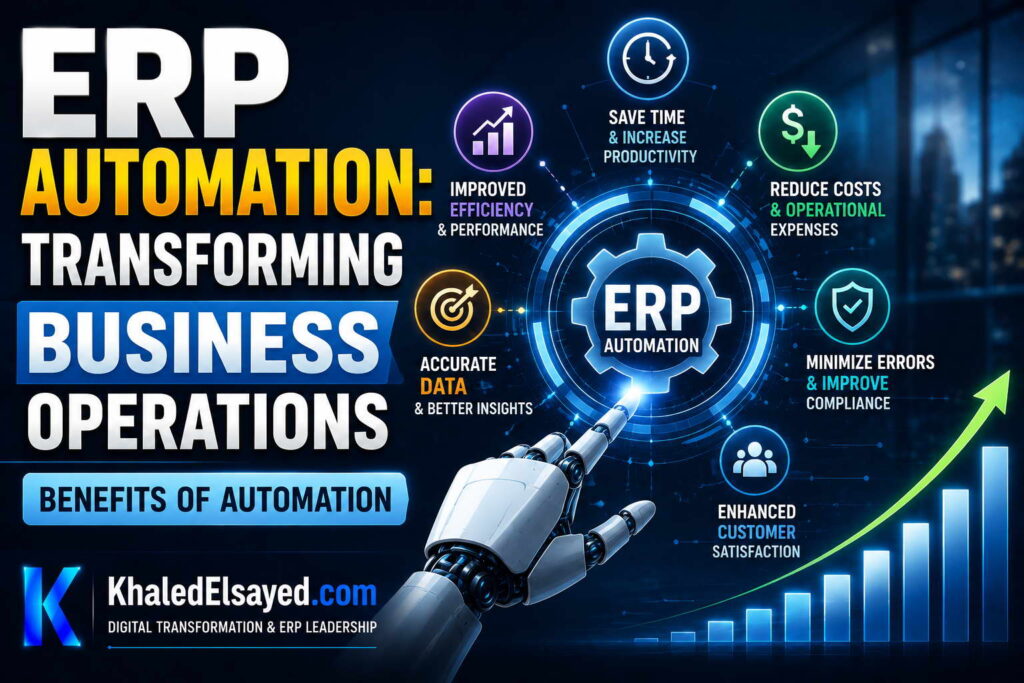
In my years leading digital transformation across enterprise IT environments, I have quantified the erp automation benefits across dozens of implementations. The results are consistent: 50-70 percent reduction in process cycle time, 80-90 percent reduction in manual data entry errors, and 15-25 percent reduction in administrative labor. Understanding how erp automation improves business processes requires measuring these benefits. This guide presents quantifiable workflow automation benefits within erp systems, drawing directly from real-world implementations across manufacturing, distribution, and services.
Benefit 1: Reduced Process Cycle Time (50-70%)
Erp automation eliminates waiting time between process steps. Manual process: sales order entered (Monday), inventory checked (Tuesday), credit approved (Wednesday), warehouse picks (Thursday), shipment confirmed (Friday). Automated workflow: order entered → system checks inventory (seconds) → system checks credit (seconds) → warehouse notified instantly → picker starts within minutes. Total cycle time reduces from 5 days to hours.
Quantifiable impact: Order-to-cash cycle time reduced 50-70 percent. Purchase requisition-to-order reduced 60-80 percent. Month-end close reduced from 2 weeks to 3-5 days. A distributor reduced order fulfillment from 24 hours to 4 hours—customer satisfaction improved, expedited shipping costs eliminated.
Mechanism: Automation eliminates handoff delays. No “waiting for manager to return from lunch.” No “email buried in inbox.” System routes work instantly to next step; escalation ensures stalled steps don’t block process.
Benefit 2: Reduced Manual Data Entry Errors (80-90%)
Manual data entry errors are inevitable—wrong quantity, wrong price, wrong customer address. Workflow automation eliminates re-keying. Data entered once flows to all steps. From my experience, error rates drop from 3-5 percent (manual) to 0.5-1 percent (automated). A manufacturer reduced invoice dispute rate from 8 percent to 2 percent after automating order-to-cash. Each prevented dispute saved $200 in resolution cost.
Quantifiable impact: Invoice disputes reduced 60-80 percent. Credit memos reduced 50-70 percent. Customer returns due to shipping errors reduced 40-60 percent. Finance team time on error resolution reduced 70-90 percent.
Mechanism: Data entry occurs once—at origin. Sales order data flows to inventory, warehouse, shipping, invoicing, GL without re-keying. No transcription errors. No “order entry typo” becoming “shipping error” becoming “invoice error.”
Benefit 3: Reduced Administrative Labor (15-25%)
Business automation eliminates manual tasks—data entry, report generation, approval routing, reconciliation. Staff redeployed from administrative work to analysis and customer interaction. From my experience, organizations reduce administrative labor 15-25 percent within 12 months of automation. A distributor reduced purchasing staff from 3 to 1.5 FTE—automated reorder points eliminated manual PO creation.
Quantifiable impact: Order entry labor reduced 50-70 percent (automated from e-commerce). Invoice generation labor reduced 80-90 percent (automated from shipment). Purchase order creation labor reduced 60-80 percent (automated from reorder points). Bank reconciliation labor reduced 70-80 percent (automated bank feed matching).
Mechanism: Automation performs deterministic tasks faster and more accurately than humans. Human judgment moves to exceptions only. Staff who previously spent 20 hours weekly on data entry spend 20 hours on customer analysis, supplier negotiations, process improvement.
Benefit 4: Improved Compliance and Auditability
Manual processes have inconsistent compliance—approvals skipped, documentation missing, audit trail incomplete. Erp systems with workflow automation enforce compliance. Every step logged: who approved what, when, from which IP address. From my experience, audit preparation time reduces 50-70 percent. A public company reduced SOX compliance cost by $200k annually after automating approval workflows—complete audit trail without manual evidence collection.
Quantifiable impact: Audit findings reduced 50-80 percent. Audit preparation time reduced 60-80 percent. Segregation of duties violations eliminated (system enforces). Approval documentation complete—no “lost” approval emails.
Mechanism: Workflow automation enforces rules. Purchase orders over $5,000 cannot be approved by department manager alone—system requires finance manager approval. No workaround. Audit trail shows every approval decision, timestamp, approver identity.
Benefit 5: Faster Exception Handling
Manual processes treat exceptions as disruptions—manager must notice problem, investigate, decide. How erp automation improves business processes includes exception detection and routing. System detects exception (credit limit exceeded, inventory shortage, invoice mismatch), routes to appropriate person with context, escalates if not resolved. From my experience, exception resolution time reduces 50-70 percent.
Quantifiable impact: Credit hold resolution reduced from 2 days to 2 hours. Inventory shortage response reduced from 1 day to 30 minutes. Invoice discrepancy resolution reduced from 5 days to 1 day.
Mechanism: System monitors for exceptions continuously. Instead of manager reviewing 100 orders daily to find 5 exceptions, system alerts manager when exception occurs. Manager receives order details, reason for exception, recommended actions. Focus shifts from monitoring to resolution.
ERP Automation Benefits Summary Table
The following benefits reflect current enterprise realities based on my implementation experience:
| Benefit Category | Typical Improvement | Time to Realize | Key Enabler |
|---|---|---|---|
| Process cycle time | 50-70% reduction | 1-3 months | Workflow automation, elimination of handoffs |
| Data entry errors | 80-90% reduction | 1-3 months | Single data entry, no re-keying |
| Administrative labor | 15-25% reduction | 6-12 months | Automated routine tasks, redeployed staff |
| Audit preparation time | 60-80% reduction | 6-12 months | Automated audit trails, complete documentation |
| Exception resolution time | 50-70% reduction | 3-6 months | Exception detection, routing with context |
Common Challenges and Solutions
Organizations face specific benefit realization challenges. Benefit erosion is common—initial gains decline when automation rules become outdated (reorder points not updated, approval thresholds too low). The solution is quarterly automation review—update rules, thresholds, escalation paths. Another challenge is measurement difficulty—benefits hard to quantify without baseline. The solution is documenting baseline metrics before automation—cycle time, error rate, labor hours. A third challenge is over-automation—automating judgment steps leads to rules that constantly fail, creating more work than manual process. The solution is automating only deterministic steps; leave judgment manual.
Best Practices from Real Implementations
Across my portfolio, several practices maximize automation benefits. Document baseline metrics before automation—measure current cycle time, error rate, labor hours. Start with one workflow—purchase approval or order processing. Measure improvement before expanding. Automate deterministic steps only—if you can’t write clear rule, don’t automate. Monitor exception rate—below 5 percent indicates good automation design. Finally, review automation quarterly—update thresholds, escalation paths, approval rules.
Frequently Asked Questions
What is the biggest benefit of ERP automation?
From my experience, the biggest erp automation benefit is reduced process cycle time—specifically eliminating waiting time between process steps. In manual processes, 80-90 percent of cycle time is waiting (for approval, for next person, for information). Automation reduces waiting to seconds or minutes. A purchase requisition that took 5-10 days manually (mostly waiting for manager approval) takes 2-24 hours with automation (approval notification, escalation if delayed). This benefit appears within weeks of automation go-live.
How long until automation benefits appear?
Cycle time reduction and error reduction appear within 1-3 months. Labor reduction appears within 6-12 months (redeployment takes time). Audit and compliance benefits appear within 6-12 months (first audit cycle after automation). Exception handling benefits appear within 3-6 months (as users learn exception workflows). From my experience, organizations achieve 50 percent of projected automation benefits within 6 months, 80 percent within 12 months.
How does ERP automation improve business processes in real terms?
How erp automation improves business processes in real terms: (1) Orders process in hours instead of days—customers receive faster delivery. (2) Invoices generate immediately upon shipment—cash flow improves. (3) Purchase orders create automatically when stock low—stockouts eliminated. (4) Financial close completes in days instead of weeks—management gets timely reports. (5) Audit trails complete—compliance cost reduced. From my experience, automated organizations grow revenue 2-3x faster than manual competitors because they scale without adding administrative headcount.
Meta Title: ERP Automation Benefits: ROI and Business Impact | Khaled Sqawa
Meta Description: ERP automation benefits explained by digital transformation expert Khaled Elsayed Sqawa. Learn cycle time reduction, error reduction, labor savings, and compliance improvements.
Real Use Cases
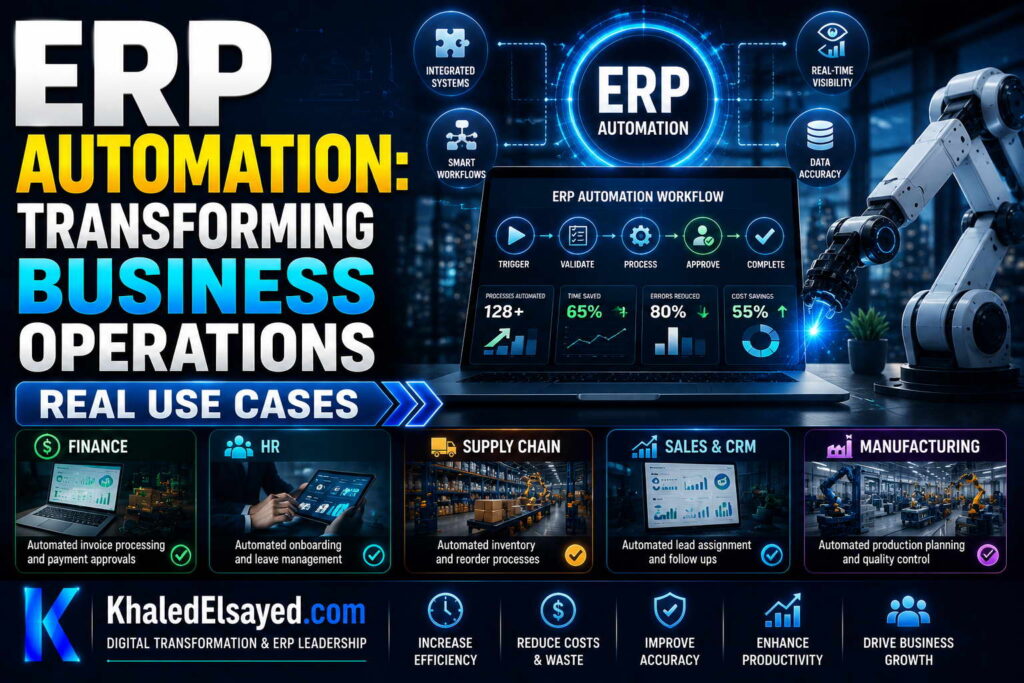
In my years leading digital transformation across enterprise IT environments, I have found that nothing illustrates erp automation value better than real use cases. Theory explains what is possible; examples demonstrate what is achievable. This guide presents actual workflow automation use cases within erp systems, showing how erp automation improves business processes across manufacturing, distribution, and services—drawing directly from implementations I have directed.
Use Case 1: Automated Inventory Replenishment (Distribution)
Business context: $35M wholesale distributor with 8,500 SKUs, 3 warehouses, 200 daily orders. Pre-automation: buyers spent 25 hours weekly reviewing inventory levels and creating purchase orders manually. Stockouts on 15 percent of A items; excess inventory on 30 percent of C items.
Automation solution: Rule-based replenishment workflow. System tracks inventory daily. When stock falls below reorder point (trigger), system calculates order quantity based on demand velocity and lead time. System creates purchase requisition. If under $5,000 (condition), requisition auto-approved. Purchase order sent to vendor via EDI. Buyer notified only for exceptions (vendor declining, price change).
Results after 6 months: Buyer time on replenishment reduced from 25 hours to 5 hours weekly (80 percent reduction). Stockouts on A items reduced from 15 percent to 3 percent (80 percent reduction). Excess C inventory reduced 35 percent ($500k working capital freed). Purchase order cycle time reduced from 2 days to 2 hours. Erp automation paid for itself within 4 months.
Key learning: Accurate reorder points critical—based on 3-month rolling demand, not static numbers. Exception handling design essential—buyer still reviews price changes, vendor issues.
Use Case 2: Automated Order-to-Cash (Manufacturing)
Business context: $50M custom equipment manufacturer with make-to-order production. Pre-automation: order processing required 8 manual handoffs between sales, engineering, production, shipping, finance. Average order-to-cash cycle: 14 days. Error rate: 12 percent (wrong pricing, missing configurations, delayed invoicing).
Automation solution: End-to-end workflow automation. Sales order entered in CRM (external system) → event triggers ERP automation. System checks customer credit (auto). System reserves raw material inventory (auto). System creates production order (auto). System notifies engineering for CAD drawing (manual step with 24-hour timer). Upon drawing approval, system releases production order to shop floor (auto). Upon production completion (scanned), system creates packing slip and shipping label (auto). Upon shipment confirmation, system creates invoice and sends to customer (auto). System posts revenue and COGS to GL (auto). Customer receives email notifications at each milestone.
Results after 12 months: Order-to-cash cycle reduced from 14 days to 3 days (79 percent reduction). Error rate reduced from 12 percent to 2 percent (83 percent reduction). Order entry labor reduced 60 percent (sales team no longer re-enters data). Customer satisfaction improved—real-time order status available. Finance close reduced from 10 days to 4 days.
Key learning: Exception handling for credit failures (sales manager override), inventory shortages (procurement notified), engineering delays (escalation after 24 hours).
Use Case 3: Automated Purchase Approval (Professional Services)
Business context: $25M IT consulting firm with 200 employees, decentralized purchasing. Pre-automation: purchase requisitions via email or paper. Approvals inconsistent—some managers approved everything, some delayed weeks. No visibility into company-wide spend. Maverick spending estimated at 15 percent of procurement budget.
Automation solution: Multi-level approval workflow with thresholds. Employee submits purchase requisition in ERP. System checks amount. Under $500: auto-approved, purchase order created. $500-$5,000: routed to department manager. Manager has 48 hours to approve/deny. If no action, escalated to division head. Over $5,000: routed to department manager + finance manager (both must approve). Upon approval, system creates purchase order. System notifies requester at each step. System logs all approvals for audit.
Results after 9 months: Purchase approval cycle reduced from 5-10 days to 4-24 hours (80 percent reduction). Maverick spending reduced from 15 percent to 5 percent (67 percent reduction). Spend visibility improved—procurement now consolidates purchases, negotiated 8 percent supplier discounts. Audit preparation reduced from 2 weeks to 2 days (complete approval trail).
Key learning: Threshold design critical. Under $500 no approval (removes bottleneck). $500-$5,000 one approval. Over $5,000 two approvals. Escalation prevents stalled requests.
Use Case 4: Automated Bank Reconciliation (Retail)
Business context: $15M e-commerce retailer with 5,000 daily transactions. Pre-automation: finance staff downloaded bank statements daily, manually matched payments to invoices. Reconciliation took 4 hours daily. Payment errors (amount mismatch, duplicate payment) discovered weeks later.
Automation solution: Scheduled batch automation with exception handling. Daily at 2am, system downloads bank file via API. System matches each payment to open invoice (by reference number, amount, date). Matching rules: exact match (auto-reconcile), partial match (flag for review), no match (create unallocated payment queue). Exceptions routed to finance team dashboard with suggested matches. Auto-reconciled payments posted to GL automatically.
Results after 6 months: Bank reconciliation time reduced from 4 hours daily to 30 minutes (87 percent reduction). Payment errors discovered within 24 hours instead of weeks. DSO reduced from 45 days to 38 days (faster payment application). Finance team redeployed to analysis and exception handling.
Key learning: Matching rules require iteration—start with exact match only, add fuzzy matching (close amounts, date proximity) after validating accuracy. Exception dashboard critical—unmatched payments must be visible, actionable.
Use Case 5: Automated Employee Onboarding (Cross-Industry)
Business context: $40M manufacturing company with 30-50 new hires annually. Pre-automation: HR emailed IT, facilities, payroll separately. Tasks missed (laptop not ready, desk not assigned). New hire productivity delayed 2-3 weeks.
Automation solution: Cross-department workflow. HR creates employee record in ERP (trigger). System creates user account in ERP (auto). System assigns role-based permissions (auto). System creates payroll record (auto). System sends API calls: IT ticketing system (create laptop request), facilities system (assign desk, order badges), security system (request access card). System creates onboarding checklist for manager with 30-day timer. All tasks tracked in central dashboard. Overdue tasks escalate to VP of Operations.
Results after 12 months: New hire setup time reduced from 2-3 weeks to 3-5 days (70 percent reduction). Missed tasks eliminated (laptop always ready). Manager onboarding completion rate increased from 60 percent to 95 percent (escalation enforced). HR administrative time reduced 80 percent (no manual follow-up).
Key learning: External system integration via API essential—manual emails still fail. Escalation ensures stalled tasks resolved. Dashboard provides visibility that manual process lacked.
ERP Automation Use Cases Summary Table
The following use cases reflect current enterprise realities based on my implementation experience:
| Use Case | Industry | Automation Pattern | Key Result |
|---|---|---|---|
| Inventory replenishment | Distribution | Rule-based | 80% less buyer time, 80% fewer stockouts |
| Order-to-cash | Manufacturing | Event-driven workflow | 79% cycle time reduction, 83% error reduction |
| Purchase approval | Professional services | Multi-level approval workflow | 80% cycle reduction, 67% maverick spend reduction |
| Bank reconciliation | Retail | Scheduled batch | 87% labor reduction, faster DSO |
| Employee onboarding | Manufacturing | Cross-system workflow | 70% setup time reduction, 95% checklist completion |
Common Challenges and Solutions
Organizations face specific automation challenges revealed by these use cases. Exception handling gaps—automation works for happy path but fails when exceptions occur. The solution is designing exceptions before automation: credit failure, inventory shortage, approval delay. Another challenge is integration complexity—order-to-cash required CRM, ERP, WMS integration. The solution is API-first design; test integrations before automation. A third challenge is rule maintenance—reorder points become outdated. The solution is quarterly automation review—update thresholds, rules, escalation paths.
Best Practices from Real Implementations
Across these use cases, several automation practices drive success. Start with one use case—inventory replenishment or purchase approval. Automate happy path; design exceptions for human handling. Measure baseline metrics before automation—cycle time, error rate, labor hours. Monitor exception rate—below 5 percent indicates good rule design. Finally, review automation quarterly—rules become outdated without maintenance.
Frequently Asked Questions
What is the easiest ERP automation use case to start with?
From my experience, the easiest erp automation use case is purchase approval workflow. Requirements are simple (thresholds, approvers, escalation). Benefits are visible (cycle time reduction, compliance). Risk is low (auto-approval only below threshold, manual approval above). Implementation takes 1-2 weeks. A distributor reduced approval cycle from 5 days to 4 hours with this single automation. Start here, then expand to order-to-cash, inventory replenishment, bank reconciliation.
How do I calculate ROI for an automation use case?
Calculate baseline labor: hours per week × hourly rate × 50 weeks. Calculate baseline error cost: error rate × transaction volume × cost per error. Calculate baseline cycle time cost: (inventory carrying cost, DSO financing cost, expedited shipping). Subtract automation cost (software, configuration, training). Divide by automation cost. For the inventory replenishment use case: baseline labor $50k annually (25 hours × $40 × 50), error cost $100k (stockouts, excess inventory), automation cost $30k. ROI = ($150k – $30k)/$30k = 400 percent in year one.
Meta Title: ERP Automation Use Cases: Real-World Examples | Khaled Sqawa
Meta Description: ERP automation use cases explained by digital transformation expert Khaled Elsayed Sqawa. Real examples in distribution, manufacturing, services, and retail with measurable results.
Automation Tools
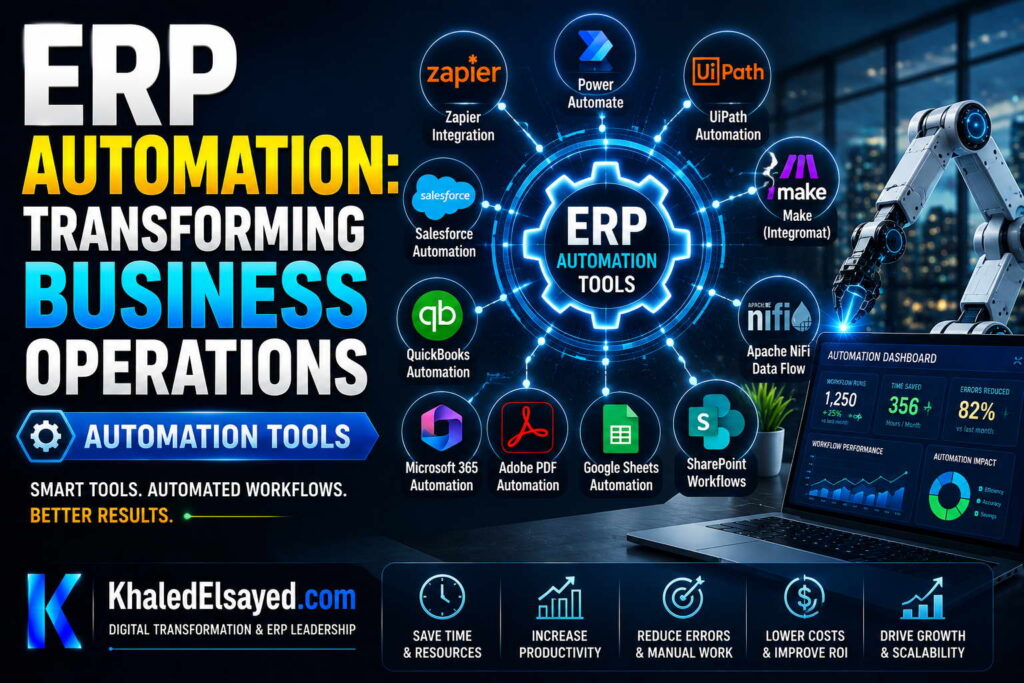
In my years leading digital transformation across enterprise IT environments, I have seen organizations struggle to select the right erp automation tools. Native workflow builders, iPaaS integration platforms, RPA bots—each has strengths and limitations. Understanding workflow automation tooling within erp systems is essential for business automation success. This guide compares automation tools, showing how erp automation improves business processes through the right tool selection—drawing directly from real-world implementations.
Tool 1: Native ERP Workflow Builder
What it is: Built-in workflow automation within ERP. Drag-and-drop interface to define triggers, conditions, actions, approvals. No coding required. Examples: Odoo Workflow, ERPNext Workflow, NetSuite SuiteFlow, SAP Workflow.
Best for: Processes entirely within ERP. Purchase approval (requisition → approval → PO). Order processing (order → credit check → inventory → invoice). Employee onboarding (HR → user creation → payroll).
Strengths: No additional cost (included in ERP). No integration needed (works with ERP data natively). Low-code—business analysts can configure. Real-time—events trigger immediately.
Limitations: Cannot orchestrate external systems (CRM, e-commerce, banking). Limited to ERP data and actions. Reporting on workflow performance limited.
From my experience: Native workflow builder handles 80 percent of automation needs. Start here before adding other tools. A manufacturer configured purchase approval workflow in 2 days using native tools—no developers, no additional cost.
Tool 2: Integration Platform as a Service (iPaaS)
What it is: Cloud integration platform connecting ERP to external systems via pre-built connectors and low-code data mapping. Examples: Workato, Zapier, MuleSoft, Dell Boomi, Tray.io.
Best for: Processes spanning ERP and external systems. Order processing (e-commerce → ERP → WMS). Data synchronization (CRM → ERP). Bank reconciliation (bank → ERP).
Strengths: Pre-built connectors (Shopify, Salesforce, Stripe) reduce development time 50-80 percent. Low-code visual data mapping. Built-in error handling, retry, monitoring. Scales automatically.
Limitations: Monthly subscription cost ($500-$5,000/month depending on volume). Not real-time for all connectors (some batch). Limited customization for complex transformations.
From my experience: iPaaS is essential for organizations with 5+ external systems. A retailer connected Shopify, Salesforce, Stripe, and shipping carrier to ERP in 6 weeks using iPaaS—custom development would have taken 6 months.
Tool 3: Robotic Process Automation (RPA)
What it is: Software robots that mimic human actions—clicking, typing, copying, pasting—on existing applications. RPA works at UI level, not API level. Examples: UiPath, Automation Anywhere, Blue Prism, Microsoft Power Automate.
Best for: Legacy systems without APIs. Vendor portals that don’t offer integration. Cross-application workflows where APIs unavailable.
Strengths: Works with any application (no API required). Rapid development (record mouse clicks). Non-invasive (no changes to underlying systems).
Limitations: Fragile—UI changes break bots. Slow (operates at human speed). No built-in error handling (if pop-up appears, bot fails). Scalability limited (each bot runs on one machine).
From my experience: RPA is a last resort. Use native workflow or iPaaS first. RPA only for systems that cannot be integrated otherwise. A distributor used RPA to extract orders from legacy vendor portal (no API)—worked but broke when vendor updated website.
Tool 4: Business Process Management (BPM) Suite
What it is: Standalone automation platform for complex, human-centric workflows. Includes forms, rules engines, case management, process analytics. Examples: Pega, Appian, IBM BPM.
Best for: Large enterprises with complex, long-running workflows involving human decisions and external systems. Loan processing, claims management, case management.
Strengths: Advanced workflow capabilities (parallel branches, dynamic routing, SLA monitoring). Robust case management. Enterprise scalability. Process analytics and optimization.
Limitations: Expensive ($100k+ annual). Requires dedicated team. Overkill for most ERP automation needs (purchase approval, order processing).
From my experience: BPM suites are over-engineering for 90 percent of organizations. Native ERP workflow builder + iPaaS handles typical automation needs. Only large enterprises with thousands of complex workflows need BPM.
ERP Automation Tools Comparison Table
The following tools comparison reflects current enterprise realities based on my implementation experience:
| Tool | Best For | Complexity | Cost | When to Use |
|---|---|---|---|---|
| Native ERP workflow | Internal processes | Low | Included | First choice for 80% of needs |
| iPaaS | Cross-system integration | Medium | $500-$5k/month | 5+ external systems, pre-built connectors |
| RPA | Legacy systems (no API) | Low-Medium | $10k-$100k/year | Last resort—only when API unavailable |
| BPM suite | Complex human workflows | High | $100k+/year | Large enterprises only |
Common Challenges and Solutions
Organizations face specific tool selection challenges. Over-engineering is most common—buying BPM suite when native workflow suffices. The solution is start with native workflow; add tools only when requirements exceed native capabilities. Another challenge is tool sprawl—using multiple automation tools without governance. The solution is automation tool inventory and use-case mapping—document which tool for which process. A third challenge is RPA misuse—automating processes that should be integrated via API. The solution is API-first approach; RPA only when API impossible.
Best Practices from Real Implementations
Across my portfolio, several automation tool practices drive success. Start with native ERP workflow builder—handles 80 percent of needs. Add iPaaS when integrating 5+ external systems. Avoid RPA unless no API available. Avoid BPM unless enterprise-scale with complex human workflows. Finally, measure automation ROI per tool—if tool not delivering value within 6 months, reassess.
Frequently Asked Questions
What is the difference between iPaaS and RPA?
iPaaS connects systems via APIs—reliable, fast, scalable, but requires APIs. RPA mimics human UI actions—works without APIs, but fragile, slow, limited scale. Erp automation should use iPaaS whenever APIs available. Use RPA only as last resort for systems without APIs. From my experience, 80 percent of integration needs have APIs; 20 percent require RPA. Organizations that start with RPA (because it’s “easier”) build technical debt that breaks when UIs change.
Do I need an iPaaS if my ERP has native workflow?
Yes, for cross-system processes. Native ERP workflow handles processes within ERP (purchase approval, order processing). iPaaS handles processes spanning ERP and external systems (e-commerce → ERP, ERP → CRM, bank → ERP). From my experience, most organizations need both. A distributor uses native workflow for purchase approval (internal) and iPaaS for e-commerce order integration (external). The two tools complement, not replace, each other.
Which automation tool should I start with?
Start with native ERP workflow builder. It’s included, low-code, and handles most workflow automation needs. Configure purchase approval workflow as first automation—simple, high-value, low-risk. After mastering native workflow, evaluate iPaaS for cross-system integration if needed. Avoid RPA and BPM until you have clear requirements that native workflow and iPaaS cannot satisfy. From my experience, organizations that start with RPA build fragile automations that break; those that start with native workflow build sustainable automation.
Meta Title: ERP Automation Tools: Native Workflow, iPaaS, RPA, BPM | Khaled Sqawa
Meta Description: ERP automation tools compared by digital transformation expert Khaled Elsayed Sqawa. Learn when to use native workflow, iPaaS, RPA, and BPM for business automation.
Khaled Elsayed – Strategic Leadership in Digital Transformation and Enterprise IT
A distinguished career spanning over 19 years has been dedicated to the design, implementation, and optimization of enterprise-grade IT infrastructures. This professional journey is defined by a consistent commitment to leveraging technology as a fundamental driver of organizational efficiency and scalable growth.
Currently, the position of Digital Transformation and Information Technology Manager is held, with a focus on spearheading strategic initiatives to modernize technological foundations and strengthen data security frameworks. Responsibilities in this capacity include the oversight of integrated ERP system deployments, the formulation of comprehensive IT policies, and the management of departmental budgets and procurement processes.
Prior to the current engagement, several senior leadership roles were occupied, including Group IT Section Head and IT Section Head. During these tenures, successful large-scale infrastructure upgrades were led, and business continuity frameworks were implemented to ensure uninterrupted operational performance. Expertise has been consistently demonstrated in aligning IT strategies with overarching business objectives while leading high-performing technical teams.
The academic foundation consists of a Bachelor’s degree in Information Systems. This is further reinforced by an extensive portfolio of international professional certifications, including:
- MCSA (Microsoft Certified Systems Administrator).
- Dynamic Specialist (Microsoft Certified Business Management Solutions Specialist).
- Google Certified Project Management Professional.
- SAP Technology Consultant.
- Oracle Cloud Infrastructure Architect Professional.
- Google Certified Cybersecurity Professional.
- ServiceNow IT Leadership Professional Certificate by LinkedIn Learning.
- Succeeding as a Senior Manager Professional Certificate by LinkedIn Learning.
- IT Service Management ISO20000 by LinkedIn Learning.
- Google Certified IT Support Professional.
The leadership philosophy remains centered on continuous improvement, integrity, and the transformation of complex technical visions into functional digital realities that empower the modern enterprise.
Khaled Elsayed
خالد السيد
www.khaledelsayed.com
|
linkedin.com/in/khaled-elsayed-it

is deltek an erp system, is deltek costpoint an erp system, erp deltek, erp system deltek, erp software deltek, is cin7 an erp, is cin7 core an erp, erp cin7, erp system cin7, erp brightpearl, brightpearl erp, what is focus erp, m focus erp, got focus erp, focus erp, focus erp software, focus erp system, focus erp login, focus erp 9, focus erp 9 login, focus erp price, focus erp careers, focus erp api, focus erp jobs uae, erp apache ofbiz, apache ofbiz vs erpnext, apache ofbiz erp, que es tryton erp, tryton erp, erp tryton, erpnext vs tryton, dolibarr erp y crm, telecharger dolibarr erp crm, dolibarr erp system & crm, download dolibarr erp crm, dolibarr erp crm, ai for dolibarr erp crm, dolibarr erp crm free download, dolibarr erp crm open source, dolibarr erp crm github, dolibarr erp crm demo, dolibarr erp crm download, dolibarr erp crm free, dolibarr erp crm files, 3 dolibarr erp crm, what is syspro erp, syspro erp system, is syspro an erp system, is syspro a good erp, syspro erp, erp syspro, erp system syspro, enterprise asset management syspro, erp software syspro, what is qad erp, what does qad erp stand for, who owns qad erp, what is qad erp software, qad erp system wiki, what is qad adaptive erp, what is erp in radio, qad full form in erp, que es qad erp, is qad erp, full form of qad erp, companies using qad erp, qad erp, qad erp system, qad erp software, qad erp vs sap, qad erp meaning, qad erp jobs, qad erp logo, qad erp training, qad erp modules, qad erp api, z erp, what is plex erp, plex erp vs sap, plex erp vs netsuite, verpex reseller, vlex erp, plex erp training videos, erpnext translation, sistema plex erp, rockwell plex erp, rockwell automation plex erp, que es plex erp, erp opening hours, erp 2.0 charges, hva er erp system, erpcloud.systems, plex online erp, plex erp odbc, who owns plex erp, what is oracle fusion erp, is plex erp, plex erp integration, what is plex erp system, erp software erp system examples, erp system examples, erp list of software, erp software examples, ix erp, how much does plex erp cost, erp egec, erp plus, plex erp cost, plex cloud erp, plex erp consultant, plex erp community, plex erp careers, plex erp competitors, plex manufacturing cloud erp, plex erp certification, plex erp customers, erp account manager jobs, plex erp, plex erp system, plex erp software, plex erp login, plex erp jobs, plex erp training, plex erp logo, plex erp tutorial, apex erp, apex erp system, apex erp login, apex erp software, is plex an erp system, plex erp api, plex erp api documentation, plex erp mobile app, plex erp ai, plex erp app, what is sap business one erp, use perpetual inventory in sap business one, sap erp vs sap business one, que es erp sap business one, is sap business one an erp, erp sap business one, erpnext vs sap business one, erp system sap business one, what is sage x3 erp, sage x3 erp, is sage x3 an erp system, erp sage x3, erp system sage x3, what is acumatica erp, is acumatica an erp, is acumatica a good erp, erp acumatica, erp system acumatica, zoho erp vs zoho one, zoho erp zoho one, erp zoho one, erpnext vs zoho one, zoho vs erpnext, zerodha erpnext, zatca erpnext, zkteco erpnext, zapier erpnext, zkteco integration with erpnext, youtube erpnext, your complete resource for erpnext, xero vs erpnext, what is erpnext software, what is erpnext developer, what is frappe erpnext, workflow erpnext, webshop erpnext, woocommerce erpnext, what is doctype in erpnext, whatsapp integration with erpnext, what is the latest version of erpnext, woocommerce erpnext integration, valuation rate in erpnext, version 16 erpnext, union erpnext, update erpnext, udemy erpnext, upgrade erpnext 15 to 16, upgrade erpnext 14 to 15, tally to erpnext, tally to erpnext migration, tally integration with erpnext, tutorial erpnext, tally vs erpnext, tryton vs erpnext, theme erpnext, stock reconciliation erpnext, sap vs erpnext, self host erpnext, subcontracting in erpnext, setup erpnext, sales order erpnext, shopify erpnext integration, sales invoice erpnext, raven erpnext, reddit erpnext, rest api erpnext, role permission manager erpnext, reset erpnext to default, report builder erpnext, reports in erpnext, restore erpnext backup, review erpnext, restaurant erpnext, quality inspection erpnext, quickbooks vs erpnext, quotation erpnext, quality inspection template erpnext, pos awesome erpnext 15, pos erpnext, erpnext pos awesome, pricing rule in erpnext, period closing voucher erpnext, print designer erpnext, payroll erpnext, purchase order erpnext, odoo vs erpnext, odoo erpnext, odoo vs erpnext reddit, odoo vs erpnext comparison, open source erpnext, opening balance in erpnext, odoo community vs erpnext, odoo erp vs erpnext, n8n erpnext, naming series in erpnext, n8n erpnext integration, notification in erpnext, netsuite vs erpnext, nextcloud erpnext, nestorbird erpnext, non profit erpnext, number card erpnext, no module named erpnext, manufacturing erpnext, material request erpnext, manufacturing module in erpnext, mint erpnext, mcp erpnext, modules in erpnext, material issue erpnext, learn erpnext, landed cost voucher erpnext, latest erpnext version, lms erpnext, logo erpnext, lead in erpnext, lending erpnext, karani erpnext, karani erpnext 15, erpnext egypt, journal entry erpnext, job card in erpnext, erpnext github, jan trade 25 erpnext com, erpnext download, erpnext pricing, install erpnext, india compliance erpnext, install erpnext 15 on ubuntu 24.04, is erpnext free, install erpnext 15 on ubuntu 22.04, install erpnext on ubuntu 24.04, install erpnext on ubuntu, install erpnext on windows, how to install erpnext, hrms erpnext, how to install erpnext on windows, how to install erpnext on ubuntu 24.04, how to use erpnext, how to install erpnext on ubuntu 22.04, healthcare erpnext, hr erpnext, github erpnext, github frappe erpnext, git erpnext, github erpnext docker, gst india compliance erpnext, getting started with erpnext, erpnext login, erpnext demo, frappe erpnext, frappe erpnext github, frappe erpnext documentation, frappe erpnext docker, frappe erpnext login, frappe erpnext developer jobs, frappe school erpnext, frappe erpnext installation, education module in erpnext, enable developer mode in erpnext, education erpnext, expense claim in erpnext, exchange rate revaluation erpnext, ecommerce erpnext, erp erpnext, ecommerce integration erpnext, e invoice erpnext, easy install erpnext, download erpnext, docs erpnext, demo erpnext, dolibarr vs erpnext, docker erpnext, download erpnext for windows, developer mode erpnext, docker frappe erpnext, code with karani erpnext 15, crm erpnext, cost center in erpnext, common party accounting erpnext, customize erpnext, coolify erpnext, chart of accounts erpnext, change erpnext logo, bitnami erpnext, bank reconciliation in erpnext, bom erpnext, blanket order erpnext, bench install erpnext, buying module in erpnext, backup erpnext, bench get app erpnext, erpnext, erpnext documentation, asset erpnext, api erpnext, accounting in erpnext, ai in erpnext, asset management erpnext, accounting module in erpnext, accounting dimension erpnext, asset module in erpnext, syspro erp photo, what is odoo erp, is odoo an erp, is odoo a erp system, github odoo enterprise, koperprijs, erp odoo, erpnext vs odoo, erp system odoo, erp software odoo, community vs enterprise odoo, what is epicor erp, what is epicor erp system, who owns epicor erp, what is epicor erp used for, what companies use epicor erp, sistema epicor erp, que es epicor erp, learn epicor erp, logo epicor erp, kinetic epicor erp, is epicor erp, is epicor erp cloud based, is epicor erp or mrp, how much is epicor erp, how to use epicor erp, harga epicor erp, eclipse epicor erp, download epicor erp, companies using epicor erp, cms epicor erp, epicor erp logo, epicor erp, apa itu epicor erp, epicor erp system, epicor erp software, epicor erp training, epicor erp jobs, epicor erp reviews, epicor erp pricing, epicor erp modules, epicor erp vs sap, what is ifs cloud erp, ifs cloud erp, erp ifs cloud, what is infor erp, who owns infor erp, what companies use infor erp, what does infor erp do, what is infor erp ln, what is infor erp engine, wat is infor erp, visual infor erp, tải phần mềm infor erp, sun infor erp, syteline infor erp, system infor erp, que es infor erp, phần mềm infor erp, phần mềm kế toán infoerp, ln infor erp, lawson infor erp, learn infor erp, logo infor erp, list of infor erp, is infor erp system, how much does infor erp cost, how to use infor erp, ferrari e infor erp, infor erp pricing, infor erp engine, companies that use infor erp, cloud infor erp, csi infor erp, baan infor erp ln jobs, baan infor erp, infor erp, infor erp system, infor erp software, infor erp vs sap, infor erp ln, infor erp reviews, infor erp products, infor erp jobs, ai for erp, ai for erp systems, ai for erpnext, is infor an erp system, is infor an erp, is infor a good erp system, infor erp api, is infor m3 an erp system, infor nexus erp, infor adage erp, what is oracle netsuite erp, que es oracle netsuite erp, oracle erp vs oracle netsuite, is oracle netsuite an erp, erp oracle netsuite, erp system oracle netsuite, erp systems sap oracle netsuite, difference between oracle netsuite and oracle erp, oracle netsuite erp, what is microsoft dynamics 365 erp, ultimate microsoft dynamics 365 crm for enterprises, oracle erp vs microsoft dynamics 365, is microsoft dynamics 365 an erp, microsoft dynamics 365 erp, erp microsoft dynamics 365, erp system microsoft dynamics 365, erp microsoft dynamics 365 business central, erp microsoft dynamics 365 login, erp software microsoft dynamics 365, microsoft dynamics 365 finance and operations erp, erp microsoft dynamics 365 price, you are configuring an oracle erp cloud adapter, what is oracle erp cloud, what is oracle erp cloud financials, securing oracle erp cloud, sap oracle erp cloud, rest api oracle erp cloud, que es oracle erp cloud, package consultant oracle erp cloud financials, oracle netsuite vs oracle erp cloud, oracle netsuite oracle erp cloud, oracle fusion vs oracle erp cloud, mulesoft oracle erp cloud connector, microsoft dynamics vs oracle erp cloud, modules in oracle erp cloud, logo oracle erp cloud, learn oracle erp cloud, latest oracle erp cloud version, is oracle erp cloud based, how to learn oracle erp cloud, free oracle erp cloud training, future of oracle erp cloud, oracle erp cloud adapter in oic, difference between oracle erp cloud and fusion, difference between oracle erp cloud and netsuite, consultant oracle erp cloud, business events in oracle erp cloud, oracle erp cloud jobs, avalara oracle erp cloud, oracle erp cloud, ai in oracle erp cloud, oracle erp cloud adapter, oracle erp cloud certification, oracle erp cloud logo, oracle erp cloud adapter capabilities, oracle erp cloud financials, oracle erp cloud training, oracle erp cloud modules, sap erp sap s 4hana, is sap s 4hana an erp system, erp sap s 4hana, erp system sap s 4hana, erpnext system, erpnext software, erpnext self hosted, erpnext setup, erpnext school, erpnext software download, erpnext software price, erpnext service providers, erpnext source code, erpnext support, erpnext git, erpnext github repo, erpnext guide, erpnext gst, erpnext germany, erpnext github docker, erpnext gst setup, erpnext getting started, erpnext crm, erpnext course, erpnext certification, erpnext cloud, erpnext customization, erpnext consultant, erpnext cloud pricing, erpnext careers, erpnext cost, erpnext company, erpnext v16, erpnext apps, erpnext api, erpnext accounting, erpnext api documentation, erpnext ai, erpnext alternative, erpnext ai integration, erpnext ai agent, erpnext accounting software, erpnext accounting module, odoo erp, infor erp logo, infor erp ln jobs, infor erp login, infor erp ln training pdf, erp infor, microsoft dynamics 365 erp youtube, deltekenterprise, costpoint deltekenterprise com, microsoft dynamics 365 vs oracle erp, https www deltekenterprise com, microsoft dynamics 365 is erp, microsoft dynamics 365 erp modules, microsoft dynamics 365 erp certification, microsoft dynamics 365 erp pricing, microsoft dynamics 365 erp training, microsoft dynamics 365 erp system, microsoft dynamics 365 erp course, oracle erp cloud vs netsuite, oracle erp cloud vs sap s 4hana, oracle erp cloud vs ebs, oracle erp cloud version, oracle erp cloud version history, oracle erp cloud vs peoplesoft, oracle erp cloud vs jd edwards, oracle erp cloud vs on premise, oracle erp cloud vs sap, oracle erp cloud fusion, oracle erp cloud vs fusion, is viewpoint vista an erp, viewpoint vista erp,