Cloud ERP vs On-Premise ERP: Key Differences
What is Cloud ERP
In my years leading digital transformation across enterprise IT environments, the most common strategic question is whether to move ERP to the cloud or keep systems on-premise. The decision requires understanding fundamental differences in architecture, cost, and operational responsibility. This guide provides a complete cloud erp vs on premise comparison, drawing directly from real-world implementations I have directed across manufacturing, distribution, and services.
Conceptual Layer: Defining Cloud ERP
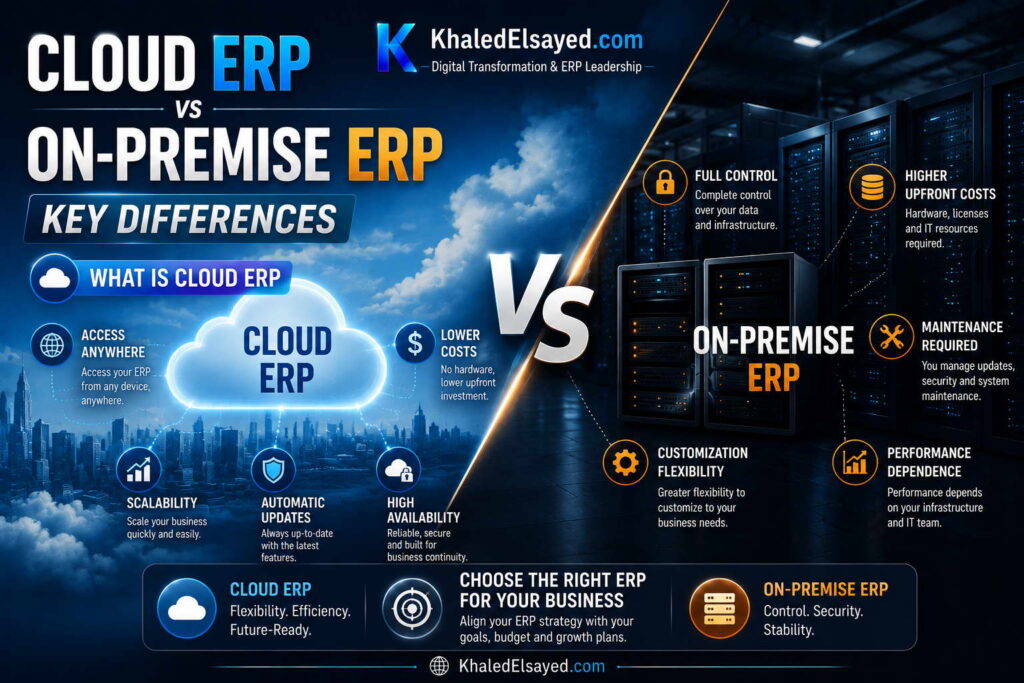
Cloud erp refers to software delivered via subscription, accessed through web browsers, with data hosted on vendor-managed infrastructure. Unlike on premise erp where the customer purchases licenses, owns servers, and manages infrastructure, cloud shifts all hardware and maintenance responsibility to the vendor. From my experience, the fundamental erp systems distinction is not deployment location but responsibility: cloud transfers infrastructure risk; on-premise retains it.
The cloud erp vs on premise erp comparison below examines architecture, cost, security, upgrades, customization, and implementation timeline across both models.
Technical Layer: Architecture Differences
Cloud ERP Architecture: Multi-tenant (customers share software instance with logical data separation) or single-tenant (dedicated instance). Vendor manages servers, storage, backups, disaster recovery, security patching, and upgrades. Customer accesses via web browser or mobile app. API-first design enables integration with external systems. Automatic upgrades (2-4 annually) with no customer action required.
On-Premise ERP Architecture: Customer-owned servers in customer-controlled data center or colocation facility. Customer manages all infrastructure: hardware procurement, operating system, database, storage, backups, disaster recovery, security, networking, and upgrades. Customer installs software, applies patches, and manages upgrade projects. Customization possible at code level.
From my technical assessments, cloud architecture reduces internal IT burden significantly but limits some customization options. On-premise offers complete control but requires specialized IT skills (database administration, server management, security compliance) that many mid-market organizations lack.
Cost Comparison: Cloud vs On-Premise (5-Year TCO)
Cloud ERP Cost (50 users): Subscription fees: $60,000-$120,000 annually. Implementation: $50,000-$150,000 one-time. Internal support: 0.5-1 FTE ($30,000-$100,000 annually). Premium support (optional): add 10-20 percent to subscription. Total 5-year TCO: $500,000-$1,200,000. Annual average: $100,000-$240,000.
On-Premise ERP Cost (50 users): License: $50,000-$150,000 one-time. Implementation: $80,000-$250,000 one-time. Annual maintenance: $10,000-$30,000. Internal support: 1-2 FTE ($60,000-$300,000 annually). Infrastructure: $20,000-$60,000 annually (servers, storage, backups, data center). Upgrades: $15,000-$75,000 every 4-5 years. Total 5-year TCO: $650,000-$2,500,000. Annual average: $130,000-$500,000.
From my experience, cloud ERP has lower 5-year TCO for 70-80 percent of organizations. On-premise becomes cost-competitive only at very large scale (500+ users) or when existing infrastructure would otherwise be underutilized.
Security and Compliance Considerations
Cloud ERP Security: Vendor provides SOC 1 Type II and SOC 2 Type II certifications, encryption at rest and in transit, automated backup verification, dedicated security operations centers, and regular penetration testing. For most mid-market organizations, cloud vendors exceed their internal security capabilities. Data residency options available for regulated industries.
On-Premise ERP Security: Customer responsible for all security: firewalls, intrusion detection, access controls, patching, backup verification, disaster recovery testing, and compliance audits. Customer must maintain security expertise internally or through consultants. Full physical control over data location.
From my security assessments, cloud ERP is more secure than on-premise for most organizations. The typical mid-market company cannot match the security investment of cloud vendors (millions annually in security staff and technology). However, organizations with extreme data residency requirements (defense, some regulated industries) may need on-premise for compliance.
Upgrades and Customization Trade-offs
Cloud ERP Upgrades: Automatic, vendor-managed, 2-4 times annually. No customer action required. Vendor tests upgrades before release. However, cloud limits customization options—customers configure using native tools but cannot modify source code. Customizations (if any) must be re-tested with each upgrade, but vendor does most regression testing.
On-Premise ERP Upgrades: Customer-managed projects every 4-5 years costing 30-50 percent of original implementation. Customizations require extensive regression testing with each upgrade. Many organizations fall behind on upgrades (2-3 versions behind) due to cost and complexity, creating security vulnerabilities and integration compatibility issues.
The principle: configure, do not customize—applies to both models but is mandatory for cloud. Organizations that cannot accept configuration-only should choose on-premise but accept higher upgrade costs.
Cloud vs On-Premise Comparison Table
The following comparison reflects current enterprise realities based on my implementation experience:
| Dimension | Cloud ERP | On-Premise ERP |
|---|---|---|
| Deployment model | Subscription (OpEx) | Perpetual license (CapEx) |
| Infrastructure ownership | Vendor managed | Customer owned |
| Implementation timeline | 4-9 months | 9-18 months |
| Upgrade process | Automatic (2-4x annually) | Customer project (every 4-5 years) |
| Customization capability | Configuration only | Code-level possible |
| Internal IT staffing | 0.5-1 FTE | 1-3 FTE |
| 5-year TCO (50 users) | $500k-$1,200k | $650k-$2,500k |
Common Challenges and Solutions
Organizations face specific cloud vs on-premise challenges. Connectivity dependency is the most common cloud concern—without internet, no ERP access. The solution is redundant internet connections (primary fiber/cable, backup cellular) and offline-capable mobile apps for critical functions. Another challenge is data residency—compliance may require data to stay in specific geography. The solution is selecting cloud vendors with regional data centers. A third challenge is customization limitation—cloud cannot modify source code. The solution is process reengineering to fit standard functionality; 90 percent of requested customizations can be eliminated through process redesign.
Best Practices from Real Implementations
Across my portfolio, several practices guide deployment decisions. Build 10-year TCO model before deciding—include infrastructure, staffing, and upgrade costs. Assess internal IT capability honestly—on-premise requires skills many organizations lack. Test connectivity before cloud commitment—measure latency, uptime, bandwidth. Start with cloud for most organizations—lower risk, faster time-to-value. Finally, consider hybrid options for regulated industries—cloud with on-premise data options available from major vendors.
Frequently Asked Questions
What is the difference between cloud ERP and on-premise ERP?
Cloud ERP is subscription-based, vendor-managed infrastructure, automatic upgrades, accessed via web browser. On-premise ERP is perpetual license, customer-managed infrastructure, customer-managed upgrades, installed on customer servers. The cloud erp vs on premise decision determines who bears infrastructure risk, upgrade burden, and security responsibility. Cloud transfers risk to vendor; on-premise retains risk but offers more control.
Which is more secure: cloud or on-premise ERP?
For most mid-market organizations, cloud ERP is more secure. Cloud vendors invest millions annually in security staff, certifications, monitoring, and penetration testing—capabilities most organizations cannot afford. However, organizations with extreme data residency requirements (defense, certain regulated industries) may need on-premise for compliance. From my security assessments, the typical on-premise installation lacks dedicated security staff, regular penetration testing, and 24×7 monitoring that cloud vendors provide.
Is cloud ERP cheaper than on-premise?
For most organizations (70-80 percent), cloud ERP has lower 5-year total cost of ownership. Cloud eliminates infrastructure costs, reduces IT staffing requirements, and includes upgrades. However, cloud subscription continues indefinitely while on-premise license is one-time. The breakeven point where on-premise becomes cheaper is typically 7-10 years, but hardware refreshes and major upgrades reset the comparison. For most organizations, the lower risk and faster time-to-value of cloud outweighs any long-term cost difference.
Can I switch from on-premise to cloud ERP?
Yes, many organizations migrate from on-premise to cloud during ERP refresh cycles (typically every 10-12 years). Migration requires data migration, process reengineering, and user retraining—similar to new implementation but with the advantage of existing clean data. Organizations should plan cloud migration during scheduled ERP replacement, not as a separate project. From my experience, cloud migration reduces ongoing IT costs 30-50 percent and eliminates upgrade project burden.
Meta Title: Cloud ERP vs On-Premise: Complete Comparison | Khaled Sqawa
Meta Description: Cloud ERP vs on-premise explained by digital transformation expert Khaled Elsayed Sqawa. Complete comparison of architecture, cost, security, upgrades, and implementation timeline.
What is On-Prem ERP
In my years leading digital transformation across enterprise IT environments, on-premise ERP remains a viable choice for organizations with specific requirements around control, customization, and data residency. While cloud dominates new implementations, understanding on-premise is essential for the cloud erp vs on premise decision. This guide provides a complete cloud erp vs on premise erp comparison focused on the on-premise model, drawing directly from real-world implementations I have directed across manufacturing, distribution, and services.
Conceptual Layer: Defining On-Premise ERP
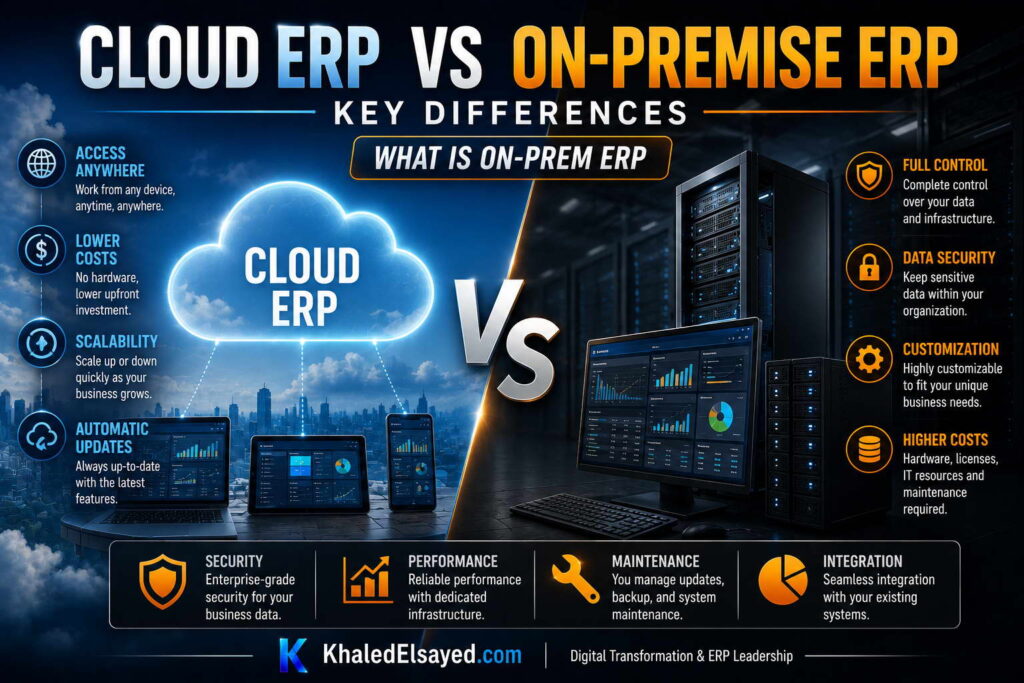
On premise erp refers to software installed on customer-owned servers, operated within customer-controlled data centers or colocation facilities. Unlike cloud erp where the vendor manages infrastructure, on-premise requires the customer to own, maintain, and secure all hardware, databases, and networking. From my experience, erp systems deployed on-premise offer maximum control but demand significant internal IT capability and capital investment.
The cloud erp vs on premise erp comparison from the on-premise perspective examines architecture, cost, customization, security responsibility, and upgrade burden—all of which fall on the customer in on-premise deployments.
Technical Layer: On-Premise Architecture
Infrastructure Requirements: Customer must provide servers (application, database, web), storage (SAN or NAS for data and backups), networking (switches, firewalls, load balancers), data center facilities (power, cooling, physical security), and disaster recovery site (secondary location for failover). For mid-market organizations (50 users), server hardware costs $20,000-$50,000, storage $10,000-$30,000, and data center/colocation $12,000-$36,000 annually.
Database and Operating System: Customer must license and maintain database software (SQL Server, Oracle) and operating systems (Windows Server, Linux). Database licensing adds $10,000-$50,000 annually depending on vendor and edition. Customer IT staff must manage database backups, performance tuning, security patching, and high availability configuration.
Software Installation and Maintenance: Customer installs ERP software on their infrastructure, applies patches, and manages version upgrades. Each major upgrade (every 4-5 years) requires a project costing 30-50 percent of original implementation ($15,000-$75,000 for mid-market) plus internal labor for testing customizations.
From my technical assessments, the most common on-premise technical failure is under-investment in infrastructure. Organizations buy minimum-spec servers, skip redundant power and networking, and neglect disaster recovery. The result: poor performance, unplanned downtime, and data loss risk.
Cost Structure: On-Premise Investment
License Fees (One-Time): Perpetual license based on users or modules. Mid-market (50 users): $50,000-$150,000. License never expires but maintenance required for support and upgrades.
Implementation (One-Time): $80,000-$250,000 for mid-market. Longer timeline (9-18 months) than cloud due to infrastructure setup, database installation, and customization options.
Annual Maintenance (Required): 20 percent of license cost annually ($10,000-$30,000). Required for vendor support and access to upgrades. Without maintenance, no support and no security patches.
Internal IT Staffing: On-premise requires more IT support than cloud. Database administration, server management, backup verification, security monitoring, upgrade testing. Typical requirement: 1-3 FTEs at $60,000-$150,000 each annually ($60,000-$450,000 total).
Infrastructure (Annualized): Server hardware refresh every 3-5 years: $20,000-$50,000. Storage: $10,000-$30,000. Data center/colocation: $12,000-$36,000 annually. Backup and disaster recovery: $5,000-$20,000 annually. Database licensing: $10,000-$50,000 annually.
Upgrades (Every 4-5 Years): Major version upgrades cost 30-50 percent of original implementation ($15,000-$75,000) plus internal labor for regression testing of customizations.
Total 5-Year TCO (50 users): License $50k-$150k + Implementation $80k-$250k + Maintenance $50k-$150k + Internal IT $300k-$2.25M + Infrastructure $200k-$600k + Upgrades $15k-$75k = $695k-$3.5M. Annual average: $139k-$700k.
Customization and Control Advantages
Code-Level Customization: On-premise allows modification of source code—unique workflows, proprietary calculations, industry-specific features that cloud cannot match. Organizations with true competitive advantage embedded in ERP processes may justify on-premise for customization capability.
Data Control and Residency: Customer maintains physical control over data location. For organizations with extreme data residency requirements (defense contractors, certain regulated industries), on-premise may be the only compliance option. Data never leaves customer-controlled infrastructure.
Integration Flexibility: On-premise can integrate with legacy systems using any protocol (file transfer, direct database access, custom sockets). No dependency on vendor APIs or rate limits.
From my experience, these advantages apply to less than 20 percent of organizations. Most overestimate their need for customization and underestimate the cost of maintaining it.
Security and Compliance Responsibility
Customer Security Responsibilities: On-premise customers must manage firewalls, intrusion detection/prevention, access controls, security patching, log monitoring, vulnerability scanning, penetration testing, backup encryption, disaster recovery testing, and compliance audits. Customer must maintain security expertise internally or through consultants.
Compliance Burden: For regulated industries (HIPAA, GDPR, ITAR, CMMC), on-premise customers bear full compliance responsibility. Audit evidence must be generated internally—no vendor-provided SOC reports.
From my security assessments, most mid-market organizations lack the security expertise and budget to match cloud vendor security postures. Cloud vendors invest millions annually in security staff, certifications, and monitoring—capabilities most organizations cannot afford. The exception is organizations with dedicated security teams and compliance budgets exceeding $500,000 annually.
Upgrade Burden and Technical Debt
On-Premise Upgrade Projects: Major version upgrades every 4-5 years require: project planning (weeks), test environment setup, upgrade execution (weekends), customization regression testing (weeks to months depending on customization volume), user acceptance testing, and production cutover. Organizations with extensive customization face 3-6 month upgrade projects.
Upgrade Deferral Consequences: Many organizations delay upgrades due to cost and complexity, falling 2-3 versions behind. Consequences: security vulnerabilities (unpatched exploits), compliance failures (audit findings), integration incompatibility (modern systems cannot connect), and talent shortage (new staff unfamiliar with old version).
From my experience, the hidden cost of on-premise is upgrade debt. Organizations that defer upgrades for 5+ years face crisis upgrades costing 2-3x planned upgrade budget and requiring emergency IT resources.
On-Premise vs Cloud Comparison Table
The following comparison reflects current enterprise realities based on my implementation experience:
| Dimension | On-Premise ERP | Cloud ERP |
|---|---|---|
| Upfront investment | High ($50k-$150k license) | Low (subscription) |
| Internal IT staffing | 1-3 FTE ($60k-$450k annual) | 0.5-1 FTE ($30k-$100k annual) |
| Infrastructure cost (annual) | $20k-$60k+ | Included |
| Customization capability | Code-level possible | Configuration only |
| Upgrade burden | Customer project (3-6 months) | Automatic (vendor managed) |
| Security responsibility | Customer fully responsible | Shared (vendor manages infrastructure) |
| 5-year TCO (50 users) | $695k-$3.5M | $500k-$1.2M |
Common Challenges and Solutions
Organizations face specific on-premise challenges. Under-investment in infrastructure is the most common—buying minimal servers leads to performance issues and downtime. The solution is over-provisioning by 50 percent and implementing redundant components. Another challenge is upgrade deferral—organizations delay upgrades due to cost, creating security and compliance risk. The solution is budgeting for upgrades annually ($5,000-$15,000 per year) rather than treating them as surprises. A third challenge is staffing expertise—on-premise requires database, server, and security skills that many mid-market organizations lack. The solution is managed services (third-party infrastructure monitoring) or cloud migration.
Best Practices from Real Implementations
Across my on-premise portfolio, several practices guide success. Over-provision infrastructure—performance problems are expensive to fix after go-live. Implement formal upgrade reserve—budget 10-15 percent of original implementation cost annually. Minimize customization—each line of custom code increases upgrade cost exponentially. Document disaster recovery procedures—and test them quarterly. Finally, assess internal IT capability honestly—on-premise requires skills many organizations lack.
Frequently Asked Questions
When is on-premise ERP the right choice?
On-premise is right when: you have extreme data residency requirements (defense, some regulated industries), need code-level customization that cloud cannot support, have existing infrastructure that would be underutilized otherwise, possess internal IT expertise (database, server, security), or operate in connectivity-constrained environments. From my experience, these conditions apply to less than 20 percent of organizations. For the other 80 percent, cloud ERP is lower risk and lower cost.
Why is on-premise more expensive than cloud for most organizations?
On-premise hidden costs—internal IT staffing ($60k-$450k annually), infrastructure refresh ($20k-$60k annually), upgrade projects ($15k-$75k every 4-5 years)—exceed cloud subscription costs for most organizations. Cloud subscription includes infrastructure, upgrades, and basic support; on-premise requires separate budgets for each. Organizations that calculate only license and maintenance underestimate true on-premise cost by 50-100 percent.
Can I customize on-premise ERP without breaking upgrades?
Yes, but each customization requires regression testing with every upgrade. Customizations that modify core tables or business logic are most expensive to maintain. Best practice: isolate customizations to extension tables and APIs where possible; avoid modifying vendor source code. Organizations with 20+ customizations typically spend 3-6 months per major upgrade on regression testing alone.
Is on-premise ERP more secure than cloud?
For organizations with mature security programs (dedicated security staff, annual penetration testing, 24×7 monitoring, documented incident response), on-premise can be equally secure. For most mid-market organizations, cloud is more secure—cloud vendors invest millions annually in security capabilities that most organizations cannot afford. The question is not which model is theoretically more secure, but which model your organization can actually execute given your security budget and expertise.
Meta Title: What is On-Prem ERP: Complete Guide | Khaled Sqawa
Meta Description: What is on-premise ERP explained by digital transformation expert Khaled Elsayed Sqawa. Complete comparison of architecture, cost, customization, security, and upgrade burden versus cloud.
Key Differences
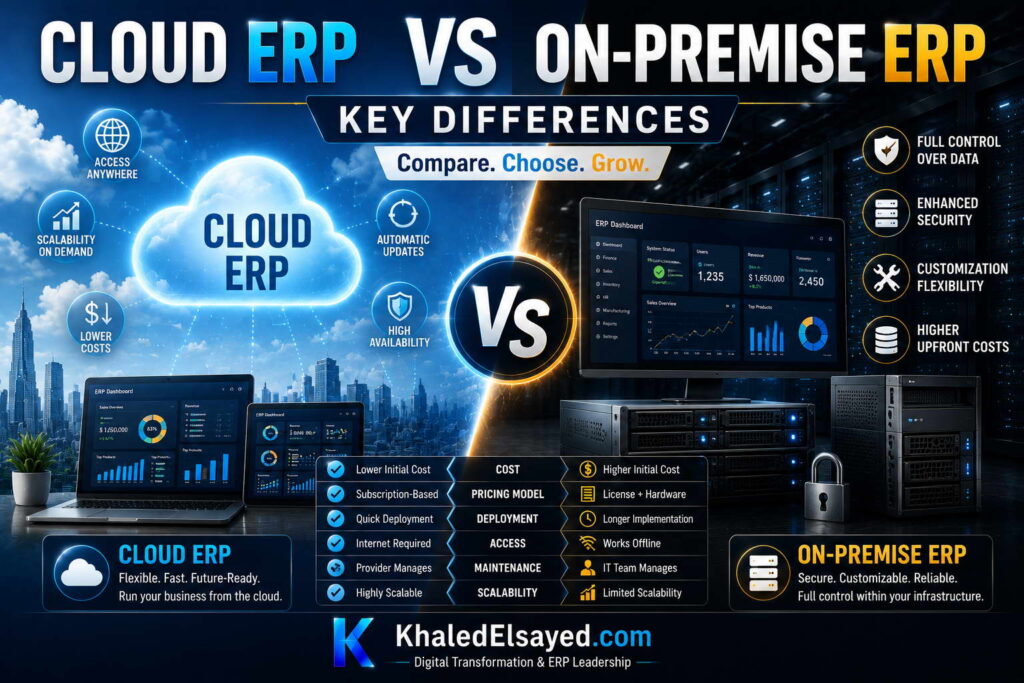
In my years leading digital transformation across enterprise IT environments, the decision between cloud and on-premise ERP comes down to understanding fundamental trade-offs. Neither model is universally superior—each serves different business contexts. This guide provides the essential cloud erp vs on premise key differences, drawing directly from real-world implementations I have directed across manufacturing, distribution, and services.
Conceptual Layer: The Fundamental Distinction
The cloud erp vs on premise erp comparison centers on one question: who bears responsibility for infrastructure, upgrades, and security? Cloud erp transfers responsibility to the vendor; on premise erp retains responsibility with the customer. From my experience, this responsibility shift drives all other differences—cost structure, staffing requirements, upgrade burden, and risk profile.
The erp systems decision is not technical—it is strategic. Organizations that lack internal IT expertise benefit from cloud; those with extreme compliance requirements may need on-premise. The key differences below highlight where each model excels.
Difference 1: Cost Structure and TCO
Cloud ERP Cost (50 users, 5-year TCO): $500,000-$1,200,000. Operating expense (OpEx)—monthly subscription. No upfront license. Predictable monthly costs. Includes infrastructure, upgrades, basic support. Lower internal IT staffing (0.5-1 FTE).
On-Premise ERP Cost (50 users, 5-year TCO): $695,000-$3,500,000. Capital expense (CapEx)—upfront license plus annual maintenance. Higher internal IT staffing (1-3 FTE). Separate budgets for infrastructure, upgrades, disaster recovery. Many hidden costs often omitted from initial budgets.
From my experience, cloud has lower 5-year TCO for 70-80 percent of organizations. On-premise only becomes cost-competitive at very large scale (500+ users) or when existing infrastructure would be underutilized. The primary driver is internal IT staffing—on-premise requires database, server, and security expertise that many organizations lack.
Difference 2: Implementation Timeline and Complexity
Cloud ERP Timeline: 4-9 months. No infrastructure setup required. Standardized configuration. Vendor manages environment. Faster time-to-value.
On-Premise ERP Timeline: 9-18 months. Infrastructure procurement and setup required (2-3 months). Database installation and configuration. Customization options extend timeline. Slower time-to-value.
The timeline difference is significant. Cloud customers typically see ROI within 12-18 months; on-premise customers may wait 24-36 months. Organizations with urgent need for operational improvement should favor cloud.
Difference 3: Upgrade Burden
Cloud ERP Upgrades: Automatic, vendor-managed, 2-4 times annually. No customer action required. Vendor tests upgrades before release. New features available immediately. No regression testing burden for standard configuration.
On-Premise ERP Upgrades: Customer-managed projects every 4-5 years costing 30-50 percent of original implementation. Customizations require extensive regression testing (weeks to months). Many organizations fall behind on upgrades (2-3 versions), creating security vulnerabilities and integration incompatibility.
From my experience, upgrade burden is the most underappreciated on-premise cost. Organizations that calculate only license and maintenance ignore upgrade projects that consume IT resources and budgets every 4-5 years. Cloud eliminates this entirely.
Difference 4: Customization Capability
Cloud ERP Customization: Configuration only—checkbox selections, workflow designers, custom fields. No source code modification. Cannot modify core business logic. Best practice: adapt processes to standard functionality (90 percent of requested customizations can be eliminated through process redesign).
On-Premise Customization: Code-level modification possible. Unlimited customization—unique workflows, proprietary calculations, industry-specific features. Trade-off: each customization increases upgrade cost exponentially. Organizations with extensive customization often fall permanently behind on upgrades.
True competitive advantage embedded in ERP processes is rare—less than 10 percent of organizations. Most customization requests are simply automating broken processes. On-premise customization should be justified only when customization provides measurable competitive advantage that cloud cannot support.
Difference 5: Security and Compliance Responsibility
Cloud ERP Security: Vendor provides SOC 1 Type II and SOC 2 Type II certifications, encryption, dedicated security operations centers, regular penetration testing. Customer responsible for user access controls and data classification. For most mid-market organizations, cloud vendors exceed internal security capabilities.
On-Premise Security: Customer fully responsible—firewalls, intrusion detection, patching, monitoring, penetration testing, compliance audits. Customer must maintain security expertise internally or through consultants. Full physical control over data location.
From my security assessments, cloud is more secure for most organizations. The typical mid-market company cannot match the security investment of cloud vendors (millions annually in security staff and technology). On-premise is justified only for organizations with extreme data residency requirements (defense, certain regulated industries) that prohibit cloud deployment.
Key Differences Summary Table
The following comparison reflects current enterprise realities based on my implementation experience:
| Dimension | Cloud ERP | On-Premise ERP |
|---|---|---|
| Cost model | OpEx (subscription) | CapEx (license + maintenance) |
| 5-year TCO (50 users) | $500k-$1,200k | $695k-$3,500k |
| Implementation timeline | 4-9 months | 9-18 months |
| Internal IT staffing | 0.5-1 FTE | 1-3 FTE |
| Upgrade process | Automatic (vendor) | Customer project (3-6 months) |
| Customization | Configuration only | Code-level possible |
| Security responsibility | Shared (vendor infrastructure) | Customer fully responsible |
| Internet required | Yes | No (internal network) |
Common Challenges and Solutions
Organizations face specific decision challenges. TCO blindness is the most common—comparing first-year costs without modeling 5-10 year TCO. The solution is building a 10-year TCO model including infrastructure, staffing, and upgrades. Another challenge is security perception—assuming on-premise is inherently more secure. The solution is objective security assessment comparing vendor capabilities to internal capabilities. A third challenge is customization overestimation—overestimating need for code-level changes. The solution is prototyping cloud configuration to validate requirements; 90 percent of requested customizations can be met through configuration.
Best Practices from Real Implementations
Across my portfolio, several practices guide the cloud vs on-premise decision. Build 10-year TCO model including all hidden costs—infrastructure, staffing, upgrades, disaster recovery. Assess internal IT capability honestly—on-premise requires skills many organizations lack. Start with cloud for most organizations—lower risk, faster time-to-value, lower TCO. Use on-premise only for extreme data residency or customization requirements that cloud cannot meet. Finally, consider hybrid options—cloud with on-premise data options available from major vendors.
Frequently Asked Questions
What is the single biggest difference between cloud and on-premise ERP?
Responsibility for infrastructure, upgrades, and security. Cloud transfers responsibility to the vendor; on-premise retains responsibility with the customer. This responsibility shift drives all other differences—cost structure (OpEx vs CapEx), staffing requirements (0.5-1 FTE vs 1-3 FTE), upgrade burden (automatic vs project-based), and risk profile (vendor-managed security vs self-managed).
Which has lower total cost: cloud or on-premise?
For most organizations (70-80 percent), cloud has lower 5-year total cost of ownership. The primary driver is internal IT staffing—cloud requires 0.5-1 FTE; on-premise requires 1-3 FTE ($60,000-$450,000 annual difference). On-premise only becomes cost-competitive at very large scale (500+ users) or when existing infrastructure would be underutilized. Organizations that calculate only license and maintenance underestimate true on-premise cost by 50-100 percent.
Is on-premise more secure than cloud?
For organizations with mature security programs (dedicated security staff, annual penetration testing, 24×7 monitoring, documented incident response), on-premise can be equally secure. For most mid-market organizations, cloud is more secure. Cloud vendors invest millions annually in security capabilities—SOC certifications, dedicated security operations centers, regular penetration testing—that most organizations cannot afford. The question is not theoretical security, but which model your organization can actually execute given your security budget and expertise.
Can I switch from on-premise to cloud later?
Yes, many organizations migrate from on-premise to cloud during ERP refresh cycles (typically every 10-12 years). Migration requires data migration, process reengineering, and user retraining—similar to a new implementation but with the advantage of existing clean data and documented processes. Organizations should plan cloud migration during scheduled ERP replacement, not as a separate project. From my experience, cloud migration reduces ongoing IT costs 30-50 percent and eliminates upgrade project burden entirely.
Meta Title: Cloud ERP vs On-Premise: Key Differences | Khaled Sqawa
Meta Description: Cloud ERP vs on-premise key differences explained by digital transformation expert Khaled Elsayed Sqawa. Compare cost, timeline, upgrades, customization, and security responsibility.
Pros and Cons
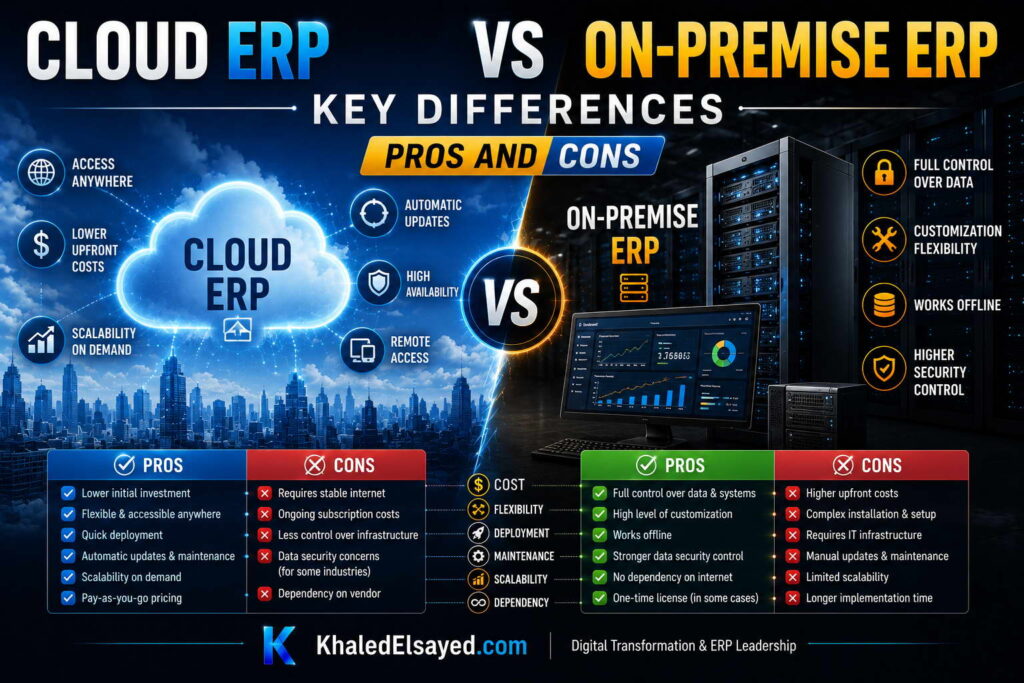
In my years leading digital transformation across enterprise IT environments, I have seen organizations make cloud and on-premise decisions based on incomplete information. Neither model is perfect—each has trade-offs that must align with business context. This guide presents the balanced cloud erp vs on premise pros and cons, drawing directly from real-world implementations I have directed across manufacturing, distribution, and services.
Cloud ERP: Advantages
Lower upfront investment: Subscription pricing (OpEx) eliminates large license fees. Monthly payments align with cash flow. No server or infrastructure purchases required. For organizations with capital constraints, cloud removes the barrier of $50,000-$150,000 upfront license costs.
Faster implementation: 4-9 months vs 9-18 months for on-premise. No infrastructure procurement or setup. Standardized configuration accelerates deployment. Faster time-to-value means ROI appears 6-12 months earlier.
Automatic upgrades: Vendor-managed updates 2-4 times annually. New features available immediately. No upgrade project costs or regression testing burden. Organizations eliminate the 3-6 month upgrade projects that consume IT resources every 4-5 years.
Lower IT staffing requirements: 0.5-1 FTE internal support vs 1-3 FTE for on-premise. No database administration, server management, or infrastructure expertise required. For organizations with limited IT staff, cloud frees resources for strategic initiatives.
Built-in security and compliance: Vendor provides SOC certifications, encryption, dedicated security operations centers, regular penetration testing. Most cloud vendors exceed internal security capabilities of mid-market organizations. Security investment amortized across thousands of customers.
Accessibility: Web browser or mobile app from anywhere with internet. No VPN or remote desktop required. Supports distributed workforces and multi-location operations.
Predictable costs: Monthly subscription predictable. No surprise server replacements, infrastructure failures, or upgrade project costs. Budgeting simplified.
Cloud ERP: Disadvantages
Internet dependency: No internet, no ERP access. Critical for organizations in connectivity-constrained areas. Solution: redundant internet connections (primary + backup cellular) and offline-capable mobile apps for critical functions.
Limited customization: Configuration only—no source code modification. Cannot modify core business logic. For organizations with truly unique processes that cannot be reconfigured, cloud may be insufficient. However, 90 percent of requested customizations can be eliminated through process redesign.
Data residency concerns: Data stored in vendor data centers, potentially across geographic boundaries. Regulated industries (defense, certain government) may require on-premise. Solution: cloud vendors offer regional data center options for many compliance requirements.
Long-term cumulative cost: Subscription continues indefinitely. For organizations planning to keep ERP for 15+ years, cumulative cloud cost may exceed on-premise. However, hardware refreshes and major upgrades (every 4-5 years) reset on-premise cost comparison.
Vendor lock-in: Data export costs can be significant if switching vendors. Integration investments specific to vendor APIs may not transfer. Solution: negotiate data export terms and use standard APIs where possible.
On-Premise ERP: Advantages
Complete data control: Data resides on customer-owned servers. No third-party access. Full physical control over data location. Essential for organizations with extreme data residency requirements (defense, some regulated industries).
Unlimited customization: Code-level modification possible. Unique workflows, proprietary calculations, industry-specific features. For organizations with true competitive advantage embedded in ERP processes, on-premise enables differentiation that cloud cannot match.
No internet dependency: Operates on internal network. No connectivity requirement. Critical for organizations in connectivity-constrained environments (remote manufacturing, field operations).
Integration flexibility: Can integrate with legacy systems using any protocol (file transfer, direct database access). No dependency on vendor APIs or rate limits.
Potential long-term cost advantage: At very large scale (500+ users) or over very long time horizons (15+ years), on-premise may have lower cumulative cost. License is one-time; subscription continues indefinitely.
On-Premise ERP: Disadvantages
High upfront investment: License fees $50,000-$150,000 for mid-market plus implementation $80,000-$250,000. Capital expense (CapEx) requires significant budget approval. Organizations with capital constraints may be unable to fund on-premise.
Longer implementation: 9-18 months vs 4-9 months for cloud. Infrastructure procurement and setup adds 2-3 months. Slower time-to-value delays ROI by 6-12 months.
Significant IT staffing: 1-3 FTEs with database, server, and security expertise. Annual staffing cost $60,000-$450,000. Many mid-market organizations lack required skills. Staff turnover creates knowledge risk.
Major upgrade burden: Customer-managed projects every 4-5 years costing 30-50 percent of original implementation. Customizations require extensive regression testing (weeks to months). Organizations often defer upgrades, creating security vulnerabilities and compatibility issues.
Infrastructure costs: Servers ($20k-$50k every 3-5 years), storage ($10k-$30k), data center/colocation ($12k-$36k annually), backups ($5k-$20k annually), disaster recovery site. These ongoing costs are often omitted from initial budgets.
Security responsibility: Customer fully responsible for firewalls, intrusion detection, patching, monitoring, penetration testing, compliance audits. Most mid-market organizations lack security expertise and budget to match cloud vendor capabilities.
Hidden costs: Database licensing ($10k-$50k annually), power/cooling, physical security, disaster recovery testing, compliance audit support. Organizations underestimate true cost by 50-100 percent.
Pros and Cons Summary Table
The following comparison reflects current enterprise realities based on my implementation experience:
| Dimension | Cloud ERP | On-Premise ERP |
|---|---|---|
| Upfront investment | ✓ Low (subscription) | ✗ High ($50k-$150k license) |
| Implementation timeline | ✓ 4-9 months | ✗ 9-18 months |
| IT staffing required | ✓ 0.5-1 FTE | ✗ 1-3 FTE |
| Upgrade process | ✓ Automatic (vendor) | ✗ Project (3-6 months) |
| Customization capability | ✗ Configuration only | ✓ Code-level possible |
| Data control | ✗ Vendor data center | ✓ Customer controlled |
| Internet required | ✗ Yes | ✓ No (internal network) |
| Security capability (mid-market) | ✓ Vendor enterprise-grade | ✗ Customer dependent |
| 5-year TCO (50 users) | ✓ $500k-$1,200k | ✗ $695k-$3,500k |
Common Challenges and Solutions
Organizations face specific decision challenges. Analysis paralysis is the most common—overwhelmed by conflicting pros and cons, unable to decide. The solution is weighted scoring: assign importance weights to each factor (cost 30%, security 25%, staffing 20%, customization 15%, timeline 10%) and score each model. Another challenge is security fear—assuming on-premise is inherently more secure without assessing actual internal capabilities. The solution is objective security assessment comparing vendor certifications to internal controls. A third challenge is customization overestimation—overestimating need for code-level changes. The solution is prototyping cloud configuration before assuming customization is required; 90 percent of requested customizations can be met through configuration.
Best Practices from Real Implementations
Across my portfolio, several practices guide the cloud vs on-premise decision. Start with cloud for most organizations—lower risk, faster time-to-value, lower TCO. Use on-premise only for extreme data residency or customization requirements that cloud cannot meet. Build 10-year TCO model including all hidden costs—infrastructure, staffing, upgrades. Assess internal IT capability honestly—on-premise requires skills many organizations lack. Finally, test connectivity before cloud commitment—reliable internet is prerequisite for cloud success.
Frequently Asked Questions
What is the biggest pro of cloud ERP?
Lower IT staffing requirement. Cloud requires 0.5-1 FTE internal support; on-premise requires 1-3 FTE with specialized database, server, and security skills. For a mid-market organization, this staffing difference alone is $60,000-$450,000 annually. Organizations with limited IT staff or those who prefer to focus IT resources on strategic initiatives (not infrastructure maintenance) benefit most from cloud.
What is the biggest pro of on-premise ERP?
Complete data control and unlimited customization. Organizations with extreme data residency requirements (defense, certain regulated industries) or truly unique processes that cannot be reconfigured may need on-premise. However, these requirements apply to less than 10 percent of organizations. Most organizations overestimate their need for customization and underestimate the cost of maintaining it.
What is the biggest con of cloud ERP?
Internet dependency. Without reliable internet, cloud ERP is inaccessible. For organizations in connectivity-constrained areas (remote manufacturing, field operations with poor connectivity), cloud may be impractical. The solution: redundant internet connections (primary fiber/cable plus backup cellular) and offline-capable mobile apps for critical functions (receiving, picking, time tracking). Test connectivity before cloud commitment.
What is the biggest con of on-premise ERP?
Upgrade burden and hidden costs. Organizations calculate license and maintenance but ignore infrastructure refresh ($20k-$60k annually), internal IT staffing ($60k-$450k annually), upgrade projects ($15k-$75k every 4-5 years), and disaster recovery. True 5-year TCO is often double initial estimates. Many organizations defer upgrades due to cost, falling 2-3 versions behind, creating security vulnerabilities and integration incompatibility.
Which model is right for most organizations?
Cloud ERP. For 80-90 percent of organizations, cloud offers lower TCO, faster implementation, lower IT staffing requirements, and automatic upgrades. On-premise should be reserved for organizations with extreme data residency requirements, true need for code-level customization that cloud cannot support, or existing infrastructure that would be underutilized otherwise. When in doubt, start with cloud—the cost and risk of switching from cloud to on-premise is minimal; switching from on-premise to cloud is expensive.
Meta Title: Cloud ERP vs On-Premise: Pros and Cons | Khaled Sqawa
Meta Description: Cloud ERP vs on-premise pros and cons explained by digital transformation expert Khaled Elsayed Sqawa. Complete comparison of advantages and disadvantages for both deployment models.
Which One to Choose
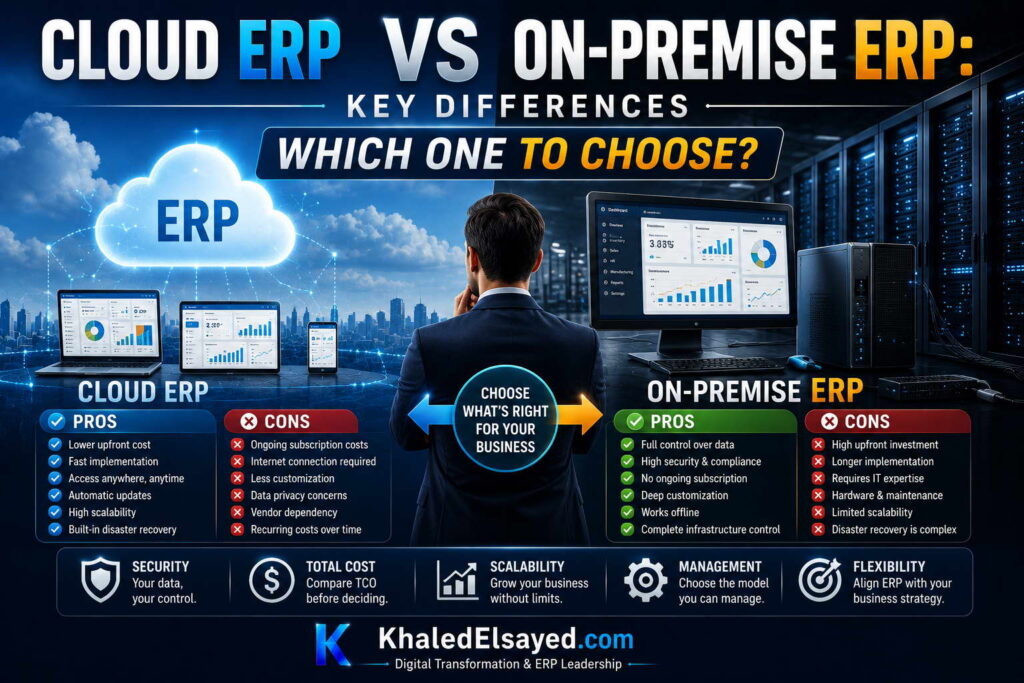
In my years leading digital transformation across enterprise IT environments, the most common question from executives is not “What are the differences?” but “Which one should we choose?” The cloud erp vs on premise decision requires matching model characteristics to business context. This guide provides a practical decision framework for the cloud erp vs on premise erp comparison, drawing directly from real-world implementations I have directed across manufacturing, distribution, and services.
Decision Framework: Start with Business Context
The cloud erp vs on premise choice is not about which model is “better”—it is about which model fits your business. Cloud erp fits most organizations (80-90 percent). On premise erp fits organizations with specific requirements around data residency, customization, or connectivity. The framework below helps determine which erp systems deployment model aligns with your context.
From my experience, organizations that choose based on objective criteria achieve 90 percent satisfaction; those that choose based on preference or fear achieve 60 percent satisfaction. The key is honest assessment of internal capabilities, not aspiration.
When to Choose Cloud ERP (80-90 Percent of Organizations)
Choose cloud ERP when: You have limited IT staff (0-2 people) or prefer to focus IT resources on strategic initiatives rather than infrastructure. Cloud reduces IT staffing requirements by 50-70 percent. You need predictable monthly costs (OpEx) rather than large upfront capital expense. Subscription aligns with cash flow and requires less budget approval.
Choose cloud ERP when: You want faster implementation (4-9 months) and faster ROI. Cloud eliminates infrastructure setup time. You want automatic upgrades with no internal project burden. Cloud vendors manage upgrades; new features available immediately. You have reliable internet (99.9 percent+ uptime) or can implement redundant connections.
Choose cloud ERP when: Your processes fit standard ERP functionality (most do). You can adapt processes rather than customizing software. You lack database, server, or security expertise internally. Cloud vendors provide enterprise-grade security that exceeds internal capabilities. You need accessibility from anywhere—distributed workforce, multiple locations, remote work.
From my experience, these conditions describe 80-90 percent of organizations. For these organizations, cloud offers lower risk, lower TCO, and faster time-to-value than on-premise.
When to Choose On-Premise ERP (10-20 Percent of Organizations)
Choose on-premise ERP when: You have extreme data residency requirements that prohibit cloud deployment. Defense contractors, certain regulated industries, or organizations with legal restrictions on data location. Verify requirements with legal counsel; many organizations assume restrictions that don’t exist. Some cloud vendors offer regional data centers that satisfy compliance.
Choose on-premise ERP when: You have true need for code-level customization that cloud cannot support. Your unique processes provide competitive advantage and cannot be reconfigured to standard functionality. Validate this carefully—90 percent of requested customizations can be eliminated through process redesign. Only 10 percent of organizations have genuine customization requirements.
Choose on-premise ERP when: You operate in connectivity-constrained environments with unreliable or no internet. Remote manufacturing sites, field operations, or regions with poor infrastructure. Verify that offline-capable mobile apps cannot solve the requirement.
Choose on-premise ERP when: You have existing infrastructure that would be underutilized otherwise and internal IT expertise (database, server, security) to manage it. Your organization already employs 2+ IT staff with relevant skills. You have capital budget available for upfront license and implementation costs.
From my experience, these conditions describe 10-20 percent of organizations. For these organizations, on-premise may be necessary despite higher TCO and slower implementation.
Step-by-Step Decision Process
Step 1: Assess Data Residency Requirements (Week 1): Review compliance obligations with legal counsel. Identify specific regulations that prohibit cloud deployment. Check if cloud vendor regional data centers satisfy requirements. If cloud is legally prohibited, choose on-premise. If not, proceed to step 2.
Step 2: Evaluate Internal IT Capability (Week 1): Inventory IT staff skills: database administration, server management, security, networking. Be honest about gaps. If you lack required skills and cannot hire (typical for mid-market), choose cloud. If you have strong internal IT team and prefer infrastructure control, proceed to step 3.
Step 3: Test Customization Requirements (Week 2): Document every process you believe requires customization. For each, ask: “Can we redesign this process to fit standard functionality?” Prototype cloud configuration for top 5 requirements. If cloud configuration meets 80+ percent, choose cloud. If multiple requirements genuinely cannot be configured (rare), consider on-premise.
Step 4: Assess Connectivity (Week 2): Test internet reliability at all locations. Measure uptime, latency, bandwidth. If connectivity is unreliable, test offline-capable mobile apps for critical functions. If connectivity remains problematic, consider on-premise.
Step 5: Build 10-Year TCO Model (Week 2-3): Model both cloud and on-premise including all costs: subscriptions (cloud) vs license + maintenance + infrastructure + staffing + upgrades + disaster recovery (on-premise). If cloud TCO is lower (true for 80 percent), choose cloud. If on-premise TCO is significantly lower (rare), consider on-premise.
Step 6: Make Decision (Week 3): Weight factors: compliance (must-have), IT capability (must-have for on-premise), customization (must-have for on-premise), TCO, timeline, risk tolerance. If any must-have condition forces a model, choose that model. Otherwise, choose cloud—lower risk for most organizations.
Decision Matrix: Cloud vs On-Premise Selection
The following decision criteria reflect current enterprise realities based on my implementation experience:
| Criteria | Cloud ERP | On-Premise ERP |
|---|---|---|
| IT staffing (1-2 people) | ✓ Best fit | ✗ Insufficient |
| IT staffing (3+ dedicated ERP specialists) | Possible | ✓ Required |
| Capital budget available | Not required | ✓ Required |
| Extreme data residency requirements | ✗ Check regional options | ✓ May be required |
| Code-level customization needed | ✗ Not possible | ✓ Possible |
| Reliable internet (99.9%+ uptime) | ✓ Required | Not required |
| Process fit to standard functionality | ✓ Required | Can customize |
| Desire for predictable monthly costs | ✓ Yes (OpEx) | Variable (CapEx + hidden) |
| Urgent need for faster implementation | ✓ 4-9 months | 9-18 months |
Common Challenges and Solutions
Organizations face specific decision challenges. Compliance overestimation is the most common—assuming cloud is prohibited without verifying actual requirements. The solution is legal review of specific regulations; many organizations discover regional data centers satisfy requirements. Another challenge is IT capability overestimation—assuming internal team can manage on-premise without assessing gaps. The solution is skills inventory and honest gap analysis. A third challenge is customization overestimation—assuming processes require customization without testing cloud configuration. The solution is prototyping before deciding.
Best Practices from Real Implementations
Across my portfolio, several practices guide the decision. Start with cloud for most organizations—lower risk, faster time-to-value. Use on-premise only for verified requirements that cloud cannot meet. Test cloud configuration before assuming customization is needed. Build 10-year TCO model including all hidden costs—infrastructure, staffing, upgrades. Finally, reassess every 3-5 years—cloud capabilities evolve rapidly; on-premise decisions made today may be revisited.
Frequently Asked Questions
Which is better for a small business: cloud or on-premise ERP?
Cloud ERP. Small businesses (under $50M revenue) lack the IT staffing, capital budget, and infrastructure for cost-effective on-premise. Cloud provides enterprise-grade capabilities at small-business price points. On-premise for small businesses typically results in under-invested infrastructure, unpatched security vulnerabilities, and deferred upgrades. From my experience, 95 percent of small businesses should choose cloud.
Which is better for a large enterprise: cloud or on-premise ERP?
It depends. Large enterprises (over $500M revenue) may have existing IT staff, data center infrastructure, and compliance requirements that make on-premise viable. However, many large enterprises are migrating legacy on-premise ERP to cloud for lower TCO and faster innovation. The trend is cloud even for enterprises—70 percent of new ERP implementations at enterprises are cloud. Evaluate using the decision framework above.
Can I start with cloud and move to on-premise later?
Yes, but rarely done. Most organizations move from on-premise to cloud, not cloud to on-premise. Cloud to on-premise migration is possible but expensive (data extraction, re-implementation, infrastructure setup). Choose cloud with confidence—cloud capabilities have matured significantly; most organizations never need on-premise.
What if I’m still undecided after the framework?
Choose cloud. Cloud has lower upfront investment, shorter implementation, and lower risk. If cloud proves insufficient (rare), you can migrate to on-premise later. Choosing on-premise first is a large, irreversible investment. Start with cloud; only commit to on-premise when requirements clearly demand it. From my experience, 90 percent of undecided organizations are satisfied with cloud after implementation.
Meta Title: Cloud ERP vs On-Premise: Which One to Choose | Khaled Sqawa
Meta Description: Cloud ERP vs on-premise decision framework explained by digital transformation expert Khaled Elsayed Sqawa. Step-by-step guide to choosing the right deployment model for your business.
Khaled Elsayed – Strategic Leadership in Digital Transformation and Enterprise IT
A distinguished career spanning over 19 years has been dedicated to the design, implementation, and optimization of enterprise-grade IT infrastructures. This professional journey is defined by a consistent commitment to leveraging technology as a fundamental driver of organizational efficiency and scalable growth.
Currently, the position of Digital Transformation and Information Technology Manager is held, with a focus on spearheading strategic initiatives to modernize technological foundations and strengthen data security frameworks. Responsibilities in this capacity include the oversight of integrated ERP system deployments, the formulation of comprehensive IT policies, and the management of departmental budgets and procurement processes.
Prior to the current engagement, several senior leadership roles were occupied, including Group IT Section Head and IT Section Head. During these tenures, successful large-scale infrastructure upgrades were led, and business continuity frameworks were implemented to ensure uninterrupted operational performance. Expertise has been consistently demonstrated in aligning IT strategies with overarching business objectives while leading high-performing technical teams.
The academic foundation consists of a Bachelor’s degree in Information Systems. This is further reinforced by an extensive portfolio of international professional certifications, including:
- MCSA (Microsoft Certified Systems Administrator).
- Dynamic Specialist (Microsoft Certified Business Management Solutions Specialist).
- Google Certified Project Management Professional.
- SAP Technology Consultant.
- Oracle Cloud Infrastructure Architect Professional.
- Google Certified Cybersecurity Professional.
- ServiceNow IT Leadership Professional Certificate by LinkedIn Learning.
- Succeeding as a Senior Manager Professional Certificate by LinkedIn Learning.
- IT Service Management ISO20000 by LinkedIn Learning.
- Google Certified IT Support Professional.
The leadership philosophy remains centered on continuous improvement, integrity, and the transformation of complex technical visions into functional digital realities that empower the modern enterprise.
Khaled Elsayed
خالد السيد
www.khaledelsayed.com
|
linkedin.com/in/khaled-elsayed-it