ERP Implementation Process: Step-by-Step Guide
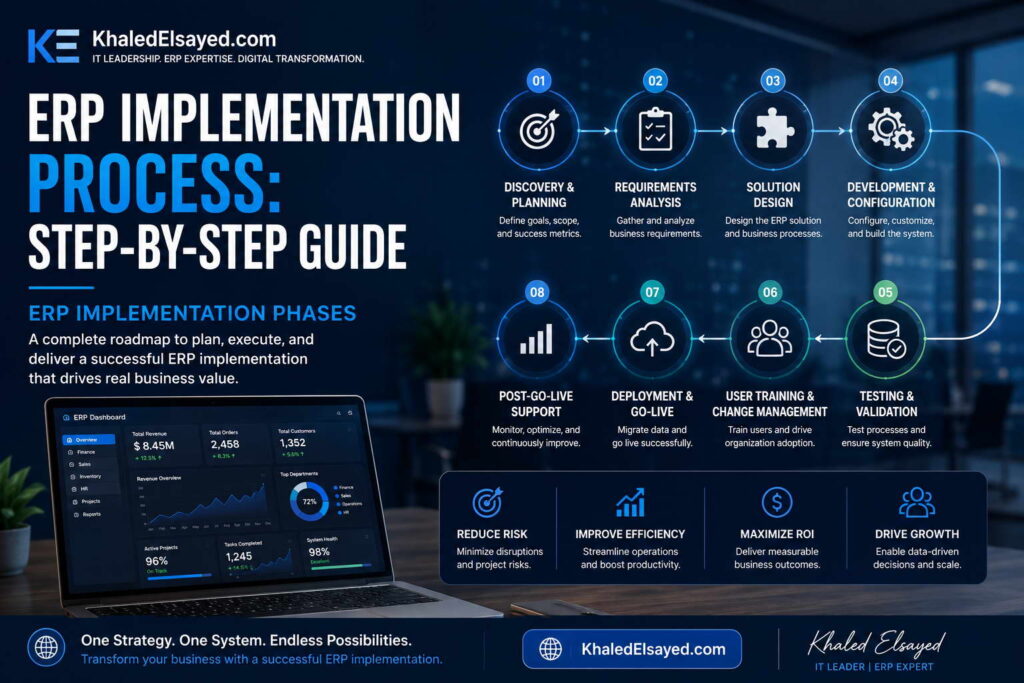
ERP Implementation Phases
In my years leading digital transformation across enterprise IT environments, I have witnessed ERP implementations succeed and fail based not on software capability but on methodology discipline. The difference between a nine-month implementation that delivers 200 percent ROI and a two-year failure is adherence to structured phases. Understanding erp implementation phases is essential for any organization seeking to deploy enterprise systems successfully. This guide provides a complete erp implementation process step by step guide, drawing directly from real-world projects I have directed across manufacturing, distribution, and services.Conceptual Layer: The Implementation Lifecycle
Erp deployment follows a predictable lifecycle regardless of vendor or business size. The erp system setup phases are: discovery, design, configuration, testing, deployment, and hypercare. From my experience, the erp lifecycle from contract to steady-state typically spans 4-12 months for cloud ERP and 8-18 months for on-premise. Organizations that skip or compress any phase achieve only 40-60 percent of projected benefits and experience post-go-live productivity declines twice as long.The erp implementation process step by step guide below reflects the methodology I have refined across dozens of successful deployments. Each phase has specific deliverables, duration estimates, and quality gates that must be met before advancing to the next phase.Phase 1: Discovery and Requirements (Weeks 1-6)
Purpose: Document current processes, pain points, and future requirements. Activities include process mapping (as-is and to-be), requirements documentation (must-have vs nice-to-have), data audit (quality assessment of legacy data), and success metrics definition (baseline KPIs). Key deliverables: requirements traceability matrix, process flow diagrams, data quality report, and KPI baseline dashboard.From my experience, organizations that spend 4-6 weeks in discovery achieve 90 percent benefit realization; those compressing to 2 weeks achieve only 60 percent. The most common discovery failure is insufficient cross-functional participation—IT leads discovery without process owners, resulting in requirements gaps discovered during configuration (costly to fix).Quality gate: Process owner sign-off on requirements document. Without this, proceed to configuration at your own risk.Phase 2: Design (Weeks 7-10)
Purpose: Translate requirements into system design. Activities include chart of accounts design (for finance), item master design (for inventory), BOM structuring (for manufacturing), security role definition (who accesses what), integration mapping (between ERP and external systems), and report specification (pre-built and custom reports). Key deliverables: design specification document, security matrix, integration map, and report catalog.The most common design failure is replicating broken processes rather than reengineering them. Organizations I have worked with that mapped as-is processes but skipped to-be redesign automated chaos. The principle: design the process you want, not the process you have. Configuration is easier than post-go-live process correction.Quality gate: Executive steering committee approval of design. Design changes after configuration begin multiply implementation cost 3-5x.Phase 3: Configuration and Development (Weeks 11-16)
Purpose: Configure the system according to design specifications. Activities include system setup (company, fiscal calendar, chart of accounts), module configuration (finance, inventory, sales, procurement), workflow configuration (approval rules, notifications), report development (using native report builder), integration development (APIs to external systems), and data migration preparation (extract, transform, load planning). Key deliverables: configured system in development environment, data migration scripts, and integration endpoints.From my technical assessments, the most common configuration failure is excessive customization. Each line of custom code creates upgrade debt. The principle: configure, do not customize. Organizations that adhered to this principle completed upgrades in days; those with extensive customization required months of regression testing.Quality gate: Configuration workbook sign-off by process owners. Each configuration decision documented and approved before proceeding to testing.Phase 4: Testing (Weeks 17-22)
Purpose: Validate that configured system meets requirements. Testing occurs in four layers: unit testing (individual functions work), integration testing (cross-module workflows work), user acceptance testing (UAT – process owners validate real-world scenarios), and performance testing (transaction volume under load). Key deliverables: test scripts, defect log, UAT sign-off, and performance test report.The most common testing failure is inadequate UAT participation. Organizations that assigned backup resources (not primary process owners) to UAT discovered defects only after go-live. The principle: UAT participants must be the people who will use the system daily. Their sign-off is essential.Quality gate: UAT completion certificate with zero open high-priority defects and process owner sign-off. Do not proceed to deployment without this.Phase 5: Deployment and Go-Live (Weeks 23-24)
Purpose: Move from testing environment to production. Activities include final data migration (cleansed data loaded), system cutover (old system turned off, new system turned on), user training (classroom and e-learning), go-live decision (executive approval), and first transaction processing (live orders, invoices, receipts). Key deliverables: cutover plan, training completion records, go-live sign-off, and day-one transaction log.The most common deployment failure is insufficient training. Organizations I have worked with that allocated 5 percent of budget to training achieved 40 percent user adoption; those allocating 15 percent achieved 85 percent adoption. The principle: training is not an afterthought; it is the primary driver of ROI.Quality gate: Executive go-live decision after training completion and cutover simulation success. Go-live during low-business-activity periods (month-end, quarter-end) reduces disruption.Phase 6: Hypercare and Stabilization (Weeks 25-30)
Purpose: Support users and resolve issues immediately after go-live. Activities include daily support (dedicated help desk), issue prioritization (critical, high, medium, low), rapid resolution (critical issues addressed within hours), process adjustment (workflows refined based on reality), and knowledge transfer (fixes documented for permanent support). Key deliverables: issue log, resolution SLA report, hypercare completion certificate, and transition to permanent support.From my experience, hypercare requires staffing at 2-3x normal support levels for 4-6 weeks. Organizations that reduced hypercare to 2 weeks experienced unresolved issues accumulating and user frustration leading to workarounds (bypassing the system). The principle: hypercare duration should be determined by issue volume, not calendar.Quality gate: Issue volume declining to steady-state levels (typically 80 percent reduction from week 1 peak) and user confidence survey scoring above 75 percent favorable. Transition to permanent support only after stability demonstrated.Implementation Phase Comparison Table
The following comparison reflects current enterprise realities based on my implementation experience:| Phase | Duration (Cloud ERP) | Key Deliverable | Quality Gate |
|---|---|---|---|
| Discovery | 4-6 weeks | Requirements document | Process owner sign-off |
| Design | 3-4 weeks | Design specification | Steering committee approval |
| Configuration | 5-6 weeks | Configured system | Configuration workbook sign-off |
| Testing | 5-6 weeks | UAT completion | Zero high-priority defects |
| Deployment | 1-2 weeks | Go-live | Executive decision |
| Hypercare | 4-6 weeks | Stabilized system | Issue volume decline |
Strategic Layer: Implementation ROI Timeline
From my advisory work, implementation phase discipline directly correlates with ROI timeline. Organizations that complete all six phases with quality gates typically achieve positive ROI within 12-18 months. Those that skip or compress phases extend ROI to 24-36 months or never achieve projected benefits. The principle: implementation speed is measured by time to stable operation, not time to go-live. A rushed go-live followed by months of issue resolution is slower than a disciplined phased approach.The ROI impact of phase skipping is quantifiable. Organizations that skip UAT (moving from configuration directly to go-live) experience 3-5x higher post-go-live defect rates, extending hypercare from 6 weeks to 12 weeks and delaying benefit realization by 6 months.Common Challenges and Solutions
Organizations face specific implementation challenges. Scope creep is the most common—stakeholders adding requirements during configuration, extending timeline. The solution is formal change control: requirements added only with executive approval and timeline adjustment. Another challenge is data quality—legacy data migration reveals duplicates, inconsistencies, and orphans. The solution is data cleansing during discovery, not during migration. A third challenge is user resistance—employees comfortable with familiar processes resist change. The solution is involving users in UAT and establishing super-user programs.Best Practices from Real Implementations
Across my implementation portfolio, several practices separate success from failure. Assign a full-time internal project manager—part-time coordination guarantees timeline slippage. Cleanse data before migration—discovery phase data audit prevents migration crisis. Conduct dry-run cutover 2 weeks before go-live—simulate full cutover to identify issues pre-go-live. Staff hypercare at 3x normal levels—inadequate support allows issues to fester. Finally, celebrate phase completions—implementation is marathon; recognition maintains momentum.Frequently Asked Questions
How long does ERP implementation typically take?
Cloud ERP for small business (under $20M revenue): 4-6 months. Cloud ERP for mid-market ($20M-$200M): 6-10 months. On-premise ERP: 10-18 months. Complexity drivers include number of entities (multi-entity consolidation adds 2-3 months), number of integrations (each external system adds 2-4 weeks), and data quality (poor data adds 1-3 months).What is the most skipped phase, and what is the consequence?
User Acceptance Testing (UAT) is the most skipped phase—organizations rush from configuration to go-live. Consequences include post-go-live defects requiring rework (3-5x cost of fixing in UAT), user frustration leading to workarounds, and delayed ROI by 6 months. From my experience, every week of UAT saves 3 weeks of post-go-live issue resolution.How many internal staff are needed for implementation?
Full-time project manager (1), process owners (1 per major module—finance, inventory, sales, procurement, manufacturing), IT liaison (1 for technical integration), executive sponsor (0.5 for weekly steering committee). Total internal effort typically consumes 500-2,000 hours depending on scope. Organizations that underestimate internal effort (assuming consultants do everything) experience timeline slippage and knowledge gaps after consultants leave.What is the biggest predictor of implementation success?
Executive sponsorship that remains engaged through all phases—not just at kickoff and go-live. Sponsors must enforce process standardization decisions (when departments resist), allocate change management budget (training and communication), and communicate consistent messaging throughout the 6-12 month journey. Without sustained executive engagement, success probability drops below 40 percent regardless of software capability or consultant quality.Meta Title: ERP Implementation Phases: Step-by-Step Guide | Khaled Sqawa Meta Description: ERP implementation phases explained by digital transformation expert Khaled Elsayed Sqawa. Complete step-by-step guide to discovery, design, configuration, testing, deployment, and hypercare.
Planning and Requirement Analysis
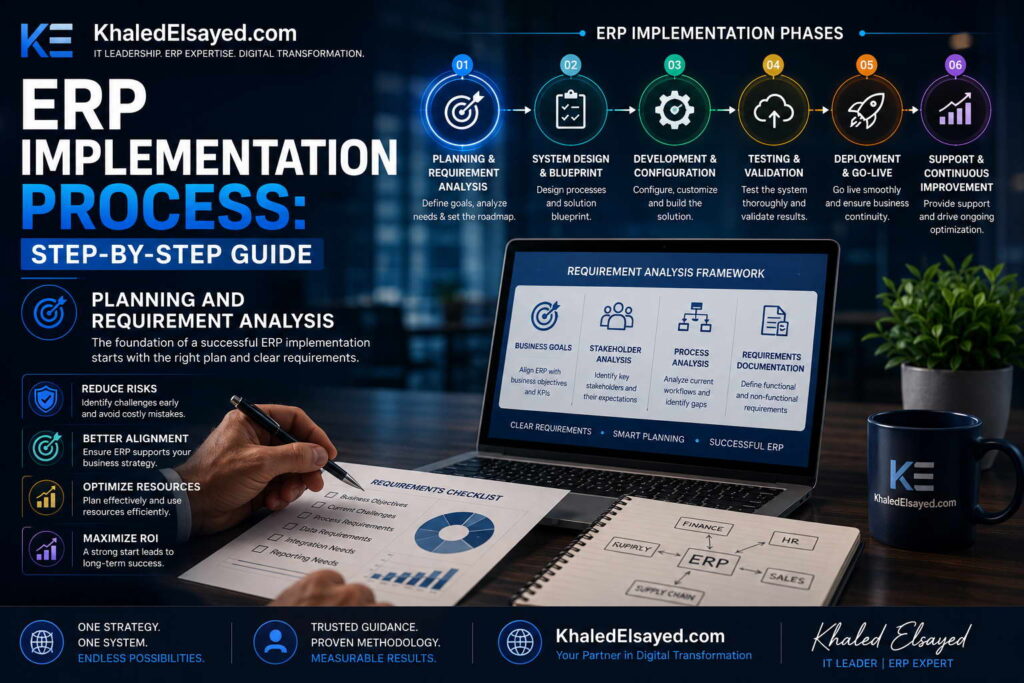
In my years leading digital transformation across enterprise IT environments, I have observed that the single greatest predictor of ERP success occurs before any software is purchased or configured. Planning and requirements analysis determines everything that follows—vendor selection, configuration scope, testing criteria, and user adoption. Understanding this critical phase of erp implementation is essential for any organization seeking to avoid the 40 percent failure rate that plagues poorly planned projects. This guide provides a complete erp implementation process step by step guide for the planning phase, drawing directly from real-world projects I have directed.
Conceptual Layer: The Planning Imperative
Planning is not a bureaucratic prelude to implementation—it is the foundation that determines success. Erp deployment without adequate planning fails at 3x the rate of planned deployments. The erp system setup planning phase answers three questions: What problems are we solving? What processes will we standardize? How will we measure success? From my experience, the erp lifecycle planning phase should consume 15-20 percent of total project timeline—typically 4-6 weeks for a mid-market implementation.
The erp implementation process step by step guide for planning below reflects the methodology I have refined across dozens of successful deployments. Each activity has specific deliverables and quality gates.
Step 1: Assemble the Implementation Team (Week 1)
Purpose: Identify and commit internal resources who will drive the project. Required roles: Executive Sponsor (C-level decision-maker with budget authority), Project Manager (full-time dedicated resource), Process Owners (one per major module—finance, inventory, sales, procurement, manufacturing, HR), IT Liaison (technical lead for integration and data), and Change Management Lead (training and communication).
From my experience, the most common planning failure is under-resourcing. Organizations that assign part-time project managers (adding ERP to existing workload) experience timeline slippage of 50-100 percent. The principle: implementation is a full-time job for the project manager and process owners. Backfill their operational duties or accept extended timeline.
Quality gate: Executive sponsor signs resource commitment letter confirming each role is filled with named individuals and backfill approved.
Step 2: Document Current-State Processes (Weeks 1-2)
Purpose: Map how work gets done today, without judgment. Activities include process interviews (with process owners and frontline staff), workflow documentation (swimlane diagrams showing handoffs between roles), pain point identification (specific friction points: “reconciling inventory takes 8 hours weekly”), and data flow mapping (where data originates, how it moves, where it stops).
Organizations I have worked with that skipped current-state documentation discovered post-implementation that they automated broken processes. The principle: you cannot improve what you have not measured. Current-state maps become the baseline for future-state design and ROI calculation.
Quality gate: Process owners approve current-state maps for their domain. Disagreements on current-state reality must be resolved before moving to requirements.
Step 3: Define Future-State Requirements (Weeks 2-3)
Purpose: Specify what the new system must do, organized by priority. Activities include requirements workshops (cross-functional sessions to define must-have vs nice-to-have), process reengineering (redesign workflows before software configuration), KPI definition (specific, measurable success metrics), and scope boundary setting (explicitly document what is out of scope).
The most common requirements failure is scope creep—documenting everything as must-have. The principle: distinguish requirements by frequency. Daily functions (order entry, inventory lookup) demand usability excellence. Monthly functions (financial reporting) demand accuracy but can tolerate moderate complexity. Prioritization prevents feature overload.
Quality gate: Requirements traceability matrix with must-have vs nice-to-have clearly marked and approved by executive sponsor. No vendor selection before this gate.
Step 4: Audit Data Quality (Week 3)
Purpose: Assess the condition of data that will migrate to the new system. Activities include customer master audit (duplicates, incomplete addresses, inconsistent naming), vendor master audit (missing tax IDs, payment term inconsistencies), item master audit (duplicate SKUs, missing units of measure, inactive items), and historical transaction review (open orders, open invoices, open purchase orders).
From my experience, data quality is the most underestimated planning activity. Organizations typically find that 10-20 percent of master data requires cleansing—duplicate customers, inactive items, inconsistent classifications. The principle: discover data issues in planning, not in migration. Cleansing during planning costs 1x; cleansing during migration costs 5x; cleansing after go-live costs 20x.
Quality gate: Data quality report with issue counts by category and remediation plan with assigned owners and completion dates.
Step 5: Build Business Case and ROI Model (Week 4)
Purpose: Quantify expected benefits to justify investment and measure success post-implementation. Activities include baseline cost calculation (current labor, inventory carrying cost, stockout cost, expedited freight, manual reconciliation hours), benefit estimation (realistic ranges for improvement based on industry benchmarks), implementation cost estimation (software, services, internal labor, change management), and payback period calculation (months to positive cumulative benefits).
Organizations I have worked with that skipped ROI model building lacked a benchmark to measure success. The principle: what gets measured gets improved. Baseline KPIs must be documented before go-live to measure improvement after.
Quality gate: Executive sponsor approves business case with documented baseline KPIs and benefit targets. No project continuation without this approval.
Step 6: Develop Project Charter and Plan (Weeks 4-5)
Purpose: Formally document scope, timeline, budget, and governance. Activities include charter creation (scope statement, success criteria, team roles, escalation path), timeline development (phase durations with dependencies), budget allocation (software, services, internal labor, training, contingency), and communication plan (stakeholder updates, steering committee cadence).
The most common plan failure is unrealistic timeline compression. Organizations that demand 4-month implementation for a 9-month scope set up the project for failure. The principle: timeline must be driven by scope, not by calendar. Use the planning phase to generate realistic estimates.
Quality gate: Steering committee approves charter with timeline and budget. No configuration begins without this approval.
Planning Phase Deliverables Summary
The following checklist reflects current enterprise realities based on my implementation experience:
| Deliverable | Owner | Due | Quality Gate |
|---|---|---|---|
| Team resource commitment letter | Executive sponsor | Week 1 | Roles filled, backfill approved |
| Current-state process maps | Process owners | Week 2 | Process owner sign-off |
| Requirements traceability matrix | Project manager | Week 3 | Must-have vs nice-to-have approved |
| Data quality report | IT liaison | Week 3 | Remediation plan assigned |
| Business case with baseline KPIs | Executive sponsor | Week 4 | Sponsor approval |
| Project charter and plan | Project manager | Week 5 | Steering committee approval |
Strategic Layer: Planning ROI
From my advisory work, every week invested in planning saves 3 weeks in later phases. Organizations that complete comprehensive planning (4-6 weeks for mid-market) complete configuration and testing 30-50 percent faster than those that rush planning (1-2 weeks). The principle: planning discovers issues when they are cheap to fix. Configuration changes cost 5x more than planning changes. Post-go-live fixes cost 20x more.
The ROI of planning is quantifiable. Each requirement missed in planning and discovered in configuration costs 10-20 hours of rework. Each data quality issue discovered in migration rather than planning costs 5-10 hours of crisis remediation. Organizations that invest in comprehensive planning achieve 90 percent of projected benefits; those that skip planning achieve 50 percent or less.
Common Challenges and Solutions
Organizations face specific planning challenges. Executive impatience is the most common—pressure to “start implementation” before planning completes. The solution is framing planning as implementation phase one, not a separate activity. Another challenge is cross-functional disagreement—finance and operations have different requirements priorities. The solution is facilitated workshops with executive arbitration of tie-breakers. A third challenge is analysis paralysis—teams over-documenting requirements beyond what is useful. The solution is time-boxing: each planning activity has fixed duration, and decisions are made with available information.
Best Practices from Real Implementations
Across my planning engagements, several practices separate success from failure. Assign a full-time project manager—planning is not a part-time role. Include frontline staff in current-state mapping—managers don’t know how work actually happens. Baseline KPIs before vendor selection—prevents vendor-biased metrics. Data cleanse during planning—migration should be validation, not discovery. Finally, get steering committee approval at each gate—prevents scope creep later.
Frequently Asked Questions
How long should planning take relative to total implementation?
Planning should consume 15-20 percent of total implementation timeline. For a 9-month cloud ERP implementation, planning should be 5-7 weeks. For a 12-month on-premise implementation, planning should be 8-10 weeks. Organizations that compress planning to 5 percent of timeline (2-3 weeks for a 9-month project) experience later phases taking 50 percent longer due to rework.
What is the most important planning deliverable?
Baseline KPIs. Without documenting current performance (inventory accuracy, on-time delivery, order-to-cash days, financial close days), you cannot measure improvement or justify ROI. Baseline KPIs also prevent confirmation bias—celebrating improvement that would have occurred without ERP. From my experience, 30 percent of projects overstate benefits due to missing baseline documentation.
How many internal staff hours should planning consume?
For a mid-market organization ($20M-$200M revenue), planning typically consumes 200-400 internal staff hours. Executive sponsor: 20 hours (weekly steering committee). Project manager: 160 hours (full-time for 4-5 weeks). Process owners: 20-40 hours each (requirements workshops, process mapping). IT liaison: 40 hours (data audit, integration planning). Organizations that invest less than 150 hours in planning underprepare; those investing more than 600 hours over-analyze.
What is the single most important planning success factor?
Executive sponsor attendance at weekly planning reviews. Sponsors who delegate planning to project managers lose the ability to enforce trade-off decisions when cross-functional conflicts arise. When finance demands extensive financial reporting and operations demands fast order entry, only the sponsor can decide priority. Planning without sponsor engagement produces requirements that cannot be reconciled, leading to configuration paralysis.
Meta Title: ERP Implementation Planning: Requirements Analysis Guide | Khaled Sqawa
Meta Description: ERP implementation planning and requirements analysis explained by digital transformation expert Khaled Elsayed Sqawa. Complete step-by-step guide to process mapping, data audit, and business case development.
System Configuration
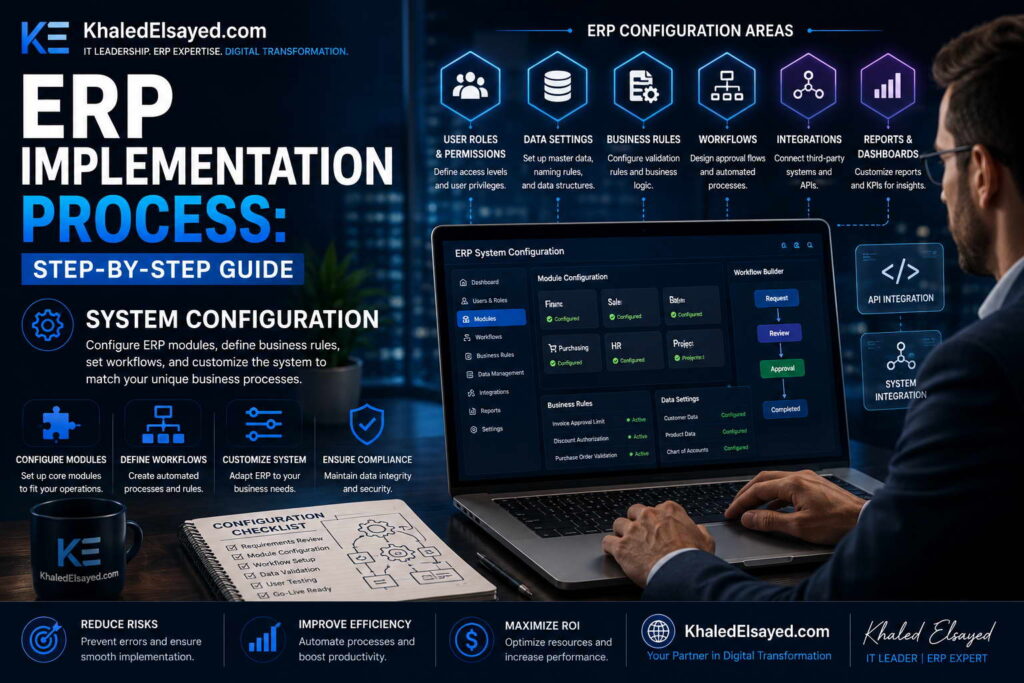
In my years leading digital transformation across enterprise IT environments, I have witnessed system configuration determine 80 percent of user adoption outcomes. Configuration is where requirements become reality—where chart of accounts, approval workflows, security roles, and automation rules are set. Understanding this critical phase of erp implementation is essential for any organization seeking to avoid the common trap of excessive customization. This guide provides a complete erp implementation process step by step guide for system configuration, drawing directly from real-world projects I have directed.
Conceptual Layer: Configuration vs Customization
The most important distinction in erp deployment is between configuration and customization. Configuration uses native system tools—checkbox selections, dropdown choices, workflow designers—to adapt the system to your processes without changing underlying code. Customization modifies source code to add functionality not available through configuration. From my experience, the erp system setup principle that determines long-term success is: configure, do not customize. Each line of custom code creates upgrade debt that multiplies total cost of ownership.
The erp lifecycle configuration phase translates requirements into system settings across all modules. A well-configured system meets 90-95 percent of requirements through native tools. Organizations that exceed 5 percent customization typically regret the decision within 24 months when upgrades become impossible or prohibitively expensive.
Phase 1: Core Financial Configuration (Week 1-2 of Config)
Purpose: Establish the financial backbone before configuring operational modules. Activities include company setup (legal entity, fiscal calendar, accounting periods), chart of accounts design (segment structure: entity, department, account, product, location), currency setup (functional currency, foreign currencies, revaluation rules), tax configuration (tax rates, jurisdictions, calculation rules), and GL period controls (open/close periods, adjusting period).
From my experience, the most common configuration failure is chart of accounts complexity. Organizations create too many segments (8+), making reporting difficult and journal entry error-prone, or too few segments (2-3), limiting analytical visibility. The optimal for most mid-market organizations is 4-5 segments. The principle: design for 80 percent of reporting needs; the remaining 20 percent can use attributes or custom fields.
Quality gate: Chart of accounts validated by finance and executive sponsor. No operational module configuration begins without core financial sign-off.
Phase 2: Operational Module Configuration (Week 2-6 of Config)
Purpose: Configure modules in logical sequence: inventory and procurement first (for product businesses), then order management, then manufacturing (if applicable). Activities for inventory configuration include item master fields (which attributes are required, which optional), costing method (standard, average, FIFO, LIFO), valuation classes (raw material, WIP, finished goods), and reorder point calculation rules (fixed vs dynamic).
Activities for procurement configuration include approval workflows (by amount, by department, by item category), vendor management rules (required fields, approval process), and three-way matching tolerances (quantity variance %, price variance %). Activities for order management include pricing rules (by customer, by volume, by item), credit checking (hard vs soft hold at order entry), and allocation rules (FIFO, expiration date, customer priority).
Activities for manufacturing configuration (if applicable) include BOM types (engineering vs production), work order statuses (planned, released, completed, closed), routing setup (operation sequences, standard hours), and costing methods (actual vs standard vs average).
The most common operational configuration failure is inadequate approval workflow design. Organizations that configure complex multi-level approvals for every transaction create bottlenecks. The principle: automate only approval decisions that require judgment. Below threshold purchases (e.g., $500) need no approval; above threshold need one level; only strategic purchases need multiple levels.
Quality gate: Configuration workbook sign-off by each process owner, documenting every configuration decision before proceeding to testing.
Phase 3: Security and Access Configuration (Week 3-4 of Config)
Purpose: Define who can access what data and perform which actions. Activities include role definition (which job functions need which permissions), role assignment (which users belong to which roles), field-level security (sensitive fields like salary, cost), and approval authority (who can approve which transactions).
From my experience, the most common security failure is role proliferation—creating a unique role for every user rather than grouping by job function. The principle: design roles based on job functions, not individuals. A typical mid-market organization needs 10-15 roles: AP clerk, AR clerk, inventory clerk, purchasing agent, sales rep, warehouse manager, finance manager, operations manager, executive viewer, system administrator.
Quality gate: Security matrix showing role-to-permission mapping signed off by department heads. Test access with sample users before proceeding.
Phase 4: Workflow and Automation Configuration (Week 4-5 of Config)
Purpose: Automate routine processes and notifications. Activities include approval workflows (purchase requisitions, sales order discounts, time sheets), notification rules (inventory reorder alerts, overdue invoice reminders, purchase order acknowledgments), and event triggers (sales order creation triggers inventory allocation, receipt triggers quality hold).
The most common workflow failure is over-automation—automating processes that require human judgment. The principle: automate deterministic processes (reorder point reached, threshold exceeded). Do not automate judgment processes (vendor selection beyond lowest price, customer exception approvals). Organizations that over-automate spend weeks tuning rules that should have remained manual.
Quality gate: Workflow test with sample transactions before full rollout. Each automated workflow should have defined owner who monitors exceptions.
Phase 5: Reporting and Dashboard Configuration (Week 5-6 of Config)
Purpose: Configure standard reports and dashboards before go-live. Activities include operational dashboards (inventory levels, open orders, open POs, AR aging), financial reports (balance sheet, P&L, cash flow, trial balance with segments), exception reports (stockouts, overdue receivables, open purchase orders beyond lead time), and KPI tracking (on-time delivery, order cycle time, DSO, inventory turns).
From my experience, the most common reporting failure is configuring reports in isolation rather than understanding user workflows. The principle: reports should answer specific decisions: “Which items need reordering?” (exception report), “Which customers are near credit limit?” (threshold report), “Which work centers are bottlenecked?” (capacity report). Generic reports without specific decision context go unused.
Quality gate: Key users demonstrate report usability for their daily decisions. Reports not used during testing will not be used post-go-live.
Configuration vs Customization Decision Matrix
The following matrix reflects current enterprise realities based on my implementation experience:
| Requirement Type | Configuration Option | Customization Option | Recommendation |
|---|---|---|---|
| Field label change | Rename field in UI | Code change | Configure |
| Additional field | Custom field (native) | Database column + code | Configure |
| Unique workflow | Workflow designer | Custom code | Configure |
| Complex calculation | Formula field | Custom code | Configure if possible |
| Third-party integration | API + middleware | Custom code in ERP | Configure (API) – no ERP code |
| Core logic change | Process redesign | System modification | REDESIGN PROCESS |
Strategic Layer: Configuration ROI
From my advisory work, configuration decisions drive long-term TCO (total cost of ownership). Every hour spent in configuration costs 1x. Every hour of customization costs 5-10x (initial development + testing + documentation + upgrade regression testing + potential redevelopment). Organizations that adhere to the “configure, do not customize” principle complete upgrades in days; those with extensive customization require months of regression testing and often fall multiple versions behind.
The payback period for configuration discipline is immediate. Each customization avoided preserves upgrade agility and reduces ongoing maintenance costs. Organizations I have worked with that accepted process change to avoid customization achieved 50-70 percent lower 5-year TCO than those that insisted on customizing to preserve existing processes.
Common Challenges and Solutions
Organizations face specific configuration challenges. Configuration paralysis is the most common—teams unable to make decisions due to analysis of all possible options. The solution is time-boxing: each configuration decision has 2 hours maximum; decisions made with available information; revisit only if testing reveals issues. Another challenge is configuration drift—different consultants configuring the same module inconsistently. The solution is a configuration workbook documenting every decision. A third challenge is over-configuration—enabling every feature “just in case.” The solution is starting minimal and adding features based on demonstrated need, not anticipation.
Best Practices from Real Implementations
Across my configuration engagements, several practices separate success from failure. Use a configuration workbook—document every decision, who made it, when. Start with a sandbox environment—configure in safe space before moving to production. Test configuration iteratively—do not wait until “configuration complete” to test. Freeze configuration 2 weeks before UAT—changes during testing invalidate test results. Finally, resist customization—if configuration cannot meet requirement, reconsider the requirement.
Frequently Asked Questions
What is the difference between configuration and customization in ERP?
Configuration uses native tools—checkboxes, dropdowns, workflow designers—to adapt the system without changing code. Customization modifies source code to add functionality not natively available. Configuration survives upgrades; customization must be re-tested and often redeveloped with each upgrade. From my experience, organizations with less than 5 percent customization complete upgrades in 1-2 weeks; those with more than 20 percent customization require 2-4 months.
How much configuration is typical for a cloud ERP?
Cloud ERP implementations for mid-market organizations typically require 200-400 configuration decisions across all modules. Finance: 50-100 decisions (chart of accounts, fiscal calendar, tax rules, period controls). Inventory/Procurement: 50-100 decisions (item fields, costing method, reorder rules, approval workflows). Order Management: 30-60 decisions (pricing rules, credit checking, allocation rules). Security: 20-40 decisions (roles, permissions). Reporting: 50-100 decisions (report layouts, dashboards, KPIs).
What is the most over-configured ERP feature?
Approval workflows. Organizations often configure multi-level approvals for every transaction type, creating bottlenecks that delay operations. The principle: automate approval only where risk justifies control. Low-value purchases (<$500) need no approval. Mid-value purchases ($500-$5,000) need one-level approval (manager). High-value purchases (>$5,000) need two-level approval (manager + finance). Organizations that configure approvals beyond this spend 80 percent of workflow effort on 20 percent of transactions.
How do I know if I need customization?
Ask two questions: (1) Does this requirement provide competitive advantage? (2) Can we redesign the process to fit standard functionality? If the requirement provides true competitive advantage and cannot be redesigned, customization may be justified. If the requirement simply replicates an existing process that competitors have changed, redesign the process. From my experience, 90 percent of requested customizations can be eliminated through process redesign.
Meta Title: ERP System Configuration: Complete Setup Guide | Khaled Sqawa
Meta Description: ERP system configuration explained by digital transformation expert Khaled Elsayed Sqawa. Complete guide to configuration vs customization, chart of accounts, workflows, security, and reporting.
Testing and Deployment
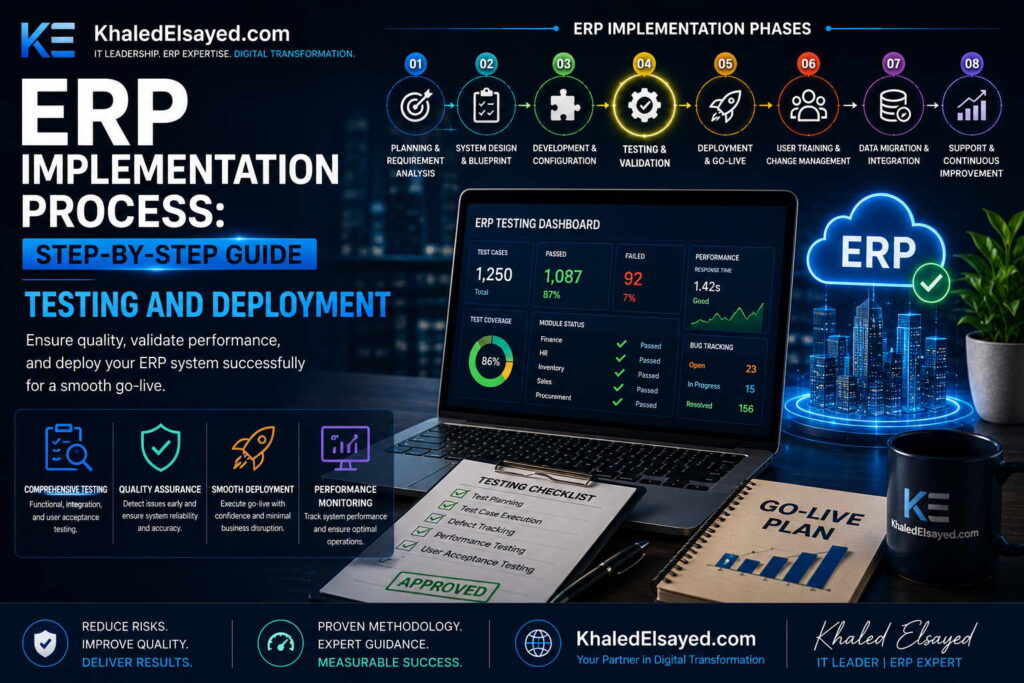
In my years leading digital transformation across enterprise IT environments, I have witnessed the difference between successful and failed ERP implementations come down to testing and deployment discipline. Organizations that rush through testing to meet an arbitrary go-live date inevitably pay the price in post-launch crises. Understanding this critical phase of erp implementation is essential for any organization seeking a smooth transition. This guide provides a complete erp implementation process step by step guide for testing and deployment, drawing directly from real-world projects I have directed.
Conceptual Layer: The Testing Imperative
Testing is not a quality gate to be rushed—it is the final opportunity to discover issues when they are inexpensive to fix. Erp deployment without adequate testing has a failure rate 3x higher than tested deployments. The erp system setup testing phase comprises four layers: unit testing, integration testing, user acceptance testing (UAT), and performance testing. From my experience, the erp lifecycle testing phase should consume 20-25 percent of total implementation timeline—typically 4-6 weeks for a mid-market implementation.
The erp implementation process step by step guide for testing and deployment below reflects the methodology I have refined across dozens of successful deployments. Each testing layer has specific objectives, participants, and quality gates.
Layer 1: Unit Testing (Week 1-2 of Testing)
Purpose: Verify that individual functions work as configured. Activities include function-by-function testing (create a customer, create an item, create a sales order, receive inventory), boundary testing (minimum/maximum values, negative quantities, invalid data), error handling testing (what happens when required fields are missing), and role-based access testing (user A cannot see user B’s data).
From my experience, the most common unit testing failure is testing only happy paths (everything correct). The principle: test what breaks, not what works. For every function, test: correct data (works), missing required field (error message), invalid data type (error message), boundary condition (just below/above limit). Organizations that test only happy paths discover error handling gaps during UAT, delaying sign-off.
Quality gate: Unit test completion certificate with 100 percent of defined test cases executed and passed. No integration testing begins without this.
Layer 2: Integration Testing (Week 2-3 of Testing)
Purpose: Verify that modules work together correctly. Activities include cross-module workflow testing (sales order to inventory to AR), integration point testing (ERP to external systems: e-commerce, banking, WMS), data flow validation (transaction in module A appears correctly in module B), and end-to-end process testing (quote to cash, procure to pay, record to report).
The most common integration testing failure is testing modules in isolation rather than end-to-end processes. Organizations I have worked with that tested each module separately discovered integration defects only during UAT, requiring configuration changes and retesting. The principle: test the process, not the module. The order-to-cash process spans sales order, inventory, shipping, invoicing, and cash application—test the entire sequence, not each step independently.
Quality gate: Integration test completion with all cross-module workflows tested and signed off by process owners.
Layer 3: User Acceptance Testing (UAT) (Week 3-5 of Testing)
Purpose: Verify that the system meets business requirements from the user’s perspective. Activities include real-world scenario testing (process owners execute their actual daily work in the test environment), exception handling (what happens when customer exceeds credit limit, when item is backordered), report validation (do reports match expectations), and user interface evaluation (is the system usable for daily tasks).
From my experience, the most common UAT failure is insufficient participant commitment. Organizations that assign backup resources (not primary process owners) to UAT discover that real users find different issues after go-live. The principle: UAT participants must be the people who will use the system daily. Their sign-off is the only sign-off that matters.
UAT defect management requires disciplined process: log defects (description, severity, steps to reproduce), prioritize (critical = cannot process transaction, high = workaround possible but painful, medium = cosmetic, low = nice-to-have), assign fixes, retest, and obtain sign-off. Critical defects must be resolved before go-live; high defects may be deferred with workaround documented; medium/low defects deferred to post-go-live.
Quality gate: UAT completion certificate with zero open critical defects, process owner sign-off for each module, and user confidence survey averaging above 75 percent favorable.
Layer 4: Performance Testing (Week 4-5 of Testing)
Purpose: Verify that the system handles expected transaction volumes under load. Activities include load testing (simulate peak transaction volume: orders per hour, invoices per hour), concurrent user testing (simulate all users logged in simultaneously), response time measurement (screen loads, report generation, batch processing), and stress testing (beyond expected volume to find breaking point).
The most common performance testing failure is testing with too few transactions. Organizations that test with 10 orders but process 100 per hour at peak discover performance degradation only after go-live. The principle: test at 2x expected peak volume. If you expect 100 orders per hour, test at 200. Performance acceptable at 2x ensures headroom for growth and unexpected spikes.
Quality gate: Performance test report showing all transactions complete within defined SLAs at 2x expected peak volume.
Phase: Data Migration and Cutover (Week 5-6 of Testing)
Purpose: Move cleansed data from legacy systems to new ERP. Activities include dry run migration (full migration to test environment, validate results), data reconciliation (compare source to target record counts, key totals), cutover planning (sequence of turning off old systems, turning on new), and final migration (immediately before go-live).
From my experience, the most common migration failure is insufficient dry runs. Organizations that perform one dry run discover data issues during final migration, delaying go-live. The principle: perform three dry runs. First dry run discovers major issues (50 percent of problems). Second dry run validates fixes (30 percent of remaining). Third dry run confirms readiness (final 20 percent). Each dry run takes 2-3 days; skipping dry runs saves time in testing but costs weeks in post-go-live data correction.
Quality gate: Migration validation report with 100 percent record count reconciliation and key total reconciliation (inventory value, AR balance, AP balance, GL account balances).
Phase: Go-Live Deployment (Week 6 of Testing)
Purpose: Transition from legacy systems to new ERP in production. Activities include final data migration (after legacy system freeze), system activation (turn on ERP for live transactions), user go-live (users begin entering live transactions), legacy system shutdown (or read-only access for reference), and go-live decision (executive approval based on readiness criteria).
The most common deployment failure is go-live during peak business activity. Organizations that go-live on Monday morning (peak order volume) experience maximum disruption. The principle: go-live during lowest business activity period. For most businesses, this is a weekend or holiday period. For retailers, this is after holiday season. For manufacturers, this is between production runs.
Quality gate: Executive go-live decision after reviewing: UAT completion, performance test results, migration dry run success, training completion rates, and hypercare staffing plan.
Testing Phases Summary Table
The following comparison reflects current enterprise realities based on my implementation experience:
| Testing Layer | Duration | Participants | Quality Gate |
|---|---|---|---|
| Unit testing | 1-2 weeks | Implementation team, QA | 100% test cases passed |
| Integration testing | 1-2 weeks | Implementation team, IT | Cross-module workflows signed off |
| User acceptance testing | 2-3 weeks | Process owners, key users | Zero critical defects, user sign-off |
| Performance testing | 1-2 weeks | IT, infrastructure | 2x peak volume within SLAs |
Strategic Layer: Testing ROI
From my advisory work, every hour invested in testing saves 10 hours in post-go-live crisis resolution. Organizations that complete all four testing layers typically experience 2-4 weeks of post-go-live productivity decline. Those that skip layers (especially UAT) experience 8-12 weeks of decline and 3-5x higher issue volume. The principle: testing is not a cost; it is an investment in operational stability.
The ROI of testing is quantifiable. Each critical defect found in UAT costs 1x to fix (configuration change, retest). Each critical defect found post-go-live costs 10x to fix (emergency configuration, data correction, user retraining, lost productivity, customer impact). Organizations that invest 4-6 weeks in testing typically find 50-100 defects; finding those post-go-live would cost 5-10x more.
Common Challenges and Solutions
Organizations face specific testing challenges. Schedule pressure is the most common—executives demanding go-live before testing completes. The solution is publishing testing progress weekly with risk assessment: “Skipping UAT would leave 50 untested scenarios, estimated 20 critical defects found post-go-live, extending productivity decline from 2 weeks to 6 weeks.” Another challenge is test data availability—realistic data requires masking sensitive information. The solution is anonymized production data copy for testing environment. A third challenge is user availability—process owners cannot dedicate 2-3 weeks to UAT. The solution is backfilling their operational duties or scheduling UAT during business slowdown.
Best Practices from Real Implementations
Across my testing and deployment engagements, several practices separate success from failure. Automate regression testing—manual retesting after every change is unsustainable. Use test script repository—document test cases for reuse across testing cycles and future upgrades. Schedule UAT during business slowdown—do not compete with peak operations for user attention. Perform dry run cutover 2 weeks before go-live—full simulation including legacy system freeze, data migration, system activation. Finally, staff hypercare at 3x normal levels for first 2 weeks post-go-live—inadequate support allows issues to fester.
Frequently Asked Questions
How many testers are needed for UAT?
One primary process owner per module (finance, inventory, sales, procurement, manufacturing) plus 2-3 key users per module for larger organizations. Total UAT team typically ranges 5-15 people. Each tester should dedicate 10-20 hours weekly during the 2-3 week UAT period. Organizations that assign fewer testers extend UAT duration; those that assign testers without operational knowledge discover issues only after go-live.
What is the difference between UAT and performance testing?
UAT validates that the system works correctly for business processes—handling exceptions, producing accurate reports, supporting user workflows. Performance testing validates that the system works fast enough under load—response times, concurrent users, batch processing duration. Both are essential. UAT without performance testing may produce a system that works correctly but slowly. Performance testing without UAT may produce a fast system that does the wrong thing.
How do I know when to stop testing and go-live?
Go-live criteria: zero critical defects (system cannot process transactions), all high-priority defects resolved or workarounds documented, user confidence survey above 75 percent favorable, performance tests passing at 2x expected volume, migration dry runs successful, training completion rates above 90 percent. Go-live without these criteria is a gamble—sometimes it works, often it fails. From my experience, organizations that meet these criteria have 90 percent success rate; those that don’t have 40 percent success rate.
What is the most commonly skipped testing layer?
Performance testing. Organizations assume cloud ERP will handle any volume, but network latency, data volume, and report complexity affect performance regardless of vendor. A distributor I worked with skipped performance testing and discovered after go-live that their inventory report—essential for purchasing—took 45 minutes to run. Resolution required 6 weeks of optimization during which purchasing operated with incomplete visibility. Performance testing would have identified the issue pre-go-live.
Meta Title: ERP Testing and Deployment: Complete Guide | Khaled Sqawa
Meta Description: ERP testing and deployment explained by digital transformation expert Khaled Elsayed Sqawa. Complete guide to unit, integration, UAT, performance testing, data migration, and cutover.
Post-Go-Live Support
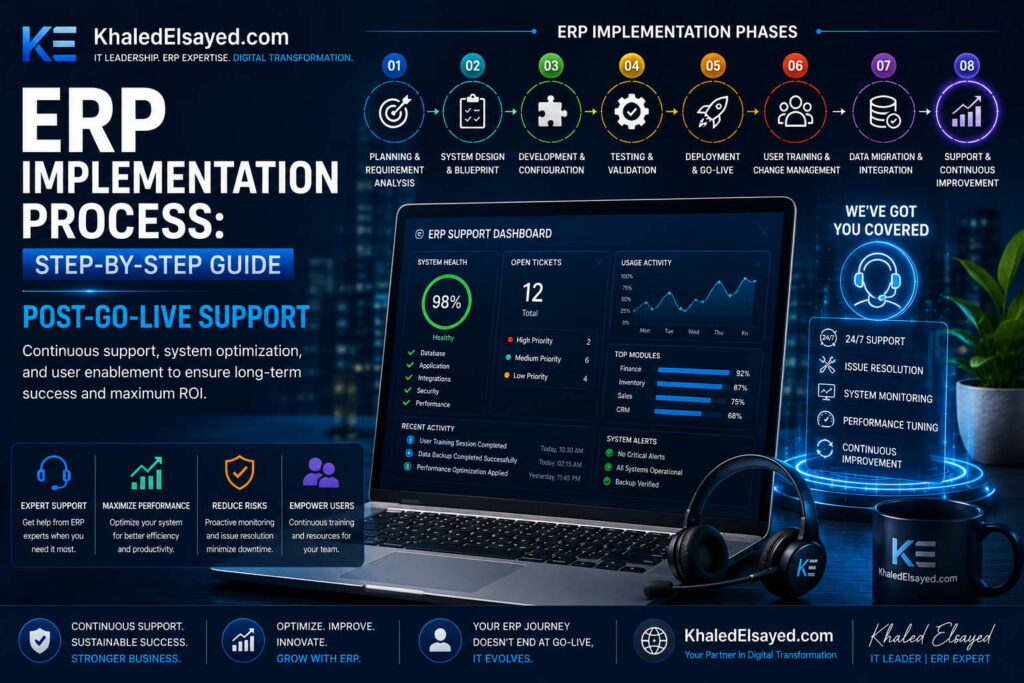
In my years leading digital transformation across enterprise IT environments, I have observed that go-live is not the finish line—it is the start of a new phase. The weeks following go-live determine whether an ERP implementation achieves its projected ROI or joins the 40 percent that underperform. Understanding this critical phase of erp implementation is essential for any organization seeking lasting success. This guide provides a complete erp implementation process step by step guide for post-go-live support, drawing directly from real-world projects I have directed.
Conceptual Layer: The Hypercare Imperative
Hypercare is the dedicated support period immediately following go-live, typically lasting 4-8 weeks. Erp deployment without adequate hypercare experiences user abandonment—employees create workarounds instead of learning the new system. The erp system setup hypercare phase has three objectives: resolve issues quickly, build user confidence, and transfer knowledge to permanent support. From my experience, the erp lifecycle hypercare phase requires staffing at 2-3x normal support levels.
The erp implementation process step by step guide for post-go-live support below reflects the methodology I have refined across dozens of successful deployments. Each support level has specific response SLAs and escalation paths.
Week 1-2: Intensive Hypercare (24/7 Support)
Purpose: Stabilize the system and resolve critical issues immediately. Staffing: Implementation team members (consultants + internal project manager + process owners) available 12+ hours daily, with on-call coverage for off-hours. Issue response SLAs: Critical (system down, cannot process transactions) – response within 15 minutes, resolution within 2 hours. High (workaround possible but painful) – response within 1 hour, resolution within 8 hours. Medium (cosmetic, non-blocking) – response within 4 hours, resolution within 24 hours. Low (nice-to-have) – response within 24 hours, scheduled for post-hypercare.
From my experience, the most common hypercare failure is inadequate staffing during week 1. Organizations that reduce hypercare staffing to “normal” levels within days of go-live find issues unresolved, users frustrated, and workarounds proliferating. The principle: hypercare staffing should decline gradually based on issue volume, not calendar. Week 1 requires maximum staffing; week 2 may reduce 20 percent if issue volume declines.
Daily activities: Morning standup (review outstanding issues, assign priorities), war room (dedicated physical or virtual space for support team), issue tracking (log every issue with severity, owner, status, resolution), user communication (daily status updates to all users), and end-of-day handoff (document outstanding issues for next shift).
Quality gate: Critical issue response time meeting SLA 100 percent; user confidence survey at week 2 averaging above 70 percent favorable.
Week 3-4: Secondary Hypercare (Business Hours Support)
Purpose: Transition from crisis response to normal support operations. Staffing: Reduced team (internal project manager + process owners + IT support) available during business hours, with reduced consultant presence (2-3 days per week). Issue response SLAs: Critical – response within 1 hour, resolution within 4 hours. High – response within 4 hours, resolution within 24 hours. Medium – response within 24 hours, resolution within 48 hours. Low – scheduled for post-hypercare.
The most common transition failure is premature consultant withdrawal. Organizations that release consultants entirely after week 2 find that internal team lacks knowledge to resolve complex issues. The principle: consultants should taper presence, not disappear. Week 3-4: consultants on-site 3 days weekly. Week 5-6: consultants on-site 1-2 days weekly. Week 7-8: consultants on-call only. This graduated transition transfers knowledge while maintaining safety net.
Daily activities: Daily support review (30 minutes), issue triage (prioritize new issues), knowledge transfer sessions (consultants train internal team on issue resolution), and user training reinforcement (additional sessions on problematic processes).
Quality gate: Critical issue volume declining 70 percent from week 1 peak; user confidence survey at week 4 averaging above 80 percent favorable.
Week 5-8: Transition to Permanent Support
Purpose: Establish self-sustaining support operations. Staffing: Internal team (IT support + process owners) as primary support, consultants on-call for escalation. Issue response SLAs: Critical – response within 2 hours, resolution within 8 hours (business hours). High – response within 8 hours, resolution within 24 hours. Medium – response within 24 hours, resolution within 72 hours. Low – logged for future release.
From my experience, the most common permanent support failure is insufficient internal capability. Organizations that rely on the same process owners who have full-time operational roles find support response times slipping. The principle: designate dedicated support roles. For most organizations, this means 1-2 IT support analysts trained on ERP, plus one process owner per module as “super-user” for escalation.
Activities: Knowledge transfer completion (consultants document all issue resolutions), support handoff (formal transition from implementation team to permanent support), user self-service enablement (knowledge base, FAQ, video tutorials), and hypercare completion certificate (executive sign-off that system is stable).
Quality gate: Issue volume stable at 20 percent of week 1 peak; user confidence survey at week 8 averaging above 85 percent favorable; support handoff approved by CIO and executive sponsor.
Issue Severity Classification and Response
The following classification reflects current enterprise realities based on my implementation experience:
| Severity | Definition | Example | Week 1-2 SLA | Week 5-8 SLA |
|---|---|---|---|---|
| Critical | System down, cannot process transactions | Cannot create sales orders, inventory unavailable, GL out of balance | 15 min / 2 hr | 2 hr / 8 hr |
| High | Workaround possible but painful | Report takes 30 minutes to run (expected 2 min), approval workflow stuck | 1 hr / 8 hr | 8 hr / 24 hr |
| Medium | Cosmetic, non-blocking | Field label incorrect, sort order wrong, formatting issue | 4 hr / 24 hr | 24 hr / 72 hr |
| Low | Nice-to-have enhancement | Additional report field, alternative dashboard layout | 24 hr / schedule | Log for future |
Common Challenges and Solutions
Organizations face specific post-go-live challenges. User workarounds are the most common—employees revert to spreadsheets when system feels slow or confusing. The solution is removing access to legacy systems and spreadsheets; if the ERP is the only option, users will learn. Another challenge is issue prioritization disputes—every user thinks their issue is critical. The solution is published severity criteria and a single triage owner (project manager or IT support lead) who applies criteria consistently.
A third challenge is knowledge retention—consultants leave with undocumented knowledge. The solution is mandatory knowledge transfer sessions with checklists and testing. Each consultant must document issue resolutions and train internal counterparts before final invoice approval. A fourth challenge is user fatigue—constant issues and changes wear down enthusiasm. The solution is celebrating quick wins and communicating progress weekly. Users need visible evidence that their feedback leads to improvement.
Best Practices from Real Implementations
Across my hypercare engagements, several practices separate success from struggle. Staff hypercare at 3x normal levels for first 2 weeks—inadequate support allows issues to fester. Log every issue in a shared tracker—tribal knowledge disappears when people leave. Provide visible leadership support—executive sponsor attending daily standups signals priority. Remove legacy system access—dual systems guarantee the old system will be used. Finally, measure user confidence weekly—low confidence predicts workarounds; intervene early with training reinforcement.
Frequently Asked Questions
How long should hypercare last?
4-8 weeks for cloud ERP implementations; 8-12 weeks for on-premise or complex deployments. The duration should be determined by issue volume, not calendar. Hypercare ends when: critical issues resolve within SLA consistently, issue volume declines 80 percent from week 1 peak, user confidence survey exceeds 85 percent favorable, and permanent support team demonstrates ability to resolve issues without consultant escalation. Organizations that end hypercare too early experience issue backlogs and user workarounds.
What is the most common post-go-live issue?
Configuration gaps discovered during UAT but not fixed before go-live. Organizations often defer “nice-to-have” configuration to post-go-live but discover that deferred items are actually essential. The solution is reclassifying: any configuration affecting daily user workflows must be completed before go-live; only enhancements (new reports, additional dashboards, alternative workflows) should defer. From my experience, 80 percent of post-go-live high-priority issues are configuration gaps that should have been addressed pre-go-live.
How many support staff are needed during hypercare?
Week 1-2: 3-5 full-time equivalents (consultants: 2-3, internal project manager: 1, process owners: 1-2 on rotation). Week 3-4: 2-3 FTEs (internal project manager: 1, IT support: 1, process owners: 0.5-1). Week 5-8: 1-2 FTEs (IT support: 1-2). Total hypercare internal staff cost typically ranges $20,000-$50,000 for mid-market implementations. Organizations that reduce these numbers experience unresolved issues and user dissatisfaction that costs far more in lost productivity.
How do I know when to transition from hypercare to permanent support?
Transition criteria: (1) Critical issue response times meeting SLA for 2 consecutive weeks, (2) Issue volume below 20 percent of week 1 peak, (3) No open critical issues, (4) Open high-priority issues below 5, (5) User confidence survey above 85 percent favorable for 2 consecutive weeks, (6) Permanent support team trained on all issue resolutions to date. Without these criteria, permanent support will be overwhelmed by unresolved issues. Transition without criteria is not a milestone—it is a roll of the dice.
Meta Title: Post-Go-Live ERP Support: Hypercare Guide | Khaled Sqawa
Meta Description: Post-go-live ERP support explained by digital transformation expert Khaled Elsayed Sqawa. Complete guide to hypercare phases, issue severity SLAs, and transition to permanent support.
Khaled Elsayed – Strategic Leadership in Digital Transformation and Enterprise IT
A distinguished career spanning over 19 years has been dedicated to the design, implementation, and optimization of enterprise-grade IT infrastructures. This professional journey is defined by a consistent commitment to leveraging technology as a fundamental driver of organizational efficiency and scalable growth.
Currently, the position of Digital Transformation and Information Technology Manager is held, with a focus on spearheading strategic initiatives to modernize technological foundations and strengthen data security frameworks. Responsibilities in this capacity include the oversight of integrated ERP system deployments, the formulation of comprehensive IT policies, and the management of departmental budgets and procurement processes.
Prior to the current engagement, several senior leadership roles were occupied, including Group IT Section Head and IT Section Head. During these tenures, successful large-scale infrastructure upgrades were led, and business continuity frameworks were implemented to ensure uninterrupted operational performance. Expertise has been consistently demonstrated in aligning IT strategies with overarching business objectives while leading high-performing technical teams.
The academic foundation consists of a Bachelor’s degree in Information Systems. This is further reinforced by an extensive portfolio of international professional certifications, including:
- MCSA (Microsoft Certified Systems Administrator).
- Dynamic Specialist (Microsoft Certified Business Management Solutions Specialist).
- Google Certified Project Management Professional.
- SAP Technology Consultant.
- Oracle Cloud Infrastructure Architect Professional.
- Google Certified Cybersecurity Professional.
- ServiceNow IT Leadership Professional Certificate by LinkedIn Learning.
- Succeeding as a Senior Manager Professional Certificate by LinkedIn Learning.
- IT Service Management ISO20000 by LinkedIn Learning.
- Google Certified IT Support Professional.
The leadership philosophy remains centered on continuous improvement, integrity, and the transformation of complex technical visions into functional digital realities that empower the modern enterprise.
Khaled Elsayed
خالد السيد
www.khaledelsayed.com
|
linkedin.com/in/khaled-elsayed-it