Best Odoo ERP Features for Business Growth
Growth is not accidental; it is engineered. After guiding dozens of organizations through digital transformation, I have observed that the most successful ones share a common trait: they leverage specific odoo erp features designed explicitly for scaling operations. As Khaled Elsayed Sqawa, I have seen how the right erp tools can transform a struggling small business into a market leader. This article explores the best odoo erp features for scalability that directly impact lead generation, operational efficiency, and sustainable growth. The odoo system is not just software; it is a growth accelerator when you know which levers to pull.
Many businesses install Odoo but only scratch the surface of its capabilities. They use basic invoicing and inventory tracking while ignoring the advanced features that separate high-growth companies from stagnant competitors. This guide changes that. I will reveal the specific odoo erp features that drive scalability—from automated workflows to real-time analytics—and show you exactly how to deploy them for maximum growth impact. Whether you are a startup founder or an enterprise executive, these insights will reshape how you think about business software.
1. Automated Workflows: The Engine of Scalable Operations
The first category of odoo erp features that fuels growth is workflow automation. Manual processes do not scale. As your transaction volume doubles or triples, hiring more people to push paper is a death sentence for margins. Odoo’s automation engine eliminates this bottleneck by handling routine decisions programmatically.
Multi-Stage Approval Chains
One of the most powerful erp tools in Odoo is the approval engine. You can configure multi-stage approval rules based on any data point: department, amount, customer type, or inventory level. For example: Purchase Orders under $5,000: Auto-approved, no human intervention. Purchase Orders $5,000-$25,000: Requires department manager approval. Purchase Orders over $25,000: Requires manager and finance director approval. These rules enforce governance without slowing down routine transactions. As your business grows, you simply adjust the thresholds, not the process. This is a prime example of best odoo erp features for scalability because approval complexity typically grows with headcount—automation keeps it manageable.
Automated Lead Assignment and Follow-Up
For growth-focused companies, lead response time is critical. Odoo’s CRM automation can assign incoming leads based on geography, product interest, or sales rep workload. Furthermore, you can configure automated follow-up sequences: Day 1 after lead creation: Send introductory email, schedule call task for sales rep. Day 3 if no response: Send case study relevant to lead’s industry. Day 7 if still no response: Reassign to different sales rep or move to nurturing campaign. These automated workflows ensure no lead falls through the cracks, even as your lead volume scales from 100 to 10,000 per month. The odoo system becomes a 24/7 lead generation machine that never sleeps.
- Invoice Automation: Generate and send invoices automatically upon sales order confirmation.
- Inventory Reordering: Trigger purchase orders when stock falls below minimum levels.
- Project Milestone Billing: Create invoices automatically when project stages are completed.
Server Actions and Scheduled Tasks
Beyond simple triggers, Odoo supports complex server actions written in Python. For advanced users, this allows near-infinite customization. Scheduled tasks can run daily or hourly to perform batch operations: updating prices, syncing with external systems, or generating reports. These odoo erp features are what enable true lights-out operations—systems that run without human intervention. I helped a logistics client automate their nightly inventory reconciliation using scheduled actions, saving 20 hours of manual work per week and eliminating reconciliation errors entirely.
2. Real-Time Analytics and Dashboards: Data-Driven Growth Decisions
You cannot grow what you cannot measure. The second pillar of scalable odoo erp features is the analytics engine. Unlike traditional ERP systems that require separate business intelligence tools, Odoo embeds dashboards and reports directly into every module. This democratizes data access across your organization.
Customizable Executive Dashboards
Each user can create personalized dashboards showing the metrics that matter to their role. A CEO dashboard might show: Real-time cash position from Accounting. Monthly recurring revenue trend from Subscriptions. Lead conversion funnel from CRM. Inventory turnover ratio from Inventory. These dashboards update automatically as transactions occur. No more waiting for month-end reports or exporting data to Excel. The odoo system becomes your single source of truth for growth metrics. One retail client reduced their financial close from 15 days to 3 days simply by using Odoo’s real-time dashboards instead of manual spreadsheet consolidation.
Predictive Analytics and Forecasting
Among the best odoo erp features for scalability is the forecasting engine. Using historical data, Odoo can predict: Sales revenue based on pipeline stages and win rates. Inventory demand using seasonal patterns and growth rates. Cash flow by analyzing payment terms and customer payment history. These predictions become more accurate as your data accumulates. For a high-growth company, this forecasting ability is invaluable for planning hiring, purchasing, and investment. I have seen clients avoid costly stockouts and over-hiring by relying on Odoo’s forecasts rather than gut feelings.
Pivot Tables and Custom Reports
For power users, Odoo includes a drag-and-drop pivot table builder. You can analyze data across multiple dimensions: sales by product category by region by salesperson. Save these views as custom reports that refresh automatically. This self-service analytics capability reduces dependency on IT or data analysts. During a growth phase, when questions multiply daily, this feature alone saves countless hours.
Mobile Dashboards for Remote Decision-Making
Growth does not pause when you leave the office. Odoo’s mobile apps provide optimized dashboards for smartphones and tablets. You can approve purchase orders, review sales pipelines, or check inventory levels from anywhere. This mobility ensures that decision-makers stay connected to real-time data, enabling faster responses to opportunities or issues. The erp tools category has evolved; mobile access is no longer a luxury but a competitive necessity.
3. Modular Architecture: Pay-as-You-Grow Scalability
The third category of odoo erp features that enables growth is modular architecture. Traditional ERP systems force you to buy large suites, paying for functionality you may never use. Odoo’s modular design allows you to start with exactly what you need and add modules as your business evolves. This “pay-as-you-grow” model reduces upfront costs and implementation risk.
Core Modules for Every Business
Every Odoo deployment begins with a foundation of core modules that cover essential operations: Sales and CRM: Manage leads, opportunities, and quotations. Accounting and Invoicing: Track finances, send invoices, reconcile payments. Inventory: Manage stock, locations, and reordering rules. Purchasing: Create purchase orders, manage vendors, track receipts. These core odoo erp features are sufficient for many small businesses. The beauty is that you are not locked into a minimum module count. Pay only for what you use today.
Growth-Stage Modules for Scaling Companies
As your business grows, you can activate additional modules without migrating data or re-implementing: Manufacturing: Add bills of materials, work orders, and routing when you start producing goods. E-Commerce: Launch an online store integrated with your inventory and accounting. Projects and Timesheets: Manage client work and billable hours as you add service offerings. Helpdesk: Implement structured customer support as your user base expands. This modularity is among the best odoo erp features for scalability because it matches your software capabilities to your business maturity. You never pay for manufacturing features as a service startup, nor do you need e-commerce as a B2B wholesaler. The odoo system grows with you, not ahead of you.
- Subscriptions: Manage recurring billing and renewals as you shift to SaaS or membership models.
- Field Service: Dispatch technicians and manage work orders as you add on-site services.
- Marketing Automation: Scale lead nurturing as your prospect database grows beyond manual follow-up capacity.
App Store Ecosystem for Niche Needs
When you need functionality not in Odoo’s official modules, the Odoo App Store offers thousands of community and third-party modules. Need a connector for a specific payment gateway? There is likely a module. Require industry-specific reporting for construction or healthcare? Multiple options exist. This ecosystem ensures that as your business enters new niches or verticals, you can find specialized erp tools to support those needs without switching platforms entirely.
4. Integration Capabilities: Connecting Your Growth Stack
No single software does everything. The fourth category of odoo erp features that drives growth is integration capabilities. A scalable business uses best-in-class tools for specialized functions—email marketing, customer support, e-commerce—while keeping Odoo as the central record system. Odoo’s API-first design makes this possible.
REST API and Webhooks
Odoo exposes a comprehensive REST API that allows external applications to read and write data. Webhooks allow Odoo to push real-time notifications to other systems when events occur (e.g., “new order created” or “invoice paid”). This bidirectional integration enables: E-commerce platforms: Shopify, WooCommerce, Magento sync orders and inventory. Marketing tools: Mailchimp, HubSpot, ActiveCampaign sync contact lists and campaign data. Payment gateways: Stripe, PayPal, Square automatically reconcile transactions. These integrations ensure that as you adopt new growth tools, Odoo remains the system of record. No data silos, no double entry, no reconciliation headaches.
Pre-Built Connectors and Middleware
For non-technical teams, Odoo offers pre-built connectors for popular platforms. The Odoo-Shopify connector, for example, syncs products, orders, and customers in real-time. For more complex scenarios, middleware like Zapier or Make (formerly Integromat) can connect Odoo to thousands of apps without custom code. These erp tools democratize integration, allowing growth-focused companies to build sophisticated automation without a dedicated development team.
Legacy System Migration Tools
Growing companies often acquire legacy systems through mergers or organic evolution. Odoo includes powerful data import tools for Excel, CSV, and XML. You can map fields, transform data, and test imports before committing. For ongoing synchronization, scheduled imports can pull data from legacy databases until you fully retire old systems. This gradual migration approach reduces risk and allows business continuity during growth phases.
Single Sign-On and User Management
As your team grows, user management becomes complex. Odoo supports Single Sign-On (SSO) via OAuth, LDAP, and SAML. You can integrate with Google Workspace, Microsoft Azure AD, or Okta. New hires automatically get Odoo access when added to your central directory, and terminated employees lose access immediately. This integration simplifies security and reduces IT overhead—critical odoo erp features when scaling from 10 to 200 employees.
Frequently Asked Questions (FAQ)
Which Odoo features are most important for a startup?
For startups, focus on odoo erp features that provide immediate cash flow and customer management benefits: CRM (to track leads), Invoicing (to get paid), and Basic Inventory (if selling products). Avoid advanced modules like Manufacturing or Field Service until you have proven product-market fit. The best odoo erp features for scalability at the startup stage are those that automate billing and lead follow-up—the two activities that directly generate revenue with minimal overhead.
Can Odoo handle 1,000+ users and high transaction volumes?
Yes. Properly optimized Odoo deployments support thousands of concurrent users and millions of monthly transactions. The odoo system scales vertically (more powerful servers) and horizontally (load-balanced clusters). However, this requires professional database administration and server tuning. For most growing businesses, the cloud-based Odoo Online or Odoo.sh handles up to 200-300 users comfortably. Beyond that, on-premise or dedicated hosting with performance optimization becomes necessary. The erp tools exist; you just need the right infrastructure partner.
How do Odoo’s features compare to NetSuite or SAP for growth companies?
For companies under $100 million in revenue, Odoo offers 90% of the functionality of NetSuite or SAP at 10-20% of the cost. The odoo erp features for CRM, inventory, accounting, and e-commerce are comparable or superior. Where Odoo sometimes lags is in very specialized verticals (e.g., complex project accounting for government contractors) or extreme transaction volumes (millions of lines per day). However, for most growth-stage companies, Odoo’s feature set is more than sufficient, and its modular pricing is far more aligned with scaling budgets. The best odoo erp features for scalability are often the ones that keep cash in your business rather than spending it on software.
What hidden features in Odoo most people miss?
Three underutilized odoo erp features that drive growth: 1. Automated bank reconciliation: Odoo can match bank transactions to invoices and expenses automatically, saving hours of accounting time. 2. Recurring revenue management: The Subscriptions module handles automated billing, dunning, and revenue recognition—critical for SaaS and service businesses. 3. Portal access for customers: Give customers self-service portals to view invoices, check order status, and download documents. This reduces support tickets and improves customer satisfaction. As Khaled Elsayed Sqawa, I recommend exploring these features early in your Odoo journey. They provide immediate efficiency gains and position your business for scalable growth.
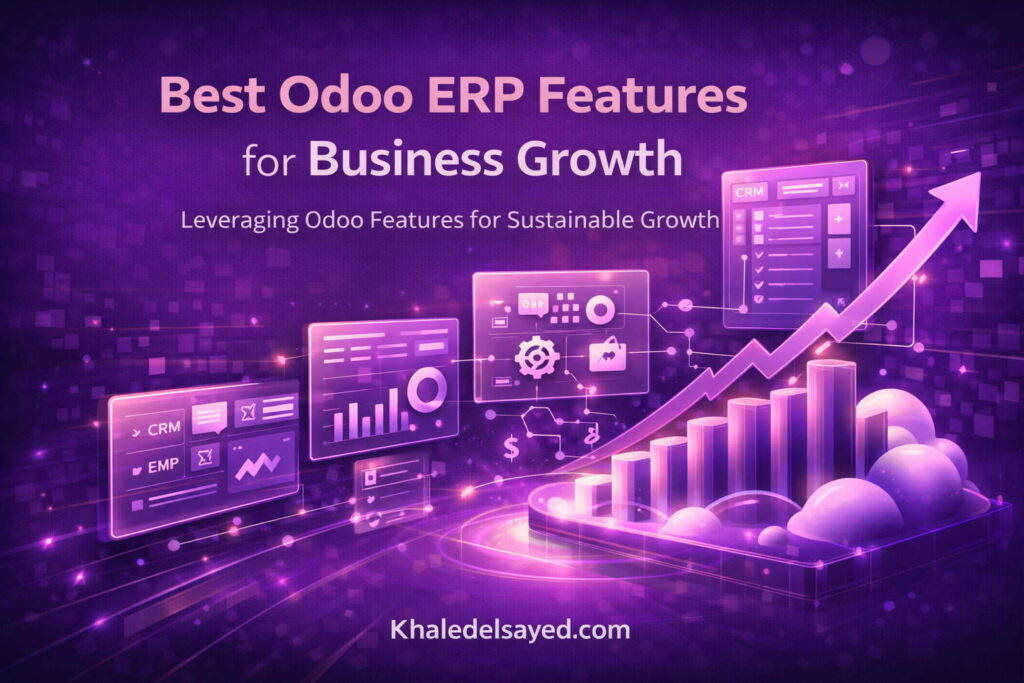
Conclusion: Leveraging Odoo Features for Sustainable Growth
The odoo erp features we have explored—automated workflows, real-time analytics, modular architecture, and integration capabilities—are not theoretical advantages. They are battle-tested tools that have enabled hundreds of my clients to scale from small operations to market leaders. The erp tools within the odoo system work together to create a growth engine: automation handles routine work, analytics guides decisions, modularity matches capabilities to maturity, and integrations connect your entire technology stack.
As Khaled Elsayed Sqawa, my final advice is to implement these features systematically. Start with one automation that saves your team the most time. Then build one dashboard that answers your most pressing growth question. Then add one integration that connects a tool you already use. This incremental approach builds momentum without overwhelming your team. The best odoo erp features for scalability are the ones you actually use consistently. Begin your growth journey today by identifying one manual process in your business and configuring Odoo to automate it. Small wins compound into market dominance.
odoo erpnext, odoo erp vs erpnext, odoo erp modules, odoo erp software, odoo erp login, best odoo erp implementation services, best odoo erp services, best odoo erp consultant in dubai, benefits of odoo erp, best odoo erp, best odoo erp software, odoo erp course, zoho erp vs odoo erp, odoo erp system, advantages of odoo erp, arabic odoo erp kuwait, azkatech odoo erp lebanon, odoo erp pricing, all in one odoo erp extension, about odoo erp software, alternative to odoo erp, advantages and disadvantages of odoo erp, youtube odoo erp, odoo website, odoo web, odoo erp review, odoo windows 11, odoo ucp, who owns odoo erp, odoo trial, odoo terminal, what is odoo erp used for, odoo store, odoo slides, odoo sign, odoo sh pricing, odoo software, odoo support, odoo sh-restart, odoo studio, odoo runbot, what is odoo erp implementation, odoo run, odoo download, odoo partner, odoo system, which companies use odoo erp, odoo sh, odoo egypt, odoo mac, what is odoo erp development, odoo com, odoo login, odoo learn, odoo logo, what is odoo erp solutions, odoo kenya, odoo erpnext dolibarr, what are odoo erp implementation methodology, odoo members, odoo jobs, why choose odoo erp, odoo iqra, odoo iran, odoo india, odoo it yourself youtube, odoo hr, odoo help, odoo helpdesk, odoo hosting, what does odoo erp stand for, odoo hr module, odoo hr system, odoo h, odoo hotel management system, odoo hotel management, odoo hostinger, odoo github, odoo galala university, odoo gold partner, odoo github repository, voodoo erp, odoo gu login, odoo gu edu eg, odoo git, odoo glassdoor, odoo gold partners egypt, odoo farsi, odoo free, odoo flow, voodoo erp system, odoo formio, odoo firebase, odoo erp, odoo experts, odoo events, odoo vs erp, odoo ir, odoo development, odoo demo, odoo docs, odoo debug, odoo vs other erp, odoo crm, odoo community, odoo claw, odoo cloud, odoo erp vs microsoft dynamics, odoo apps, odoo vs oracle erp, odoo ai, odoo academy, odoo common util and tools, odoo ai cn, odoo apps github, odoo yodawy, odoo erp video, zoho vs odoo pricing, zkteco odoo integration, yenthe odoo script, youtube odoo tutorial, odoo vs erpnext, odoo erp vs netsuite, your odoo periodic digest, yeastar odoo integration, youtube odoo crm, youtube odoo mates, odoo erp versions, xero odoo connector, xero odoo integration, xpath odoo 18, xclusive odoo com, www odoo com website, www odoo com login, what is odoo developer, what is odoo software, udemy odoo erp, what is odoo erp, what is odoo sh, www odoo com download, www odoo demo, what is odoo system, www odoo cust, tutorial odoo erp, ucp odoo login, ucp odoo portal, toyota odoo erp, ucp odoo horizon, odoo upgrade, training odoo erp, ticket odoo support, tell me about odoo erp, software odoo erp, remote odoo jobs, quickbooks to odoo migration, sap vs odoo erp, simply odoo erp software, odoo vs erpnext reddit, sap odoo erp, odoo odoo github, odoo gu, nims odoo login, reviews odoo erp, nevermore odoo app store, nutech odoo login, reddit odoo erp, latest odoo version, que es odoo erp, logo odoo png, login with odoo ucp, kantor odoo indonesia, que significa odoo erp, jaming odoo com, que es un odoo erp, junior odoo developer, just1 odoo com, jmr odoo login, is odoo free, iqra odoo login, is odoo open source, python odoo erp, is odoo a crm, is odoo an erp, is odoo a erp system, is odoo website free, price of odoo erp, how to be odoo developer, how is odoo free, how much is odoo software, pros and cons of odoo erp, github odoo 18, gaming odoo com, github odoo enterprise, github odoo 17, github odoo 19, programming odoo erp, odoo vs erpnext comparison, oakland-odoo erp, extension odoo debug, download odoo 18, open source odoo erp, download odoo for windows, documentation odoo 18, download odoo app, cust odoo login, origin of odoo erp, batuk odoo com jobs, nanobytes odoo erp gold partner, managed odoo erp hosting, odoo app store, modules in odoo erp, meaning of odoo erp, learn odoo erp, logo odoo erp, login odoo erp, odoo vs erpnext which is better, latest version of odoo erp, key features of odoo erp, kfc odoo erp, kelebihan dan kekurangan odoo erp, kursus odoo erp, kekurangan odoo erp, jurnal odoo erp, is odoo erp good, is odoo erp or crm, is odoo erp software, odoo vs erpnext pricing, is odoo erp free, is odoo erp cloud based, is odoo erp open source, introduction to odoo erp, implementing odoo erp, hire odoo erp developer, harga odoo erp, how to learn odoo erp, how to pronounce odoo erp, how to use odoo erp, odoo vs erpnext vs dolibarr, how to implement odoo erp, how much does odoo erp cost, how does odoo erp work, github odoo erp, giới thiệu về odoo erp, features of odoo erp, free odoo erp, full form of odoo erp, erpnext vs odoo erp, odoo erp mongolia, odoo community vs erpnext, odoo erp meaning, download odoo erp, demo odoo erp, disadvantages of odoo erp, download odoo erp for windows, dashboard odoo erp, companies that use odoo erp, cost of odoo erp, customize odoo erp, crm odoo erp
Khaled Elsayed – Strategic Leadership in Digital Transformation and Enterprise IT
A distinguished career spanning over 19 years has been dedicated to the design, implementation, and optimization of enterprise-grade IT infrastructures. This professional journey is defined by a consistent commitment to leveraging technology as a fundamental driver of organizational efficiency and scalable growth.
Currently, the position of Digital Transformation and Information Technology Manager is held, with a focus on spearheading strategic initiatives to modernize technological foundations and strengthen data security frameworks. Responsibilities in this capacity include the oversight of integrated ERP system deployments, the formulation of comprehensive IT policies, and the management of departmental budgets and procurement processes.
Prior to the current engagement, several senior leadership roles were occupied, including Group IT Section Head and IT Section Head. During these tenures, successful large-scale infrastructure upgrades were led, and business continuity frameworks were implemented to ensure uninterrupted operational performance. Expertise has been consistently demonstrated in aligning IT strategies with overarching business objectives while leading high-performing technical teams.
The academic foundation consists of a Bachelor’s degree in Information Systems. This is further reinforced by an extensive portfolio of international professional certifications, including:
- MCSA (Microsoft Certified Systems Administrator).
- Dynamic Specialist (Microsoft Certified Business Management Solutions Specialist).
- Google Certified Project Management Professional.
- SAP Technology Consultant.
- Oracle Cloud Infrastructure Architect Professional.
- Google Certified Cybersecurity Professional.
- ServiceNow IT Leadership Professional Certificate by LinkedIn Learning.
- Succeeding as a Senior Manager Professional Certificate by LinkedIn Learning.
- IT Service Management ISO20000 by LinkedIn Learning.
- Google Certified IT Support Professional.
The leadership philosophy remains centered on continuous improvement, integrity, and the transformation of complex technical visions into functional digital realities that empower the modern enterprise.
Khaled Elsayed www.khaledelsayed.com | linkedin.com/in/khaled-elsayed-it