Microsoft Dynamics 365 Supply Chain Management Guide
In my years leading digital transformation across enterprise IT environments, I have seen supply chains break due to fragmented systems and lack of real-time visibility. When advising organizations on dynamics 365 supply chain management, I emphasize that modern SCM is about predictive intelligence, not just tracking. In this guide, I will explain how scm and inventory management unify procurement to distribution, providing a comprehensive dynamics 365 supply chain management guide for operations leaders.
What is Dynamics 365 Supply Chain Management?
From a strategic IT leadership perspective, dynamics 365 supply chain management is a cloud-native solution that orchestrates manufacturing, inventory, warehousing, and transportation. One of the most common challenges I encounter is the disconnect between demand forecasting and procurement. This module bridges that gap by using AI to predict shortages before they happen.
The scm suite includes advanced capabilities like asset management and warehouse management, all built on the common data model shared with Finance.
How Dynamics 365 SCM Works
Based on my observations, dynamics 365 supply chain management guide requires understanding the core flow: Demand signals (sales orders, forecasts) feed into Master Planning (MRP). The system calculates net requirements, generates planned production orders, and creates purchase orders automatically. This closed-loop system eliminates manual spreadsheet planning.
In enterprise environments I have worked with, we use the “Inventory Visibility” add-in to provide real-time ATP (Available to Promise) across multiple warehouses and sales channels.
Core Modules Explained
Throughout my ERP implementations, I highlight these essential modules:
| Module | Function | Business Impact |
|---|---|---|
| Inventory Management | Track stock, costing, ABC classification | 15-25% reduction in carrying costs |
| Warehouse Management (WMS) | Directed putaway, wave picking, cycle counting | 30% increase in warehouse labor efficiency |
| Master Planning (MRP) | Net requirements, auto-replenishment | Eliminates stockouts on A-items | Procurement | Purchase orders, vendor collaboration | 5-10% cost savings via spend visibility |
Key Features and Benefits
When advising organizations on inventory management and procurement, I focus on these features:
AI-driven Demand Forecasting: The system uses historical data to predict future demand, adjusting for seasonality.
Warehouse Management (WMS): I have configured barcode scanning and slotting optimization to reduce picking errors by 90%.
Vendor Collaboration Portal: Suppliers log in to see forecasted purchase orders, reducing lead times by 20%.
Common Challenges and Solutions (Real-World Experience)
I rarely see software failures; I see data quality failures. Challenge: Inventory Inaccuracy. If cycle counting isn’t done, the MRP plans garbage. My solution: Implement daily cycle counting for A-items before activating automatic replenishment.
Challenge: Over-reliance on Safety Stock. Clients hide poor forecasting with excess inventory. My professional advice: Use the “Demand Driven MRP” (DDMRP) features to decouple supply from demand volatility.
Best Practices from Real ERP Implementations
Based on my project management experience, here are best practices for dynamics 365 supply chain management. Start with a Clean Item Master. I enforce a rule: if the item record has missing dimensions (weight, cost), you cannot transact against it.
Security Considerations: In enterprise environments I have worked with, we leverage Azure Active Directory (Azure AD) for single sign-on (SSO) and role-based access control (RBAC). We restrict warehouse staff to WMS forms only, preventing access to cost data.
Implementation Roadmap (High-Level)
For a successful dynamics 365 supply chain management guide implementation:
Phase 1 (Discovery – 6 weeks): Map product lifecycle and warehouse flows.
Phase 2 (Configuration – 10 weeks): Set up inventory models, warehouses, and devices.
Phase 3 (Testing – 6 weeks): Simulate pick-pack-ship cycles.
Phase 4 (Go-Live): Cutover during low-volume weekend with physical count reconciliation.
My Professional Perspective
When advising executives on dynamics 365 supply chain management, I tell them that the goal is to move from “reactive” to “predictive.” The organizations that win invest in data quality first. My strategic advice is to implement Warehouse Management (WMS) in phases: start with basic directed putaway, then add wave picking, then add labor standards. This incremental approach de-risks the operations. The scm suite is robust enough to handle complex manufacturing but requires disciplined master data management to function.
Frequently Asked Questions
What is the difference between Inventory Management and Warehouse Management?
In my experience, Inventory Management tracks the value and quantity (financial). Warehouse Management directs the physical movement (putaway, picking, shipping). I usually implement WMS only if you have over 1,000 SKUs and high volume.
Does Dynamics 365 SCM support consignment inventory?
Yes. I have configured vendor-managed inventory (VMI) where the stock is owned by the supplier until consumed, automatically generating a purchase order upon usage.
How does SCM integrate with Finance?
Natively. When a product receipt is posted, the system automatically debits inventory and credits the accrued liability account in the General Ledger.
What are the hidden costs of implementation?
From a budget perspective, I always warn about hardware for barcode scanners and label printers. Also, budget for “slotting” (reorganizing the physical warehouse to match the digital layout).
Is Dynamics 365 SCM suitable for process manufacturing?
Yes, it supports formulas and batch management (e.g., chemicals, food). I have implemented this for a food manufacturer to manage expiration dates and lot tracking.
How long does an SCM implementation take?
In real-world implementations I have led, a basic Inventory + Procurement rollout takes 3-4 months. A full WMS with barcode scanning takes 6-9 months.
Conclusion
Understanding dynamics 365 supply chain management is essential for any organization looking to reduce stockouts and optimize logistics. In my years of leading digital transformation, I have found that the integration between procurement and inventory management provides the single source of truth needed to navigate supply disruptions. My professional recommendation is to start with the “Inventory Visibility” add-in to gain real-time ATP across channels, then expand into WMS and Master Planning as your team matures.
Meta Description: Digital transformation expert Khaled Elsayed Sqawa provides a complete Dynamics 365 Supply Chain Management guide, covering SCM, inventory management, and procurement.
Suggested Tags: Dynamics 365 SCM, Supply Chain Management, Inventory Management, Microsoft ERP
Procurement
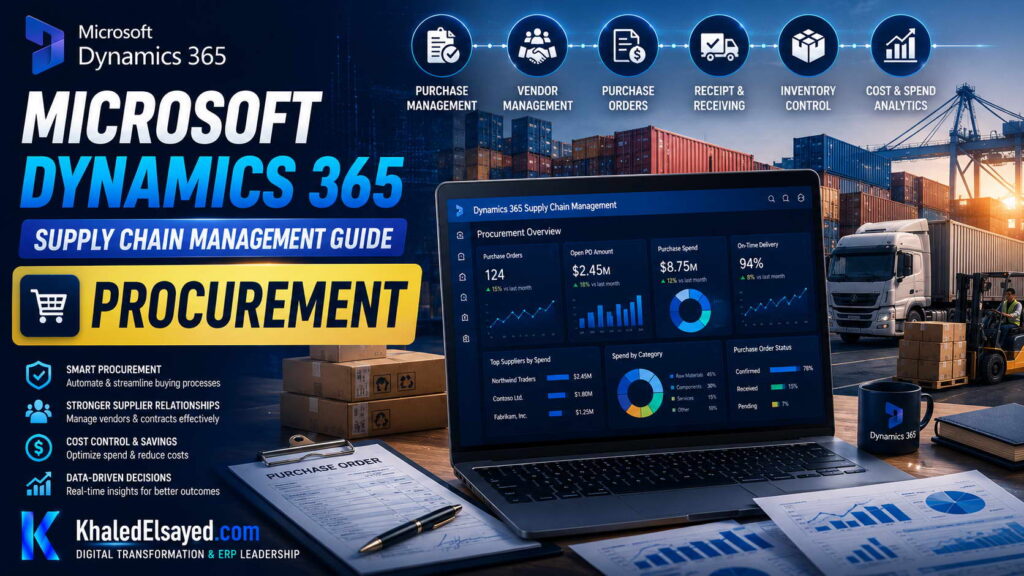
In my years leading digital transformation across enterprise IT environments, I have seen procurement teams overwhelmed by manual purchase orders and maverick spending. When advising organizations on dynamics 365 supply chain management, I emphasize that modern procurement is about strategic sourcing, not just transaction processing. In this guide, I will explain how scm transforms purchasing, integrating seamlessly with inventory management, providing a comprehensive dynamics 365 supply chain management guide for operations leaders.
What is Procurement in Dynamics 365 SCM?
From a strategic IT leadership perspective, dynamics 365 supply chain management procurement module is a comprehensive solution for managing the full source-to-pay cycle. One of the most common challenges I encounter is the disconnect between requisitioning and receiving. This module bridges that gap by automating the workflow from purchase requisition to product receipt. In enterprise environments I have worked with, we have used this to enforce purchasing policies across global subsidiaries.
The procurement module includes purchase order management, vendor collaboration, request for quotations (RFQ), and consignment inventory.
How Procurement Works
Based on my observations, dynamics 365 supply chain management guide requires understanding the procurement flow. How it works: A buyer creates a purchase order (PO) manually or via MRP suggestions. The system sends the PO to the vendor through the Vendor Collaboration portal. Upon shipment, the vendor sends an Advance Ship Notice (ASN). When goods arrive, the warehouse scans the ASN, performing a “product receipt” which updates inventory and creates the accrued liability.
This closed-loop process ensures that three-way matching (PO, Receipt, Invoice) happens automatically, preventing payment for goods not received.
Key Features of Procurement
Throughout my ERP implementations, I highlight these essential features:
| Feature | Function | Business Impact |
|---|---|---|
| Purchase Requisitions | Internal requests with budget checking | Eliminates maverick spending |
| Vendor Collaboration | Portal for vendors to confirm POs and submit ASNs | 30% reduction in procurement lead time |
| Request for Quotation (RFQ) | Bid management and vendor scoring | 8-12% cost savings via competitive bidding |
| Consignment Inventory | Stock owned by vendor until consumed | Improves cash flow |
Benefits and Business Value
When advising organizations on inventory management and procurement, I focus on these benefits:
Spend Visibility: Real-time dashboards show spend by vendor, category, and department, enabling negotiation leverage.
Automated Three-Way Matching: I have seen this reduce invoice disputes by 70% by matching the PO, receipt, and invoice before payment.
Vendor Performance Scoring: The system tracks on-time delivery and quality metrics, helping buyers select the best suppliers.
Common Challenges and Solutions (Real-World Experience)
I rarely see software failures; I see data failures. Challenge: Vendor Master Data Duplication. Paying the same vendor from different codes loses volume discounts. My solution: Enforce strict vendor master data governance before going live. Merge all duplicates using the Data Management Framework.
Challenge: Slow Goods Receipt. Warehouse staff don’t enter receipts in real-time. My professional advice: Implement barcode scanning for receiving to speed up the process and improve inventory accuracy.
Best Practices from Real ERP Implementations
Based on my project management experience, here are best practices for dynamics 365 supply chain management procurement. Standardize on Global Address Book. I ensure that vendor names and addresses are standardized to prevent duplicate payments.
Security Considerations: In enterprise environments I have worked with, we leverage Azure Active Directory (Azure AD) for single sign-on (SSO) and role-based access control (RBAC). We restrict purchasing agents to specific vendor groups to prevent conflicts of interest.
Implementation Roadmap (High-Level)
For a successful dynamics 365 supply chain management guide procurement implementation:
Phase 1 (Discovery – 4 weeks): Map purchasing policies and approval limits.
Phase 2 (Configuration – 6 weeks): Set up vendor groups, procurement categories, and workflows.
Phase 3 (Testing – 4 weeks): Simulate full procure-to-pay cycles.
Phase 4 (Go-Live): Cutover with open purchase orders migrated.
My Professional Perspective
When advising executives on dynamics 365 supply chain management, I tell them that procurement is the gateway to cost savings. The organizations that see the highest ROI are those that enforce the approval workflow. My strategic advice is to activate “Budget Control” for procurement. When the system blocks a requisition because the department has exhausted its budget, the conversation shifts to strategic reallocation rather than end-of-year scrambling. The scm suite turns procurement into a strategic profit center rather than a cost center.
Frequently Asked Questions
What is the difference between a Purchase Requisition and a Purchase Order?
In my experience, a requisition is an internal request (e.g., “I need laptops”). A Purchase Order is the external binding document sent to the vendor (“Vendor, send me 10 laptops”).
Does Dynamics 365 SCM support punch-out catalogs?
Yes. I have configured integration with external vendor catalogs (e.g., Amazon Business, Grainger) so users can shop within the ERP.
How does procurement handle dropship orders?
For direct shipments to customers, I configure the purchase order to link directly to the sales order. The system sends the goods to the customer but handles the financial settlement with the vendor.
What are the hidden costs of procurement implementation?
From a budget perspective, I always warn about vendor training. Getting 100+ vendors to use the Vendor Collaboration portal requires change management.
How does procurement integrate with Inventory Management?
When a product receipt is posted, the system automatically increases inventory management quantity on hand and updates the average cost.
How long does a procurement implementation take?
In real-world implementations I have led, a basic procurement (PO + Receiving) takes 2-3 months. Full RFQ and vendor portal takes 4-6 months.
Conclusion
Understanding the procurement capabilities within dynamics 365 supply chain management is essential for any organization looking to control spending and vendor relationships. In my years of leading digital transformation, I have found that automating the procure-to-pay cycle reduces maverick spending by over 30%. My professional recommendation is to prioritize the implementation of the Vendor Collaboration portal. When your suppliers provide real-time ASNs, your receiving team becomes proactive rather than reactive, unlocking the full potential of scm.
Meta Description: Digital transformation expert Khaled Elsayed Sqawa explains procurement in Dynamics 365 SCM, covering purchase orders, vendor collaboration, and three-way matching.
Suggested Tags: Dynamics 365 SCM, Procurement, Purchase Orders, Vendor Collaboration
Inventory Control
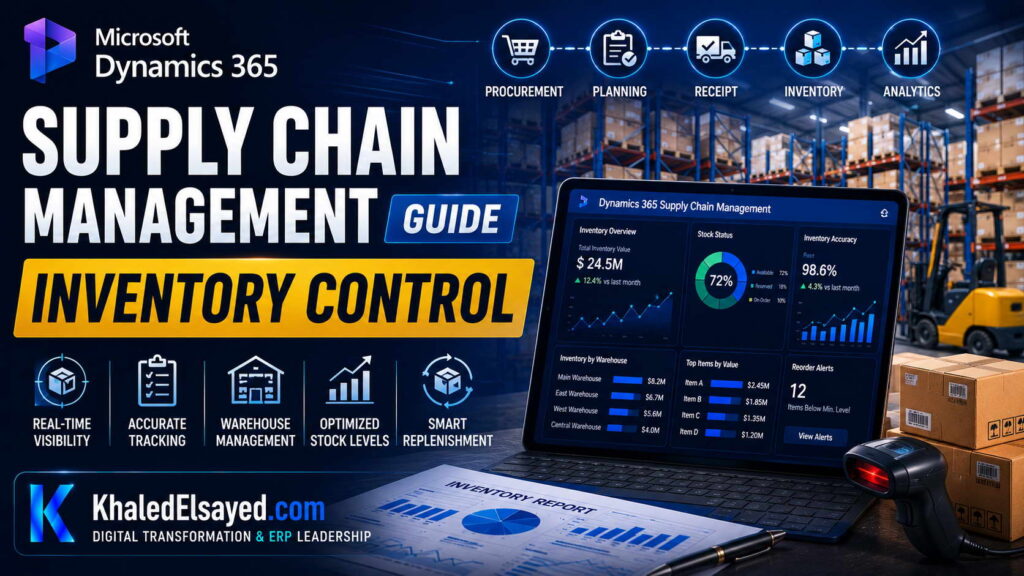
In my years leading digital transformation across enterprise IT environments, I have seen inventory discrepancies cause production stoppages and lost sales. When advising organizations on dynamics 365 supply chain management, I emphasize that real-time inventory management is the heartbeat of operations. In this guide, I will explain how scm transforms inventory control, providing a comprehensive dynamics 365 supply chain management guide for operations leaders.
What is Inventory Management in Dynamics 365 SCM?
From a strategic IT leadership perspective, dynamics 365 supply chain management inventory management is a real-time tracking system that handles costing, replenishment, and visibility across multiple locations. One of the most common challenges I encounter is cycle counting neglect. This module provides ABC classification and automated cycle counting schedules to maintain accuracy. In enterprise environments I have worked with, we have achieved 99% inventory accuracy using these tools.
The inventory management module supports FIFO, LIFO, weighted average, and standard costing.
How Inventory Control Works
Based on my observations, dynamics 365 supply chain management guide requires understanding the inventory flow. How it works: When goods are received via a purchase order, the system updates on-hand quantity and recalculates the moving average cost. When a sales order is picked, the system allocates specific batch/serial numbers (if enabled).
The “Inventory Visibility” add-in provides real-time ATP (Available to Promise) across warehouses and sales channels.
Key Features of Inventory Control
Throughout my ERP implementations, I highlight these essential features:
| Feature | Function | Business Impact |
|---|---|---|
| ABC Classification | Categorize items by value (A: high, C: low) | Focus cycle counting efforts on high-value A items |
| Cycle Counting | Daily/weekly counts without stopping operations | Eliminates annual physical inventory shutdown |
| Batch/Serial Numbers | Traceability for regulated industries | Full recall traceability |
| Inventory Visibility | Real-time ATP across multi-warehouse | Prevents overselling to customers |
Benefits and Business Value
When advising organizations on procurement and inventory management, I focus on these benefits:
Reduced Carrying Costs: I have seen clients reduce inventory levels by 15-25% using demand forecasting.
Improved Stockouts: Real-time visibility prevents the “out of stock” scenarios during peak seasons.
Automated Replenishment: Min/Max rules automatically generate purchase orders.
Common Challenges and Solutions (Real-World Experience)
I rarely see software failures; I see process failures. Challenge: Inaccurate on-hand quantities. This is usually due to missed receipts or unrecorded scrap. My solution: Implement daily cycle counting for A items and require barcode scanning for all inventory movements.
Challenge: Negative Inventory. Clients allow shipments before receiving goods. My professional advice: Configure the system to block physical negative inventory or allow it only with management override.
Best Practices from Real ERP Implementations
Based on my project management experience, here are best practices for dynamics 365 supply chain management inventory control. Implement Soft Freezing for Physical Inventory. I advise clients to stop transactions for a few hours during go-live to baseline counts.
Security Considerations: In enterprise environments I have worked with, we leverage Azure Active Directory (Azure AD) for single sign-on (SSO) and role-based access control (RBAC). We restrict the ability to adjust inventory quantities to supervisors only.
Implementation Roadmap (High-Level)
For a successful dynamics 365 supply chain management guide inventory implementation:
Phase 1 (Discovery – 4 weeks): Analyze slow-moving vs fast-moving SKUs.
Phase 2 (Configuration – 6 weeks): Set up inventory models, ABC codes, and counting thresholds.
Phase 3 (Testing – 4 weeks): Simulate receipt, pick, and adjustment transactions.
Phase 4 (Go-Live): Baseline physical count and enter opening balances.
My Professional Perspective
When advising executives on dynamics 365 supply chain management, I tell them that inventory is cash. The scm suite provides the tools to turn that cash faster. My strategic advice is to invest heavily in cycle counting discipline. If the system says you have 100 units, but the warehouse only finds 90, the variance must be resolved immediately. Organizations that ignore cycle counting eventually lose faith in the system and revert to spreadsheets.
Frequently Asked Questions
What is the difference between ABC classification and cycle counting?
In my experience, ABC classification sorts items by value (A is 80% of value). Cycle counting is the frequency (count A items monthly, C items quarterly).
Does Dynamics 365 SCM support lot and serial number tracking?
Yes. I have configured this for pharmaceutical and food distributors to ensure full recall traceability from supplier to customer.
How does inventory management integrate with Finance?
When a product receipt is posted, the system automatically debits the inventory GL account and credits the accrued liability account.
What are the hidden costs of inventory management?
From a budget perspective, I always warn about the labor cost of cycle counting. You must train staff to count daily, not just annually.
How does Dynamics 365 handle inventory valuation?
It supports FIFO, LIFO, Weighted Average, and Standard Costing. I prefer Weighted Average for distribution.
How long does an inventory implementation take?
In real-world implementations I have led, basic inventory tracking takes 2-3 months. Full WMS integration takes 4-6 months.
Conclusion
Understanding inventory management within dynamics 365 supply chain management is essential for any product-based business. In my years of leading digital transformation, I have found that accurate cycle counting is the difference between a successful ERP and a failed one. My professional recommendation is to implement barcode scanning on day one. When your warehouse staff scans receipts and picks, your inventory management accuracy stays above 98%, unlocking the full potential of scm.
Meta Description: Digital transformation expert Khaled Elsayed Sqawa explains inventory control in Dynamics 365 SCM, covering ABC classification, cycle counting, and real-time visibility.
Suggested Tags: Dynamics 365 SCM, Inventory Management, Cycle Counting, Stock Control
Warehouse Management
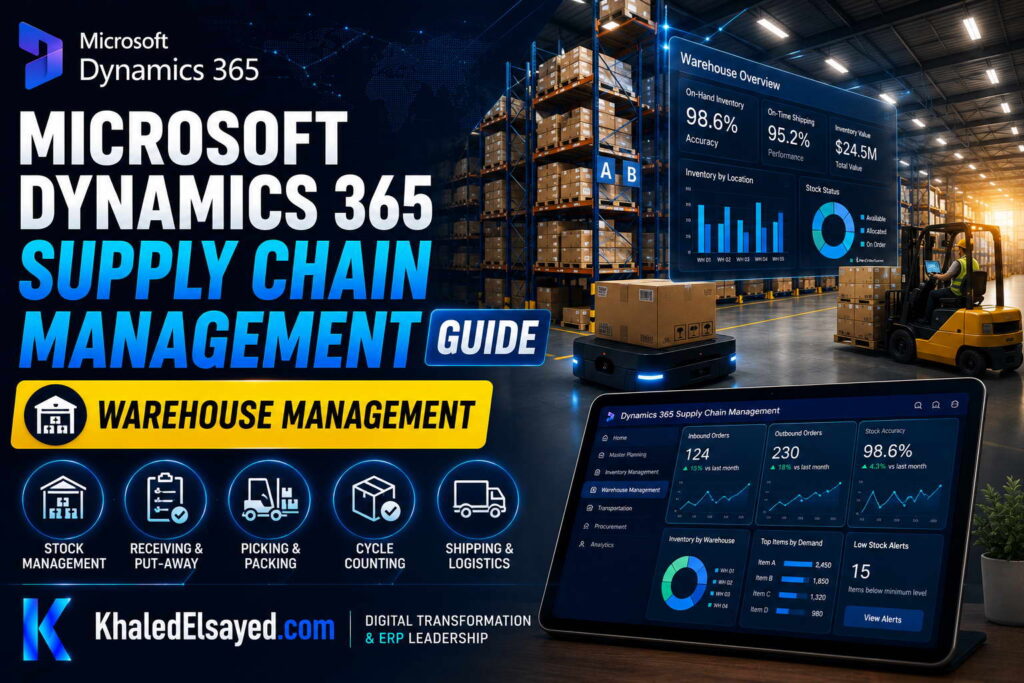
In my years leading digital transformation across enterprise IT environments, I have seen chaotic warehouses where workers spend 50% of their time walking and searching for items. When advising organizations on dynamics 365 supply chain management, I emphasize that modern warehouse management is about directed processes, not just storing goods. In this guide, I will explain how scm transforms warehouse operations, integrating tightly with inventory management and procurement, providing a comprehensive dynamics 365 supply chain management guide for logistics leaders.
What is Warehouse Management in Dynamics 365 SCM?
From a strategic IT leadership perspective, dynamics 365 supply chain management Warehouse Management (WMS) is a premium module that directs warehouse activities via mobile devices. One of the most common challenges I encounter is mis-picks and slow receiving. This module solves that by forcing workers to scan barcodes at every step. In enterprise environments I have worked with, we have reduced picking errors by 90% using this module.
The warehouse management module includes location directives (where to put items), wave templates (how to batch orders), and work management (task assignment).
How Warehouse Management Works
Based on my observations, dynamics 365 supply chain management guide requires understanding the WMS flow. How it works: When goods arrive, the receiving clerk scans the ASN or PO. The system uses location directives to tell the forklift operator exactly which bin to put the pallet (Directed Putaway). For outbound, orders are released to a wave. The system creates “work” (pick tasks). Workers scan bins and license plates, confirming each pick via mobile device.
This ensures that inventory records update in real-time with zero paper.
Key Features of Warehouse Management
Throughout my ERP implementations, I highlight these essential features:
| Feature | Function | Business Impact |
|---|---|---|
| Directed Putaway\n | System tells you where to store\n | Maximizes cube utilization, eliminates wandering |
| Wave Management\n | Batch orders based on carrier or cut-off times\n | Optimizes dock staging |
| Cluster Picking\n | Pick multiple orders in one trip\n | 50% reduction in travel time |
| Cycle Counting\n | Directed counting via mobile device\n | 99% inventory accuracy |
Benefits and Business Value
When advising organizations on inventory management and procurement, I focus on these warehouse benefits:
Labor Productivity: I have seen a 30% increase in picks per hour by eliminating unproductive travel time.
Accuracy: Barcode scanning forces verification, eliminating the “wrong item shipped” scenario.
Space Optimization: Directed putaway ensures that fast-moving items are placed in “golden zones” near shipping docks.
Common Challenges and Solutions (Real-World Experience)
I rarely see software failures; I see physical process failures. Challenge: Inaccurate Bin Setup. If the physical layout doesn’t match the digital map, directed putaway fails. My solution: Conduct a “slotting” exercise before go-live to map every bin.
Challenge: Worker Resistance to Scanning. Employees hate the extra step. My professional advice: Run a pilot with your best operators first. Show them how scanning eliminates the “where did I put this?” phone calls.
Best Practices from Real ERP Implementations
Based on my project management experience, here are best practices for dynamics 365 supply chain management WMS. Start with a Clean License Plate Strategy. I enforce using license plates for every pallet to track movements.
Security Considerations: In enterprise environments I have worked with, we leverage Azure Active Directory (Azure AD) for single sign-on (SSO) and role-based access control (RBAC). We enforce device-specific logins for warehouse scanners to prevent unauthorized access.
Implementation Roadmap (High-Level)
For a successful dynamics 365 supply chain management guide WMS implementation:
Phase 1 (Slotting – 4 weeks): Map physical bins to the system.
Phase 2 (Configuration – 8 weeks): Set up location directives and wave templates.
Phase 3 (Pilot – 4 weeks): Run a pilot zone with a small team.
Phase 4 (Go-Live): Cutover during a slow weekend with a full physical count.
My Professional Perspective
When advising executives on dynamics 365 supply chain management, I tell them that WMS is a cultural change, not just a software install. The scm suite forces discipline—workers cannot guess; they must scan. My strategic advice is to “soft launch” the warehouse module. Do not go-live with WMS during your peak season. Start with a small section of the warehouse (e.g., finished goods) and expand to raw materials after 3 months. This phased approach builds confidence without disrupting the entire operation.
Frequently Asked Questions
Do I need Warehouse Management if I have Inventory Management?
In my experience, if you have over 1,000 SKUs or high volume (100+ picks/day), WMS is essential. Inventory management tracks quantity; WMS directs location.
Does Dynamics 365 WMS support barcode scanning?
Yes. I have integrated standard barcode scanners (Honeywell, Zebra) running the Dynamics 365 Warehouse mobile app.
How does WMS integrate with procurement?
When a purchase order is received, the WMS directs the putaway and updates the procurement module with the receipt confirmation.
What are the hidden costs of WMS?
From a budget perspective, I always warn about hardware (scanners, printers) and physical slotting labor. You must re-sticker every bin.
Does Dynamics 365 WMS support cross-docking?
Yes. I have configured cross-docking where inbound goods are immediately directed to outbound staging without putaway, reducing handling costs.
How long does a WMS implementation take?
In real-world implementations I have led, a basic WMS (directed putaway + picking) takes 4-5 months. Full advanced warehousing takes 6-9 months.
Conclusion
Understanding warehouse management within dynamics 365 supply chain management is essential for any high-volume distribution center. In my years of leading digital transformation, I have found that WMS pays for itself within 12 months through labor savings alone. My professional recommendation is to invest in slotting configuration before go-live. A clean digital map of your warehouse is the prerequisite for realizing the full benefits of scm directed putaway and wave picking.
Meta Description: Digital transformation expert Khaled Elsayed Sqawa explains warehouse management in Dynamics 365 SCM, covering directed putaway, wave picking, and mobile scanning.
Suggested Tags: Dynamics 365 WMS, Warehouse Management, Directed Putaway, Wave Picking
SCM Analytics
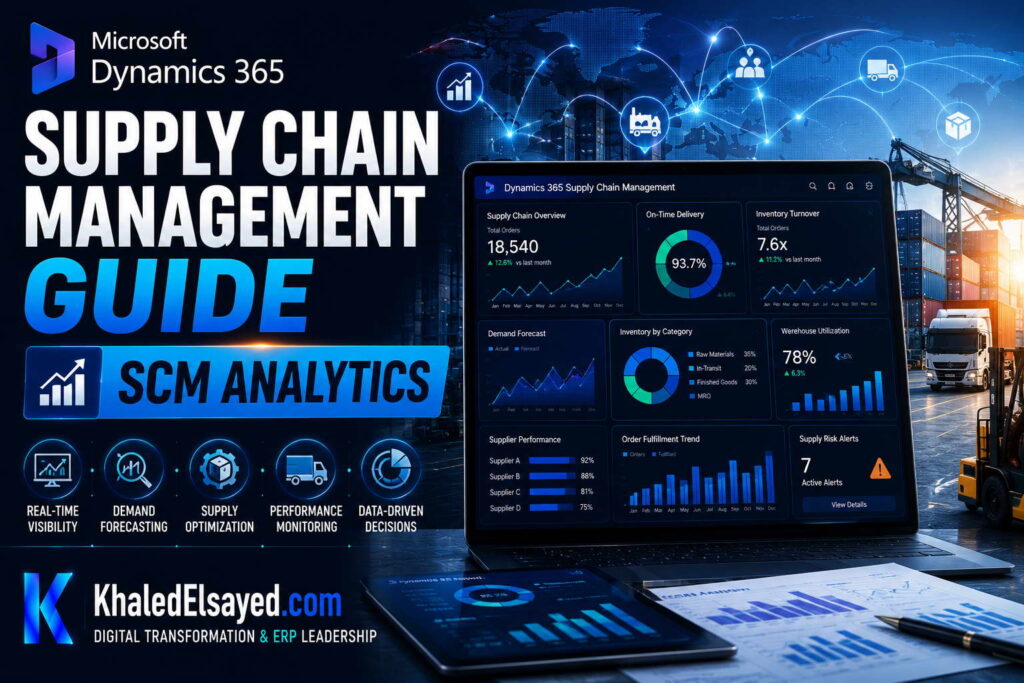
In my years leading digital transformation across enterprise IT environments, I have seen supply chain managers react to problems only after they occur. When advising organizations on dynamics 365 supply chain management, I emphasize that modern scm is about predictive, not reactive, analytics. In this guide, I will explain how inventory management and procurement analytics drive proactive decisions, providing a comprehensive dynamics 365 supply chain management guide for data-driven leaders.
What is SCM Analytics in Dynamics 365?
From a strategic IT leadership perspective, dynamics 365 supply chain management analytics is the convergence of operational data and AI. One of the most common challenges I encounter is “report lag” where data is weeks old. This module provides real-time Power BI dashboards embedded directly into the ERP interface. In enterprise environments I have worked with, we have used these to reduce stockouts by predicting demand shifts before they happen.
The scm analytics suite includes demand forecasting, inventory valuation, and procurement spend analysis.
How SCM Analytics Works
Based on my observations, dynamics 365 supply chain management guide requires understanding the data flow. How it works: The system uses Azure Data Lake to aggregate transactional data (sales, receipts, transfers). AI models (built-in) analyze historical patterns to predict future demand.
I have configured “Inventory Visibility” dashboards that show real-time ATP (Available to Promise) and recommended safety stock levels.
Key Features of SCM Analytics
Throughout my ERP implementations, I highlight these essential features:
| Feature | Function | Business Impact |
|---|---|---|
| Demand Forecasting\n | ML predicts future sales by product\n | Reduces stockouts by 30% |
| Inventory KPIs\n | Turn rates, days on hand, write-off trends\n | Identifies slow-moving cash traps |
| Procurement Spend\n | Analyze spend by vendor and category\n | 8-12% cost savings via negotiation |
| Vendor Scorecard\n | On-time delivery, quality, pricing compliance\n | Optimizes supplier selection |
Benefits and Business Value
When advising organizations on inventory management and procurement, I focus on these analytic benefits:
Predictive Maintenance: IoT integration alerts before a machine fails.
Cash Flow Visibility: Real-time dashboards show inventory value as a percentage of assets.
What-If Scenarios: I have used the “Supply Chain Simulation” to test the impact of supplier delays.
Common Challenges and Solutions (Real-World Experience)
I rarely see software failures; I see data hygiene failures. Challenge: Garbage In, Garbage Out. AI forecasts are useless if sales orders aren’t entered daily. My solution: Enforce a “No backlog” policy for order entry before implementing predictive analytics.
Challenge: Data Overload. Too many dashboards cause confusion. My professional advice: Start with just three KPIs: Inventory Turn, On-Time Delivery, and Forecast Accuracy.
Best Practices from Real ERP Implementations
Based on my project management experience, here are best practices for dynamics 365 supply chain management analytics. Cleanse Master Data First. AI cannot fix inconsistent product descriptions.
Security Considerations: In enterprise environments I have worked with, we leverage Azure Active Directory (Azure AD) for single sign-on (SSO) and role-based access control (RBAC). We restrict margin data to senior buyers only.
Implementation Roadmap (High-Level)
For a successful dynamics 365 supply chain management guide analytics implementation:
Phase 1 (Data Audit – 4 weeks): Identify missing data fields (lead times, weights).
Phase 2 (Configuration – 6 weeks): Set up Power BI connectors and dashboard templates.
Phase 3 (Training – 4 weeks): Teach planners how to interpret forecast graphs.
Phase 4 (Go-Live): Roll out executive dashboards first.
My Professional Perspective
When advising executives on dynamics 365 supply chain management, I tell them that analytics is only as good as the culture of action. The scm suite provides the fastest forecasting engine on the market, but it requires planners to trust the machine. My strategic advice is to start with “Forecast Collaboration.” Run the AI forecast and the human forecast in parallel for 3 months. When the AI wins (and it will), trust builds, and you can switch to automation.
Frequently Asked Questions
Does Dynamics 365 SCM require a separate data warehouse for analytics?
No. In my experience, the built-in Power BI integration queries the operational database directly via DirectQuery, eliminating the need for a separate warehouse.
How does demand forecasting handle seasonality?
The AI models automatically detect seasonal patterns (e.g., holiday spikes) and adjust forecasts accordingly.
What is the difference between descriptive and predictive analytics in SCM?
Descriptive tells you what happened (last month’s sales). Predictive tells you what will happen (next month’s sales). Both are available in dynamics 365.
What are the hidden costs of analytics?
From a budget perspective, I always warn about data cleansing. Dirty data leads to bad forecasts, leading to stockouts.
Can I export SCM analytics to Excel?
Yes. All dashboards support export to Excel and PDF for offline meetings.
How long does an analytics implementation take?
In real-world implementations I have led, basic KPI dashboards take 2-4 weeks. Full AI demand forecasting takes 8-12 weeks.
Conclusion
Understanding scm analytics within dynamics 365 supply chain management is essential for any organization seeking to move from reactive firefighting to proactive planning. In my years of leading digital transformation, I have found that AI-driven demand forecasting reduces inventory waste by over 20%. My professional recommendation is to prioritize the cleansing of your sales history data. The quality of your predictions is directly proportional to the quality of your historical data, unlocking the true power of inventory management and procurement analytics.
Meta Description: Digital transformation expert Khaled Elsayed Sqawa explains SCM analytics in Dynamics 365, covering demand forecasting, AI predictions, and real-time inventory KPIs.
Suggested Tags: Dynamics 365 SCM, Supply Chain Analytics, Demand Forecasting, Power BI
Khaled Elsayed Sqawa
I am Khaled Elsayed Sqawa, a Senior IT Manager, Digital Transformation Leader, and ERP Consultant with more than 19 years of experience in Information Technology, Digital Transformation, Enterprise Infrastructure, Cybersecurity, Cloud Computing, and ERP Systems.
Throughout my career, I have led large-scale technology initiatives across the FMCG, Manufacturing, Education, and Non-Profit sectors, helping organizations modernize their operations, optimize business processes, strengthen cybersecurity, and leverage technology as a strategic driver of growth and operational excellence.
My expertise covers Digital Transformation Strategy, ERP Implementation and Optimization, Enterprise Infrastructure Management, Cloud Architecture, Cybersecurity, IT Governance, Business Continuity, IT Service Management, Data Centers, Vendor Management, Budget Planning, Process Automation, and Technology Leadership. I have successfully implemented and managed Odoo ERP, Microsoft Dynamics, Microsoft Great Plains, Microsoft 365, Google Workspace, Oracle Cloud Infrastructure, Sophos Firewall, FortiGate Security Solutions, and enterprise network environments.
Currently, I serve as Digital Transformation and Information Technology Manager, where I lead ERP modernization, workflow automation, cybersecurity enhancement, infrastructure development, e-learning platforms, and organization-wide digital transformation initiatives. Throughout my professional journey, I have also held leadership positions including Group IT Section Head and IT Section Head, managing enterprise environments, multi-site operations, nationwide IT support services, infrastructure modernization programs, and business-critical technology projects.
I hold a Bachelor’s Degree in Information Systems and a broad portfolio of internationally recognized professional certifications, including:
• Oracle Cloud Infrastructure Architect Professional
• SAP Technology Consultant
• Google Project Management Professional Certificate
• Google Cybersecurity Professional Certificate
• Microsoft Certified Systems Administrator (MCSA)
• Microsoft Certified Business Management Solutions Specialist (Dynamics Specialist)
• ServiceNow IT Leadership Professional Certificate
• Succeeding as a Senior Manager Professional Certificate
• IT Service Management ISO 20000 Professional Certificate
• Google IT Support Professional Certificate
• ITIL 4 Foundation (Self Study)
I believe that technology should not merely support business operations—it should transform them. My mission is to bridge the gap between business objectives and technology capabilities, enabling organizations to achieve sustainable growth, operational excellence, digital resilience, and long-term success.
Khaled Elsayed Sqawa
خالد السيد سقاوة
Senior IT Manager | Digital Transformation Leader | ERP Consultant | Cloud & Infrastructure Architect
Website: https://www.khaledelsayed.com
LinkedIn: https://www.linkedin.com/in/khaled-elsayed-it

dynamics 365 vs sap business one, dynamics 365 vs acumatica, microsoft dynamics vs oracle netsuite, zoho one vs microsoft dynamics 365, zoho microsoft dynamics 365, microsoft dynamics 365 zapier, youtube microsoft dynamics 365, your microsoft dynamics 365 session is about to expire, youtube microsoft dynamics 365 for finance and operations, youtube microsoft dynamics 365 business central, youtube microsoft dynamics 365 sales, xrmtoolbox for microsoft dataverse and microsoft dynamics 365, xrmtoolbox for microsoft dynamics 365, what is microsoft dynamics 365, what is microsoft dynamics 365 used for, what is microsoft dynamics 365 business central, what is microsoft dynamics 365 crm, what is microsoft dynamics 365 finance and operations, what is microsoft dynamics 365 erp, what is microsoft dynamics 365 f&o, what is microsoft dynamics 365 ce, what is microsoft dynamics 365 sales, what is microsoft dynamics 365 finance, versions of microsoft dynamics 365, video microsoft dynamics 365, veeam backup for microsoft dynamics 365, vat returns microsoft dynamics 365, udemy microsoft dynamics 365, using microsoft dynamics 365 for finance and operations, use of microsoft dynamics 365, ultimate microsoft dynamics 365 crm for enterprises, unified service desk for microsoft dynamics 365, trial microsoft dynamics 365, training microsoft dynamics 365, tutorial microsoft dynamics 365, tcs microsoft dynamics 365 jobs, top companies using microsoft dynamics 365, types of microsoft dynamics 365, time & attendance for microsoft dynamics 365, tell me about microsoft dynamics 365, ssis integration toolkit for microsoft dynamics 365, start a free trial microsoft dynamics 365, sap vs microsoft dynamics 365, salesforce vs microsoft dynamics 365, supply chain management microsoft dynamics 365, software microsoft dynamics 365, sla microsoft dynamics 365, salary for microsoft dynamics 365, rsm microsoft dynamics 365, reddit microsoft dynamics 365, reviews of microsoft dynamics 365, release notes microsoft dynamics 365, rsat microsoft dynamics 365, que es microsoft dynamics 365, quote manager cpq for microsoft dynamics 365, programming microsoft dynamics 365 business central, partner microsoft dynamics 365, price of microsoft dynamics 365, pros and cons of microsoft dynamics 365, plugins in microsoft dynamics 365, power apps microsoft dynamics 365, power automate microsoft dynamics 365, power bi microsoft dynamics 365, oracle netsuite vs microsoft dynamics 365, omnichannel microsoft dynamics 365, overview of microsoft dynamics 365, odoo vs microsoft dynamics 365, oracle erp vs microsoft dynamics 365, order to cash microsoft dynamics 365, navision microsoft dynamics 365, netsuite vs microsoft dynamics 365, n8n microsoft dynamics 365, new features microsoft dynamics 365, mb 500 microsoft dynamics 365, mastering microsoft dynamics 365 business central, microsoft 365 vs microsoft dynamics 365, mb 310 microsoft dynamics 365 finance, mb 910 microsoft dynamics 365 fundamentals, modules in microsoft dynamics 365, mrp microsoft dynamics 365, microsoft learn microsoft dynamics 365, learn microsoft dynamics 365, logo microsoft dynamics 365, learn microsoft dynamics 365 finance and operations, lcs microsoft dynamics 365, login microsoft dynamics 365, latest version of microsoft dynamics 365, list of companies using microsoft dynamics 365, learn microsoft dynamics 365 business central, knowledge search knowledge microsoft dynamics 365, key features of microsoft dynamics 365, kpmg microsoft dynamics 365, keepit backup for microsoft dynamics 365, jobs in microsoft dynamics 365, javascript in microsoft dynamics 365, microsoft dynamics 365 login, microsoft dynamics 365 course, microsoft dynamics 365 certification, is microsoft dynamics 365 an erp, is microsoft dynamics 365 free, is microsoft dynamics 365 easy to learn, is microsoft dynamics 365 a crm, introduction to microsoft dynamics 365, is microsoft dynamics 365 the same as business central, is microsoft dynamics 365 cloud based, implementing microsoft dynamics 365 for finance and operations, install microsoft dynamics 365, how to use microsoft dynamics 365, how to learn microsoft dynamics 365, how to access microsoft dynamics 365, how much does microsoft dynamics 365 cost, how does microsoft dynamics 365 work, how to get microsoft dynamics 365 certification, how to install microsoft dynamics 365, how old is microsoft dynamics 365, how many companies use microsoft dynamics 365, globalization solution for microsoft dynamics 365 finance, genesys microsoft dynamics 365 connector, microsoft dynamics 365 crm, microsoft dynamics 365 erp, microsoft dynamics 365 finance and operations, general ledger microsoft dynamics 365, gartner magic quadrant microsoft dynamics 365, getting started with microsoft dynamics 365, free microsoft dynamics 365 training courses, functional consultant microsoft dynamics 365, field service microsoft dynamics 365, free trial microsoft dynamics 365, features of microsoft dynamics 365, future of microsoft dynamics 365, free microsoft dynamics 365, free microsoft dynamics 365 certification, erp microsoft dynamics 365, erp system microsoft dynamics 365, erp microsoft dynamics 365 business central, erp microsoft dynamics 365 login, erp software microsoft dynamics 365, microsoft dynamics 365 finance and operations erp, erp microsoft dynamics 365 price, edi microsoft dynamics 365, download microsoft dynamics 365, does microsoft dynamics 365 have payroll, difference between sap and microsoft dynamics 365, demo microsoft dynamics 365, download microsoft dynamics 365 business central, does microsoft dynamics 365 require coding, data export service for microsoft dynamics 365, dashboard microsoft dynamics 365, crm microsoft dynamics 365, crm microsoft dynamics 365 login, cost of microsoft dynamics 365, certification microsoft dynamics 365, crm microsoft dynamics 365 training, companies using microsoft dynamics 365, consultant microsoft dynamics 365, customer insights microsoft dynamics 365, business central microsoft dynamics 365, business central sign in microsoft dynamics 365, benefits of microsoft dynamics 365, business management microsoft dynamics 365, best microsoft dynamics 365 partners india, bank reconciliation in microsoft dynamics 365, best way to learn microsoft dynamics 365, business applications microsoft dynamics 365, backup microsoft dynamics 365, advanced find microsoft dynamics 365, microsoft dynamics 365, alternate keys in microsoft dynamics 365, ax microsoft dynamics 365, microsoft dynamics 365 business central, a microsoft dynamics 365 window was unable to open, ai in microsoft dynamics 365, access microsoft dynamics 365, accenture microsoft dynamics 365, advantages of microsoft dynamics 365, microsoft dynamics vs oracle erp cloud, microsoft dynamics 365 zertifizierung, microsoft dynamics 365 zertifizierungen, microsoft dynamics 365 zertifikat, microsoft dynamics 365 zeiterfassung, microsoft dynamics 365 youtube, microsoft dynamics 365 youtube channel, microsoft dynamics 365 year, microsoft dynamics 365 tutorial youtube, microsoft dynamics 365 crm youtube, microsoft dynamics 365 erp youtube, microsoft dynamics 365 training youtube, microsoft dynamics 365 finance youtube, microsoft dynamics 365 x++, microsoft dynamics 365 xero integration, microsoft dynamics 365 xrm, microsoft dynamics 365 vs xero, microsoft dynamics 365 v9 x64, microsoft dynamics 365 fetch xml, microsoft dynamics 365 شرح, microsoft dynamics 365 what is it, microsoft dynamics 365 warehouse management system, microsoft dynamics 365 wave 1 2026, microsoft dynamics 365 wms, microsoft dynamics 365 wiki, microsoft dynamics 365 warehouse management, microsoft dynamics 365 website, microsoft dynamics 365 what does it do, microsoft dynamics 365 web api, microsoft dynamics 365 warehouse, microsoft dynamics 365 vs salesforce, microsoft dynamics 365 vs sap, microsoft dynamics 365 vs business central, microsoft dynamics 365 vs microsoft 365, microsoft dynamics 365 versions, microsoft dynamics 365 vs netsuite, microsoft dynamics 365 vs oracle erp, microsoft dynamics 365 vs sap s 4hana, microsoft dynamics 365 videos, microsoft dynamics 365 vs hubspot, microsoft dynamics 365 user manual pdf, microsoft dynamics 365 uses, microsoft dynamics 365 update schedule, microsoft dynamics 365 updates, microsoft dynamics 365 ui, microsoft dynamics 365 user guide, microsoft dynamics 365 udemy, microsoft dynamics 365 ui kit, microsoft dynamics 365 user interface, microsoft dynamics 365 uptime sla, microsoft dynamics 365 training, microsoft dynamics 365 training courses, microsoft dynamics 365 tutorial, microsoft dynamics 365 trial, microsoft dynamics 365 trial login, microsoft dynamics 365 tutorial for beginners, microsoft dynamics 365 ticketing system, microsoft dynamics 365 technical consultant, microsoft dynamics 365 training institutes in hyderabad, microsoft dynamics 365 trial account, microsoft dynamics 365 sales, microsoft dynamics 365 supply chain management, microsoft dynamics 365 supply chain, microsoft dynamics 365 scm, microsoft dynamics 365 sign in, microsoft dynamics 365 sales pricing, microsoft dynamics 365 salary, microsoft dynamics 365 sales trial, microsoft dynamics 365 supply chain management certification, microsoft dynamics 365 sales crm, microsoft dynamics 365 reviews, microsoft dynamics 365 report authoring extension, microsoft dynamics 365 remote assist, microsoft dynamics 365 roadmap, microsoft dynamics 365 reddit, microsoft dynamics 365 release date, microsoft dynamics 365 release wave 1 2026, microsoft dynamics 365 revenue, microsoft dynamics 365 reporting, microsoft dynamics 365 retail, microsoft dynamics 365 que es, microsoft dynamics 365 quality management, microsoft dynamics 365 quotes, microsoft dynamics 365 qa tester, microsoft dynamics 365 questions and answers, microsoft dynamics 365 quickbooks integration, microsoft dynamics 365 query, microsoft dynamics 365 queues, microsoft dynamics 365 qatar, microsoft dynamics 365 quora, microsoft dynamics 365 pricing, microsoft dynamics 365 project operations, microsoft dynamics 365 partner, microsoft dynamics 365 power platform, microsoft dynamics 365 products, microsoft dynamics 365 pos, microsoft dynamics 365 payroll, microsoft dynamics 365 pricing uk, microsoft dynamics 365 project management, microsoft dynamics 365 partners list, microsoft dynamics 365 overview, microsoft dynamics 365 on premise end of life, microsoft dynamics 365 online training, microsoft dynamics 365 operations, microsoft dynamics 365 operations functional, microsoft dynamics 365 on premise, microsoft dynamics 365 outage, microsoft dynamics 365 outlook plugin, microsoft dynamics 365 outlook, microsoft dynamics 365 online, microsoft dynamics 365 navision, microsoft dynamics 365 nonprofit pricing, microsoft dynamics 365 nav, microsoft dynamics 365 nonprofit accelerator, microsoft dynamics 365 nonprofit, microsoft dynamics 365 new features, microsoft dynamics 365 news, microsoft dynamics 365 new logo, microsoft dynamics 365 not working, microsoft dynamics 365 navigation, microsoft dynamics 365 marketing, microsoft dynamics 365 modules, microsoft dynamics 365 meaning, microsoft dynamics 365 manufacturing, microsoft dynamics 365 mcp server, microsoft dynamics 365 mobile app, microsoft dynamics 365 mb 310 certification, microsoft dynamics 365 marketplace, microsoft dynamics 365 mcp, microsoft dynamics 365 mrp, microsoft dynamics 365 logo, microsoft dynamics 365 licensing guide, microsoft dynamics 365 learning, microsoft dynamics 365 logo png, microsoft dynamics 365 license cost, microsoft dynamics 365 license, microsoft dynamics 365 logo svg, microsoft dynamics 365 licensing guide 2026, microsoft dynamics 365 launch date, microsoft dynamics 365 knowledge management, microsoft dynamics 365 kya hai, microsoft dynamics 365 key features, microsoft dynamics 365 knowledge base, microsoft dynamics 365 kenya, microsoft dynamics 365 kya hai in hindi, microsoft dynamics 365 keyboard shortcuts, microsoft dynamics 365 kanban, microsoft dynamics 365 kurs, microsoft dynamics 365 knowledge articles, microsoft dynamics 365 jobs, microsoft dynamics 365 jobs for freshers, microsoft dynamics 365 jobs in usa, microsoft dynamics 365 jobs remote, microsoft dynamics 365 jobs in india, microsoft dynamics 365 jobs in bangalore, microsoft dynamics 365 jobs in uk, microsoft dynamics 365 jobs in uae, microsoft dynamics 365 jobs in pakistan, microsoft dynamics 365 jobs in hyderabad, microsoft dynamics 365 icon, microsoft dynamics 365 integrations, microsoft dynamics 365 interface, microsoft dynamics 365 interview questions, microsoft dynamics 365 issues today, microsoft dynamics 365 interview questions and answers, microsoft dynamics 365 india, microsoft dynamics 365 install, microsoft dynamics 365 introduction, microsoft dynamics 365 is erp, microsoft dynamics 365 human resources, microsoft dynamics 365 hr, microsoft dynamics 365 hr module, microsoft dynamics 365 how to use, microsoft dynamics 365 healthcare, microsoft dynamics 365 home page, microsoft dynamics 365 help, microsoft dynamics 365 history, microsoft dynamics 365 hybrid connector, microsoft dynamics 365 hris, microsoft dynamics 365 guides, microsoft dynamics 365 government, microsoft dynamics 365 gp, microsoft dynamics 365 great plains, microsoft dynamics 365 github, microsoft dynamics 365 gartner magic quadrant, microsoft dynamics 365 guides download, microsoft dynamics 365 gold partner, microsoft dynamics 365 general ledger, microsoft dynamics 365 gcc high, microsoft dynamics 365 finance, microsoft dynamics 365 field service, microsoft dynamics 365 free trial, microsoft dynamics 365 f&o, microsoft dynamics 365 finance and operations modules, microsoft dynamics 365 fundamentals, microsoft dynamics 365 finance and operations certification, microsoft dynamics 365 finance & operations (f&o), microsoft dynamics 365 fundamentals certification, microsoft dynamics 365 erp modules, microsoft dynamics 365 erp certification, microsoft dynamics 365 erp pricing, microsoft dynamics 365 erp training, microsoft dynamics 365 erp system, microsoft dynamics 365 explained, microsoft dynamics 365 end of life, microsoft dynamics 365 examples, microsoft dynamics 365 erp course, microsoft dynamics 365 download, microsoft dynamics 365 developer, microsoft dynamics 365 demo, microsoft dynamics 365 documentation, microsoft dynamics 365 dashboard, microsoft dynamics 365 developer jobs, microsoft dynamics 365 download free, microsoft dynamics 365 down, microsoft dynamics 365 demo video, microsoft dynamics 365 dark mode, microsoft dynamics 365 customer service, microsoft dynamics 365 ce, microsoft dynamics 365 cost, microsoft dynamics 365 contact center, microsoft dynamics 365 customer engagement, microsoft dynamics 365 customer insights, microsoft dynamics 365 commerce, microsoft dynamics 365 business central logo, microsoft dynamics 365 business, microsoft dynamics 365 business central pricing, microsoft dynamics 365 business central login, microsoft dynamics 365 business central training, microsoft dynamics 365 business central certification, microsoft dynamics 365 bc, microsoft dynamics 365 business central price, microsoft dynamics 365 business central download, microsoft dynamics 365 adalah, microsoft dynamics 365 accounting software, microsoft dynamics 365 app, microsoft dynamics 365 api, microsoft dynamics 365 api documentation, microsoft dynamics 365 accounting, microsoft dynamics 365 admin center, microsoft dynamics 365 applications, microsoft dynamics 365 app for outlook, microsoft dynamics 365 ai,