Learn ERP in 30 Seconds: The Core Components of ERP Systems
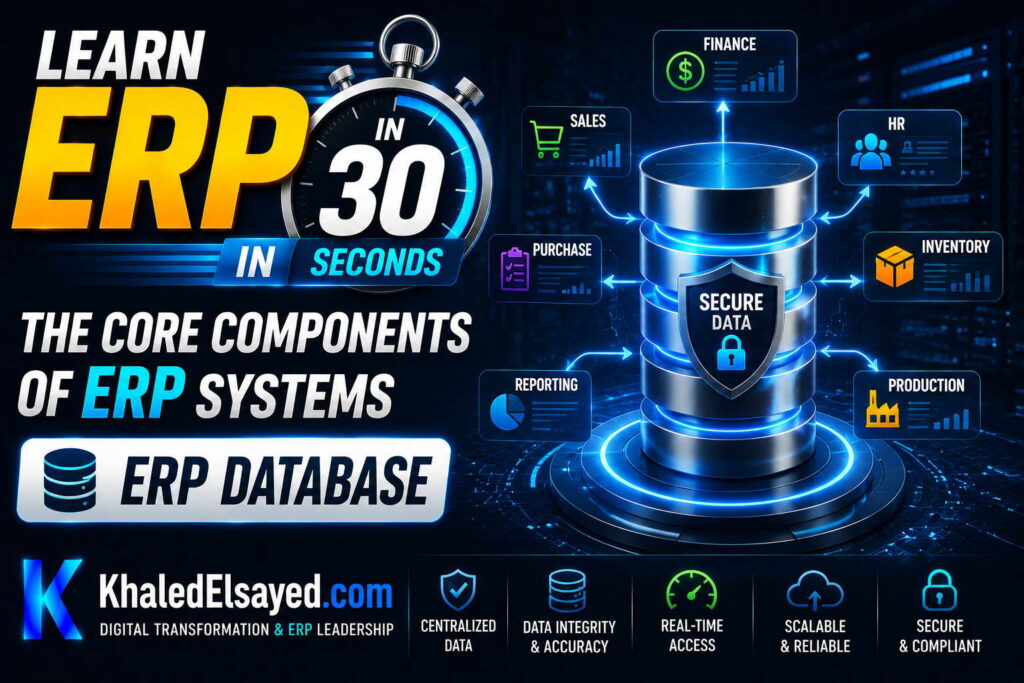
ERP Database
In my years leading digital transformation across enterprise IT environments, I have found that the database is the heart of any erp system. All erp components and erp modules depend on it. Understanding the erp database is essential for performance optimization and troubleshooting. This guide explains the core components of erp systems explained from the database perspective—drawing directly from real-world implementations.
The Central Database: Core of ERP Architecture
The erp database is a centralized repository that stores all transactional and master data. Finance tables, inventory tables, sales tables, HR tables—all in one database. Unlike disconnected systems where each application has its own database, ERP uses a single database shared by all erp modules. This centralization is what enables real-time visibility and eliminates reconciliation.
From my experience, the database is the most critical erp component. If the database fails, the entire ERP fails. If the database is slow, every module is slow. Database architecture decisions—schema design, indexing, partitioning—determine ERP performance for years.
Core components of erp systems explained from database view: tables (store data), indexes (speed retrieval), relationships (link tables), transactions (ensure consistency), and stored procedures (encapsulate logic).
Core Database Tables
ERP databases contain hundreds of tables. Most critical tables by module: Financial tables: GL accounts (general ledger), journal entries, budgets, financial reports. Inventory tables: items (products, raw materials), item categories, units of measure, inventory transactions (receipts, issues, adjustments), stock levels by location. Sales tables: customers, sales orders, order lines, shipments, invoices, credit memos, customer payments. Purchasing tables: vendors, purchase orders, PO lines, receipts, vendor invoices, vendor payments. Manufacturing tables: bills of materials (BOM), work orders, routings, production transactions. HR tables: employees, departments, payroll, time sheets, benefits.
From my technical assessments, the most frequently accessed tables are customers, items, orders, and inventory. These tables must be optimized for fast read/write. Proper indexing on these tables is essential.
Each table has columns (fields) and rows (records). Example customers table columns: customer_id (primary key, unique identifier), name, address, city, state, zip, phone, email, credit_limit, credit_used, account_balance, payment_terms, status (active/inactive). Example customers table row: 12345, “ABC Corp”, “123 Main St”, “Chicago”, “IL”, “60601”, “312-555-1234”, “sales@abccorp.com”, 50000, 25000, 25000, “Net30”, “active”.
Database Relationships: Linking Tables
Tables are linked through relationships (foreign keys). A sales order belongs to a customer—orders.customer_id references customers.customer_id. An order line belongs to an order—order_lines.order_id references orders.order_id. An order line references an item—order_lines.item_id references items.item_id.
From my experience, these relationships maintain referential integrity. You cannot create an order for a non-existent customer. You cannot create an order line for a non-existent order. The database enforces these rules, preventing orphaned records.
Relationship types: one-to-one (customer to customer_detail—each customer has one detail record). one-to-many (customer to orders—one customer, many orders). many-to-many (orders to items—many orders contain many items, resolved via order_lines junction table).
Erp components rely on these relationships. The sales module reads customers and orders. The inventory module reads order_lines and items. The finance module reads orders and GL accounts. Relationships enable modules to share data without duplication.
Indexes: Speed Up Data Retrieval
Indexes dramatically speed up SELECT queries. Without index, finding a specific order requires scanning every order row (full table scan). With index on order_id, database finds row in milliseconds.
From my technical assessments, missing indexes are the most common performance problem. Common ERP indexes: primary key indexes on every table (customer_id, order_id, item_id). foreign key indexes on relationship columns (orders.customer_id, order_lines.order_id, order_lines.item_id). business key indexes (customers.name, orders.order_date, inventory.item_code).
Index guidelines: index columns used in WHERE clauses (WHERE customer_id = 12345, WHERE order_date = ‘2024-01-01’). index columns used in JOIN conditions (orders JOIN customers ON orders.customer_id = customers.customer_id). index columns used in ORDER BY (ORDER BY order_date). Each index speeds reads but slows writes (insert, update, delete). Balance is key.
Transactions: Ensuring Data Consistency
Transactions group multiple database operations into atomic units. Either all succeed or all fail. Example: creating sales order requires inserting order header, inserting order lines, updating inventory, updating customer credit. If any operation fails (inventory insufficient), entire transaction rolls back—no partial updates.
From my experience, transactions are essential for erp modules to maintain consistency. Without transactions, you could reserve inventory without creating order—inconsistent. With transactions, order creation and inventory reservation are atomic—both succeed or both fail.
Transaction properties (ACID): Atomicity (all or nothing), Consistency (integrity constraints maintained), Isolation (concurrent transactions don’t interfere), Durability (committed transactions survive crashes). ERP databases must be ACID-compliant.
Stored Procedures and Business Logic
Stored procedures are SQL code stored in the database. They encapsulate complex business logic close to data. Examples: sp_calculate_inventory_value (computes inventory value by location), sp_generate_financial_statements (produces P&L, balance sheet), sp_reorder_items (identifies items below reorder point).
From my technical assessments, stored procedures offer performance benefits. They execute in the database server, reducing network traffic. They are pre-compiled, faster than ad-hoc SQL. However, excessive stored procedure logic makes ERP harder to maintain (business logic in two places: application server and database).
Best practice: keep business logic in application server for maintainability. Use stored procedures only for performance-critical operations that process large data volumes.
ERP Database Components Summary
The following database components reflect current enterprise realities based on my implementation experience:
| Component | Purpose | Performance Impact | Best Practice |
|---|---|---|---|
| Tables | Store data (rows and columns) | Fundamental | Normalize to 3NF for OLTP |
| Relationships | Link tables, maintain referential integrity | Medium (join performance) | Index foreign key columns |
| Indexes | Speed data retrieval | Critical (milliseconds vs minutes) | Index foreign keys, frequent search columns |
| Transactions | Group operations, ensure consistency | Medium (lock duration) | Keep transactions short, retry on deadlock |
| Stored procedures | Encapsulate business logic | High (pre-compiled, reduced network) | Use for performance-critical, not all logic |
Common Challenges and Solutions
Organizations face specific database challenges. Slow queries due to missing indexes—the solution is analyze slow query logs, add indexes. Another challenge is deadlocks causing transaction failures—the solution is keep transactions short, implement retry logic, optimize lock order. A third challenge is database bloat (unused indexes, fragmented tables)—the solution is regular database maintenance: rebuild indexes, archive old data, update statistics.
Best Practices from Real Implementations
Across my portfolio, several database practices drive success. Index foreign key columns—customer_id, order_id, item_id—for join performance. Use database transactions for multi-table updates—never update related tables in separate transactions. Normalize to third normal form (3NF) for transactional performance—denormalize only for reporting. Monitor database performance—track slow queries, index usage, lock wait times. Finally, archive historical data—move old transactions to history tables, keep active tables small.
Frequently Asked Questions
What is the role of database in ERP system?
The erp database is the central repository for all ERP data—customers, orders, inventory, GL accounts, employees. All erp modules read from and write to the same database. This centralization enables real-time visibility (sales sees inventory, finance sees orders) and eliminates reconciliation (one version of truth). Core components of erp systems explained: the database is the foundation; without it, no other component functions.
Why are database indexes important in ERP?
Database indexes in erp components dramatically speed up data retrieval. Without index, finding a specific order requires scanning every order row (full table scan)—taking minutes. With index on order_id, database finds row in milliseconds. From my experience, missing indexes are the most common performance problem. A manufacturer reduced report runtime from 8 minutes to 2 seconds by adding one index. Index foreign key columns, frequent search columns, and columns used in WHERE clauses.
What is a database transaction and why is it important for ERP?
A database transaction groups multiple operations into a single atomic unit. Either all succeed or all fail. Example: creating a sales order requires inserting order header, inserting order lines, updating inventory, updating customer credit. If any operation fails (inventory insufficient), entire transaction rolls back—no partial updates, no inconsistency. Erp modules rely on transactions to maintain data consistency across functions. Without transactions, you could reserve inventory without creating order—inconsistent. With transactions, consistency is guaranteed.
Meta Title: ERP Database: Core Components Explained | Khaled Sqawa
Meta Description: ERP database explained by digital transformation expert Khaled Elsayed Sqawa. Learn tables, relationships, indexes, transactions, and stored procedures in ERP systems.
ERP Modules
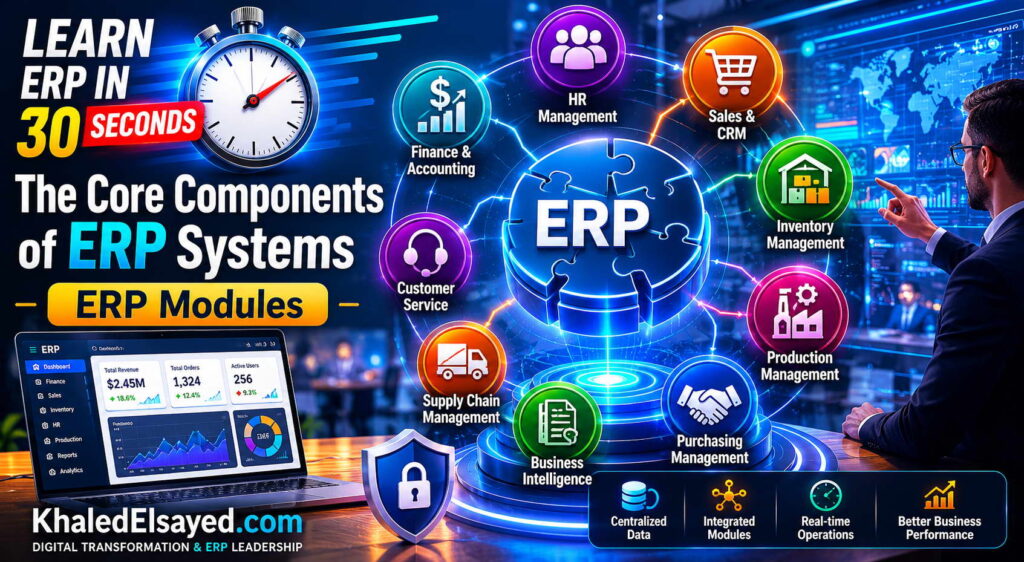
In my years leading digital transformation across enterprise IT environments, I have found that erp modules are the functional building blocks that users interact with daily. Each module serves a specific business function, and together they form a complete erp system. Understanding erp components requires knowing what each module does and how they integrate. This guide explains the core components of erp systems explained through its modules—drawing directly from real-world implementations.
What Are ERP Modules?
Erp modules are functional components that each handle a specific business area. Finance module (general ledger, AP, AR), inventory module (stock tracking, reorder points), sales module (orders, pricing, customers), purchasing module (requisitions, POs, vendors), manufacturing module (BOM, work orders, MRP), HR module (employees, payroll, time tracking).
From my experience, the difference between erp systems and disconnected software is that ERP modules share a common database. The finance module reads inventory data. The sales module reads customer credit from finance. The purchasing module reads demand from sales. Integration is automatic, not bolted-on.
The core components of erp systems explained modularly: each module is optional (you can implement finance without manufacturing), modules integrate automatically (shared database), and modules have consistent user interface (same look and feel across modules).
Financial Management Module
The financial management module is the core of any erp system. It tracks all monetary transactions and produces financial statements. Components: General Ledger (GL): central repository for all financial transactions. Chart of accounts, journal entries, trial balance, balance sheet, income statement, cash flow statement. Accounts Payable (AP): vendor invoices, payment processing, expense tracking. Three-way matching (PO, receipt, invoice), approval workflows, payment scheduling. Accounts Receivable (AR): customer invoices, payment collection, credit management. Invoice generation, payment application, collections management, aging reports. Fixed Assets: depreciation tracking, asset capitalization, disposal processing. Cash Management: bank reconciliation, cash forecasting, electronic payments.
From my experience, the finance module is always implemented first. Without finance, other modules have no financial posting destination. Every sales order, inventory receipt, and production completion posts to GL—finance module must be ready.
Integration: Sales module posts revenue to AR and GL. Purchasing module posts liabilities to AP. Inventory module posts asset values to GL. Manufacturing module posts WIP and COGS to GL.
Inventory Management Module
The inventory module tracks stock levels, movements, and valuations. Components: Item Master: product catalog, SKU management, units of measure, costing method (FIFO, LIFO, weighted average). Stock Tracking: real-time quantity on hand, available to promise (ATP), allocated stock. Receiving: purchase order receipt, quality inspection, putaway to bins. Order Allocation: reserve inventory for sales orders, pick list generation. Cycle Counting: continuous inventory verification without physical count downtime. Inventory Valuation: calculate inventory value for balance sheet, cost of goods sold for P&L.
From my experience, inventory module accuracy is the most common challenge. Organizations with 95%+ inventory accuracy succeed with ERP. Organizations with 80% accuracy struggle—ERP amplifies bad data.
Integration: Sales module reserves inventory when orders placed. Purchasing module increases inventory when receipts processed. Manufacturing module consumes inventory for work orders, produces finished goods.
Sales and Order Management Module
The sales module manages customer orders from entry to fulfillment. Components: Customer Master: customer information, pricing tiers, credit limits, payment terms, shipping addresses. Order Entry: sales order creation, line items, quantities, prices, discounts. Pricing Engine: automatic price calculation based on customer tier, volume, promotions. Credit Checking: verify customer credit limit before order approval. Order Fulfillment: pick, pack, ship process integration. Invoicing: generate invoices upon shipment, send to customer, post to AR.
From my experience, sales module integration with inventory is critical. Real-time available-to-promise prevents overselling. A customer service rep should see current stock before committing to delivery date.
Integration: Inventory module provides availability. Finance module provides credit status. Purchasing module may drop-ship directly to customer.
Purchasing and Procurement Module
The purchasing module manages acquisition of goods and services. Components: Vendor Master: supplier information, payment terms, lead times, performance history. Purchase Requisitions: internal requests for goods, approval workflows. Purchase Orders: create, approve, send POs to vendors. Receiving: match receipts to POs, quality inspection. Vendor Invoices: three-way matching (PO, receipt, invoice), approval, payment scheduling. Vendor Performance: track on-time delivery, quality, pricing compliance.
From my experience, procurement savings of 5-10% are typical with ERP. Spend visibility across departments enables volume negotiation. Approval workflows prevent maverick spending.
Integration: Inventory module triggers purchase requisitions when stock below reorder point. Sales module may generate purchase orders for drop-ship orders. Finance module records liability and processes payment.
Manufacturing Module
The manufacturing module (often called MRP – Material Requirements Planning) manages production. Components: Bill of Materials (BOM): list of components required to produce finished goods. Multi-level BOMs (subassemblies). Work Orders: production instructions, quantity to produce, due date. Routings: sequence of operations, work centers, standard hours. Material Requirements Planning (MRP): calculate component requirements based on production schedule, net against inventory, generate purchase requisitions and work orders. Shop Floor Control: track production progress, labor hours, machine utilization. Quality Management: inspection at receipt and during production.
From my technical assessments, accurate BOMs are essential. A manufacturer reduced material shortages 80% after cleansing BOM data before MRP implementation.
Integration: Sales module provides demand (orders, forecasts). Inventory module provides component availability, receives finished goods. Purchasing module procures components. Finance module values WIP and finished goods inventory.
Human Resources Module
The HR module manages employee data and processes. Components: Employee Master: personal information, job history, compensation, benefits enrollment. Payroll: salary calculation, tax withholding, direct deposit, pay statements. Time and Attendance: clock in/out, overtime calculation, paid time off accrual and requests. Recruiting: applicant tracking, job postings, interview scheduling. Performance Management: goal setting, performance reviews, feedback. Onboarding: new hire paperwork, IT account provisioning, equipment assignment.
From my experience, employee self-service reduces HR administrative work 40-60%. Employees update their own address, bank account, tax withholding, and time off requests.
Integration: Finance module records payroll expenses by department. Project accounting module tracks time against projects. Sales module may calculate commissions based on sales orders.
ERP Modules Summary Table
The following modules reflect current enterprise realities based on my implementation experience:
| Module | Primary Functions | Integrates With | Typical Implementation Order |
|---|---|---|---|
| Financial management | GL, AP, AR, fixed assets, cash management | All modules (every transaction posts to GL) | 1st |
| Inventory management | Item master, stock tracking, receiving, cycle counting | Sales (allocation), purchasing (receipts), manufacturing (consumption) | 2nd (product businesses) |
| Sales management | Order entry, pricing, credit checking, invoicing | Inventory (availability), finance (credit, invoicing) | 2nd-3rd |
| Purchasing management | Requisitions, POs, receiving, vendor invoices | Inventory (receipts), finance (AP), manufacturing (components) | 2nd-3rd |
| Manufacturing (MRP) | BOM, work orders, routings, MRP explosion | Sales (demand), inventory (components), purchasing (procurement) | 3rd (manufacturers only) |
| Human resources | Employee master, payroll, time tracking, recruiting | Finance (payroll costing), projects (time entry) | 4th |
Common Challenges and Solutions
Organizations face specific module challenges. Module overload—purchasing modules you don’t need—the solution is phased implementation: start with finance and inventory, add others when required. Another challenge is module mismatch—manufacturing module inadequate for complex production—the solution is evaluate manufacturing requirements before selection; specialized MES may be needed. A third challenge is integration gaps—modules from different vendors don’t integrate seamlessly—the solution is choose single-vendor ERP over best-of-breed for most organizations.
Best Practices from Real Implementations
Across my portfolio, several module practices drive success. Start with finance and inventory—core modules first, others later. Implement in phases—don’t go-live with all modules simultaneously. Configure before customizing—exhaust configuration options. Train users by module—finance users need different training than warehouse users. Finally, measure module adoption—track login frequency, transaction volume, error rates per module.
Frequently Asked Questions
What are the core modules of an ERP system?
The core erp components are: financial management (GL, AP, AR, fixed assets), inventory management (item master, stock tracking), sales management (order entry, invoicing), purchasing management (requisitions, POs), manufacturing (BOM, work orders, MRP), and human resources (employees, payroll). The core components of erp systems explained simply: finance tracks money, inventory tracks products, sales tracks customers, purchasing tracks vendors, manufacturing tracks production, HR tracks people. All modules share one database—integration automatic.
Can I implement ERP modules one at a time?
Yes, phased implementation is recommended. Start with finance module (always first). Then add inventory and sales for product businesses. Then add purchasing and manufacturing. Finally add HR. Phased implementation reduces risk, allows learning between phases, and spreads investment. However, the database must be designed upfront for all modules—adding modules later should be configuration, not database redesign. Erp modules share tables; you can’t add inventory module without inventory tables already existing.
How do ERP modules integrate with each other?
Erp modules integrate through the shared database. When a sales order is entered (sales module), the system automatically updates inventory (reserve stock) and customer credit (finance module). When goods are received (inventory module), the system automatically updates purchase order status (purchasing module) and creates accounting entries (finance module). No APIs between modules—direct database access. This integration is what distinguishes ERP from disconnected software. Erp systems without automatic cross-module updates are not true ERP.
Meta Title: ERP Modules: Core Components Explained | Khaled Sqawa
Meta Description: ERP modules explained by digital transformation expert Khaled Elsayed Sqawa. Learn finance, inventory, sales, purchasing, manufacturing, and HR components.
Business Logic
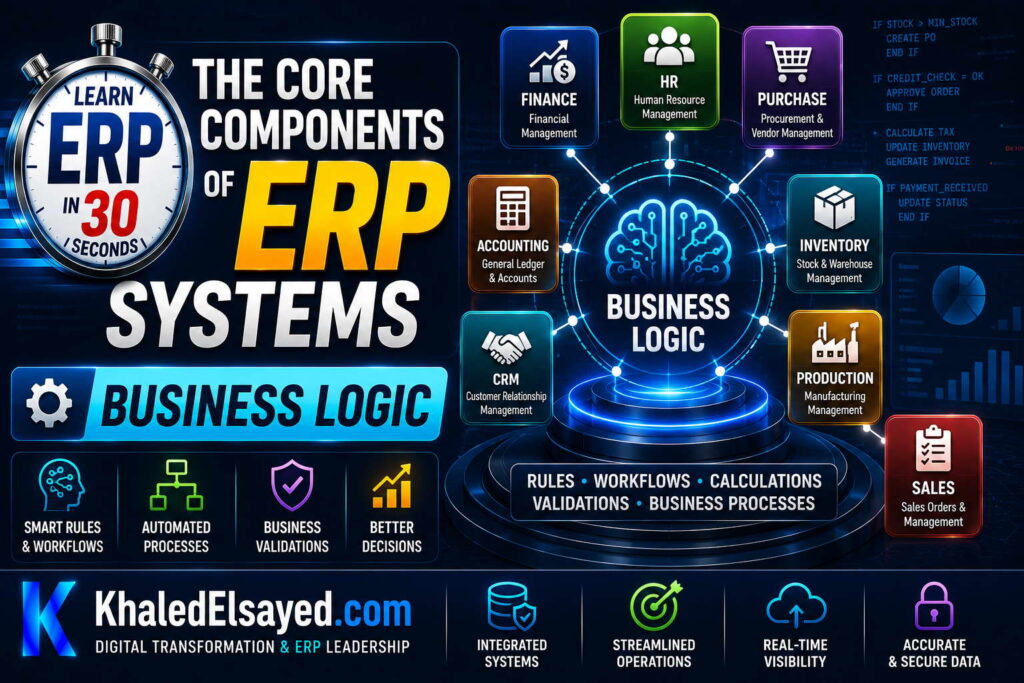
In my years leading digital transformation across enterprise IT environments, I have found that business logic is what transforms ERP from a data repository into an intelligent system. Erp components like modules and database store data, but business logic acts on that data. Understanding erp systems requires understanding where and how business rules are applied. This guide explains the core components of erp systems explained from a business logic perspective—drawing directly from real-world implementations.
What Is Business Logic in ERP?
Business logic is the set of rules, calculations, and workflows that automate business processes. Examples: if inventory falls below reorder point, create purchase requisition. if customer credit limit exceeded, place order on hold. if order total qualifies for volume discount, apply 5% discount. if invoice overdue by 30 days, send payment reminder email.
From my experience, business logic is what makes ERP valuable. Without business logic, ERP is just a database with a user interface—users enter data, system stores it. With business logic, ERP actively manages the business—automating decisions, enforcing rules, triggering actions.
The core components of erp systems explained in terms of business logic: validation logic (ensures data quality), calculation logic (computes values), workflow logic (orchestrates processes), and integration logic (connects to external systems).
Where Business Logic Lives
Business logic in erp systems lives in several layers. Database layer: stored procedures, triggers, constraints. Examples: trigger that updates inventory when order line inserted, constraint preventing negative quantity. Database logic executes closest to data—fastest but hardest to maintain. Application server layer: business logic in programming language (Python, Java, C#). Examples: pricing engine, tax calculator, workflow orchestrator. Application server logic is most maintainable—changes don’t require database migrations. Workflow engine: declarative business rules configured via UI. Examples: purchase requisition approval workflow, order processing automation. Workflow engine logic is most configurable—business analysts can change rules without developers.
From my experience, application server logic is the right place for most business rules. Database logic for performance-critical operations. Workflow engine for rules that change frequently.
Erp modules encapsulate business logic by function. The finance module contains GL posting rules, tax calculation logic, depreciation methods. The inventory module contains reorder point calculation, costing method logic (FIFO, LIFO, weighted average). The sales module contains pricing rules, discount logic, credit checking.
Validation Logic: Ensuring Data Quality
Validation logic prevents bad data from entering the system. Format validation: email address must contain @, date must be valid format, phone number must match pattern. Range validation: quantity must be positive, price between 0 and 10,000, discount between 0 and 100. Existence validation: customer ID must reference valid customer, item ID must reference valid item, currency code must be in currency table. Business rule validation: customer credit limit not exceeded, order total meets minimum order value, shipping address in serviceable region.
From my experience, validation logic is the first line of defense against data quality issues. Organizations with comprehensive validation have 99% data accuracy. Organizations with minimal validation have 95% accuracy—the difference appears as reconciliation effort.
Validation should happen as early as possible. Frontend validation (immediate user feedback). Backend validation (authoritative—cannot be bypassed). Database validation (last resort—constraints prevent corruption).
Calculation Logic: Automating Mathematics
Calculation logic automatically computes values based on input data. Tax calculation: apply tax rate to line items, sum by jurisdiction, handle tax-exempt customers, tax rounding rules. Discount calculation: apply volume discounts (buy 10, get 5% off), promotion discounts (tiered by order total), customer-specific pricing (special agreements). Commission calculation: tiered rates based on sales volume, split commissions across multiple salespeople, clawback on returns. Landed cost allocation: distribute freight, insurance, duty to inventory value by weight, volume, or value. Depreciation calculation: straight-line, declining balance, units of production, MACRS for tax.
From my experience, calculation logic must be auditable. Users need to understand how tax was calculated, why discount applied, how commission earned. Calculation logic should log inputs and outputs for audit trail.
Workflow Logic: Orchestrating Processes
Workflow logic automates sequences of actions across users and systems. Purchase requisition approval: requester submits → manager approval (if under $5,000) → finance approval (if over $5,000) → auto-create purchase order. Order processing: order entered → check credit → reserve inventory → create pick list → send to warehouse → generate invoice upon shipment. Employee onboarding: HR creates record → create user account → assign permissions → provision laptop → assign desk → schedule orientation.
From my experience, workflow logic eliminates manual handoffs. Before workflow: 5-10 day approval cycle. After workflow: 4-24 hours. The key is designing for exceptions: credit failure, inventory shortage, approval delay.
Workflow components: triggers (what starts the workflow?), conditions (branching logic), actions (what the system does), approvers (human steps), deadlines (time limits), escalation (if approver doesn’t act).
Configurable vs Custom Logic
Configurable logic is set via admin interface—no coding. Tax rates (percentage, effective dates), approval thresholds (amounts that trigger approval), pricing rules (discount percentages by customer tier), workflow approvers (roles, deadlines). Configuration changes take minutes, survive upgrades, can be modified by business analysts.
Custom logic requires modifying source code. Unique commission calculation not supported by configuration, industry-specific logic, integration with proprietary system. Customization changes take weeks, must be re-tested with each upgrade, require developers.
From my experience, organizations should configure whenever possible. The 80/20 rule: configure 80% of logic, customize only the 20% that provides competitive advantage. Erp systems with excessive customization (over 20%) have 3-5x higher total cost of ownership.
Business Logic Types Summary
The following business logic types reflect current enterprise realities based on my implementation experience:
| Logic Type | Purpose | Examples | Location |
|---|---|---|---|
| Validation logic | Prevent bad data | Format, range, existence, business rule validation | Frontend + backend + database |
| Calculation logic | Automate mathematics | Tax, discount, commission, depreciation | Application server |
| Workflow logic | Orchestrate processes | Approvals, order processing, onboarding | Workflow engine |
| Integration logic | Connect external systems | API calls, data transformation, retry logic | Middleware |
Common Challenges and Solutions
Organizations face specific business logic challenges. Logic duplication—same rules in multiple places (frontend, backend, database) causing inconsistency—the solution is backend as single source of truth; other layers call backend. Another challenge is excessive customization—customizing logic that could be configured—the solution is exhaust configuration options before customizing; document why configuration insufficient. A third challenge is hard-coded values—tax rates, discount percentages embedded in code—the solution is external configuration (database tables, environment variables).
Best Practices from Real Implementations
Across my portfolio, several business logic practices drive success. Keep business logic in backend—single source of truth. Configure before customizing—exhaust configuration options. Use workflow engine for approval processes—changes without coding. Make calculations auditable—log inputs and outputs. Finally, externalize configuration—tax rates, discount percentages, approval thresholds in database, not code.
Frequently Asked Questions
What is business logic in ERP?
Business logic in erp systems is the set of rules, calculations, and workflows that automate business processes. Examples: if inventory low, create purchase order. if customer credit exceeded, hold order. if order total qualifies, apply discount. Erp components like modules and database store data; business logic acts on that data. Without business logic, ERP is just a data repository. With business logic, ERP actively manages the business—automating decisions, enforcing rules, triggering actions.
Where should business logic be placed in ERP architecture?
Business logic should be placed in the application server layer for most rules—most maintainable, changes don’t require database migrations. Use database layer (stored procedures, triggers) for performance-critical operations that process large data volumes. Use workflow engine for approval rules that change frequently—business analysts can modify without developers. Keep frontend logic for presentation only—no business rules. Core components of erp systems explained: separation of concerns—each layer has distinct responsibilities.
What is the difference between configurable and custom business logic?
Configurable business logic is set via admin interface—no coding. Examples: tax rates, approval thresholds, discount percentages, workflow approvers. Configuration changes take minutes, survive upgrades, can be modified by business analysts. Custom business logic requires modifying source code. Examples: unique commission calculation, industry-specific logic. Customization changes take weeks, must be re-tested with each upgrade, require developers. From my experience, configure 80% of logic, customize only 20%. Excessive customization leads to 3-5x higher total cost of ownership.
Meta Title: ERP Business Logic: Core Components Explained | Khaled Sqawa
Meta Description: ERP business logic explained by digital transformation expert Khaled Elsayed Sqawa. Learn validation, calculation, workflow, integration logic, and configurable vs custom rules.
APIs and Integrations
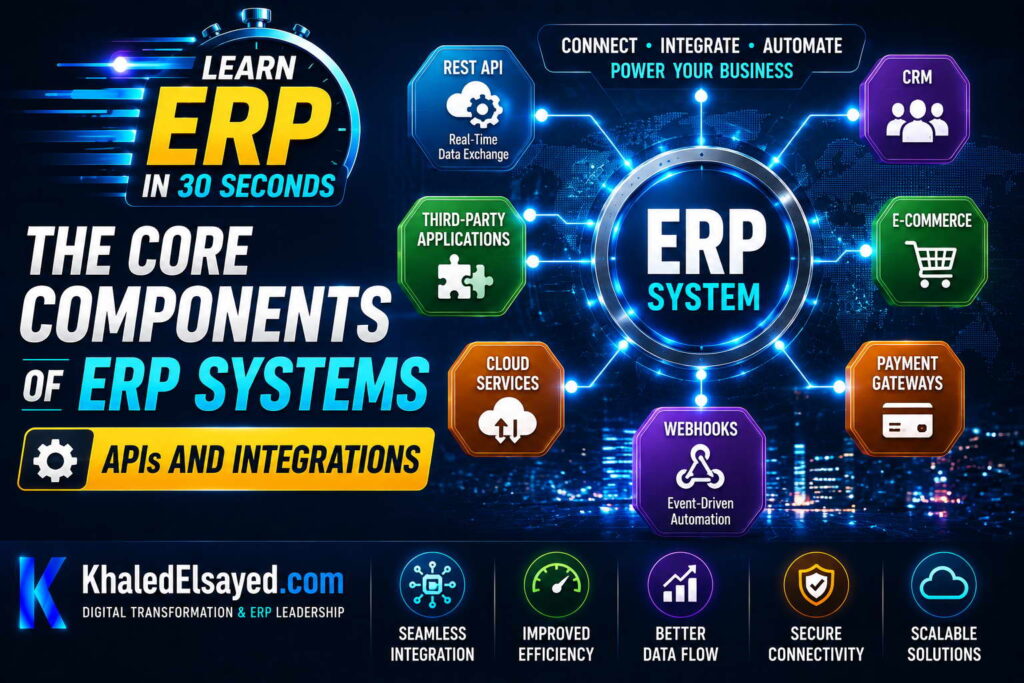
In my years leading digital transformation across enterprise IT environments, I have found that APIs and integrations are essential erp components for modern business. No ERP operates in isolation—it must connect to e-commerce, CRM, banking, WMS, and other erp systems. Understanding erp modules integration capabilities is critical for success. This guide explains the core components of erp systems explained from an API and integration perspective—drawing directly from real-world implementations.
What Are ERP APIs?
APIs (Application Programming Interfaces) allow external systems to communicate with ERP. Erp systems expose APIs for creating, reading, updating, and deleting data. Examples: create customer (POST /api/customers), get inventory (GET /api/inventory/{itemId}), update order status (PUT /api/orders/{orderId}/status).
From my experience, API quality determines integration success. Well-designed APIs (REST, JSON, versioned, documented) enable integrations in weeks. Poorly designed APIs (SOAP, XML, no documentation) take months.
Erp components API types: REST APIs (most common—HTTP methods: GET, POST, PUT, DELETE), GraphQL APIs (flexible queries—request only needed fields), Webhooks (ERP pushes data to external systems when events occur), SOAP APIs (legacy—XML, more complex).
Common ERP Integrations
E-commerce integration: e-commerce platform (Shopify, Magento, WooCommerce) sends orders to ERP; ERP sends inventory updates, product data, fulfillment status to e-commerce. Order import (real-time or batch), inventory sync (prevent overselling), product catalog sync, shipment tracking push.
CRM integration: CRM (Salesforce, HubSpot) sends customer data, opportunities to ERP; ERP sends order history, credit status, payment history to CRM. Customer sync (bi-directional), opportunity to order conversion, credit checking at quote stage.
Banking integration: ERP sends payment files to bank; bank sends transaction files to ERP. Payment processing (ACH, wire, credit card), bank reconciliation (automated matching), cash position reporting.
Warehouse integration: ERP sends orders to WMS; WMS sends fulfillment status, inventory updates to ERP. Order download, pick list generation, shipment confirmation, inventory sync.
From my experience, e-commerce and banking integrations deliver fastest ROI. A retailer reduced order processing time from 30 minutes to 5 minutes with e-commerce integration. A distributor reduced bank reconciliation from 4 hours daily to 30 minutes.
Integration Methods: APIs, iPaaS, RPA
Direct API integration: External system calls ERP APIs directly. Best for simple integrations, low transaction volume, real-time requirements. Advantages: low latency, direct control. Disadvantages: each integration built separately, error handling custom.
iPaaS (Integration Platform as a Service): Cloud middleware with pre-built connectors. External system → iPaaS → ERP. Best for multiple integrations, complex transformations, limited development resources. Advantages: pre-built connectors, visual data mapping, built-in error handling. Disadvantages: monthly subscription cost, vendor lock-in.
RPA (Robotic Process Automation): Software robots mimic human UI actions. Best for legacy systems without APIs, vendor portals that don’t offer integration. Advantages: works with any application, no API required. Disadvantages: fragile (UI changes break automations), slow, limited scale.
From my experience, iPaaS is the right choice for most organizations with 5+ external systems. A manufacturer connected ERP to 12 external systems in 4 months using iPaaS—custom development would have taken 12 months.
API Authentication and Security
API security is critical—exposed APIs can be attacked. Authentication methods: API keys (simple—client provides key in header), OAuth 2.0 (standard—token-based, scoped permissions), JWT (JSON Web Tokens—self-contained, expiration).
From my experience, OAuth 2.0 is the most secure for production APIs. API keys are acceptable for internal integrations. JWT works well for stateless authentication.
Security best practices: use HTTPS always (encrypts data in transit). implement rate limiting (prevent abuse). validate input (prevent injection attacks). log API access (audit trail). rotate keys/credentials regularly.
Integration Challenges and Solutions
Data format mismatch: ERP expects XML, external system sends JSON. Solution: transformation layer in middleware. API rate limiting: external system exceeds API call limits, causing errors. Solution: implement rate limiting in external system, use bulk APIs. Authentication failure: expired credentials cause integration failures. Solution: automated credential rotation, monitoring with alerts. Integration latency: batch processing causes stale data (inventory oversold). Solution: real-time APIs for critical data (inventory, pricing). Error handling gaps: integration fails silently, no one notices for days. Solution: monitoring dashboard, alerting on failures, dead-letter queues.
From my experience, the most common integration challenge is error handling gaps—organizations design for happy path, ignore failure scenarios. A distributor’s API integration failed, orders stopped syncing for 6 hours, no one noticed until customer complaints. Solution: monitoring dashboard with alerts.
API Design Best Practices
RESTful principles: use nouns for resources (/customers, /orders), use HTTP methods appropriately (GET retrieves, POST creates, PUT updates, DELETE removes), use HTTP status codes (200 success, 400 client error, 500 server error), return JSON responses (consistent structure).
Versioning: include version in URL (/v1/customers, /v2/customers). Allows API evolution without breaking existing integrations. Deprecate old versions gradually (6-12 months notice).
Error responses: return structured error objects: {“code”: “VALIDATION_ERROR”, “message”: “Quantity must be positive”, “field”: “quantity”}. Generic “Something went wrong” frustrates integrators.
Pagination: for list endpoints, support limit and offset: GET /api/orders?limit=50&offset=100. Return total count: {“data”: […], “total”: 1000, “limit”: 50, “offset”: 100}.
From my experience, well-documented APIs are essential. Documentation should include: endpoints, request/response examples, error codes, authentication method, rate limits. OpenAPI (Swagger) specification enables auto-generated documentation and client SDKs.
API and Integration Components Summary
The following integration components reflect current enterprise realities based on my implementation experience:
| Component | Purpose | Example | Best Practice |
|---|---|---|---|
| REST API | CRUD operations | GET /api/customers/{id} | Use nouns, HTTP methods, status codes |
| Webhook | Push notifications | ERP calls URL when order ships | Implement retry logic, idempotency |
| iPaaS | Integration middleware | Workato, Zapier, MuleSoft | Use for 5+ external systems |
| API gateway | Authentication, rate limiting | Kong, AWS API Gateway | Centralize security, monitoring |
Common Challenges and Solutions
Organizations face specific API and integration challenges. Chatty APIs—many small calls instead of one batch call—the solution is coarse-grained APIs (return all needed data in one request). Another challenge is integration sprawl—too many point-to-point connections—the solution is hub-and-spoke via iPaaS. A third challenge is versioning—API changes break existing integrations—the solution is versioned APIs (/v1/, /v2/), deprecation policy, backward compatibility.
Best Practices from Real Implementations
Across my portfolio, several API and integration practices drive success. Use REST APIs for most integrations—simpler, better tooling. Use webhooks for event-driven notifications—avoid polling. Use iPaaS for complex integrations—pre-built connectors reduce development time 50-80%. Implement idempotency—same request processed twice produces same result. Finally, monitor integration health—track success rates, latency, error counts; alert on anomalies.
Frequently Asked Questions
What are ERP APIs used for?
Erp components APIs allow external systems to integrate with ERP. Common uses: e-commerce sends orders to ERP, ERP sends inventory to e-commerce. CRM sends customer data to ERP, ERP sends order history to CRM. Bank sends payment files to ERP for reconciliation. WMS receives orders from ERP, sends fulfillment status back. Erp modules expose APIs for customers, orders, inventory, products, shipments. APIs enable real-time data exchange, eliminating manual data entry between systems.
What is the difference between REST API and webhook?
REST API is synchronous request-response: external system calls ERP API, waits for response. Example: e-commerce calls GET /api/inventory/{itemId} to check stock. Webhook is asynchronous event-driven: ERP calls external system when event occurs. Example: order ships, ERP calls e-commerce webhook with tracking number. Core components of erp systems explained: REST for queries, webhooks for notifications. Use REST when external system needs immediate answer (inventory check). Use webhooks when external system should react to ERP event (order shipped).
How do I secure ERP APIs?
Secure erp systems APIs with multiple layers: authentication (verify identity)—OAuth 2.0, API keys, JWT. authorization (verify permission)—scopes, roles. transport security—HTTPS only, TLS 1.2+. rate limiting—prevent abuse, DDoS. input validation—prevent injection attacks. logging—audit trail of API access. From my experience, OAuth 2.0 with short-lived tokens (15-60 minutes) and refresh tokens is most secure for production APIs. API keys acceptable for internal integrations with IP whitelisting.
Meta Title: ERP APIs and Integrations: Core Components | Khaled Sqawa
Meta Description: ERP APIs and integrations explained by digital transformation expert Khaled Elsayed Sqawa. Learn REST APIs, webhooks, iPaaS, authentication, and best practices.
Reporting Systems
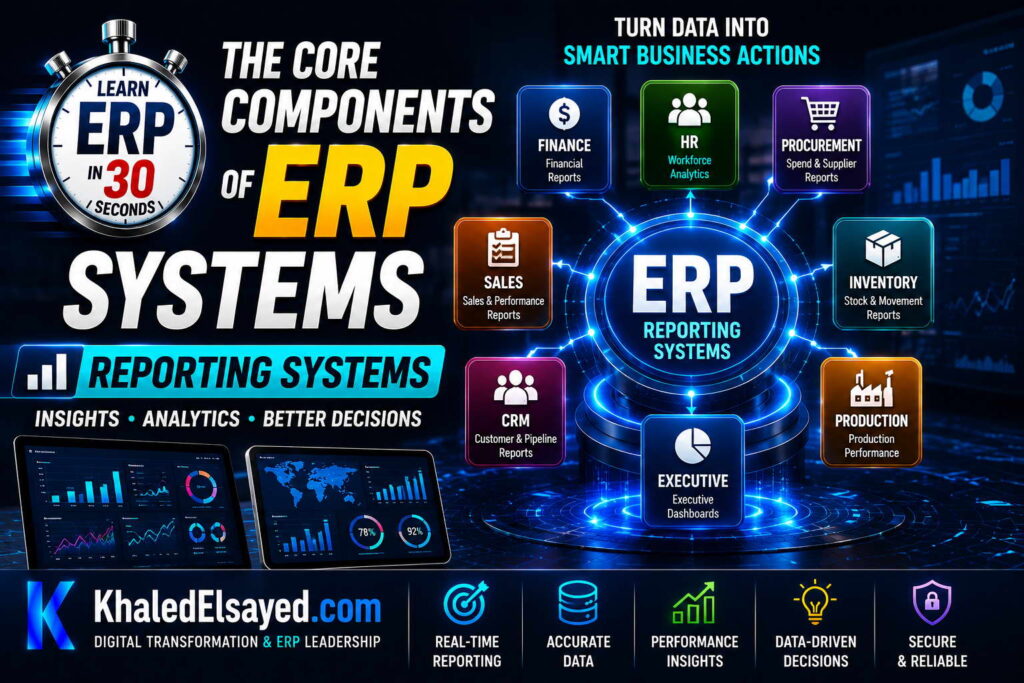
In my years leading digital transformation across enterprise IT environments, I have found that reporting systems are the component where ERP delivers visible business value. All erp components—modules, database, business logic—ultimately serve reporting. Understanding erp systems reporting capabilities is essential for decision-making. This guide explains the core components of erp systems explained from a reporting perspective—drawing directly from real-world implementations.
The Role of Reporting in ERP
Reporting transforms raw data into actionable information. Erp systems capture thousands of transactions daily—orders, receipts, payments, production. Without reporting, this data is useless. Reporting answers: how much inventory do we have? which customers are past due? what are our sales by region? what is our gross margin by product?
From my experience, organizations with strong reporting make faster, better decisions. A distributor saw inventory report daily—detected slow-moving items, ran promotion, cleared stock. Without reporting, slow movers would sit for months.
Erp modules each have reporting needs. Finance needs financial statements (balance sheet, P&L, cash flow). Inventory needs stock status, valuation, turns. Sales needs order backlog, revenue by customer, forecasting. Manufacturing needs production status, efficiency, quality metrics. HR needs headcount, turnover, payroll costs.
Types of ERP Reports
Operational reports: Used for day-to-day operations. Examples: open orders report (sales reps check order status). low stock report (buyers create purchase orders). past due invoices report (collections team follows up). production schedule report (plant manager assigns work). Operational reports need real-time or near-real-time data. Users expect to run them anytime.
Tactical reports: Used for periodic management review. Examples: weekly sales by region, monthly inventory turns, quarterly customer profitability, department budget vs actual. Tactical reports typically run on schedule (weekly, monthly, quarterly). Data freshness of 1-7 days acceptable.
Strategic reports: Used for executive decision-making. Examples: annual financial statements, 5-year sales trends, market share analysis, ROI by investment. Strategic reports often use historical data (months or years). Accuracy more important than freshness.
Compliance reports: Required by regulations. Examples: tax filings (sales tax, payroll tax), financial audits (SOX controls), environmental reports, industry-specific (HIPAA, FDA). Compliance reports must be accurate, auditable, and submitted on schedule.
From my experience, 80 percent of reporting effort goes to operational and tactical reports. Strategic and compliance reports consume 20 percent but have higher visibility.
Reporting Architecture
Transactional database (OLTP): Where ERP stores live transactions. Optimized for fast inserts, updates, deletes. Not optimized for complex reporting queries—running large reports can slow down transaction processing. Best for operational reports with small data volumes, real-time needs.
Reporting database (OLAP): Separate database optimized for queries. Data is copied from transactional database on schedule (nightly, hourly). Reporting database can be indexed differently, denormalized for faster reads. Best for tactical and strategic reports with larger data volumes, historical analysis.
Data warehouse: Central repository for reporting across multiple systems (ERP, CRM, e-commerce, etc.). Data transformed and consolidated before loading. Best for enterprise-wide reporting, complex analytics, data from multiple sources.
From my experience, organizations under $50M revenue can use reporting database (OLAP) without separate data warehouse. Organizations over $50M with multiple systems benefit from data warehouse.
Core components of erp systems explained for reporting: transactional database for operations, reporting database for analytics, BI tools for visualization.
BI and Analytics Tools
Modern ERP includes or integrates with BI (Business Intelligence) tools. Dashboards: visual displays of KPIs—inventory status, sales pipeline, production efficiency. Users see red/yellow/green indicators, drill down to details. Interactive reports: users filter, sort, group, pivot data without IT help. Examples: sales report by region, product, salesperson—user selects dimensions. Scheduled reports: reports emailed automatically on schedule—daily sales summary, weekly inventory status, monthly financials. Ad-hoc queries: users write their own queries using drag-and-drop interface. Reduces IT reporting backlog.
From my experience, BI tools increase report usage 3-5x. Users who can’t wait for IT reports stop using reports. Users with self-service BI run reports whenever needed.
Popular BI tools integrated with ERP: Power BI (Microsoft), Tableau, Looker (Google), Qlik, ERP-native dashboards.
Key ERP Reports by Module
Financial reports: Balance sheet (assets = liabilities + equity), income statement (revenue – expenses = net income), cash flow statement (operating, investing, financing activities), aging reports (AR aging, AP aging), budget vs actual, trial balance, general ledger detail.
Inventory reports: Stock status (on-hand by location, available to promise), inventory valuation (value by item, category, location), inventory turns (COGS / average inventory), slow-moving/obsolete stock (items not sold in X days), reorder report (items below reorder point), cycle count variance.
Sales reports: Order backlog (open orders by customer, expected ship date), sales by customer, region, product, salesperson, revenue trends (daily, weekly, monthly, yearly), margin analysis (revenue – cost = margin by product), forecasting (predict future sales based on history).
Purchasing reports: Open purchase orders (by vendor, expected receipt date), vendor performance (on-time delivery, quality, pricing), procurement savings (negotiated vs actual price), spend analysis (purchase by category, vendor).
Manufacturing reports: Production schedule (work orders by due date), material shortages (components not available for production), efficiency (actual vs standard hours), quality (defect rates by work center), work-in-progress (WIP value by work order).
HR reports: Headcount (by department, location, job title), turnover (voluntary and involuntary), payroll costs (by department, overtime ratio), time and attendance (absenteeism, late arrivals).
Reporting Components Summary
The following reporting components reflect current enterprise realities based on my implementation experience:
| Component | Purpose | Data Freshness | Users |
|---|---|---|---|
| Operational reports | Day-to-day decisions | Real-time | Frontline staff |
| Tactical reports | Periodic management review | 1-7 days | Managers |
| Strategic reports | Executive decisions | Months-years | Executives |
| Compliance reports | Regulatory requirements | As required | Compliance team |
Common Challenges and Solutions
Organizations face specific reporting challenges. Slow report performance—reports taking minutes to run—the solution is indexing, reporting database (OLAP), aggregation tables. Another challenge is data inconsistency—finance report shows different numbers than sales report—the solution is single source of truth (ERP database), consistent definitions. A third challenge is report sprawl—hundreds of reports, many unused—the solution is report inventory, usage tracking, archive unused reports.
Best Practices from Real Implementations
Across my portfolio, several reporting practices drive success. Start with operational reports—users need daily reports first. Separate reporting database from transactional database—prevents performance impact. Implement self-service BI—reduces IT reporting backlog. Schedule reports for non-peak hours—nightly, early morning. Finally, measure report usage—archive unused reports, focus development on popular reports.
Frequently Asked Questions
What reports does ERP generate?
Erp systems generate reports across all modules: financial reports (balance sheet, income statement, cash flow, AR/AP aging), inventory reports (stock status, valuation, turns), sales reports (orders, revenue, margin, forecasting), purchasing reports (open POs, vendor performance), manufacturing reports (production schedule, efficiency, quality), HR reports (headcount, turnover, payroll). Erp components work together to produce consolidated reports—sales report can drill down to inventory availability, finance report can show profitability by customer.
What is the difference between operational and strategic reports?
Operational reports support day-to-day decisions—which items to reorder, which customers are past due, which orders need to ship today. Data freshness: real-time or hourly. Users: frontline staff (buyers, collectors, warehouse). Strategic reports support executive decisions—should we enter new market, acquire competitor, launch product line. Data freshness: monthly or quarterly. Users: executives. Core components of erp systems explained: operational reports drive efficiency; strategic reports drive direction. Both are essential.
How do I improve ERP report performance?
Improve erp modules report performance through several techniques: indexing (add indexes on frequently queried columns—customer_id, order_date, item_code). reporting database (separate OLAP database, refresh nightly). aggregation tables (pre-calculate totals—daily sales by product, monthly inventory by location). query optimization (avoid SELECT *, use specific columns, filter early). report scheduling (run during off-hours, save results). From my experience, adding indexes is the quickest win—a manufacturer reduced report runtime from 8 minutes to 2 seconds with one index.
Meta Title: ERP Reporting Systems: Core Components Explained | Khaled Sqawa
Meta Description: ERP reporting systems explained by digital transformation expert Khaled Elsayed Sqawa. Learn operational, tactical, strategic, and compliance reports with BI and analytics.
Khaled Elsayed – Strategic Leadership in Digital Transformation and Enterprise IT
A distinguished career spanning over 19 years has been dedicated to the design, implementation, and optimization of enterprise-grade IT infrastructures. This professional journey is defined by a consistent commitment to leveraging technology as a fundamental driver of organizational efficiency and scalable growth.
Currently, the position of Digital Transformation and Information Technology Manager is held, with a focus on spearheading strategic initiatives to modernize technological foundations and strengthen data security frameworks. Responsibilities in this capacity include the oversight of integrated ERP system deployments, the formulation of comprehensive IT policies, and the management of departmental budgets and procurement processes.
Prior to the current engagement, several senior leadership roles were occupied, including Group IT Section Head and IT Section Head. During these tenures, successful large-scale infrastructure upgrades were led, and business continuity frameworks were implemented to ensure uninterrupted operational performance. Expertise has been consistently demonstrated in aligning IT strategies with overarching business objectives while leading high-performing technical teams.
The academic foundation consists of a Bachelor’s degree in Information Systems. This is further reinforced by an extensive portfolio of international professional certifications, including:
- MCSA (Microsoft Certified Systems Administrator).
- Dynamic Specialist (Microsoft Certified Business Management Solutions Specialist).
- Google Certified Project Management Professional.
- SAP Technology Consultant.
- Oracle Cloud Infrastructure Architect Professional.
- Google Certified Cybersecurity Professional.
- ServiceNow IT Leadership Professional Certificate by LinkedIn Learning.
- Succeeding as a Senior Manager Professional Certificate by LinkedIn Learning.
- IT Service Management ISO20000 by LinkedIn Learning.
- Google Certified IT Support Professional.
The leadership philosophy remains centered on continuous improvement, integrity, and the transformation of complex technical visions into functional digital realities that empower the modern enterprise.
Khaled Elsayed
خالد السيد
www.khaledelsayed.com
|
linkedin.com/in/khaled-elsayed-it

is deltek an erp system, is deltek costpoint an erp system, erp deltek, erp system deltek, erp software deltek, is cin7 an erp, is cin7 core an erp, erp cin7, erp system cin7, erp brightpearl, brightpearl erp, what is focus erp, m focus erp, got focus erp, focus erp, focus erp software, focus erp system, focus erp login, focus erp 9, focus erp 9 login, focus erp price, focus erp careers, focus erp api, focus erp jobs uae, erp apache ofbiz, apache ofbiz vs erpnext, apache ofbiz erp, que es tryton erp, tryton erp, erp tryton, erpnext vs tryton, dolibarr erp y crm, telecharger dolibarr erp crm, dolibarr erp system & crm, download dolibarr erp crm, dolibarr erp crm, ai for dolibarr erp crm, dolibarr erp crm free download, dolibarr erp crm open source, dolibarr erp crm github, dolibarr erp crm demo, dolibarr erp crm download, dolibarr erp crm free, dolibarr erp crm files, 3 dolibarr erp crm, what is syspro erp, syspro erp system, is syspro an erp system, is syspro a good erp, syspro erp, erp syspro, erp system syspro, enterprise asset management syspro, erp software syspro, what is qad erp, what does qad erp stand for, who owns qad erp, what is qad erp software, qad erp system wiki, what is qad adaptive erp, what is erp in radio, qad full form in erp, que es qad erp, is qad erp, full form of qad erp, companies using qad erp, qad erp, qad erp system, qad erp software, qad erp vs sap, qad erp meaning, qad erp jobs, qad erp logo, qad erp training, qad erp modules, qad erp api, z erp, what is plex erp, plex erp vs sap, plex erp vs netsuite, verpex reseller, vlex erp, plex erp training videos, erpnext translation, sistema plex erp, rockwell plex erp, rockwell automation plex erp, que es plex erp, erp opening hours, erp 2.0 charges, hva er erp system, erpcloud.systems, plex online erp, plex erp odbc, who owns plex erp, what is oracle fusion erp, is plex erp, plex erp integration, what is plex erp system, erp software erp system examples, erp system examples, erp list of software, erp software examples, ix erp, how much does plex erp cost, erp egec, erp plus, plex erp cost, plex cloud erp, plex erp consultant, plex erp community, plex erp careers, plex erp competitors, plex manufacturing cloud erp, plex erp certification, plex erp customers, erp account manager jobs, plex erp, plex erp system, plex erp software, plex erp login, plex erp jobs, plex erp training, plex erp logo, plex erp tutorial, apex erp, apex erp system, apex erp login, apex erp software, is plex an erp system, plex erp api, plex erp api documentation, plex erp mobile app, plex erp ai, plex erp app, what is sap business one erp, use perpetual inventory in sap business one, sap erp vs sap business one, que es erp sap business one, is sap business one an erp, erp sap business one, erpnext vs sap business one, erp system sap business one, what is sage x3 erp, sage x3 erp, is sage x3 an erp system, erp sage x3, erp system sage x3, what is acumatica erp, is acumatica an erp, is acumatica a good erp, erp acumatica, erp system acumatica, zoho erp vs zoho one, zoho erp zoho one, erp zoho one, erpnext vs zoho one, zoho vs erpnext, zerodha erpnext, zatca erpnext, zkteco erpnext, zapier erpnext, zkteco integration with erpnext, youtube erpnext, your complete resource for erpnext, xero vs erpnext, what is erpnext software, what is erpnext developer, what is frappe erpnext, workflow erpnext, webshop erpnext, woocommerce erpnext, what is doctype in erpnext, whatsapp integration with erpnext, what is the latest version of erpnext, woocommerce erpnext integration, valuation rate in erpnext, version 16 erpnext, union erpnext, update erpnext, udemy erpnext, upgrade erpnext 15 to 16, upgrade erpnext 14 to 15, tally to erpnext, tally to erpnext migration, tally integration with erpnext, tutorial erpnext, tally vs erpnext, tryton vs erpnext, theme erpnext, stock reconciliation erpnext, sap vs erpnext, self host erpnext, subcontracting in erpnext, setup erpnext, sales order erpnext, shopify erpnext integration, sales invoice erpnext, raven erpnext, reddit erpnext, rest api erpnext, role permission manager erpnext, reset erpnext to default, report builder erpnext, reports in erpnext, restore erpnext backup, review erpnext, restaurant erpnext, quality inspection erpnext, quickbooks vs erpnext, quotation erpnext, quality inspection template erpnext, pos awesome erpnext 15, pos erpnext, erpnext pos awesome, pricing rule in erpnext, period closing voucher erpnext, print designer erpnext, payroll erpnext, purchase order erpnext, odoo vs erpnext, odoo erpnext, odoo vs erpnext reddit, odoo vs erpnext comparison, open source erpnext, opening balance in erpnext, odoo community vs erpnext, odoo erp vs erpnext, n8n erpnext, naming series in erpnext, n8n erpnext integration, notification in erpnext, netsuite vs erpnext, nextcloud erpnext, nestorbird erpnext, non profit erpnext, number card erpnext, no module named erpnext, manufacturing erpnext, material request erpnext, manufacturing module in erpnext, mint erpnext, mcp erpnext, modules in erpnext, material issue erpnext, learn erpnext, landed cost voucher erpnext, latest erpnext version, lms erpnext, logo erpnext, lead in erpnext, lending erpnext, karani erpnext, karani erpnext 15, erpnext egypt, journal entry erpnext, job card in erpnext, erpnext github, jan trade 25 erpnext com, erpnext download, erpnext pricing, install erpnext, india compliance erpnext, install erpnext 15 on ubuntu 24.04, is erpnext free, install erpnext 15 on ubuntu 22.04, install erpnext on ubuntu 24.04, install erpnext on ubuntu, install erpnext on windows, how to install erpnext, hrms erpnext, how to install erpnext on windows, how to install erpnext on ubuntu 24.04, how to use erpnext, how to install erpnext on ubuntu 22.04, healthcare erpnext, hr erpnext, github erpnext, github frappe erpnext, git erpnext, github erpnext docker, gst india compliance erpnext, getting started with erpnext, erpnext login, erpnext demo, frappe erpnext, frappe erpnext github, frappe erpnext documentation, frappe erpnext docker, frappe erpnext login, frappe erpnext developer jobs, frappe school erpnext, frappe erpnext installation, education module in erpnext, enable developer mode in erpnext, education erpnext, expense claim in erpnext, exchange rate revaluation erpnext, ecommerce erpnext, erp erpnext, ecommerce integration erpnext, e invoice erpnext, easy install erpnext, download erpnext, docs erpnext, demo erpnext, dolibarr vs erpnext, docker erpnext, download erpnext for windows, developer mode erpnext, docker frappe erpnext, code with karani erpnext 15, crm erpnext, cost center in erpnext, common party accounting erpnext, customize erpnext, coolify erpnext, chart of accounts erpnext, change erpnext logo, bitnami erpnext, bank reconciliation in erpnext, bom erpnext, blanket order erpnext, bench install erpnext, buying module in erpnext, backup erpnext, bench get app erpnext, erpnext, erpnext documentation, asset erpnext, api erpnext, accounting in erpnext, ai in erpnext, asset management erpnext, accounting module in erpnext, accounting dimension erpnext, asset module in erpnext, syspro erp photo, what is odoo erp, is odoo an erp, is odoo a erp system, github odoo enterprise, koperprijs, erp odoo, erpnext vs odoo, erp system odoo, erp software odoo, community vs enterprise odoo, what is epicor erp, what is epicor erp system, who owns epicor erp, what is epicor erp used for, what companies use epicor erp, sistema epicor erp, que es epicor erp, learn epicor erp, logo epicor erp, kinetic epicor erp, is epicor erp, is epicor erp cloud based, is epicor erp or mrp, how much is epicor erp, how to use epicor erp, harga epicor erp, eclipse epicor erp, download epicor erp, companies using epicor erp, cms epicor erp, epicor erp logo, epicor erp, apa itu epicor erp, epicor erp system, epicor erp software, epicor erp training, epicor erp jobs, epicor erp reviews, epicor erp pricing, epicor erp modules, epicor erp vs sap, what is ifs cloud erp, ifs cloud erp, erp ifs cloud, what is infor erp, who owns infor erp, what companies use infor erp, what does infor erp do, what is infor erp ln, what is infor erp engine, wat is infor erp, visual infor erp, tải phần mềm infor erp, sun infor erp, syteline infor erp, system infor erp, que es infor erp, phần mềm infor erp, phần mềm kế toán infoerp, ln infor erp, lawson infor erp, learn infor erp, logo infor erp, list of infor erp, is infor erp system, how much does infor erp cost, how to use infor erp, ferrari e infor erp, infor erp pricing, infor erp engine, companies that use infor erp, cloud infor erp, csi infor erp, baan infor erp ln jobs, baan infor erp, infor erp, infor erp system, infor erp software, infor erp vs sap, infor erp ln, infor erp reviews, infor erp products, infor erp jobs, ai for erp, ai for erp systems, ai for erpnext, is infor an erp system, is infor an erp, is infor a good erp system, infor erp api, is infor m3 an erp system, infor nexus erp, infor adage erp, what is oracle netsuite erp, que es oracle netsuite erp, oracle erp vs oracle netsuite, is oracle netsuite an erp, erp oracle netsuite, erp system oracle netsuite, erp systems sap oracle netsuite, difference between oracle netsuite and oracle erp, oracle netsuite erp, what is microsoft dynamics 365 erp, ultimate microsoft dynamics 365 crm for enterprises, oracle erp vs microsoft dynamics 365, is microsoft dynamics 365 an erp, microsoft dynamics 365 erp, erp microsoft dynamics 365, erp system microsoft dynamics 365, erp microsoft dynamics 365 business central, erp microsoft dynamics 365 login, erp software microsoft dynamics 365, microsoft dynamics 365 finance and operations erp, erp microsoft dynamics 365 price, you are configuring an oracle erp cloud adapter, what is oracle erp cloud, what is oracle erp cloud financials, securing oracle erp cloud, sap oracle erp cloud, rest api oracle erp cloud, que es oracle erp cloud, package consultant oracle erp cloud financials, oracle netsuite vs oracle erp cloud, oracle netsuite oracle erp cloud, oracle fusion vs oracle erp cloud, mulesoft oracle erp cloud connector, microsoft dynamics vs oracle erp cloud, modules in oracle erp cloud, logo oracle erp cloud, learn oracle erp cloud, latest oracle erp cloud version, is oracle erp cloud based, how to learn oracle erp cloud, free oracle erp cloud training, future of oracle erp cloud, oracle erp cloud adapter in oic, difference between oracle erp cloud and fusion, difference between oracle erp cloud and netsuite, consultant oracle erp cloud, business events in oracle erp cloud, oracle erp cloud jobs, avalara oracle erp cloud, oracle erp cloud, ai in oracle erp cloud, oracle erp cloud adapter, oracle erp cloud certification, oracle erp cloud logo, oracle erp cloud adapter capabilities, oracle erp cloud financials, oracle erp cloud training, oracle erp cloud modules, sap erp sap s 4hana, is sap s 4hana an erp system, erp sap s 4hana, erp system sap s 4hana, erpnext system, erpnext software, erpnext self hosted, erpnext setup, erpnext school, erpnext software download, erpnext software price, erpnext service providers, erpnext source code, erpnext support, erpnext git, erpnext github repo, erpnext guide, erpnext gst, erpnext germany, erpnext github docker, erpnext gst setup, erpnext getting started, erpnext crm, erpnext course, erpnext certification, erpnext cloud, erpnext customization, erpnext consultant, erpnext cloud pricing, erpnext careers, erpnext cost, erpnext company, erpnext v16, erpnext apps, erpnext api, erpnext accounting, erpnext api documentation, erpnext ai, erpnext alternative, erpnext ai integration, erpnext ai agent, erpnext accounting software, erpnext accounting module, odoo erp, infor erp logo, infor erp ln jobs, infor erp login, infor erp ln training pdf, erp infor, microsoft dynamics 365 erp youtube, deltekenterprise, costpoint deltekenterprise com, microsoft dynamics 365 vs oracle erp, https www deltekenterprise com, microsoft dynamics 365 is erp, microsoft dynamics 365 erp modules, microsoft dynamics 365 erp certification, microsoft dynamics 365 erp pricing, microsoft dynamics 365 erp training, microsoft dynamics 365 erp system, microsoft dynamics 365 erp course, oracle erp cloud vs netsuite, oracle erp cloud vs sap s 4hana, oracle erp cloud vs ebs, oracle erp cloud version, oracle erp cloud version history, oracle erp cloud vs peoplesoft, oracle erp cloud vs jd edwards, oracle erp cloud vs on premise, oracle erp cloud vs sap, oracle erp cloud fusion, oracle erp cloud vs fusion, is viewpoint vista an erp, viewpoint vista erp, erp systémy, erp explained, toyota erp system, tesla erp system, target erp system, sap erp system, sage erp system, spandan erp system, sap erp system examples, school erp system, sap erp system meaning, salesforce erp system, erp system que es, syteline erp system, singapore erp system, ramco erp system, ross erp system, real estate erp system, radius erp system, ri erp system, retail erp system, ramp erp system, erp system quickbooks, restaurant erp system, rockwell erp system, rfp for erp system, quantum erp system, quickbooks erp system, q erp system, qb erp system, quantum control erp system, quickbooks online erp system, erp system qad, qbo erp system, qube erp system, qianyi erp system, pdea erp system, pronto erp system, priority erp system, p21 erp system, peoplesoft erp system, popular erp system, erp system qatar, php erp system, purpose of erp system, procurement erp system, oracle erp system, odoo erp system, occ erp system, open source erp system, occ erp system login, occ erp system login password, orion erp system, erp system questions, oracle erp system examples, netsuite erp system, new erp system, new erp system singapore, next erp system, navy erp system, nav erp system, ncc erp system, nhs erp system, nestle erp system, erp system quantum, n4 erp system, microsoft erp system, meaning of erp system, m3 erp system, mogo erp system, monitor erp system sdn bhd, monitor erp system, m1 erp system, microsoft dynamics erp system, mssv erp system, erp system quality control, mrp vs erp system, ln erp system, levels of erp system, lawson erp system, learn erp system, logistics erp system, list of erp system, lifemed erp system, legacy erp system examples, kingdee erp system, erp system qf, kinetic erp system, katana erp system, k8 erp system, kips erp system, kerridge erp system, erp system egypt, key features of erp system, jde erp system, jd edwards erp system, jobboss erp system, erp system quality, jonas erp system, jeeves erp system, jd erp system, jobscope erp system, jira erp system, jobs in erp system, jda erp system, is sap an erp system, ifs erp system, is oracle an erp system, erp systemy co to, erp system quotation, is salesforce an erp system, is quickbooks a erp system, is sage an erp system, is workday an erp system, is netsuite an erp system, how many levels in erp system, how erp system works, how to use erp system, how to build an erp system from scratch, erp systeme, how to learn erp system, how much does an erp system cost, hana erp system, hospital erp system, google erp system, glovia erp system, great plains erp system, genius erp system, global erp system, global shop erp system, erp systeme beispiele, gp erp system, german erp system, gss erp system, gepco erp system, full form of erp system, free erp system, fusion erp system, fishbowl erp system, free erp system for small business, erp systemen betekenis, facts erp system, finance erp system, example of erp system, enterprise resource planning erp system, eco erp system, ecount erp system, eco erp system login, exceed erp system, erp system definition, epic erp system, eureka home appliances erp system, define erp system, dpmc erp system, d365 erp system, dfn erp system, dynamics erp system, dynamics 365 erp system, deltek erp system, does microsoft have an erp system, erp systemen was ist das, disadvantages of erp system, college erp system, coins erp system, cloud based erp system, coupa erp system, cloud erp system, crm erp system, crm vs erp system, contoh erp system, best erp system, erp systeme liste, baan erp system, benefits of erp system, best erp system for manufacturing, business central erp system, banner erp system, bpcs erp system, best erp system for small business, erp system, acumatica erp system, ai erp system, erp systemer i norge, as400 erp system, ax erp system, amazon erp system, accounting erp system examples, erp system meaning, accounting erp system, aird erp system login, erp systeme bedeutung, erp systeme schweiz, systemy erp przykłady, erp systemer hvad er det, erp system sap, erp system free, erp system in arabic, erp system ui design, erp systems, erp systems in egypt, erp systems meaning, erp systems examples, erp systems for manufacturing, systemy erp co to jest, erp systems list, erp systems in south africa, erp systems in kenya, erp systems for accounting, erp systems full form, zoho erp system, zara erp system, zoho books erp system, zap erp system, zebra erp system, systemy erp jakie są, zoom erp system, zedonk erp system, zip erp system, zest erp system, yardi erp system, yonyou erp system, erp system course, youtube erp system, erp systémy v čr, ygl erp system, xero erp system, xa erp system, x3 erp system, xtra erp system, xal erp system, xerox erp system, xpedeon erp system, xpert erp system, xtuple erp system, systemy erp najpopularniejsze, xledger erp system, what is erp system, what is an erp system in accounting, what does erp system stand for, what is sap erp system, what is an erp system in business, workday erp system, what is erp system means, what is erp system example, what is erp system software, najpopularniejsze systemy erp w polsce, what is odoo erp system, vsm erp system, visual erp system, vista erp system, vsm erp system login, viewpoint erp system, voodoo erp system, vantage erp system, unit 4 erp system, umoja erp system, erp date, university erp system, udu erp system, unleashed erp system, unilever erp system, ultimate erp system, types of erp system, typical erp system levels, top erp system, tally erp system, the company's erp system has suddenly,