Learn ERP in 30 Seconds: ERP Frontend vs Backend Explained
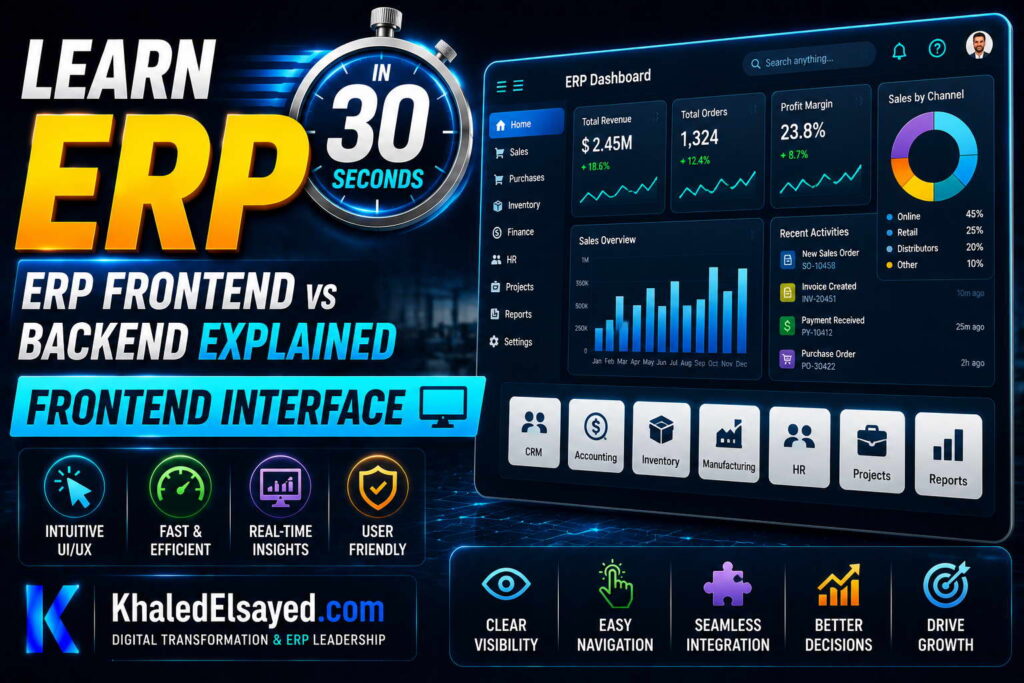
Frontend Interface
In my years leading digital transformation across enterprise IT environments, I have found that understanding the distinction between frontend and backend is essential for troubleshooting and optimization. The erp frontend backend separation determines system performance, user experience, and maintainability. This guide explains the erp ui (frontend) and erp backend system (backend), covering erp architecture, answering erp frontend vs backend explained—drawing directly from real-world implementations.
Frontend: What Users See and Interact With
The frontend is the user interface—everything users see and interact with. Web browser interfaces (most common), mobile apps (iOS, Android), desktop applications (legacy), and API endpoints (for external systems). From my experience, the frontend should contain no business logic—only presentation logic. It displays data, captures input, and sends requests to backend.
Erp ui components: forms (data entry), dashboards (KPIs, charts), reports (PDF, Excel), menus (navigation), and notifications (alerts, tasks). Modern ERP frontends use responsive design—adapt to desktop, tablet, mobile. Role-based interfaces: finance users see different screens than warehouse users.
The frontend communicates with backend via API calls. When you enter a sales order and click save, the frontend sends a POST request to /api/orders with order data in JSON format. The frontend displays loading spinner while waiting for response. When response returns (success or error), frontend displays confirmation or error message.
From my technical assessments, frontend performance depends on network latency and backend response time. Slow API = slow user experience regardless of frontend code quality.
Backend: The Engine Under the Hood
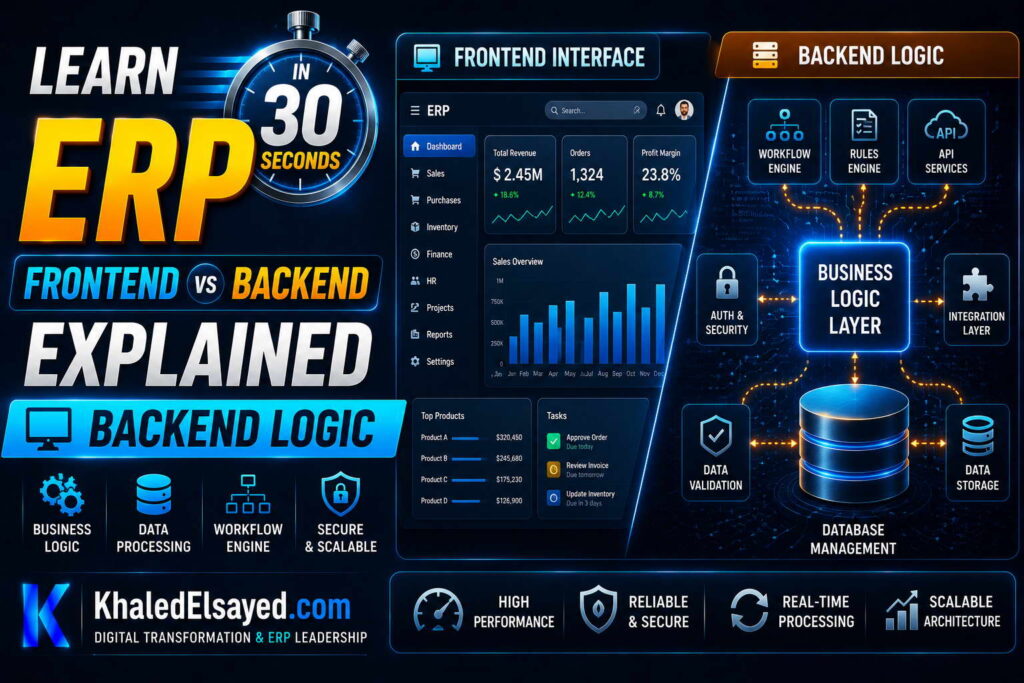
The backend is everything users don’t see—the engine that processes data, enforces business rules, and stores information. Erp backend system components: application server (business logic, workflows, calculations), database server (data storage, queries, transactions), integration server (API gateway, message queue), and file storage (documents, attachments).
The backend receives API requests from frontend, validates data, executes business logic, reads/writes database, and returns response. Backend also runs scheduled jobs (nightly batch processes) without frontend involvement.
From my experience, backend determines ERP capability. A beautiful frontend on a weak backend produces slow, unreliable system. An ugly frontend on a strong backend produces fast, reliable system. Prioritize backend performance.
Erp architecture separates frontend and backend for good reason. Separate deployment (update frontend without touching backend, vice versa). Separate scaling (more frontend servers for more users, more backend servers for more transactions). Separate teams (UI designers work on frontend, database administrators work on backend).
How Frontend and Backend Communicate
Communication happens via APIs (Application Programming Interfaces). Frontend sends HTTP requests to backend endpoints. Common methods: GET (retrieve data), POST (create data), PUT (update data), DELETE (remove data). Data format is typically JSON (JavaScript Object Notation). Example: GET /api/customers/12345 retrieves customer with ID 12345. Backend returns {“customer_id”: 12345, “name”: “ABC Corp”, “credit_limit”: 50000}.
The API contract defines what requests frontend can make and what responses to expect. API versioning (e.g., /api/v1/orders, /api/v2/orders) allows backend to change without breaking frontend.
From my technical assessments, API design determines frontend-backend separation quality. Poor API design (chatty APIs, inconsistent response formats) creates fragile frontend. Good API design (coarse-grained, consistent, documented) enables independent evolution.
Frontend Responsibilities: Presentation Only
The frontend’s only responsibility is presentation: display data from backend, capture user input, send to backend, show loading states, handle validation errors. The frontend should NOT contain business logic (tax calculation, credit checking, inventory reservation), database logic (SQL queries, transactions), or file system access.
From my experience, organizations that put business logic in frontend create maintenance nightmares. Business logic changes require updating every frontend (web, mobile, desktop). Business logic in backend changes once, all frontends benefit.
Erp frontend backend separation principle: backend is the source of truth. Frontend is a view of that truth. If a calculation can be done in backend, do it in backend.
Backend Responsibilities: Business Logic and Data
The backend handles: business logic (pricing rules, credit limits, approval workflows), data validation (customer exists, quantity positive, price within tolerance), database operations (transactions, queries, updates), security (authentication, authorization, audit logging), integration (API calls to external systems), and batch processing (nightly jobs, month-end close).
From my experience, backend should be stateless—no user session data stored locally. Stateless design enables horizontal scaling (add more backend servers). Session data stored in database or cache (Redis).
The erp backend system must be designed for reliability. If backend fails, frontend cannot function. Redundancy (multiple servers), monitoring (alerts on failure), and graceful degradation (error messages, retry logic) are essential.
Common Frontend-Backend Issues
Chatty APIs: frontend makes dozens of small API calls instead of one batch call. Impact: slow performance, backend overload. Solution: design coarse-grained APIs that return all needed data in one request.
Business logic in frontend: tax calculation, pricing rules duplicated in frontend and backend. Impact: inconsistency, maintenance nightmare. Solution: backend is single source of truth; frontend only displays.
No loading states: frontend doesn’t show spinner during API calls. Impact: user clicks multiple times, duplicate requests. Solution: disable button on submit, show loading indicator.
From my experience, the most common issue is poor API error handling. Backend returns error (400, 500). Frontend shows generic “Something went wrong” instead of specific message. Users frustrated, support calls increase.
Frontend vs Backend Comparison
The following comparison reflects current enterprise realities based on my implementation experience:
| Aspect | Frontend (UI) | Backend (Engine) |
|---|---|---|
| User sees? | Yes | No |
| Contains business logic? | No (presentation only) | Yes (all business rules) |
| Contains database logic? | No | Yes |
| Runs on | User’s browser or mobile device | Server (cloud or on-premise) |
| Scaled by | Number of users (CDN, load balancer) | Number of transactions (horizontal scaling) |
| Updated by | UI designers, frontend developers | Backend developers, DBAs |
| Example technologies | React, Angular, Vue.js, HTML/CSS | Python, Java, C#, PostgreSQL, MySQL |
Common Challenges and Solutions
Organizations face specific frontend-backend challenges. UI performance bottleneck due to chatty APIs—the solution is coarse-grained API design (return all needed data in one request). Another challenge is business logic duplication—same rules in frontend and backend, inevitably inconsistent—the solution is backend as single source of truth; frontend displays only. A third challenge is inconsistent error handling—backend returns structured error codes, frontend displays generic messages—the solution is standardized error response format (code, message, field) and frontend mapping to user-friendly messages.
Best Practices from Real Implementations
Across my portfolio, several frontend-backend practices drive success. Keep business logic in backend—frontend for presentation only. Design coarse-grained APIs—one round trip per user action. Implement loading states—disable submit button, show spinner, prevent double submission. Use API versioning—/v1/, /v2/—enables backend evolution without breaking frontend. Finally, monitor API performance—track response times, error rates, and slow endpoints.
Frequently Asked Questions
What is the difference between ERP frontend and backend?
The erp frontend backend difference: frontend is the user interface—what users see and interact with (forms, dashboards, reports). Backend is the engine—business logic, database, integrations, security. Frontend sends API requests; backend processes them and returns responses. Frontend contains no business logic—only presentation. Backend contains all business rules. Erp architecture separates them for scalability, maintainability, and security.
Does ERP frontend contain business logic?
No. In well-architected erp ui, the frontend contains no business logic—only presentation logic (display data, capture input, show loading states). Business logic (tax calculation, credit checking, inventory reservation) belongs in erp backend system. Why? Business logic changes frequently. Changing backend once updates all frontends (web, mobile, API). Changing frontend requires updating each frontend separately, risking inconsistency. From my experience, organizations that put business logic in frontend create maintenance nightmares and compliance risks.
How do frontend and backend communicate in ERP?
Frontend and backend communicate via APIs (Application Programming Interfaces). Frontend sends HTTP requests (GET, POST, PUT, DELETE) to backend endpoints (e.g., /api/orders). Backend processes request: validates authentication, executes business logic, reads/writes database, returns JSON response. Frontend receives response, updates UI. Erp frontend vs backend explained: frontend asks, backend answers. API contract defines the conversation. Good API design (coarse-grained, consistent, versioned) enables frontend and backend to evolve independently.
Meta Title: ERP Frontend vs Backend Explained | Khaled Sqawa
Meta Description: ERP frontend vs backend explained by digital transformation expert Khaled Elsayed Sqawa. Learn UI components, backend engine, API communication, and separation best practices.
Backend Logic
In my years leading digital transformation across enterprise IT environments, I have found that the backend logic is what makes ERP valuable. The user interface is important for usability, but backend logic houses the business rules that drive automation and consistency. Understanding erp frontend backend separation requires understanding backend logic. This guide explains the erp backend system business logic, covering erp architecture, answering erp frontend vs backend explained—drawing directly from real-world implementations.
What Is Backend Logic?
Backend logic is the collection of business rules, calculations, validations, and workflows that execute on the server. Users never see backend logic—only its effects. When a sales order is submitted, backend logic validates credit limit, checks inventory, calculates tax, reserves stock, creates invoice, posts to GL. All without user intervention.
From my experience, backend logic determines ERP capability. Two ERP systems with identical frontends but different backend logic produce completely different business outcomes. One correctly calculates tax for every jurisdiction; the other misses taxes, creating compliance risk.
Erp backend system logic is the competitive advantage—not the user interface.
Types of Backend Logic
Validation logic: Ensures data meets business rules before saving. Examples: customer credit limit not exceeded, item exists in inventory, quantity positive, price within tolerance, shipping address valid. Validation logic prevents bad data from entering the system. Without validation, errors propagate downstream—wrong prices on invoices, shipments to invalid addresses.
Calculation logic: Performs mathematical operations on data. Examples: tax calculation (apply rate to line items, sum by jurisdiction), discount calculation (apply volume discounts, promotion discounts, customer-specific pricing), commission calculation (tiered rates based on sales volume), landed cost allocation (distribute freight, insurance, duty to inventory value). Calculation logic must be correct and auditable.
Workflow logic: Orchestrates sequences of actions. Examples: purchase requisition approval (route to manager, escalate if no response), order processing (reserve inventory, create pick list, notify warehouse), invoice approval (match to purchase order, route exceptions). Workflow logic automates processes that previously required manual coordination.
Integration logic: Connects ERP to external systems. Examples: send order to warehouse management system, sync inventory to e-commerce platform, update CRM with order status, call payment gateway for credit card charges. Integration logic handles retries, error handling, and data transformation.
From my technical assessments, calculation logic is the most frequently customized. Every business has unique pricing rules, commission structures, and tax treatments.
Where Backend Logic Lives
Backend logic resides in several layers. Database layer: Stored procedures, triggers, constraints. Examples: trigger that updates inventory when order line inserted, constraint preventing negative quantity. Database logic executes closest to data—fastest but hardest to maintain.
Application server layer: Business logic in programming language (Python, Java, C#). Examples: pricing engine, tax calculator, workflow orchestrator. Application server logic is most maintainable—changes don’t require database migrations.
Integration middleware layer: Logic that coordinates between ERP and external systems. Examples: data transformation, protocol translation, retry logic. Middleware logic is essential for multi-system environments.
From my experience, application server logic is the right place for most business rules. Database logic is for performance-critical operations. Middleware logic is for integration-specific concerns.
Erp architecture decision: where to place logic affects maintainability, performance, and scalability.
Backend Logic vs Frontend Logic
Some ERP systems duplicate logic between frontend and backend (e.g., tax calculation in both). This creates maintenance risk—when tax rate changes, updating backend but forgetting frontend causes inconsistency. Frontend shows one tax amount, backend calculates another. Customer sees error on invoice, support calls increase.
The principle: backend is single source of truth. Frontend may implement lightweight validation (e.g., quantity must be positive) for user experience, but authoritative validation happens in backend. Tax calculation, credit checking, inventory reservation—backend only.
From my experience, organizations that duplicate logic between frontend and backend spend 30-50 percent more on maintenance. Each rule change requires updating multiple places, testing each, deploying each.
Erp frontend backend best practice: backend contains all business rules. Frontend contains presentation logic only.
Configurable vs Custom Backend Logic
Modern ERP allows configuration of backend logic without coding. Configuration examples: tax rates (set percentage, effective dates), approval thresholds (amounts that trigger approval), pricing rules (discount percentages by customer tier), workflow steps (approver roles, deadlines). Configuration changes via admin interface—no developer required.
Customization modifies source code. Customization examples: unique commission calculation not supported by configuration, industry-specific logic, integration with proprietary system. Customization requires developers, creates upgrade burden.
From my experience, organizations should configure whenever possible. Configuration changes take minutes, survive upgrades. Customization changes take weeks, must be re-tested with each upgrade. The erp backend system should provide configuration options for 80 percent of logic; customization reserved for 20 percent that truly differentiates.
Backend Logic Performance Considerations
Backend logic must be fast. When a user submits a sales order, backend logic executes before user receives confirmation. Slow logic = slow user experience. Performance optimization techniques:
Database indexing on frequently queried columns (customer_id, order_date, item_id). Stored procedures for complex calculations (pre-compiled, faster than ad-hoc SQL). Caching for reference data (tax rates, product catalog—change infrequently). Asynchronous processing for non-critical tasks (send email, update analytics—user doesn’t wait).
From my technical assessments, the most common performance bottleneck is database queries within loops. Querying database for each line item (100 items = 100 queries) is slow. Single query retrieving all line items (1 query) is fast. Backend logic must be designed for set-based operations, not row-by-row.
Backend Logic Types Summary
The following backend logic types reflect current enterprise realities based on my implementation experience:
| Logic Type | Purpose | Location | Change Frequency |
|---|---|---|---|
| Validation\([ | Ensure data meets rules\([ | App server + database\([ | Low (rules change rarely)\([ |
| Calculation\([ | Mathematical operations\([ | App server\([ | Medium (tax rates, discounts)\([ |
| Workflow\([ | Orchestrate sequences\([ | App server + workflow engine\([ | Medium (approval thresholds)\([ |
| Integration\([ | Connect to external systems\([ | Middleware\([ | Medium (API changes)\([ |
Common Challenges and Solutions
Organizations face specific backend logic challenges. Logic duplication between frontend and backend causing inconsistency—the solution is backend as single source of truth; frontend displays only. Another challenge is performance bottlenecks due to inefficient code (row-by-row processing instead of set-based)—the solution is database query optimization and caching. A third challenge is customization overuse—customizing logic that could be configured—the solution is exhaust configuration options before customizing; document why configuration insufficient.
Best Practices from Real Implementations
Across my portfolio, several backend logic practices drive success. Keep backend as single source of truth—no business rules in frontend. Configure before customizing—exhaust configuration options. Use database transactions for multi-table updates—ensure consistency. Implement caching for reference data—tax rates, product catalog, customer tiers. Finally, monitor backend performance—track slow transactions, optimize queries, add indexes.
Frequently Asked Questions
What is backend logic in ERP?
Backend logic in erp backend system is the collection of business rules, calculations, validations, and workflows that execute on the server. Examples: tax calculation, credit checking, inventory reservation, approval routing, GL posting. Users never see backend logic—only its effects. Erp architecture places business logic in backend, presentation logic in frontend. Backend logic is what makes ERP valuable—automating business processes, enforcing rules, maintaining consistency.
Why should business logic be in backend, not frontend?
Erp frontend backend separation principle: business logic belongs in backend for five reasons. Security: frontend logic can be bypassed (user modifies JavaScript). Consistency: one backend serves all frontends (web, mobile, API). Maintainability: change backend once, all frontends benefit. Performance: backend closer to database, faster for complex calculations. Auditability: backend logs all rule executions. From my experience, organizations with business logic in frontend have data quality issues (rules bypassed) and maintenance nightmares (duplicate logic). Backend as single source of truth is non-negotiable.
What is the difference between configurable and custom backend logic?
Configurable logic is set via admin interface—no coding. Examples: tax rates, approval thresholds, discount percentages, workflow approvers. Configuration changes take minutes, survive upgrades. Custom logic requires modifying source code. Examples: unique commission calculation not supported by configuration, industry-specific logic. Customization changes take weeks, must be re-tested with each upgrade. From my experience, organizations should configure 80 percent of logic, customize only the 20 percent that provides competitive advantage. Erp frontend vs backend explained includes understanding configuration vs customization—misunderstanding leads to excessive customization cost.
Meta Title: ERP Backend Logic: Business Rules Explained | Khaled Sqawa
Meta Description: ERP backend logic explained by digital transformation expert Khaled Elsayed Sqawa. Learn validation, calculation, workflow, integration logic, and configurable vs custom rules.
User Experience
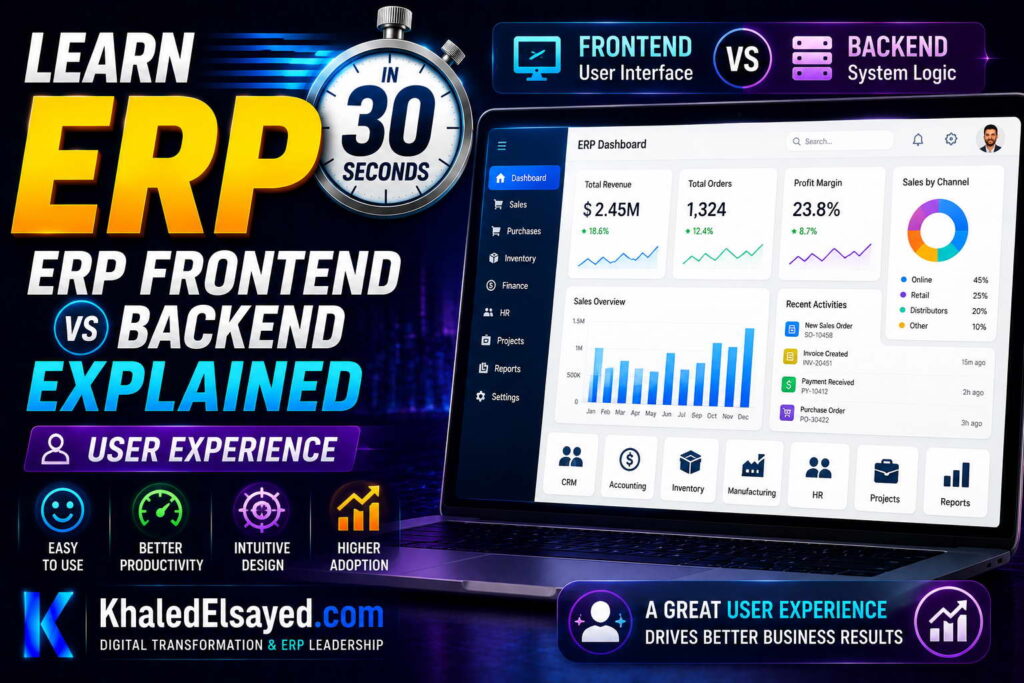
In my years leading digital transformation across enterprise IT environments, I have found that user experience determines ERP adoption. A powerful backend is useless if users reject the interface. The erp frontend backend balance must prioritize usability without compromising business logic. This guide explains erp ui design principles, covering erp architecture, answering erp frontend vs backend explained—drawing directly from real-world implementations where UX drove adoption success.
Why User Experience Matters in ERP
ERP has historically been criticized for poor user experience—complex screens, inconsistent workflows, slow performance. Users tolerated bad UX because ERP was mandatory. Modern expectations have changed. Users compare ERP to consumer apps (Amazon, Google, Netflix). If ERP is harder to use, users resist, create workarounds, or make errors.
From my experience, organizations with good ERP UX achieve 80-90 percent user adoption. Organizations with poor UX achieve 40-60 percent adoption. The difference directly impacts ROI—low adoption means low automation, low data quality, low visibility.
Erp ui is not just about aesthetics. Good UX reduces training time, prevents errors, speeds task completion, and increases user satisfaction.
Role-Based Interfaces
Different users need different interfaces. A warehouse worker needs simple scanning screen—large buttons, minimal text, fast input. A finance analyst needs complex reporting dashboard—charts, filters, export options. An executive needs high-level KPIs—trend lines, exception alerts, drill-down capability.
From my experience, role-based interfaces reduce training time 50-70 percent. Users see only what they need. Warehouse workers don’t need GL accounts. Sales reps don’t need manufacturing BOMs. Hiding irrelevant complexity improves usability.
Role-based design also improves security. Users cannot access functions they don’t see. No need for complex permission matrices—UI itself enforces access by omission.
Erp frontend backend separation enables role-based interfaces. Backend provides data and business logic; frontend assembles role-specific views. Same backend serves warehouse worker (simple scanning) and finance analyst (complex reporting).
Responsive and Mobile Design
ERP must work on any device. Warehouse workers use handheld scanners or tablets. Managers approve purchases on phones during commute. Sales reps check inventory on iPads at customer sites. Field service technicians update work orders on ruggedized devices.
Responsive design adapts interface to screen size—desktop (wide layout, multiple columns), tablet (medium layout, simplified navigation), mobile (single column, touch-optimized buttons).
From my experience, organizations without mobile ERP force users to return to desk for approvals, updates, or inquiries. Delays accumulate—approval takes 2 days because manager must be at desk. Mobile ERP reduces approval time to 2 hours.
Mobile-specific features: camera for scanning barcodes, GPS for location tracking, offline mode for poor connectivity, biometric authentication (fingerprint, face ID).
Consistent Navigation and Workflows
ERP users perform hundreds of tasks daily. Inconsistent navigation forces users to relearn for each task. “Save” button in different location for orders vs invoices. “Search” working differently for customers vs items. Users frustrated, make errors, waste time.
From my experience, consistent navigation reduces task completion time 30-50 percent. Principles: common location for primary actions (Save, Delete, Cancel), standard search interface (same filters, same results layout), predictable tab order (Enter key moves to next logical field).
Workflow consistency: creating a customer follows same pattern as creating a vendor. Approving purchase requisition follows same pattern as approving time sheet. Users learn once, apply everywhere.
Erp ui design should prioritize consistency over cleverness. Users value predictability over innovation.
Real-Time Feedback and Loading States
ERP systems communicate with backend servers. Network latency means users sometimes wait. Poor UX leaves users wondering: did my click register? Is system working? Should I click again?
From my experience, unclear loading states cause duplicate submissions. User clicks Save, sees no feedback, clicks again. System processes order twice. Customer receives two shipments, two invoices. Resolution takes hours.
Good UX provides immediate feedback: button changes to disabled state, loading spinner appears, progress bar for long operations, confirmation message on success, error message with specific guidance (not generic “something went wrong”).
Real-time validation prevents errors before submission. As user enters quantity, system checks inventory and displays “Only 5 available” before save. User adjusts quantity. No error message after save.
Search and Discovery
ERP contains thousands of customers, hundreds of thousands of items, millions of transactions. Finding specific record is a core user task. Poor search frustrates users, wastes time.
From my experience, search must support: partial matching (“Joh” finds “John Smith”), type-ahead suggestions (results appear as user types), filtering by type (customer, vendor, item), recent items (previously viewed records), saved searches (reuse frequent searches).
Advanced search: combine multiple criteria (customer name + city + order date range), save search as view, export results to Excel.
Erp architecture must support fast search. Database indexes on frequently searched columns. Separate search index (Elasticsearch) for large deployments.
User Experience Principles Summary
The following UX principles reflect current enterprise realities based on my implementation experience:
| Principle | Impact | Implementation |
|---|---|---|
| Role-based interfaces\([ | 50-70% training reduction\([ | User roles control visible modules, menus, actions\([ |
| Responsive design\([ | Access from any device\([ | CSS media queries, mobile-first design\([ |
| Consistent navigation\([ | 30-50% faster task completion\([ | Common action locations, standard search\([ |
| Real-time feedback\([ | Prevents duplicate submissions\([ | Loading spinners, button disable, progress bars\([ |
| Fast search\([ | Seconds vs minutes to find records\([ | Database indexes, type-ahead, saved searches\([ |
Common Challenges and Solutions
Organizations face specific UX challenges. Information overload—displaying too many fields on one screen overwhelms users. The solution is progressive disclosure: show only essential fields initially, advanced fields on demand. Another challenge is inconsistent user expectations—different departments want different workflows. The solution is role-based interfaces without compromising backend integrity. A third challenge is performance perception—slow backend makes frontend feel slow regardless of UI quality. The solution is backend optimization (indexes, caching) and frontend loading indicators.
Best Practices from Real Implementations
Across my portfolio, several UX practices drive adoption. Involve users in design—warehouse workers test scanning interface, finance users test reporting dashboard. Implement role-based views—hide irrelevant complexity. Design for mobile first—forces simplicity, works on all devices. Provide real-time validation—prevent errors before submission. Finally, measure task completion time—track how long common tasks take, improve slow tasks.
Frequently Asked Questions
Why is user experience important for ERP?
User experience determines whether users adopt ERP or create workarounds. Erp ui that is confusing, slow, or inconsistent drives users back to spreadsheets. Workarounds defeat ERP’s value—data not in system, no visibility, no automation. From my experience, organizations with good UX achieve 80-90 percent adoption; those with poor UX achieve 40-60 percent adoption. The difference directly impacts ROI. Erp frontend backend separation enables UX improvement without changing backend—frontend can be redesigned while backend business logic remains stable.
What makes a good ERP user interface?
Good erp ui is role-based (users see only what they need), responsive (works on any device), consistent (same patterns across modules), fast (loading states for background operations), and searchable (find records quickly). Good UX reduces training time, prevents errors, speeds task completion. From my experience, organizations with good UX complete order entry in 2 minutes versus 5 minutes with poor UX. Over 500 daily orders, 25 hours weekly difference. Erp frontend vs backend explained: frontend provides UX, backend provides business logic. Both must be excellent.
How can I improve ERP user adoption?
Improve erp ui based on user feedback. Four steps: (1) Observe users—watch them perform tasks, note frustration points. (2) Prioritize fixes—start with most frequent tasks (order entry, inventory lookup, approval). (3) Implement role-based interfaces—hide irrelevant complexity. (4) Provide training—users need to know not just how but why (ERP makes their job easier, not just tracks them). From my experience, involving users in design is the single most effective adoption driver. Users who help design workflows adopt them. Users who receive finished software resist it.
Meta Title: ERP User Experience: Frontend Design Guide | Khaled Sqawa
Meta Description: ERP user experience explained by digital transformation expert Khaled Elsayed Sqawa. Learn role-based interfaces, responsive design, consistent navigation, and real-time feedback.
Data Layer
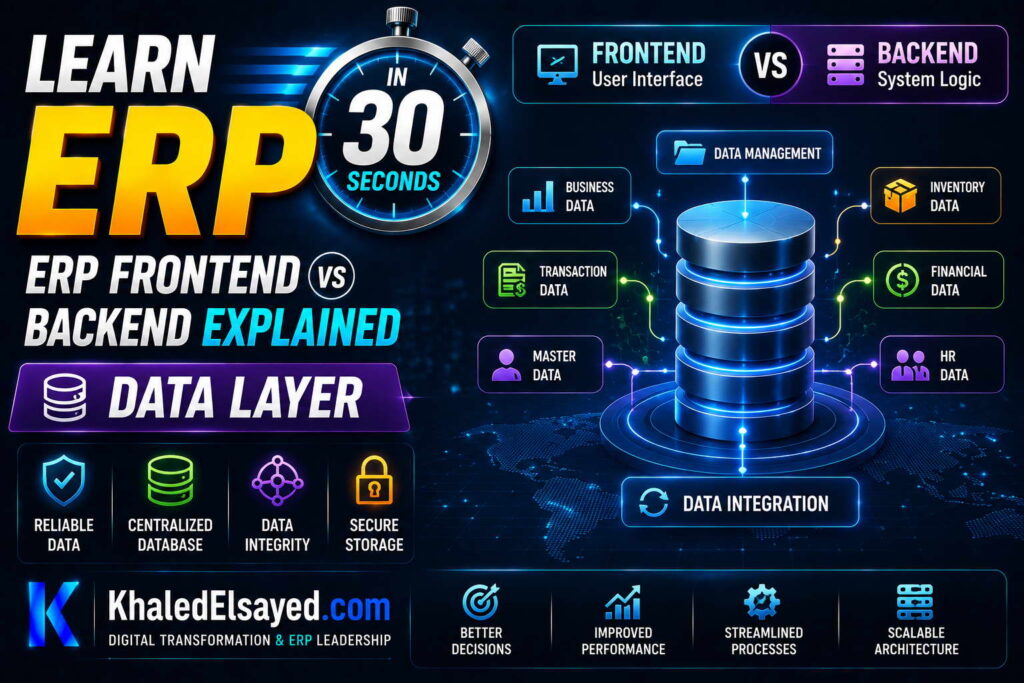
In my years leading digital transformation across enterprise IT environments, I have found that the data layer is the most critical yet least visible component of erp frontend backend architecture. All frontend interfaces and backend logic depend on the data layer. Performance, reliability, and consistency are determined here. This guide explains the erp backend system data layer, covering erp architecture, answering erp frontend vs backend explained—drawing directly from real-world implementations.
What Is the Data Layer?
The data layer is the persistent storage component of ERP architecture. It includes the database (primary storage), file storage (documents, attachments), cache (performance optimization), and backup systems (disaster recovery). The data layer is where all transactional and master data lives—customers, orders, inventory, GL accounts, employee records.
From my experience, the data layer determines ERP capability. A poorly designed data layer (missing indexes, unnormalized tables) makes even the best frontend and backend unusable. Slow queries, deadlocks, and data inconsistency all trace to data layer issues.
Erp architecture separates data layer from application layer for good reason. Independent scaling (database servers scale differently than application servers), security (database has its own access controls), and maintenance (database backups don’t require application downtime).
Database Schema: Tables and Relationships
The core of data layer is the relational database schema. Tables represent business entities: customers (customer_id, name, address, credit_limit). orders (order_id, customer_id, order_date, total). order_lines (line_id, order_id, item_id, quantity, price). inventory (item_id, location_id, quantity_on_hand).
Relationships link tables: orders.customer_id references customers.customer_id (foreign key). order_lines.order_id references orders.order_id. order_lines.item_id references inventory.item_id. These relationships maintain referential integrity—you cannot create an order for a non-existent customer.
From my technical assessments, schema design is the most consequential data layer decision. Normalization (eliminating redundancy) vs denormalization (performance optimization) trade-offs must be made. Third normal form (3NF) is typical for transactional ERP. Star schema for reporting/data warehouse.
Erp backend system performance depends on schema design. A well-designed schema with proper indexes supports thousands of transactions per minute. A poorly designed schema fails at hundreds.
Indexes: Performance Accelerators
Indexes dramatically speed up data retrieval. Without index, finding a specific order requires scanning every order row (full table scan)—millions of rows read, seconds or minutes. With index on order_id, database finds row in milliseconds.
From my experience, missing indexes are the most common performance problem. A manufacturer’s inventory report took 8 minutes because query scanned 2 million rows. Adding one index (item_id, location_id) reduced runtime to 2 seconds.
Index types: primary key index (unique, on order_id), foreign key index (on customer_id, order_id), composite index (multiple columns: (order_date, status)), unique index (prevent duplicates), full-text index (search descriptions). Each index speeds reads but slows writes (insert, update, delete). Balance is key.
Index guidelines: index foreign key columns (customer_id, order_id, item_id). index frequently searched columns (order_date, status). index columns used in WHERE clauses. avoid indexing rarely used columns. monitor index usage—remove unused indexes.
Transactions: Ensuring Data Consistency
Transactions group multiple database operations into atomic units. Either all operations succeed or all fail. No partial updates, no inconsistency. Example transaction for sales order: BEGIN TRANSACTION. INSERT INTO orders. INSERT INTO order_lines. UPDATE inventory SET quantity = quantity – 10. UPDATE customers SET credit_used = credit_used + total. COMMIT.
From my experience, transaction design determines data integrity. Transactions that are too large (updating millions of rows) cause locking and performance problems. Transactions that are too small (not grouping related operations) risk partial updates.
ACID properties: Atomicity (all or nothing), Consistency (integrity constraints maintained), Isolation (concurrent transactions don’t interfere), Durability (committed transactions survive crashes). ERP databases must be ACID-compliant.
Erp architecture must handle transaction failures gracefully. Deadlocks (two transactions waiting for each other) detected automatically, one transaction killed. Application must retry killed transactions.
File Storage: Documents and Attachments
ERP stores documents: invoices (PDF), purchase orders (PDF), receipts (scanned images), contracts (Word), product images (JPEG). Modern ERP separates file storage from database to keep database size manageable.
From my experience, storing files in database leads to performance degradation. Database backups become huge (terabytes). Query performance suffers (bloat). Solution: object storage (AWS S3, Azure Blob) for files, database stores only references (file URL).
File storage considerations: versioning (keep previous versions), retention policies (how long to keep), encryption (at rest and in transit), access controls (who can view, download, delete).
Caching: Performance Optimization
Caching stores frequently accessed data in memory, avoiding database queries. Cache layers: application cache (in memory on application server), distributed cache (shared across servers—Redis, Memcached), database cache (database internal).
From my technical assessments, caching reduces database load 50-70 percent. What to cache: reference data (tax rates, product catalog, customer tiers), session data (user login state), query results (dashboard widgets, reports), computed values (aggregated totals).
Cache invalidation challenge: when data changes, cache must be updated or invalidated. Strategies: time-based (expire after TTL), event-based (update cache when data changes), write-through (update cache and database simultaneously).
Erp backend system caching must handle concurrency. Multiple users reading/writing same cache keys. Race conditions avoided with atomic operations.
Data Layer Components Summary
The following data layer components reflect current enterprise realities based on my implementation experience:
| Component | Purpose | Performance Impact | Best Practice |
|---|---|---|---|
| Database schema | Data structure, relationships | High (design determines capability) | Normalize for OLTP, star for reporting |
| Indexes | Speed data retrieval | Critical (milliseconds vs minutes) | Index foreign keys, frequent search columns |
| Transactions | Consistency, atomicity | Medium (lock duration) | Keep transactions short, retry on deadlock |
| File storage | Documents, attachments | Low (offloaded from database) | Object storage, not database BLOBs |
| Caching | Performance, reduced database load | High (50-70% load reduction) | Cache reference data, invalidate on change |
Common Challenges and Solutions
Organizations face specific data layer challenges. Slow queries due to missing indexes—the solution is analyze slow query logs, add indexes. Another challenge is deadlocks causing transaction failures—the solution is keep transactions short, implement retry logic, optimize lock order. A third challenge is cache inconsistency—stale data after updates—the solution is event-based invalidation (update cache when data changes) or time-based with short TTL.
Best Practices from Real Implementations
Across my portfolio, several data layer practices drive success. Index foreign key columns—customer_id, order_id, item_id—for join performance. Use database transactions for multi-table updates—never update related tables in separate transactions. Store files in object storage, not database—keep database size manageable. Implement caching for reference data—tax rates, product catalog, customer tiers. Finally, monitor database performance—track slow queries, index usage, cache hit rates.
Frequently Asked Questions
What is the data layer in ERP?
The data layer in erp backend system is the persistent storage component. It includes the database (tables, indexes, transactions), file storage (documents, attachments), cache (performance optimization), and backup systems. All ERP data—customers, orders, inventory, GL accounts—lives in the data layer. Erp architecture separates data layer from application layer for scalability, security, and maintenance. Frontend and backend logic depend on the data layer; if data layer fails, nothing works.
Why are indexes important in ERP database?
Indexes in erp architecture dramatically speed up data retrieval. Without index, finding a specific order requires scanning every order row (full table scan)—taking minutes. With index on order_id, database finds row in milliseconds. From my experience, missing indexes are the most common performance problem. A manufacturer reduced report runtime from 8 minutes to 2 seconds by adding one index. Erp frontend vs backend explained: backend database performance directly impacts frontend user experience. Slow database = slow UI regardless of frontend quality.
What is database transaction in ERP?
A database transaction groups multiple operations into a single atomic unit. Either all succeed or all fail. Example: creating sales order requires inserting order header, inserting order lines, updating inventory, updating customer credit. If any operation fails (inventory insufficient), entire transaction rolls back—no partial updates, no inconsistency. Erp backend system relies on transactions for data integrity. Without transactions, you could reserve inventory without creating order—inconsistent. From my experience, transaction design (size, isolation level, retry logic) is the most critical data layer decision.
Meta Title: ERP Data Layer: Database, Indexes, Transactions | Khaled Sqawa
Meta Description: ERP data layer explained by digital transformation expert Khaled Elsayed Sqawa. Learn database schema, indexes, transactions, file storage, and caching in ERP architecture.
ERP Communication Flow
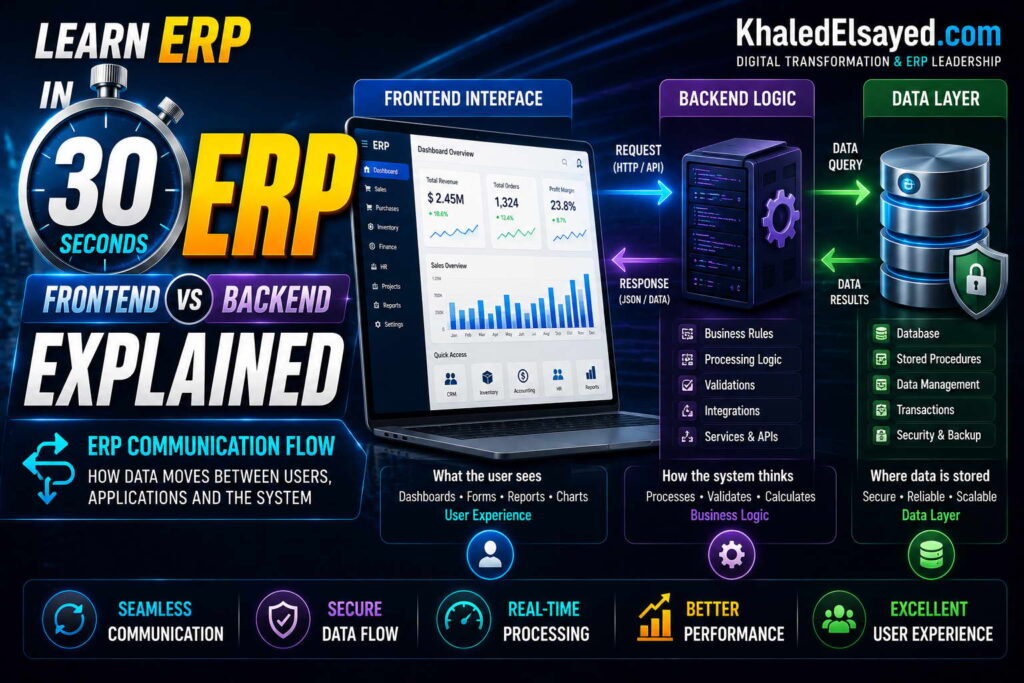
In my years leading digital transformation across enterprise IT environments, I have found that understanding erp frontend backend communication flow is essential for troubleshooting and performance optimization. Every user action triggers a cascade of requests and responses between components. This guide explains the complete erp architecture communication flow, covering erp ui to erp backend system, answering erp frontend vs backend explained—drawing directly from real-world implementations.
Complete Communication Flow: Order Entry Example
A salesperson creating an order triggers a complex communication sequence. Step one: user fills form in browser (frontend). Step two: user clicks Submit. Step three: frontend validates input (quantity positive, customer selected). Step four: frontend sends HTTP POST request to backend API endpoint (/api/orders). Request includes order data as JSON. Step five: API gateway authenticates request (checks API key, user token). Step six: backend application server receives request, starts database transaction. Step seven: backend validates business rules (customer credit limit, item availability). Step eight: backend executes database operations (insert order, insert lines, update inventory, update customer credit). Step nine: database returns success. Step ten: backend commits transaction, returns HTTP 201 (Created) with order ID in JSON response. Step eleven: frontend receives response, displays confirmation, redirects to order view.
From my experience, each step must complete within milliseconds. Total user perceived latency: 1-3 seconds typical. Slow database queries or network latency increase perceived latency, frustrating users.
Erp architecture must optimize every step. Frontend validation prevents unnecessary requests. Backend indexing speeds database operations. API gateway reduces network hops.
Request-Response Patterns
Synchronous request-response is the most common pattern. Frontend sends request, waits for response. User sees loading spinner. Examples: saving order, searching customers, updating inventory. Synchronous ensures user knows result before continuing. Good for operations where user needs confirmation.
Asynchronous request-response: frontend sends request, doesn’t wait for response. User continues working. Examples: generating large report, sending bulk emails, processing batch jobs. Asynchronous prevents user from waiting. Response delivered via callback, webhook, or user checks later.
From my technical assessments, choosing sync vs async affects user experience. Sync for operations under 3 seconds. Async for operations over 3 seconds. A report taking 30 seconds should be async—user receives email when complete, continues working.
Erp ui should communicate expectations: “Your order is being processed” (sync, 2 seconds) vs “Report generation started, you will receive email when complete” (async, 30 seconds).
API Design: Endpoints and Methods
APIs (Application Programming Interfaces) define how frontend communicates with backend. REST (Representational State Transfer) is most common for modern ERP. Resources (customers, orders, products) exposed as URLs. HTTP methods specify action: GET (retrieve), POST (create), PUT (update all fields), PATCH (update partial), DELETE (remove).
Example REST API for order management: GET /api/orders—list orders (supports filtering, pagination). GET /api/orders/12345—retrieve order details. POST /api/orders—create new order. PUT /api/orders/12345—update entire order. PATCH /api/orders/12345—update order status only. DELETE /api/orders/12345—cancel order.
From my experience, well-designed API reduces frontend complexity. Instead of 10 API calls to create an order (customer validation, item validation, pricing, tax, etc.), one API call creates order; backend handles all validations. Chatty APIs (many small calls) are slower and more error-prone.
Erp backend system APIs should be versioned: /v1/orders, /v2/orders. Versioning allows backend to evolve without breaking existing frontends.
Authentication and Authorization Flow
Every request must be authenticated (prove identity) and authorized (prove permission). Flow: user logs in with username/password. Backend validates credentials, returns JWT (JSON Web Token) or session cookie. Frontend stores token (local storage or cookie). Subsequent requests include token in Authorization header. Backend verifies token signature, checks expiration, extracts user ID and roles. Backend authorizes operation based on user roles.
From my experience, token-based authentication scales better than session-based. Session stores user data on server—limits horizontal scaling. Token stores user data in encrypted token—any server can verify without shared storage.
Erp architecture security: tokens expire (short-lived, 15-60 minutes). Refresh tokens obtain new access tokens without re-login. API rate limiting prevents brute force attacks.
Error Handling and Response Codes
APIs use HTTP status codes to indicate success or failure. 2xx Success: 200 OK (GET, PUT, PATCH success), 201 Created (POST success, returns location header), 204 No Content (DELETE success). 4xx Client Error: 400 Bad Request (validation failed), 401 Unauthorized (not logged in), 403 Forbidden (logged in but insufficient permission), 404 Not Found (resource doesn’t exist), 409 Conflict (concurrent update conflict). 5xx Server Error: 500 Internal Server Error (backend bug), 503 Service Unavailable (database down, overloaded).
Error responses should include details: {“code”: “VALIDATION_ERROR”, “message”: “Quantity must be positive”, “field”: “quantity”}. Generic “Something went wrong” frustrates users and support teams.
From my experience, frontend must handle all error codes gracefully. Show user-friendly message based on error code. Log technical details for support. Retry on 5xx errors (server may recover). Don’t retry on 4xx errors (user must fix input).
Erp ui error handling prevents duplicate submissions. Disable submit button on click, re-enable on response or timeout.
Real-Time Communication (WebSockets)
Some ERP features require real-time updates without user refreshing. Examples: dashboard widgets updating when data changes, notifications when approval required, collaborative editing (multiple users viewing same order).
WebSockets maintain persistent connection between frontend and backend. Backend pushes data to frontend without request. Frontend listens for messages, updates UI accordingly. WebSockets are more efficient than polling (frontend asking “any updates?” every few seconds).
From my experience, WebSockets are overused. Many real-time requirements are actually near-real-time—polling every 30 seconds sufficient. WebSockets add complexity (connection management, reconnection, message ordering). Use WebSockets only when true real-time required (milliseconds latency).
Communication Flow Summary
The following communication flow components reflect current enterprise realities based on my implementation experience:
| Component | Direction | Protocol | Latency |
|---|---|---|---|
| Browser to web server | Request-response | HTTPS | 50-200ms |
| Web server to app server | Internal API call | HTTP/REST | 1-10ms |
| App server to database | SQL query | Database protocol | 1-100ms (depends on index) |
| Database response to app server | Result set | Database protocol | 1-100ms |
| App server response to web server | JSON/XML | HTTP/REST | 1-10ms |
| Web server to browser | HTML/JSON/CSS/JS | HTTPS | 50-200ms |
Common Challenges and Solutions
Organizations face specific communication flow challenges. High latency due to chatty APIs (many small requests) instead of coarse-grained API (one request returns all needed data). The solution is API design review: consolidate related data into single endpoints. Another challenge is authentication token expiration causing unexpected logouts—the solution is refresh tokens: obtain new access token before expiration without re-login. A third challenge is WebSocket connection management—connections drop, reconnection complex—the solution is use polling for near-real-time, WebSockets only for true real-time.
Best Practices from Real Implementations
Across my portfolio, several communication flow practices drive success. Design coarse-grained APIs—return all needed data in one request, not many small requests. Use synchronous requests for operations under 3 seconds—user expects immediate confirmation. Use asynchronous for long operations—send email when complete. Implement token-based authentication with short-lived access tokens and refresh tokens. Finally, log all API requests and responses—essential for debugging production issues.
Frequently Asked Questions
How do frontend and backend communicate in ERP?
Erp frontend backend communicate via APIs (Application Programming Interfaces). Frontend sends HTTP requests (GET, POST, PUT, DELETE) to backend endpoints (e.g., /api/orders). Backend processes request: authenticates user, validates data, executes business logic, reads/writes database, returns JSON response. Frontend receives response, updates UI. This request-response cycle occurs for every user action—saving order, searching customers, generating report. Erp architecture optimizes this communication with coarse-grained APIs, caching, and asynchronous processing.
What is the difference between synchronous and asynchronous API calls?
Synchronous API call: frontend sends request, waits for response. User sees loading spinner. Response includes result (success/failure, data). Example: saving an order (user needs confirmation before continuing). Asynchronous API call: frontend sends request, doesn’t wait. User continues working. Response delivered later via callback, webhook, or user checks status. Example: generating large report (user doesn’t want to wait 30 seconds). Erp ui should use synchronous for short operations (<3 seconds), asynchronous for long operations (>3 seconds).
What HTTP status codes should ERP APIs return?
Erp backend system APIs should return standard HTTP status codes: 200 OK (successful GET, PUT, PATCH), 201 Created (successful POST, returns location header), 204 No Content (successful DELETE). 400 Bad Request (validation failed—missing field, invalid data). 401 Unauthorized (not logged in). 403 Forbidden (logged in but insufficient permission). 404 Not Found (resource doesn’t exist). 409 Conflict (concurrent update conflict—user must refresh). 500 Internal Server Error (backend bug—log, retry). From my experience, consistent status codes reduce frontend error handling complexity.
Meta Title: ERP Communication Flow: Frontend to Backend | Khaled Sqawa
Meta Description: ERP communication flow explained by digital transformation expert Khaled Elsayed Sqawa. Learn request-response patterns, API design, authentication, and error handling.
Khaled Elsayed – Strategic Leadership in Digital Transformation and Enterprise IT
A distinguished career spanning over 19 years has been dedicated to the design, implementation, and optimization of enterprise-grade IT infrastructures. This professional journey is defined by a consistent commitment to leveraging technology as a fundamental driver of organizational efficiency and scalable growth.
Currently, the position of Digital Transformation and Information Technology Manager is held, with a focus on spearheading strategic initiatives to modernize technological foundations and strengthen data security frameworks. Responsibilities in this capacity include the oversight of integrated ERP system deployments, the formulation of comprehensive IT policies, and the management of departmental budgets and procurement processes.
Prior to the current engagement, several senior leadership roles were occupied, including Group IT Section Head and IT Section Head. During these tenures, successful large-scale infrastructure upgrades were led, and business continuity frameworks were implemented to ensure uninterrupted operational performance. Expertise has been consistently demonstrated in aligning IT strategies with overarching business objectives while leading high-performing technical teams.
The academic foundation consists of a Bachelor’s degree in Information Systems. This is further reinforced by an extensive portfolio of international professional certifications, including:
- MCSA (Microsoft Certified Systems Administrator).
- Dynamic Specialist (Microsoft Certified Business Management Solutions Specialist).
- Google Certified Project Management Professional.
- SAP Technology Consultant.
- Oracle Cloud Infrastructure Architect Professional.
- Google Certified Cybersecurity Professional.
- ServiceNow IT Leadership Professional Certificate by LinkedIn Learning.
- Succeeding as a Senior Manager Professional Certificate by LinkedIn Learning.
- IT Service Management ISO20000 by LinkedIn Learning.
- Google Certified IT Support Professional.
The leadership philosophy remains centered on continuous improvement, integrity, and the transformation of complex technical visions into functional digital realities that empower the modern enterprise.
Khaled Elsayed
خالد السيد
www.khaledelsayed.com
|
linkedin.com/in/khaled-elsayed-it

is deltek an erp system, is deltek costpoint an erp system, erp deltek, erp system deltek, erp software deltek, is cin7 an erp, is cin7 core an erp, erp cin7, erp system cin7, erp brightpearl, brightpearl erp, what is focus erp, m focus erp, got focus erp, focus erp, focus erp software, focus erp system, focus erp login, focus erp 9, focus erp 9 login, focus erp price, focus erp careers, focus erp api, focus erp jobs uae, erp apache ofbiz, apache ofbiz vs erpnext, apache ofbiz erp, que es tryton erp, tryton erp, erp tryton, erpnext vs tryton, dolibarr erp y crm, telecharger dolibarr erp crm, dolibarr erp system & crm, download dolibarr erp crm, dolibarr erp crm, ai for dolibarr erp crm, dolibarr erp crm free download, dolibarr erp crm open source, dolibarr erp crm github, dolibarr erp crm demo, dolibarr erp crm download, dolibarr erp crm free, dolibarr erp crm files, 3 dolibarr erp crm, what is syspro erp, syspro erp system, is syspro an erp system, is syspro a good erp, syspro erp, erp syspro, erp system syspro, enterprise asset management syspro, erp software syspro, what is qad erp, what does qad erp stand for, who owns qad erp, what is qad erp software, qad erp system wiki, what is qad adaptive erp, what is erp in radio, qad full form in erp, que es qad erp, is qad erp, full form of qad erp, companies using qad erp, qad erp, qad erp system, qad erp software, qad erp vs sap, qad erp meaning, qad erp jobs, qad erp logo, qad erp training, qad erp modules, qad erp api, z erp, what is plex erp, plex erp vs sap, plex erp vs netsuite, verpex reseller, vlex erp, plex erp training videos, erpnext translation, sistema plex erp, rockwell plex erp, rockwell automation plex erp, que es plex erp, erp opening hours, erp 2.0 charges, hva er erp system, erpcloud.systems, plex online erp, plex erp odbc, who owns plex erp, what is oracle fusion erp, is plex erp, plex erp integration, what is plex erp system, erp software erp system examples, erp system examples, erp list of software, erp software examples, ix erp, how much does plex erp cost, erp egec, erp plus, plex erp cost, plex cloud erp, plex erp consultant, plex erp community, plex erp careers, plex erp competitors, plex manufacturing cloud erp, plex erp certification, plex erp customers, erp account manager jobs, plex erp, plex erp system, plex erp software, plex erp login, plex erp jobs, plex erp training, plex erp logo, plex erp tutorial, apex erp, apex erp system, apex erp login, apex erp software, is plex an erp system, plex erp api, plex erp api documentation, plex erp mobile app, plex erp ai, plex erp app, what is sap business one erp, use perpetual inventory in sap business one, sap erp vs sap business one, que es erp sap business one, is sap business one an erp, erp sap business one, erpnext vs sap business one, erp system sap business one, what is sage x3 erp, sage x3 erp, is sage x3 an erp system, erp sage x3, erp system sage x3, what is acumatica erp, is acumatica an erp, is acumatica a good erp, erp acumatica, erp system acumatica, zoho erp vs zoho one, zoho erp zoho one, erp zoho one, erpnext vs zoho one, zoho vs erpnext, zerodha erpnext, zatca erpnext, zkteco erpnext, zapier erpnext, zkteco integration with erpnext, youtube erpnext, your complete resource for erpnext, xero vs erpnext, what is erpnext software, what is erpnext developer, what is frappe erpnext, workflow erpnext, webshop erpnext, woocommerce erpnext, what is doctype in erpnext, whatsapp integration with erpnext, what is the latest version of erpnext, woocommerce erpnext integration, valuation rate in erpnext, version 16 erpnext, union erpnext, update erpnext, udemy erpnext, upgrade erpnext 15 to 16, upgrade erpnext 14 to 15, tally to erpnext, tally to erpnext migration, tally integration with erpnext, tutorial erpnext, tally vs erpnext, tryton vs erpnext, theme erpnext, stock reconciliation erpnext, sap vs erpnext, self host erpnext, subcontracting in erpnext, setup erpnext, sales order erpnext, shopify erpnext integration, sales invoice erpnext, raven erpnext, reddit erpnext, rest api erpnext, role permission manager erpnext, reset erpnext to default, report builder erpnext, reports in erpnext, restore erpnext backup, review erpnext, restaurant erpnext, quality inspection erpnext, quickbooks vs erpnext, quotation erpnext, quality inspection template erpnext, pos awesome erpnext 15, pos erpnext, erpnext pos awesome, pricing rule in erpnext, period closing voucher erpnext, print designer erpnext, payroll erpnext, purchase order erpnext, odoo vs erpnext, odoo erpnext, odoo vs erpnext reddit, odoo vs erpnext comparison, open source erpnext, opening balance in erpnext, odoo community vs erpnext, odoo erp vs erpnext, n8n erpnext, naming series in erpnext, n8n erpnext integration, notification in erpnext, netsuite vs erpnext, nextcloud erpnext, nestorbird erpnext, non profit erpnext, number card erpnext, no module named erpnext, manufacturing erpnext, material request erpnext, manufacturing module in erpnext, mint erpnext, mcp erpnext, modules in erpnext, material issue erpnext, learn erpnext, landed cost voucher erpnext, latest erpnext version, lms erpnext, logo erpnext, lead in erpnext, lending erpnext, karani erpnext, karani erpnext 15, erpnext egypt, journal entry erpnext, job card in erpnext, erpnext github, jan trade 25 erpnext com, erpnext download, erpnext pricing, install erpnext, india compliance erpnext, install erpnext 15 on ubuntu 24.04, is erpnext free, install erpnext 15 on ubuntu 22.04, install erpnext on ubuntu 24.04, install erpnext on ubuntu, install erpnext on windows, how to install erpnext, hrms erpnext, how to install erpnext on windows, how to install erpnext on ubuntu 24.04, how to use erpnext, how to install erpnext on ubuntu 22.04, healthcare erpnext, hr erpnext, github erpnext, github frappe erpnext, git erpnext, github erpnext docker, gst india compliance erpnext, getting started with erpnext, erpnext login, erpnext demo, frappe erpnext, frappe erpnext github, frappe erpnext documentation, frappe erpnext docker, frappe erpnext login, frappe erpnext developer jobs, frappe school erpnext, frappe erpnext installation, education module in erpnext, enable developer mode in erpnext, education erpnext, expense claim in erpnext, exchange rate revaluation erpnext, ecommerce erpnext, erp erpnext, ecommerce integration erpnext, e invoice erpnext, easy install erpnext, download erpnext, docs erpnext, demo erpnext, dolibarr vs erpnext, docker erpnext, download erpnext for windows, developer mode erpnext, docker frappe erpnext, code with karani erpnext 15, crm erpnext, cost center in erpnext, common party accounting erpnext, customize erpnext, coolify erpnext, chart of accounts erpnext, change erpnext logo, bitnami erpnext, bank reconciliation in erpnext, bom erpnext, blanket order erpnext, bench install erpnext, buying module in erpnext, backup erpnext, bench get app erpnext, erpnext, erpnext documentation, asset erpnext, api erpnext, accounting in erpnext, ai in erpnext, asset management erpnext, accounting module in erpnext, accounting dimension erpnext, asset module in erpnext, syspro erp photo, what is odoo erp, is odoo an erp, is odoo a erp system, github odoo enterprise, koperprijs, erp odoo, erpnext vs odoo, erp system odoo, erp software odoo, community vs enterprise odoo, what is epicor erp, what is epicor erp system, who owns epicor erp, what is epicor erp used for, what companies use epicor erp, sistema epicor erp, que es epicor erp, learn epicor erp, logo epicor erp, kinetic epicor erp, is epicor erp, is epicor erp cloud based, is epicor erp or mrp, how much is epicor erp, how to use epicor erp, harga epicor erp, eclipse epicor erp, download epicor erp, companies using epicor erp, cms epicor erp, epicor erp logo, epicor erp, apa itu epicor erp, epicor erp system, epicor erp software, epicor erp training, epicor erp jobs, epicor erp reviews, epicor erp pricing, epicor erp modules, epicor erp vs sap, what is ifs cloud erp, ifs cloud erp, erp ifs cloud, what is infor erp, who owns infor erp, what companies use infor erp, what does infor erp do, what is infor erp ln, what is infor erp engine, wat is infor erp, visual infor erp, tải phần mềm infor erp, sun infor erp, syteline infor erp, system infor erp, que es infor erp, phần mềm infor erp, phần mềm kế toán infoerp, ln infor erp, lawson infor erp, learn infor erp, logo infor erp, list of infor erp, is infor erp system, how much does infor erp cost, how to use infor erp, ferrari e infor erp, infor erp pricing, infor erp engine, companies that use infor erp, cloud infor erp, csi infor erp, baan infor erp ln jobs, baan infor erp, infor erp, infor erp system, infor erp software, infor erp vs sap, infor erp ln, infor erp reviews, infor erp products, infor erp jobs, ai for erp, ai for erp systems, ai for erpnext, is infor an erp system, is infor an erp, is infor a good erp system, infor erp api, is infor m3 an erp system, infor nexus erp, infor adage erp, what is oracle netsuite erp, que es oracle netsuite erp, oracle erp vs oracle netsuite, is oracle netsuite an erp, erp oracle netsuite, erp system oracle netsuite, erp systems sap oracle netsuite, difference between oracle netsuite and oracle erp, oracle netsuite erp, what is microsoft dynamics 365 erp, ultimate microsoft dynamics 365 crm for enterprises, oracle erp vs microsoft dynamics 365, is microsoft dynamics 365 an erp, microsoft dynamics 365 erp, erp microsoft dynamics 365, erp system microsoft dynamics 365, erp microsoft dynamics 365 business central, erp microsoft dynamics 365 login, erp software microsoft dynamics 365, microsoft dynamics 365 finance and operations erp, erp microsoft dynamics 365 price, you are configuring an oracle erp cloud adapter, what is oracle erp cloud, what is oracle erp cloud financials, securing oracle erp cloud, sap oracle erp cloud, rest api oracle erp cloud, que es oracle erp cloud, package consultant oracle erp cloud financials, oracle netsuite vs oracle erp cloud, oracle netsuite oracle erp cloud, oracle fusion vs oracle erp cloud, mulesoft oracle erp cloud connector, microsoft dynamics vs oracle erp cloud, modules in oracle erp cloud, logo oracle erp cloud, learn oracle erp cloud, latest oracle erp cloud version, is oracle erp cloud based, how to learn oracle erp cloud, free oracle erp cloud training, future of oracle erp cloud, oracle erp cloud adapter in oic, difference between oracle erp cloud and fusion, difference between oracle erp cloud and netsuite, consultant oracle erp cloud, business events in oracle erp cloud, oracle erp cloud jobs, avalara oracle erp cloud, oracle erp cloud, ai in oracle erp cloud, oracle erp cloud adapter, oracle erp cloud certification, oracle erp cloud logo, oracle erp cloud adapter capabilities, oracle erp cloud financials, oracle erp cloud training, oracle erp cloud modules, sap erp sap s 4hana, is sap s 4hana an erp system, erp sap s 4hana, erp system sap s 4hana, erpnext system, erpnext software, erpnext self hosted, erpnext setup, erpnext school, erpnext software download, erpnext software price, erpnext service providers, erpnext source code, erpnext support, erpnext git, erpnext github repo, erpnext guide, erpnext gst, erpnext germany, erpnext github docker, erpnext gst setup, erpnext getting started, erpnext crm, erpnext course, erpnext certification, erpnext cloud, erpnext customization, erpnext consultant, erpnext cloud pricing, erpnext careers, erpnext cost, erpnext company, erpnext v16, erpnext apps, erpnext api, erpnext accounting, erpnext api documentation, erpnext ai, erpnext alternative, erpnext ai integration, erpnext ai agent, erpnext accounting software, erpnext accounting module, odoo erp, infor erp logo, infor erp ln jobs, infor erp login, infor erp ln training pdf, erp infor, microsoft dynamics 365 erp youtube, deltekenterprise, costpoint deltekenterprise com, microsoft dynamics 365 vs oracle erp, https www deltekenterprise com, microsoft dynamics 365 is erp, microsoft dynamics 365 erp modules, microsoft dynamics 365 erp certification, microsoft dynamics 365 erp pricing, microsoft dynamics 365 erp training, microsoft dynamics 365 erp system, microsoft dynamics 365 erp course, oracle erp cloud vs netsuite, oracle erp cloud vs sap s 4hana, oracle erp cloud vs ebs, oracle erp cloud version, oracle erp cloud version history, oracle erp cloud vs peoplesoft, oracle erp cloud vs jd edwards, oracle erp cloud vs on premise, oracle erp cloud vs sap, oracle erp cloud fusion, oracle erp cloud vs fusion, is viewpoint vista an erp, viewpoint vista erp, erp systémy, erp explained, toyota erp system, tesla erp system, target erp system, sap erp system, sage erp system, spandan erp system, sap erp system examples, school erp system, sap erp system meaning, salesforce erp system, erp system que es, syteline erp system, singapore erp system, ramco erp system, ross erp system, real estate erp system, radius erp system, ri erp system, retail erp system, ramp erp system, erp system quickbooks, restaurant erp system, rockwell erp system, rfp for erp system, quantum erp system, quickbooks erp system, q erp system, qb erp system, quantum control erp system, quickbooks online erp system, erp system qad, qbo erp system, qube erp system, qianyi erp system, pdea erp system, pronto erp system, priority erp system, p21 erp system, peoplesoft erp system, popular erp system, erp system qatar, php erp system, purpose of erp system, procurement erp system, oracle erp system, odoo erp system, occ erp system, open source erp system, occ erp system login, occ erp system login password, orion erp system, erp system questions, oracle erp system examples, netsuite erp system, new erp system, new erp system singapore, next erp system, navy erp system, nav erp system, ncc erp system, nhs erp system, nestle erp system, erp system quantum, n4 erp system, microsoft erp system, meaning of erp system, m3 erp system, mogo erp system, monitor erp system sdn bhd, monitor erp system, m1 erp system, microsoft dynamics erp system, mssv erp system, erp system quality control, mrp vs erp system, ln erp system, levels of erp system, lawson erp system, learn erp system, logistics erp system, list of erp system, lifemed erp system, legacy erp system examples, kingdee erp system, erp system qf, kinetic erp system, katana erp system, k8 erp system, kips erp system, kerridge erp system, erp system egypt, key features of erp system, jde erp system, jd edwards erp system, jobboss erp system, erp system quality, jonas erp system, jeeves erp system, jd erp system, jobscope erp system, jira erp system, jobs in erp system, jda erp system, is sap an erp system, ifs erp system, is oracle an erp system, erp systemy co to, erp system quotation, is salesforce an erp system, is quickbooks a erp system, is sage an erp system, is workday an erp system, is netsuite an erp system, how many levels in erp system, how erp system works, how to use erp system, how to build an erp system from scratch, erp systeme, how to learn erp system, how much does an erp system cost, hana erp system, hospital erp system, google erp system, glovia erp system, great plains erp system, genius erp system, global erp system, global shop erp system, erp systeme beispiele, gp erp system, german erp system, gss erp system, gepco erp system, full form of erp system, free erp system, fusion erp system, fishbowl erp system, free erp system for small business, erp systemen betekenis, facts erp system, finance erp system, example of erp system, enterprise resource planning erp system, eco erp system, ecount erp system, eco erp system login, exceed erp system, erp system definition, epic erp system, eureka home appliances erp system, define erp system, dpmc erp system, d365 erp system, dfn erp system, dynamics erp system, dynamics 365 erp system, deltek erp system, does microsoft have an erp system, erp systemen was ist das, disadvantages of erp system, college erp system, coins erp system, cloud based erp system, coupa erp system, cloud erp system, crm erp system, crm vs erp system, contoh erp system, best erp system, erp systeme liste, baan erp system, benefits of erp system, best erp system for manufacturing, business central erp system, banner erp system, bpcs erp system, best erp system for small business, erp system, acumatica erp system, ai erp system, erp systemer i norge, as400 erp system, ax erp system, amazon erp system, accounting erp system examples, erp system meaning, accounting erp system, aird erp system login, erp systeme bedeutung, erp systeme schweiz, systemy erp przykłady, erp systemer hvad er det, erp system sap, erp system free, erp system in arabic, erp system ui design, erp systems, erp systems in egypt, erp systems meaning, erp systems examples, erp systems for manufacturing, systemy erp co to jest, erp systems list, erp systems in south africa, erp systems in kenya, erp systems for accounting, erp systems full form, zoho erp system, zara erp system, zoho books erp system, zap erp system, zebra erp system, systemy erp jakie są, zoom erp system, zedonk erp system, zip erp system, zest erp system, yardi erp system, yonyou erp system, erp system course, youtube erp system, erp systémy v čr, ygl erp system, xero erp system, xa erp system, x3 erp system, xtra erp system, xal erp system, xerox erp system, xpedeon erp system, xpert erp system, xtuple erp system, systemy erp najpopularniejsze, xledger erp system, what is erp system, what is an erp system in accounting, what does erp system stand for, what is sap erp system, what is an erp system in business, workday erp system, what is erp system means, what is erp system example, what is erp system software, najpopularniejsze systemy erp w polsce, what is odoo erp system, vsm erp system, visual erp system, vista erp system, vsm erp system login, viewpoint erp system, voodoo erp system, vantage erp system, unit 4 erp system, umoja erp system, erp date, university erp system, udu erp system, unleashed erp system, unilever erp system, ultimate erp system, types of erp system, typical erp system levels, top erp system, tally erp system, the company's erp system has suddenly,