Odoo ERP Integration: Connect All Your Systems
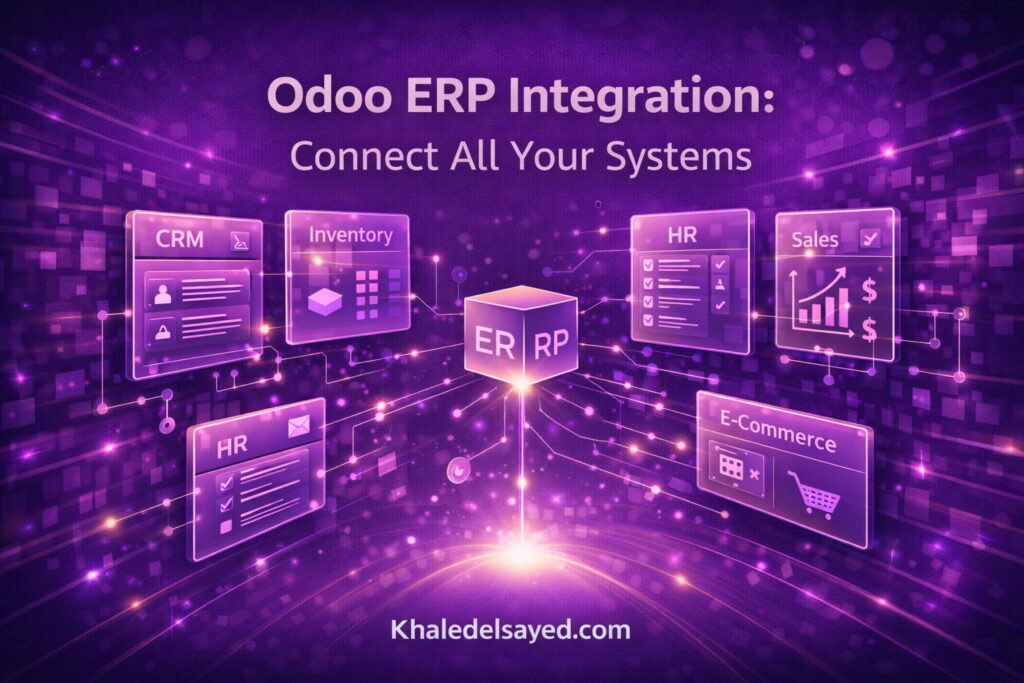
In my years as a Digital Transformation leader, the most common pain point I encounter is not missing features—it is disconnected systems. Sales data in one platform, inventory in another, accounting in a spreadsheet. This fragmentation kills efficiency and blinds you to growth opportunities. Mastering odoo erp integration solves this chaos by creating a unified digital nervous system. I am Khaled Elsayed Sqawa, and in this comprehensive guide, I will show you exactly how to integrate odoo erp with systems ranging from e-commerce platforms to marketing automation tools. The right system integration strategy transforms Odoo from a standalone application into the central hub of your entire technology stack, supercharging lead generation and operational agility.
Many businesses underestimate the complexity of integration. They assume a simple connector will suffice, only to discover data mismatches, sync delays, and broken workflows. This guide provides a strategic framework for erp tools integration that addresses data mapping, error handling, and real-time synchronization. Whether you are connecting Odoo to Shopify, Salesforce, or a custom legacy system, these principles will ensure success. Let us begin by understanding why integration matters more than any single software feature.
1. The Integration Imperative: Why Connected Systems Drive Growth
Before diving into technical details, we must understand the strategic value of odoo erp integration. Disconnected systems create data silos that lead to duplicated work, inconsistent customer experiences, and delayed decision-making. When your CRM does not talk to your inventory, salespeople promise stock you do not have. When your e-commerce platform does not sync with accounting, reconciliation becomes a weekly nightmare. System integration eliminates these problems by ensuring every action in one system automatically updates all others.
The Cost of Disconnection
Based on client engagements across industries, I have quantified the hidden costs of poor integration: Manual data entry: Employees spend 10-15 hours per week copying data between systems. For a team of 10, that is $50,000+ annually in wasted labor. Decision delays: Waiting for reports from disconnected systems adds 3-5 days to critical decisions like inventory reordering or campaign budgeting. Customer friction: When support agents cannot see order history or payment status, resolution times double, increasing churn. The erp tools category has evolved precisely to address these costs. Modern integration platforms make real-time synchronization accessible to mid-sized businesses, not just enterprises with million-dollar IT budgets.
Real-Time vs. Batch Integration
Understanding how to integrate odoo erp with systems requires choosing between real-time and batch synchronization. Real-time integration sends data immediately when an event occurs (e.g., a new order creates an invoice instantly). Batch integration runs on a schedule (e.g., sync every hour or daily). Real-time is essential for customer-facing systems like e-commerce and CRM. Batch is acceptable for internal reporting or non-critical data. Most successful integrations use a hybrid approach: real-time for transactions, batch for analytics.
- Real-Time Use Cases: Order processing, inventory updates, lead assignment.
- Batch Use Cases: Sales forecasting, inventory trend analysis, financial reporting.
- Hybrid Approach: Real-time sync for operational data, nightly batch for data warehouse loading.
2. Integration Methods: APIs, Middleware, and Pre-Built Connectors
There are three primary methods to achieve odoo erp integration, each with distinct trade-offs in cost, flexibility, and maintenance requirements. Choosing the right method for each integration is a core skill in digital transformation.
Direct API Integration: Maximum Control
Odoo provides a comprehensive REST API that allows external applications to read and write data. Direct API integration involves writing custom code (Python, Node.js, PHP, etc.) that calls Odoo’s endpoints. This method offers maximum flexibility—you can sync any data field, implement complex business logic, and control error handling precisely. However, direct API integration requires development resources and ongoing maintenance. When APIs change (e.g., Odoo version upgrade), your custom code may break. Best for: Organizations with in-house development teams or complex, unique integration requirements that off-the-shelf tools cannot handle.
Middleware and iPaaS: No-Code/Low-Code Integration
Integration Platform as a Service (iPaaS) tools like Zapier, Make (formerly Integromat), and Workato provide visual interfaces for connecting Odoo to hundreds of other applications. You build “zaps” or “scenarios” using triggers and actions without writing code. For example: “When a new order is created in Shopify (trigger), create a customer in Odoo and then create a sales order (actions).” Middleware abstracts away API complexity but may have limitations on transaction volume or complex conditional logic. Best for: Small to mid-sized businesses needing quick, affordable integrations without dedicated developers. Most common use cases (e-commerce sync, form submissions, email marketing) are well-supported.
Odoo’s Native Connectors
Odoo itself offers pre-built connectors for popular platforms as part of the Enterprise subscription or as paid modules. These include: Odoo-Shopify Connector: Syncs products, orders, customers, and inventory bidirectionally. Odoo-Magento Connector: Similar functionality for Adobe Commerce/Magento. Odoo-WooCommerce Connector: Native integration for WordPress/WooCommerce stores. Odoo-Stripe/PayPal: Payment gateway reconciliation. Native connectors are maintained by Odoo or certified partners, reducing maintenance burden. However, they may not support every custom field or edge case. Evaluate native connectors first before building custom solutions.
Custom Module Development: Ultimate Flexibility
For complex, ongoing integration needs, developing a custom Odoo module is the most robust approach. A custom module can include scheduled actions, webhook listeners, and data transformation logic. It runs inside Odoo itself, eliminating external dependencies. However, custom module development requires Odoo-specific programming skills (Python, XML, JavaScript) and represents the highest upfront investment. Best for: Enterprises with long-term integration needs, high transaction volumes, or proprietary systems that lack standard APIs.
3. Common Integration Scenarios for Lead Generation and Operations
Based on my client work, certain odoo erp integration scenarios deliver the fastest return on investment. These scenarios directly impact lead generation, customer experience, or operational efficiency.
E-Commerce to Odoo: The Revenue Integration
Connecting your online store to Odoo is often the highest-priority integration. When a customer places an order on Shopify, Magento, or WooCommerce, the integration should automatically: Create or update the customer record in Odoo CRM. Generate a sales order in Odoo Sales. Reserve inventory in Odoo Inventory. Create an invoice in Odoo Accounting (if paid online). Trigger fulfillment in your warehouse system. This end-to-end automation eliminates manual order entry, reduces errors, and speeds shipping. One retail client reduced their order-to-ship time from 24 hours to 2 hours after implementing system integration between Shopify and Odoo. The result? Higher customer satisfaction and fewer “where is my order” support tickets.
CRM and Marketing Automation Integration
For lead generation, integrating Odoo CRM with marketing tools like Mailchimp, HubSpot, or ActiveCampaign is transformative. The integration should: Sync contact lists bidirectionally so unsubscribes in one system apply everywhere. Push lead scores from marketing automation to Odoo CRM for sales prioritization. Create leads in Odoo when prospects fill out forms on your website or landing pages. Trigger marketing campaigns based on CRM stages (e.g., send a case study when a lead reaches “Needs Analysis”). These erp tools integrations ensure that no lead falls through the cracks and that marketing and sales teams work from the same data. I have seen lead-to-close rates increase by 35% simply by syncing lead scoring data between marketing automation and Odoo CRM.
Payment Gateway Reconciliation
Manual reconciliation of payments against invoices is a notorious time sink. Integrating Stripe, PayPal, or Square with Odoo Accounting automates this: When a customer pays via credit card, the integration creates a payment record in Odoo and matches it to the open invoice. If a payment fails or is refunded, the integration updates the invoice status and triggers a follow-up task. Dispute or chargeback notifications create helpdesk tickets automatically. A services client with 500+ monthly transactions reduced their monthly reconciliation time from 15 hours to 1 hour after implementing how to integrate odoo erp with systems for payment gateways. That is 14 hours per month returned to high-value work.
Shipping and Fulfillment Integration
For product businesses, integrating Odoo with shipping carriers (FedEx, UPS, DHL) or fulfillment centers (ShipStation, Easyship) automates label generation, tracking number capture, and delivery notifications. When a sales order is confirmed, the integration can: Calculate shipping rates based on weight, dimensions, and destination. Generate a shipping label and return tracking number to Odoo. Send tracking information to the customer automatically. Update inventory when packages are scanned by the carrier. This integration is particularly valuable for high-volume e-commerce businesses where manual shipping would require dedicated staff.
4. Best Practices for Successful Odoo Integration
Even with the right tools, odoo erp integration projects can fail without proper planning. These best practices, honed across dozens of integration projects, will dramatically increase your success rate.
Data Mapping and Transformation Planning
Before writing any code or configuring any connector, create a detailed data mapping document. For each field in the source system, specify the corresponding field in Odoo and any necessary transformations. For example: Source (Shopify): “customer.phone” with format (123) 456-7890. Target (Odoo): “res.partner.phone” with format 1234567890. Transformation: Remove parentheses, spaces, and hyphens. This mapping document becomes your integration blueprint. Without it, you will inevitably miss fields or apply inconsistent transformations, leading to data corruption.
Error Handling and Logging
Integrations fail. Networks drop, APIs rate-limit, data formats change. Robust system integration includes explicit error handling: Retry logic: Automatically retry failed operations 3-5 times with exponential backoff. Dead letter queue: Store failed transactions in a separate table for manual review. Alerting: Notify administrators when error rates exceed thresholds. Idempotency: Ensure that retried operations do not create duplicate records. I require all integration projects I oversee to include an “integration health dashboard” showing sync status, error counts, and lag times. Visibility prevents small issues from becoming crises.
Security and Authentication
Integrations create additional attack surfaces. Follow these security practices: Use API keys or OAuth2 instead of storing usernames and passwords. Restrict API access by IP address where possible. Audit integration activity logs regularly for unusual patterns. Rotate credentials annually or when staff with access leave. Never hard-code credentials in integration scripts. Use environment variables or secure secret managers. A single compromised integration credential can expose your entire Odoo database.
Monitoring and Maintenance
Integration is not a “set and forget” activity. Establish ongoing monitoring: Daily sync reports showing volume and any errors. Weekly reconciliation comparing record counts between systems. Monthly review of integration performance and potential optimizations. Quarterly security audit of access credentials and permissions. When systems update (e.g., Odoo version upgrade, Shopify API change), test integrations in a staging environment before production. Allocate 5-10 hours per month for integration maintenance in your IT budget.
Frequently Asked Questions (FAQ)
What is the easiest way to integrate Odoo with other systems?
For non-technical users, middleware platforms like Zapier or Make offer the easiest path to odoo erp integration. You can connect Odoo to over 1,000 applications using visual builders without writing code. For common use cases (e-commerce sync, form submissions, email marketing), these tools work well out of the box. However, for high-volume or complex integrations, direct API or custom modules become necessary. Start with middleware and upgrade when you hit its limits.
Can Odoo integrate with legacy or custom-built systems?
Yes. Odoo’s REST API allows integration with virtually any system that can make HTTP requests. For legacy systems without modern APIs, you have two options: (1) Build a middleware bridge that extracts data from the legacy system’s database or files, or (2) Use an ETL tool (e.g., Pentaho, Talend) to transform and load data. How to integrate odoo erp with systems of any age is a solvable problem; the solution complexity depends on the legacy system’s accessibility. I have integrated Odoo with mainframe systems, custom Access databases, and proprietary POS terminals.
How much does Odoo integration typically cost?
Costs vary dramatically based on complexity: Pre-built connector (Shopify, WooCommerce): $300-1,000 one-time or included in Enterprise subscription. Middleware (Zapier, Make): $20-200/month per integration scenario. Custom API integration (simple): $3,000-10,000 development cost. Complex custom integration (multiple systems, transformations): $15,000-50,000+. The erp tools market has matured, making integration more affordable than ever. However, do not underestimate ongoing maintenance costs. Budget 15-20% of initial development cost annually for maintenance and updates.
What are the signs that I need Odoo integration?
You need odoo erp integration if you experience: Duplicate data entry: Your team enters the same information into multiple systems. Reconciliation headaches: You spend hours matching records between systems. Out-of-sync data: Sales sees one inventory number, warehouse sees another. Missed opportunities: Leads from your website take days to appear in your CRM. As Khaled Elsayed Sqawa, I tell clients that integration is not a luxury—it is a prerequisite for scaling. If any of these symptoms sound familiar, your next project should be integration, not another new software purchase.
Conclusion: Building Your Integrated Digital Ecosystem
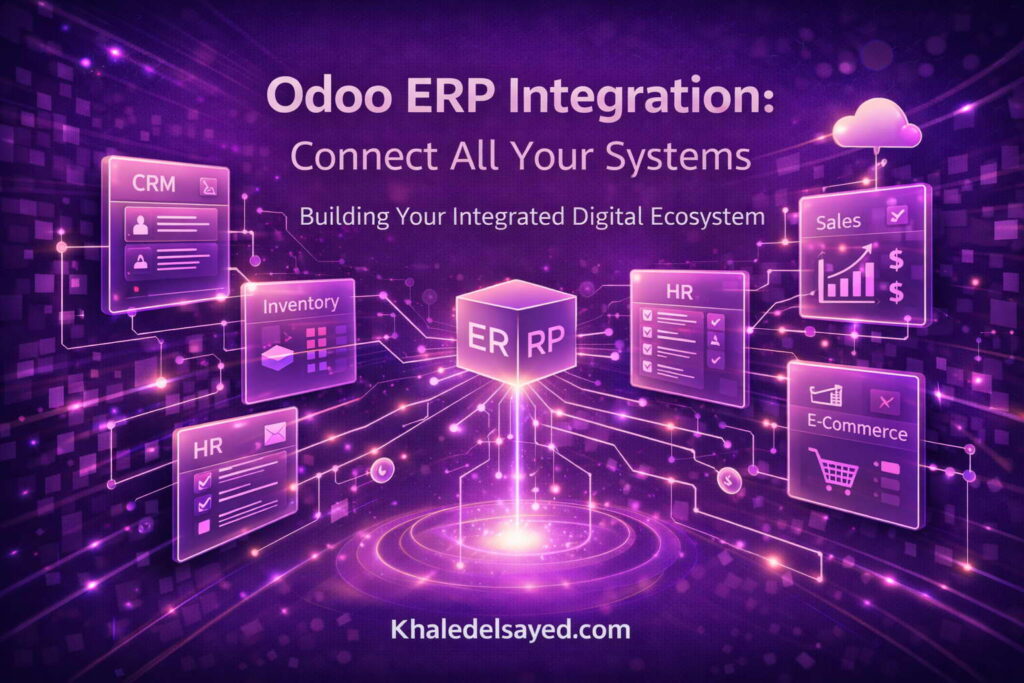
Mastering odoo erp integration is the difference between a collection of disconnected tools and a unified digital transformation platform. The system integration strategies and erp tools outlined in this guide provide a roadmap for connecting Odoo to your entire business ecosystem. Whether you choose pre-built connectors, middleware, or custom APIs, the goal is the same: real-time, accurate data flowing automatically between systems, eliminating manual work and enabling faster decisions.
As Khaled Elsayed Sqawa, my final advice is to start with one integration that delivers immediate value—typically e-commerce to Odoo or CRM to marketing automation. Measure the time savings and error reduction. Then expand systematically. Document every integration thoroughly, including data mappings, error handling procedures, and maintenance schedules. Remember that how to integrate odoo erp with systems is not a one-time project but an ongoing capability. The businesses that thrive in the digital age are those that treat integration as a core competency, not a technical afterthought. Begin your integration journey today by identifying your most painful data silo and mapping a path to connection.
odoo erpnext, odoo erp vs erpnext, odoo erp modules, odoo erp software, odoo erp login, best odoo erp implementation services, best odoo erp services, best odoo erp consultant in dubai, benefits of odoo erp, best odoo erp, best odoo erp software, odoo erp course, zoho erp vs odoo erp, odoo erp system, advantages of odoo erp, arabic odoo erp kuwait, azkatech odoo erp lebanon, odoo erp pricing, all in one odoo erp extension, about odoo erp software, alternative to odoo erp, advantages and disadvantages of odoo erp, youtube odoo erp, odoo website, odoo web, odoo erp review, odoo windows 11, odoo ucp, who owns odoo erp, odoo trial, odoo terminal, what is odoo erp used for, odoo store, odoo slides, odoo sign, odoo sh pricing, odoo software, odoo support, odoo sh-restart, odoo studio, odoo runbot, what is odoo erp implementation, odoo run, odoo download, odoo partner, odoo system, which companies use odoo erp, odoo sh, odoo egypt, odoo mac, what is odoo erp development, odoo com, odoo login, odoo learn, odoo logo, what is odoo erp solutions, odoo kenya, odoo erpnext dolibarr, what are odoo erp implementation methodology, odoo members, odoo jobs, why choose odoo erp, odoo iqra, odoo iran, odoo india, odoo it yourself youtube, odoo hr, odoo help, odoo helpdesk, odoo hosting, what does odoo erp stand for, odoo hr module, odoo hr system, odoo h, odoo hotel management system, odoo hotel management, odoo hostinger, odoo github, odoo galala university, odoo gold partner, odoo github repository, voodoo erp, odoo gu login, odoo gu edu eg, odoo git, odoo glassdoor, odoo gold partners egypt, odoo farsi, odoo free, odoo flow, voodoo erp system, odoo formio, odoo firebase, odoo erp, odoo experts, odoo events, odoo vs erp, odoo ir, odoo development, odoo demo, odoo docs, odoo debug, odoo vs other erp, odoo crm, odoo community, odoo claw, odoo cloud, odoo erp vs microsoft dynamics, odoo apps, odoo vs oracle erp, odoo ai, odoo academy, odoo common util and tools, odoo ai cn, odoo apps github, odoo yodawy, odoo erp video, zoho vs odoo pricing, zkteco odoo integration, yenthe odoo script, youtube odoo tutorial, odoo vs erpnext, odoo erp vs netsuite, your odoo periodic digest, yeastar odoo integration, youtube odoo crm, youtube odoo mates, odoo erp versions, xero odoo connector, xero odoo integration, xpath odoo 18, xclusive odoo com, www odoo com website, www odoo com login, what is odoo developer, what is odoo software, udemy odoo erp, what is odoo erp, what is odoo sh, www odoo com download, www odoo demo, what is odoo system, www odoo cust, tutorial odoo erp, ucp odoo login, ucp odoo portal, toyota odoo erp, ucp odoo horizon, odoo upgrade, training odoo erp, ticket odoo support, tell me about odoo erp, software odoo erp, remote odoo jobs, quickbooks to odoo migration, sap vs odoo erp, simply odoo erp software, odoo vs erpnext reddit, sap odoo erp, odoo odoo github, odoo gu, nims odoo login, reviews odoo erp, nevermore odoo app store, nutech odoo login, reddit odoo erp, latest odoo version, que es odoo erp, logo odoo png, login with odoo ucp, kantor odoo indonesia, que significa odoo erp, jaming odoo com, que es un odoo erp, junior odoo developer, just1 odoo com, jmr odoo login, is odoo free, iqra odoo login, is odoo open source, python odoo erp, is odoo a crm, is odoo an erp, is odoo a erp system, is odoo website free, price of odoo erp, how to be odoo developer, how is odoo free, how much is odoo software, pros and cons of odoo erp, github odoo 18, gaming odoo com, github odoo enterprise, github odoo 17, github odoo 19, programming odoo erp, odoo vs erpnext comparison, oakland-odoo erp, extension odoo debug, download odoo 18, open source odoo erp, download odoo for windows, documentation odoo 18, download odoo app, cust odoo login, origin of odoo erp, batuk odoo com jobs, nanobytes odoo erp gold partner, managed odoo erp hosting, odoo app store, modules in odoo erp, meaning of odoo erp, learn odoo erp, logo odoo erp, login odoo erp, odoo vs erpnext which is better, latest version of odoo erp, key features of odoo erp, kfc odoo erp, kelebihan dan kekurangan odoo erp, kursus odoo erp, kekurangan odoo erp, jurnal odoo erp, is odoo erp good, is odoo erp or crm, is odoo erp software, odoo vs erpnext pricing, is odoo erp free, is odoo erp cloud based, is odoo erp open source, introduction to odoo erp, implementing odoo erp, hire odoo erp developer, harga odoo erp, how to learn odoo erp, how to pronounce odoo erp, how to use odoo erp, odoo vs erpnext vs dolibarr, how to implement odoo erp, how much does odoo erp cost, how does odoo erp work, github odoo erp, giới thiệu về odoo erp, features of odoo erp, free odoo erp, full form of odoo erp, erpnext vs odoo erp, odoo erp mongolia, odoo community vs erpnext, odoo erp meaning, download odoo erp, demo odoo erp, disadvantages of odoo erp, download odoo erp for windows, dashboard odoo erp, companies that use odoo erp, cost of odoo erp, customize odoo erp, crm odoo erp
Khaled Elsayed – Strategic Leadership in Digital Transformation and Enterprise IT
A distinguished career spanning over 19 years has been dedicated to the design, implementation, and optimization of enterprise-grade IT infrastructures. This professional journey is defined by a consistent commitment to leveraging technology as a fundamental driver of organizational efficiency and scalable growth.
Currently, the position of Digital Transformation and Information Technology Manager is held, with a focus on spearheading strategic initiatives to modernize technological foundations and strengthen data security frameworks. Responsibilities in this capacity include the oversight of integrated ERP system deployments, the formulation of comprehensive IT policies, and the management of departmental budgets and procurement processes.
Prior to the current engagement, several senior leadership roles were occupied, including Group IT Section Head and IT Section Head. During these tenures, successful large-scale infrastructure upgrades were led, and business continuity frameworks were implemented to ensure uninterrupted operational performance. Expertise has been consistently demonstrated in aligning IT strategies with overarching business objectives while leading high-performing technical teams.
The academic foundation consists of a Bachelor’s degree in Information Systems. This is further reinforced by an extensive portfolio of international professional certifications, including:
- MCSA (Microsoft Certified Systems Administrator).
- Dynamic Specialist (Microsoft Certified Business Management Solutions Specialist).
- Google Certified Project Management Professional.
- SAP Technology Consultant.
- Oracle Cloud Infrastructure Architect Professional.
- Google Certified Cybersecurity Professional.
- ServiceNow IT Leadership Professional Certificate by LinkedIn Learning.
- Succeeding as a Senior Manager Professional Certificate by LinkedIn Learning.
- IT Service Management ISO20000 by LinkedIn Learning.
- Google Certified IT Support Professional.
The leadership philosophy remains centered on continuous improvement, integrity, and the transformation of complex technical visions into functional digital realities that empower the modern enterprise.
Khaled Elsayed www.khaledelsayed.com | linkedin.com/in/khaled-elsayed-it